Teams data handling
Introduction
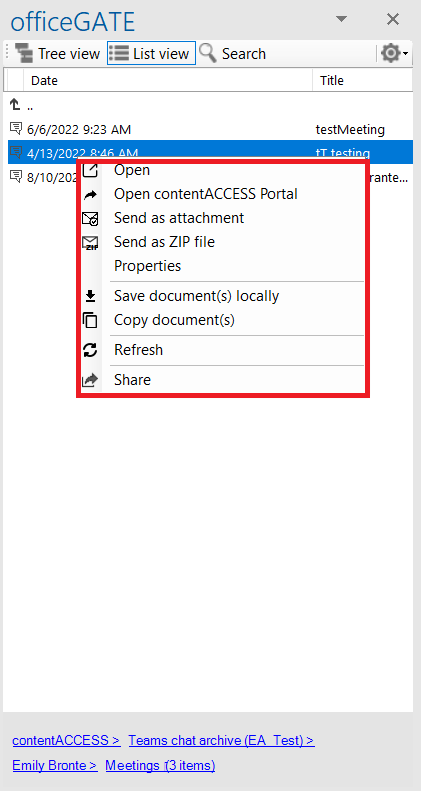
officeGATE allows you to work with items in Teams archive and Teams chat archive. These archive items support several context menu operations, including opening, sending, saving, copying, refreshing, and sharing items.
warning
Important: Unlike items from other providers and contentACCESS items, you cannot Drag & Drop items into Teams archive and Teams chat archive.
Teams archive context menu
Teams archive and Teams chat archive items offer the following options from their context menu:
- Open
- Open contentACCESS Portal
- Send as attachment
- Send as ZIP file
- Properties – opens a preview of the item and allows you to work with it as described in Double-click on contentACCESS items in List view.
- Save document(s) locally
- Copy document(s)
- Refresh
- Share