Creating folder(s)
Introduction
The Create folder function allows users to create a new folder in the file system. There are two ways to create a folder, with the second method available only for MySharePoint Sites.
Create a new folder
The first method is available generally:
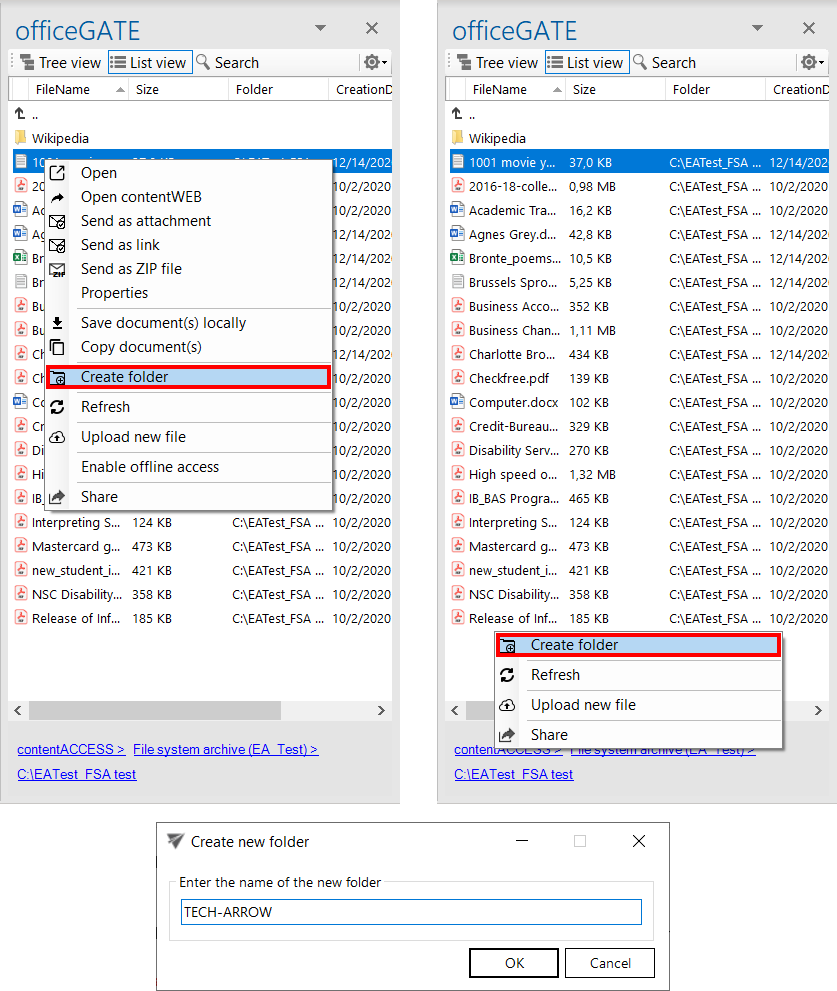
- Select Create folder from the item's context menu. Alternatively, switch to List view and right-click in the navigation pane.
- In the Create new folder dialog, enter the folder name.
- Click OK.
Create a folder in MySharePoint Sites
The second method is available only for MySharePoint Sites:
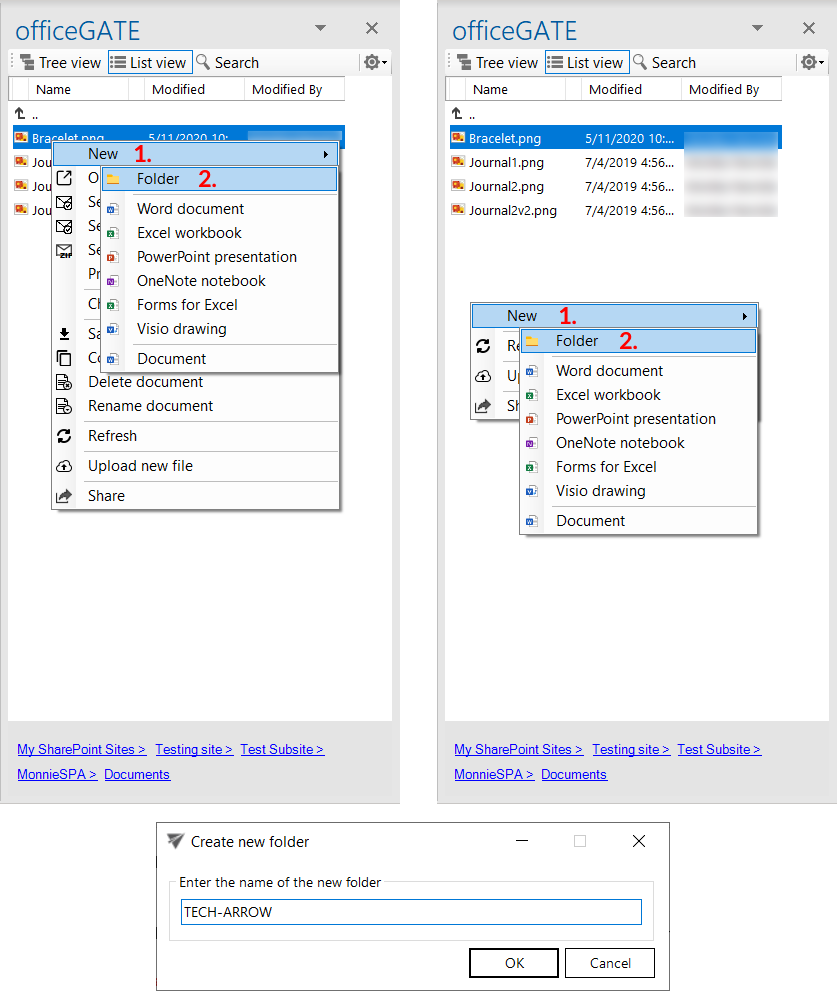
- Select New (1) from the item's context menu. Alternatively, switch to List view and right-click in the navigation pane.
- Select Folder (2) from the available options.
- In the Create new folder dialog, enter the folder name.
- Click OK.