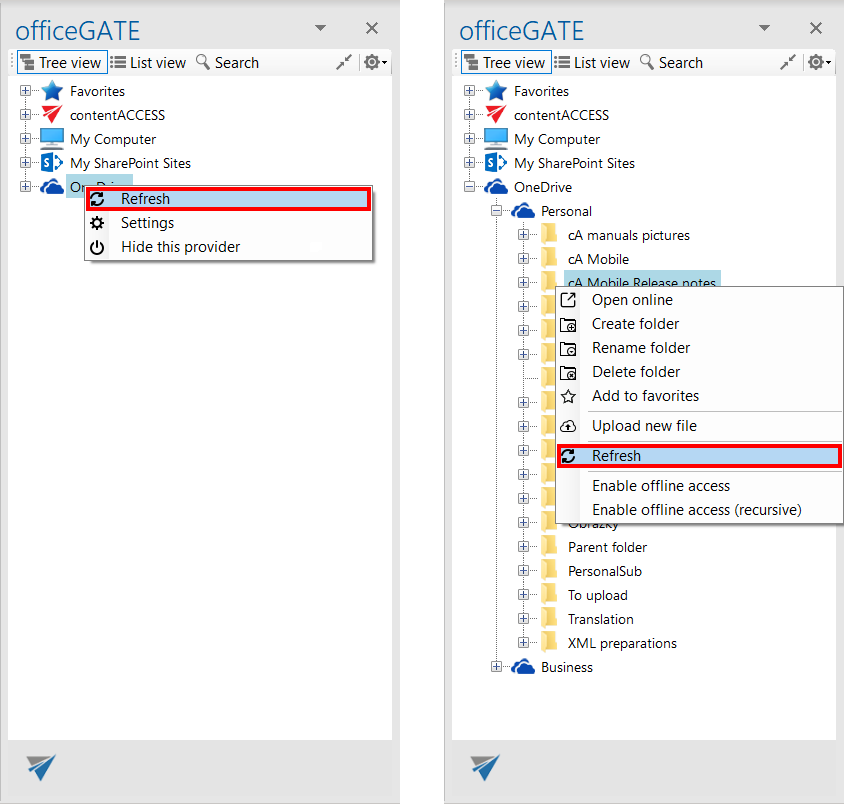
Folder refresh/provider refresh
Introduction
The Refresh context menu option allows users to refresh the content of a provider or folder. This is useful when new files or other changes have been made in the source system and are not yet displayed.
Refresh provider or folder content
To refresh the displayed content:
- Open the context menu of the provider or folder.
- Select Refresh.
- The content is refreshed to display the current items from the source system.
For example, if a new file has been added to a SharePoint folder, use Refresh to update the list of items in the folder.