Online opening and editing of files directly from officeGATE
Introduction
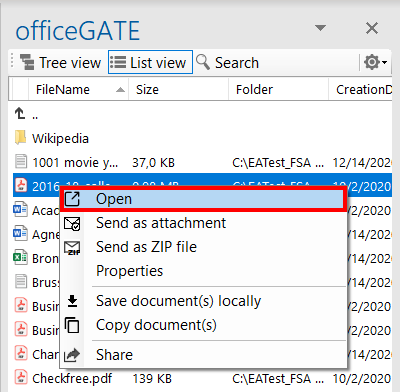
The Open context menu option allows users to open a file directly from the source system in a web browser. This makes it possible to check or modify the file without downloading it and uploading it again after editing.
Open a file online
To open and modify a file:
- Open the file's context menu.
- Select
 Open.
Open. - Make the necessary corrections in the file.
- Save the file.
The file is opened directly from the server (source system). Any changes made to the file are synchronized back to the online source location.
Note: When a file is double-clicked, it is downloaded locally to a temporary folder. If you open and edit this locally downloaded file, the changes are not synchronized back to the source (online) location.
This is particularly important when working with online systems such as SharePoint or Perceptive Workplace.
When you use the Open context menu option, the file is opened directly in the source system through a web browser. Changes made to the file are therefore synchronized to the online location.