Sending files as attachments
Introduction
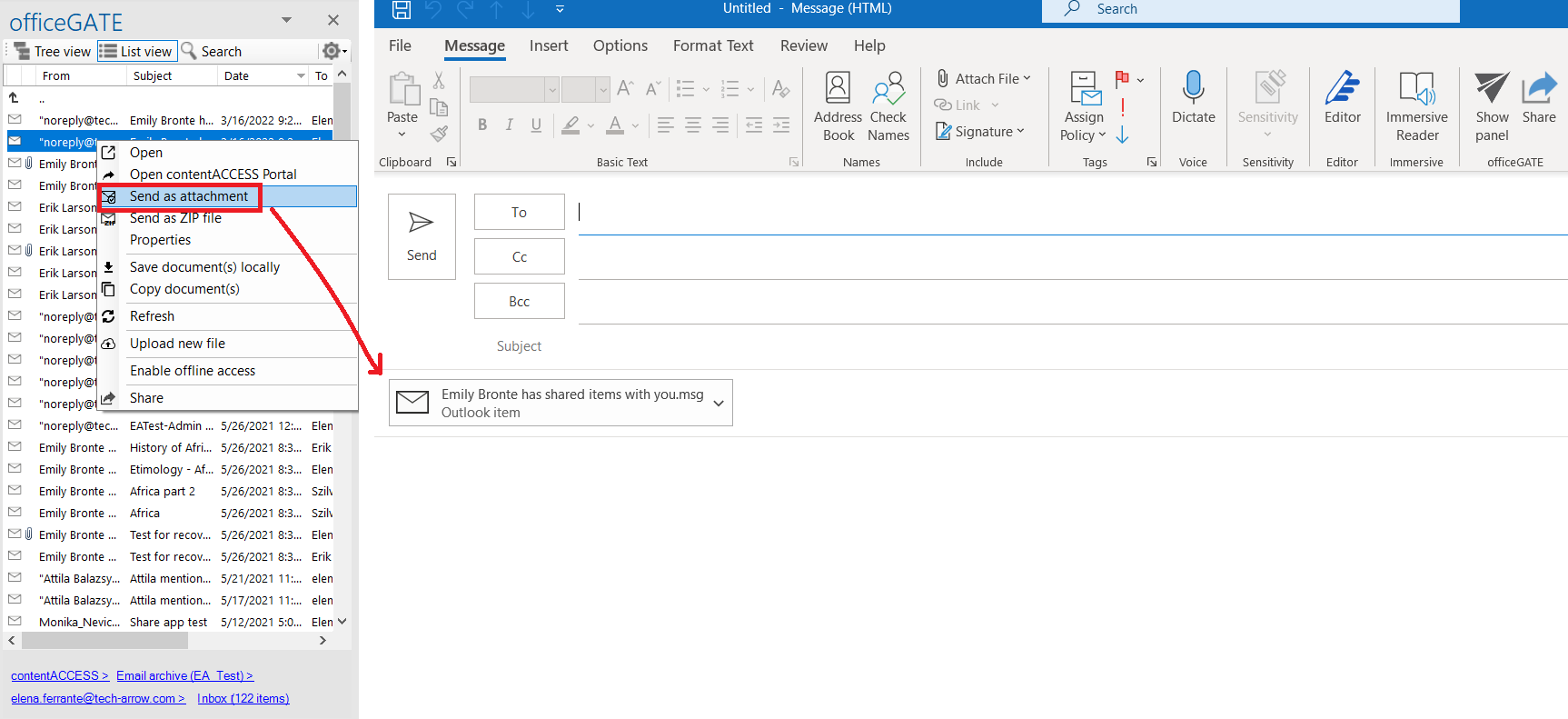
The Send as attachment context menu option allows users to send one or more files as email attachments directly from officeGATE. The selected files are automatically attached to a newly opened email.
Send a file as an attachment
To send a file as an email attachment:
- Right-click the file to open its context menu.
- Select
 Send as attachment.
 - A new email is opened with the selected file attached.
Multiple files can be selected and attached to the same email.