Sending ZIP file
Introduction
The Send as ZIP file function allows users to compress selected files into a ZIP file and send the ZIP file to the desired address.
Send files as a ZIP file
To send selected files as a ZIP file:
- Select the desired files in the pane, open the context menu, and select Send as ZIP file.
- In the ZIP file name dialog, rename the ZIP file if needed. By default, the file is named
officeGATE.zip. Click OK. - Send the ZIP file to the addressee.
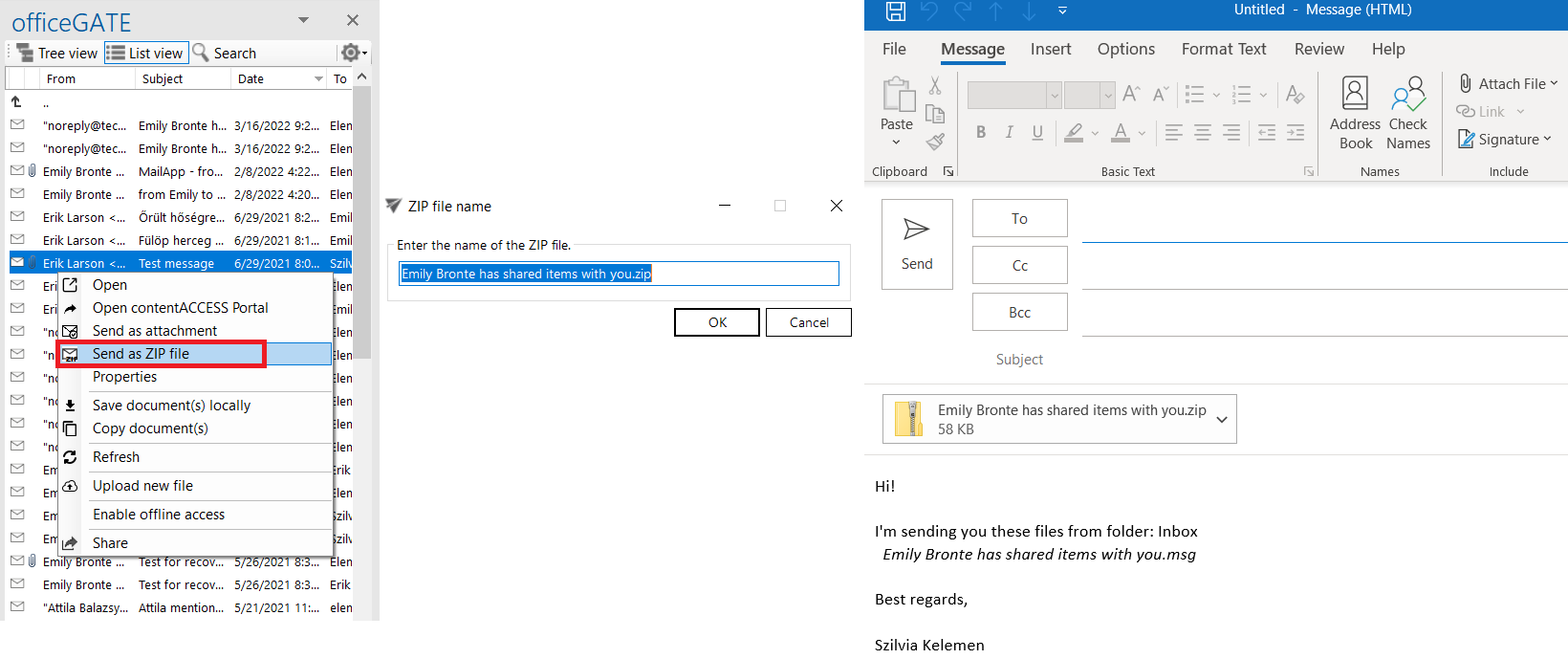
- Select the files and click Send as ZIP file.
- Rename the ZIP file.
- Send the ZIP file.