officeGATE pane’s overview
Introduction
The officeGATE pane provides access to the document management systems connected to officeGATE. Providers such as OneDrive and SharePoint are displayed in the pane and allow users to work with documents, folders, and libraries.
The pane consists of a header and a list of available providers. The header provides view, search, and officeGATE options.
officeGATE pane
The officeGATE pane displays the available providers. Providers are listed alphabetically and can be expanded to display their contents.
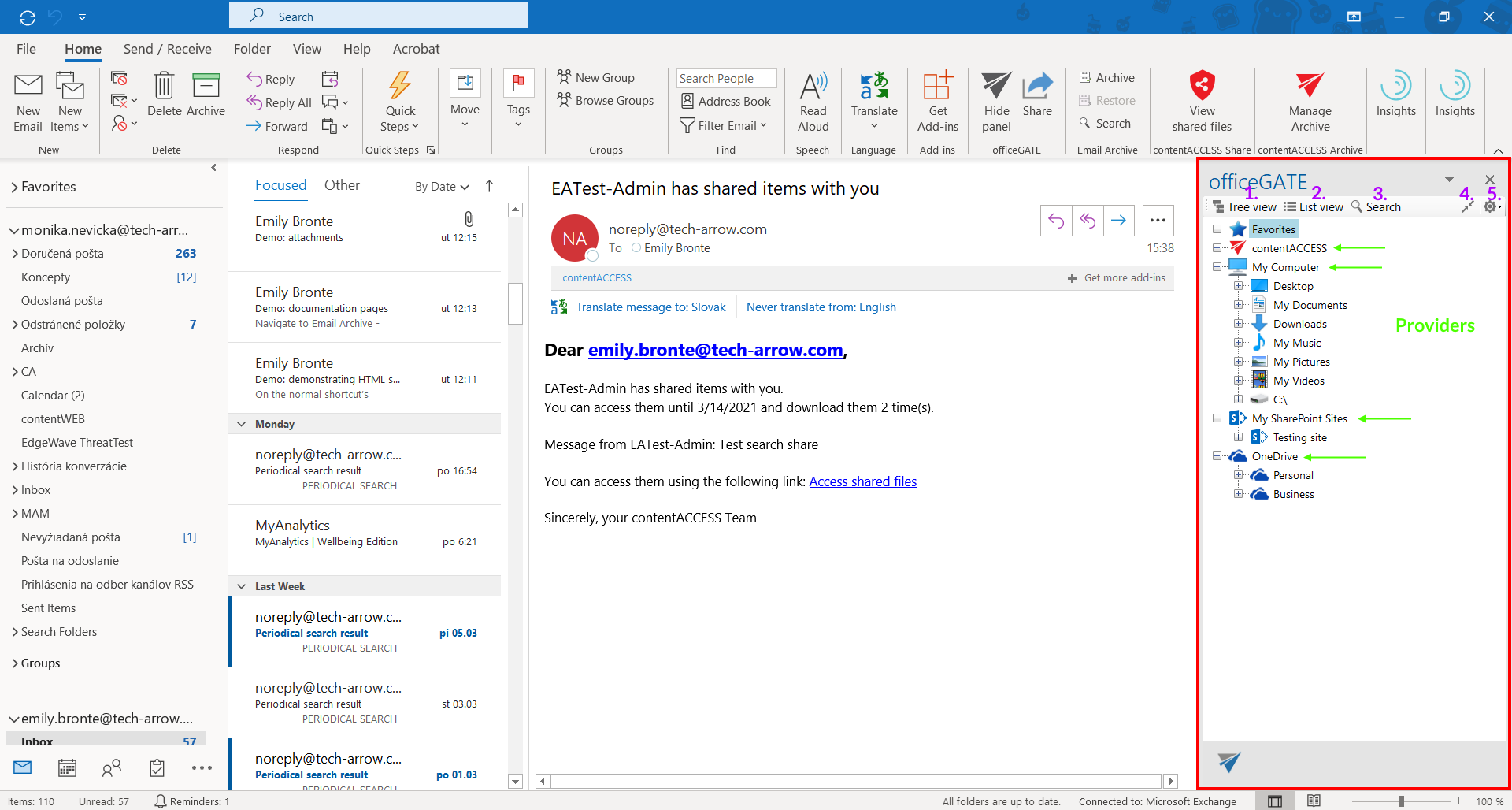
The following options are available in the header:
- Tree view – displays providers and their contents in a tree structure. For more information, see View selection: tree view, list view, collapse all.
- List view – displays the contents in a list. For more information, see View selection: tree view, list view, collapse all.
- Search – searches for documents and other items available through officeGATE. For more information, see Searching in officeGATE.
- Collapse all – collapses the expanded providers and folders. For more information, see View selection: tree view, list view, collapse all.
- officeGATE options – opens a dropdown menu with the following options:
- Settings – opens the officeGATE settings. For more information, see General officeGATE settings.
- Send feedback.
- About.
Use the context menus of folders and items to perform available actions on folders, libraries, and documents.