Connection Settings
Introduction
Connecting a provider to officeGATE allows users to work with files and documents stored in the connected system. Before connecting, the provider must be enabled and its connection settings must be configured.
Connect to a provider
To connect to a provider:
-
Enable the desired provider in the officeGATE settings. For more information, see Enabling and disabling providers.
-
Configure the connection settings for the provider. For more information, see Connecting to providers.
-
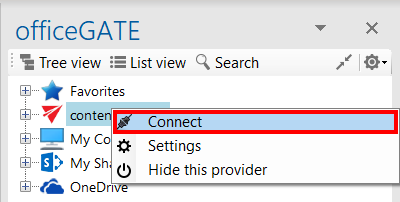
In the provider's context menu, click Connect.
Some providers do not require this step.