Uploading new file(s)
Introduction
The Upload new file function allows users to upload a new file to a selected folder or library.
Upload a new file
To upload a file:
- Open the context menu of the folder or library.
- Select Upload new file.
- Browse for and select the desired file.
- Wait until the upload process has finished.
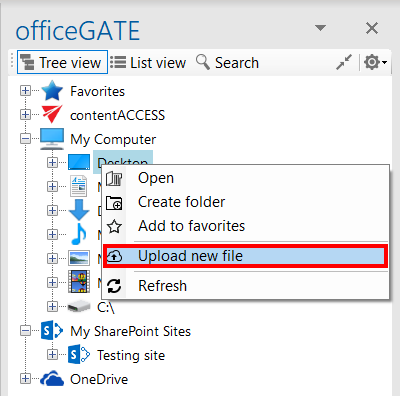
Screenshot:Uploading a file from the Tree view