Modifying sharing settings and checking sharing status
Introduction
The sharing details in the item's Properties allow users to view, modify, and manage existing sharings. Users can change sharing settings, view the sharing status and download history, activate or suspend a sharing, and resend the sharing notification.
Important: This section applies only to sharing with contentACCESS version newer than 4.2.
View and modify existing sharings
If an item has been shared before, this is indicated in the item's Properties preview.
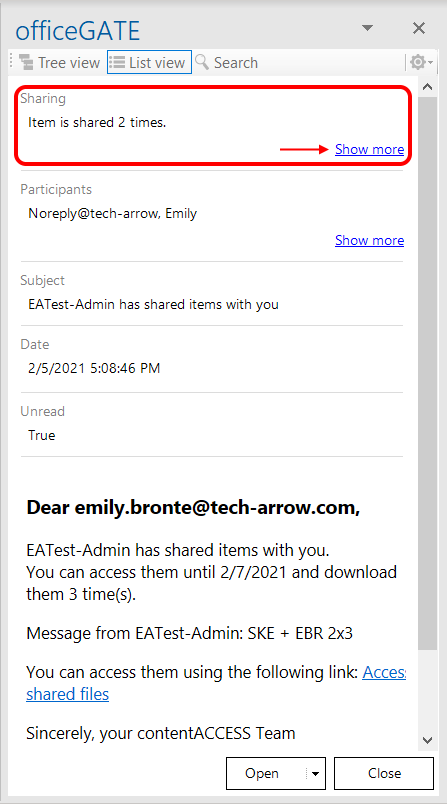
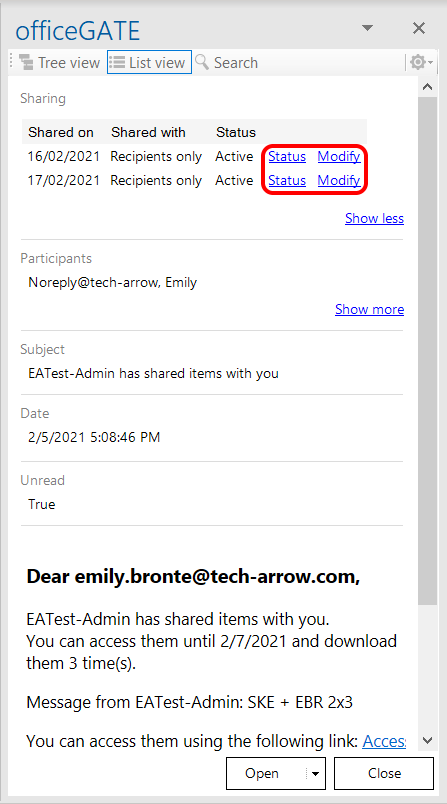
Click Show more to view the sharings of the item and access the Modify and Status options.
Modify sharing settings
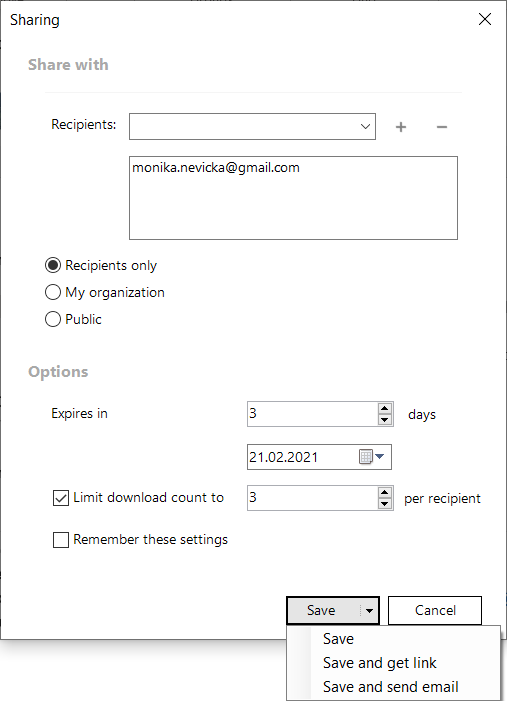
Click Modify to open the Sharing pop-up window. Here, you can:
- Add or remove recipients.
- Change the accessibility settings.
- Change the expiration date.
- Change the download limit.
The available actions are:
- Save and get link – works the same way as Share and get link.
- Save and send email – works the same way as Share and send mail.
- Save – saves the changes made to the sharing settings.
View sharing status
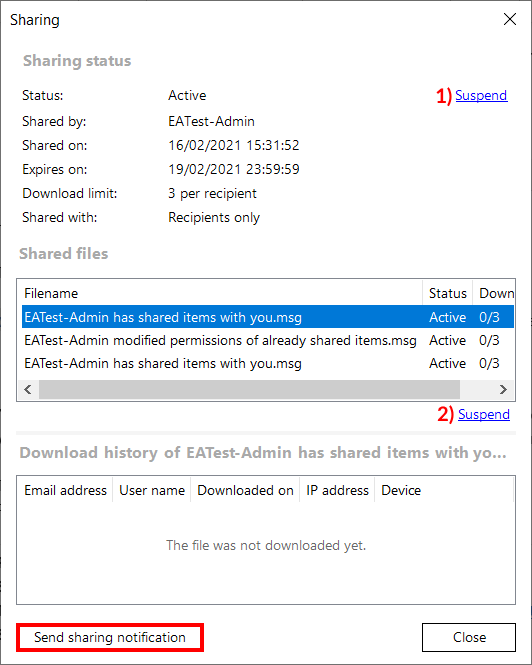
Click Status to open the window containing the status and information about the selected sharing, as well as its download history.
From this window, you can also Activate or Suspend the sharing:
- The top button (1) activates or suspends the whole sharing.
- The bottom button (2) activates or suspends the sharing of the selected item, when multiple items were shared together.
If necessary, click Send sharing notification to resend the sharing notification.