Changing the contentACCESS Server ID in the Outlook Form
Introduction
The contentACCESS Outlook forms use the contentACCESS Server ID to connect mailbox shortcuts to the correct server. If the Server ID is changed on the System page of Central Administration under External accessibility settings, existing shortcuts in the mailbox may stop working until the Outlook form is updated.
Update the Outlook form
To keep mailbox shortcuts working, edit the Outlook form file and replace the old server value with the current contentACCESS Server ID. Then update the form code so that the fixed server ID is used first.
-
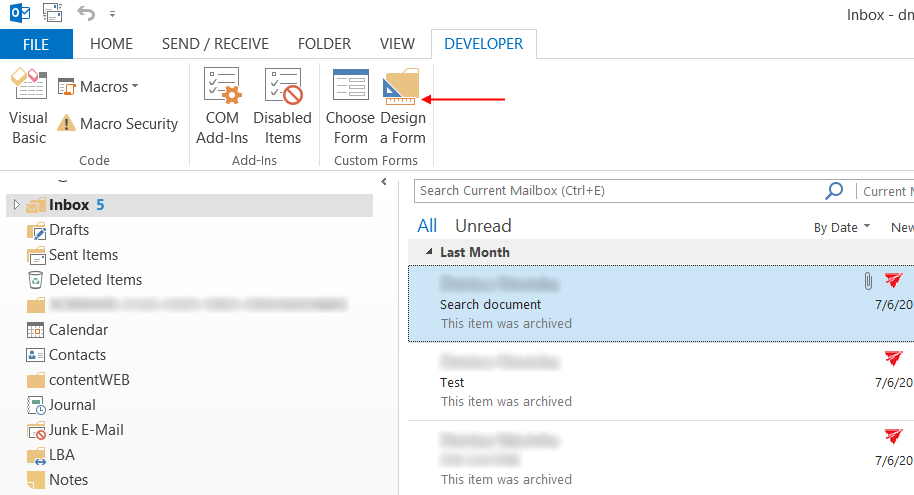
On the Developer tab of the ribbon, select Design a Form.
-
In the Look In drop-down list, select User Templates in File System, locate the contentACCESS
.oftfile, and click Open.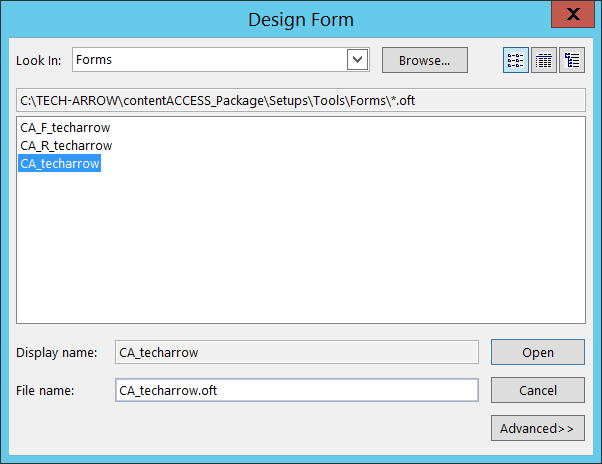
-
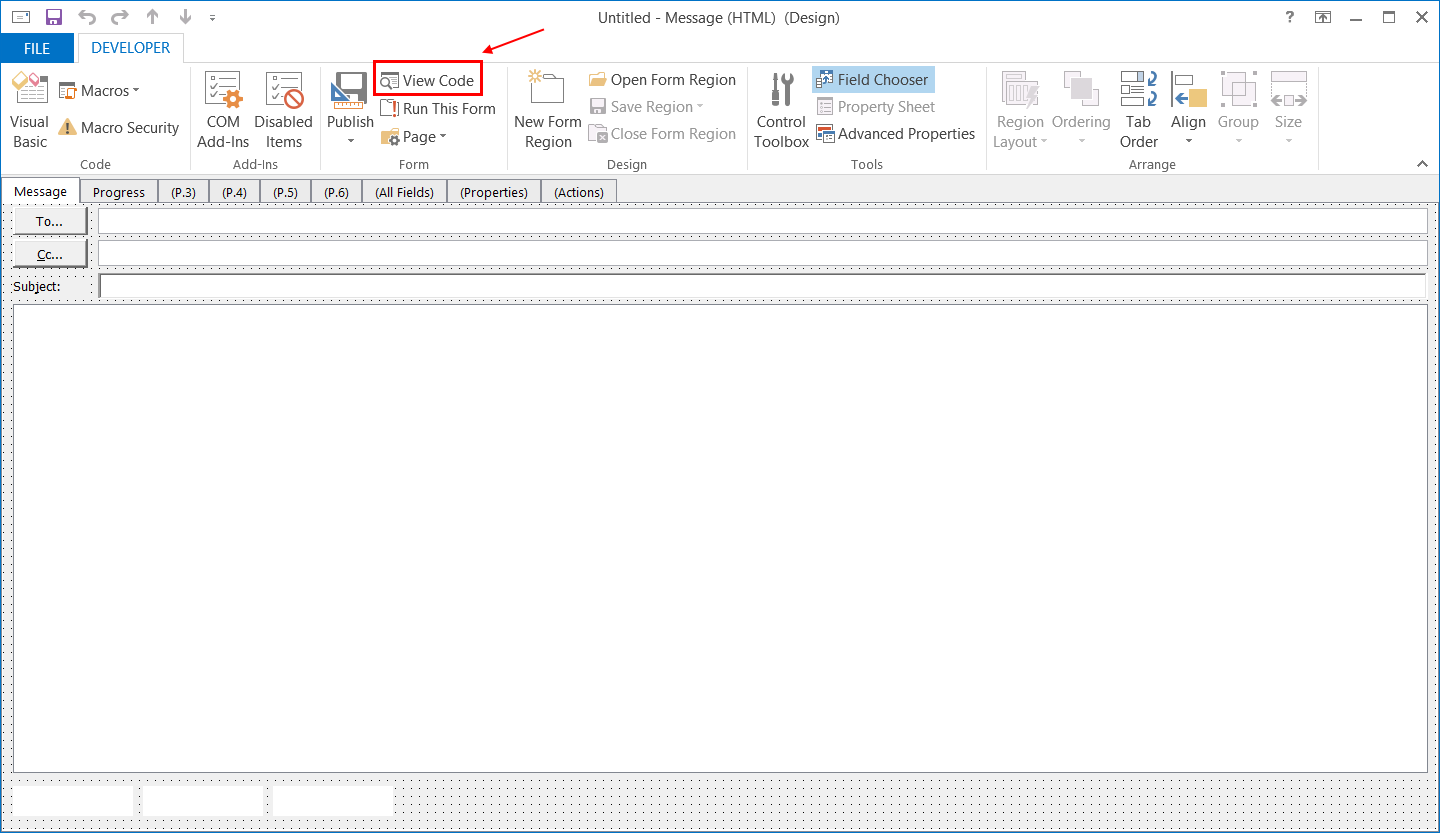
Select View Code from the toolbar.
-
Find the following line in the code:
Const gFixedServerId = "archiveserver"