eDiscovery process
Introduction
eDiscovery (electronic discovery) is the process of identifying, gathering, and processing electronically stored data in response to legal proceedings, such as litigation, lawsuits, or government investigations.
contentACCESS Portal provides search and data processing functions that support eDiscovery workflows, including searching for relevant data, monitoring sensitive data, exporting search results, placing documents on legal hold, and creating reports.
Search for data
The first step in an eDiscovery workflow is to search for the data that needs to be identified and processed. Use the search functions in contentACCESS Portal and apply filters to narrow down the results.
The following search functions can be used individually or in combination:
- Fulltext search – Searches the entity selected in Connect to using multiple criteria.
- Advanced search – Searches multiple entities using multiple criteria.
- GDPR search – Searches for sensitive data, such as names, phone numbers, addresses, and card numbers.
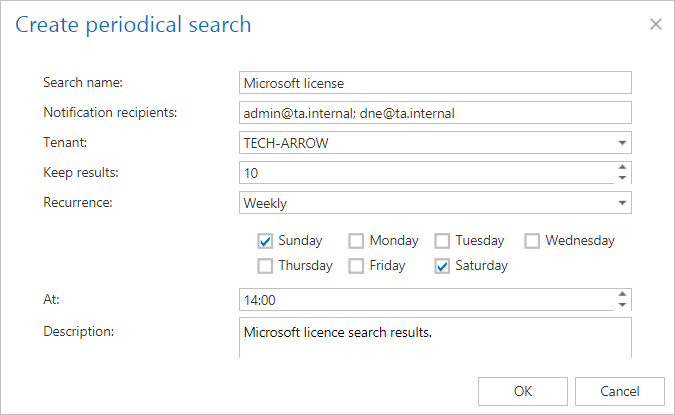
After performing a search, you can configure a Periodical search. This allows the system to automatically search for activity involving sensitive data instead of requiring users to perform the search manually. The system sends notification emails containing the periodical search results to the specified recipients, helping detect potential data leakage at an early stage.
Export search results
Search results can be exported in the following formats:
- PST – Available when the search results contain only items from the Email archive.
- ZIP – Contains the exported items and a Manifest file, which is an
.xlsfile containing a summary of the exported items.
Export actions can be downloaded from the Tasks list or Tasks page.

Screenshot: Exporting items as PST

Screenshot: Exporting items as ZIP
Legal hold
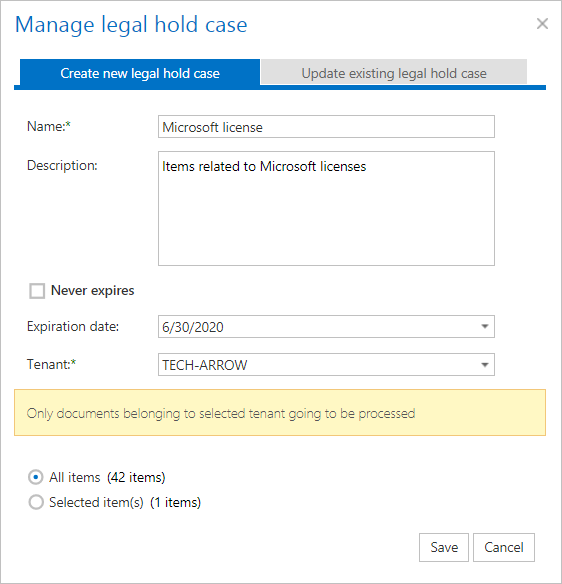
The legal hold feature allows users to create a legal hold case and subsequently add documents, such as search results, to the case.
Important: Documents under a legal hold case cannot be deleted from the system until the legal hold case expires.
Create a report
If you do not want to export the search results as a ZIP file but need an .xls document containing a summary of the results, use the Create report function.
The report can be downloaded from the Tasks list or Tasks page.
