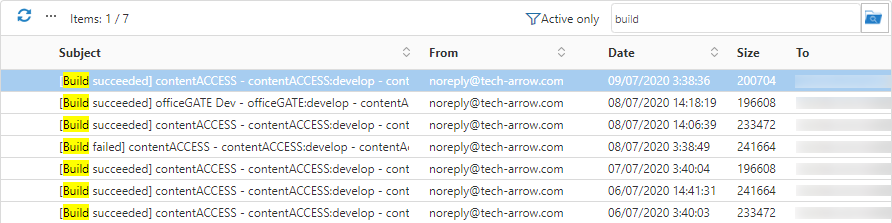
Quick search
Introduction
The Quick search function in contentACCESS Portal allows users to search for items in the selected folder or its subfolders. Quick search supports text-based fields, such as Title and Subject, and allows users to choose the search scope from the Search in menu.
Note: For more information about the search query language, see the Search query language section.
Quick search
Quick search supports the following search scopes:
- Current folder – Searches only in the folder selected in the left navigation pane.
- Current folder and subfolders – Searches recursively in the selected folder and all its subfolders.
- Subfolders only – Searches recursively in the subfolders of the selected folder, excluding the selected folder itself.
To perform a quick search:
- Connect to an archive by selecting it from the Connect to menu.
- Navigate to the folder you want to search.
- Enter the search phrase in the search box above the item list.
- Click the icon next to the search box and select the required search scope:
- Current folder
- Current folder and subfolders
- Subfolders only
The behavior of the quick search criteria can be customized in the UI settings. For more information, see Editing Quick, Basic and Advanced search criteria.
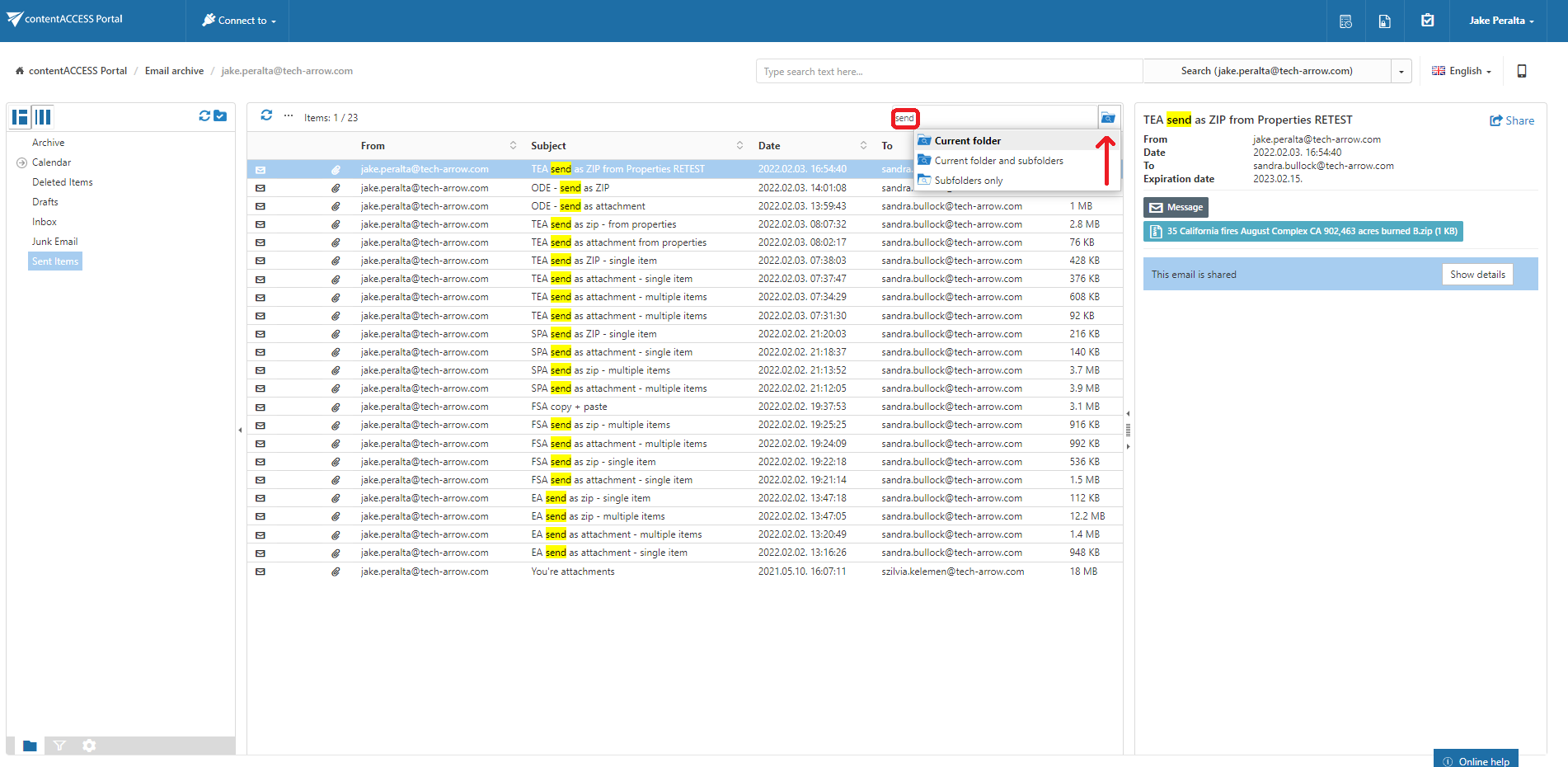
Example: Search for emails containing the word "send"
In this example, the search is performed for emails in the Sent items folder of the jake.peralta@tech-arrow.com archive.
The search criteria are:
- Selected archive:
jake.peralta@tech-arrow.com - Archive folder: Sent items
- Search in: Current folder
- Title: contains the phrase
send
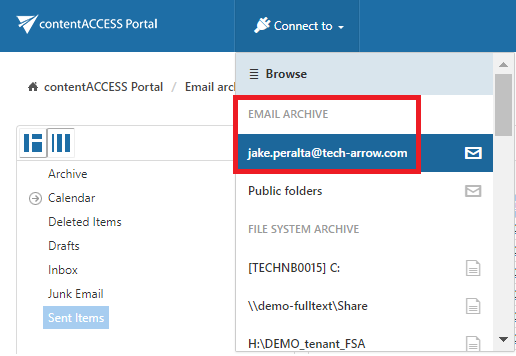
First, connect to the jake.peralta@tech-arrow.com archive from the Connect to list.
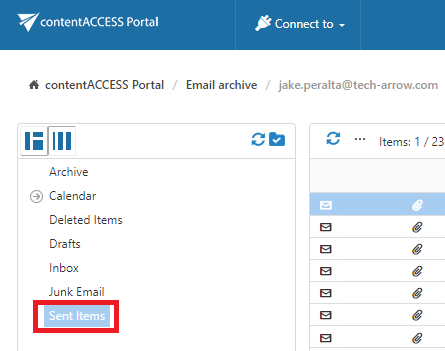
Next, select the Sent items folder in the navigation pane.
Enter send in the quick search field. The search is performed automatically.
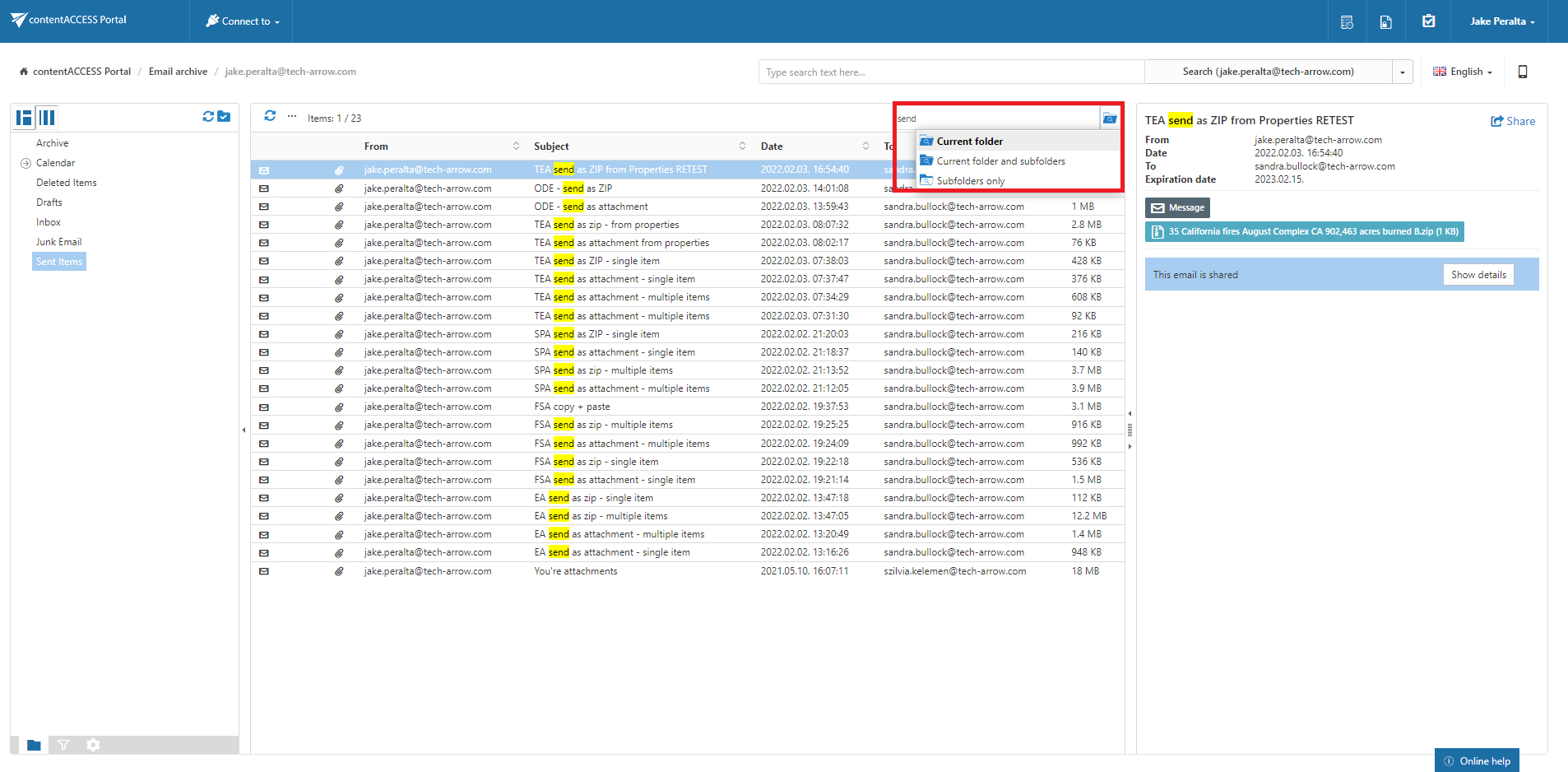
Note: If Enable hit highlighting is enabled in Central Administration, the located words are highlighted in yellow, as shown in the screenshot below.