Item versions in SharePoint Archive
SharePoint Archive versioning
In contentACCESS Portal, end users can also view the versions of files created during the archiving process. A new version is created when the original file is modified in SharePoint and the archive job archives the updated version. The archive job can build the complete version history from the SharePoint site.
The available versions can be accessed from the Versions column in the item list. Click the version count to display the available document versions. Previous document versions are marked in blue.
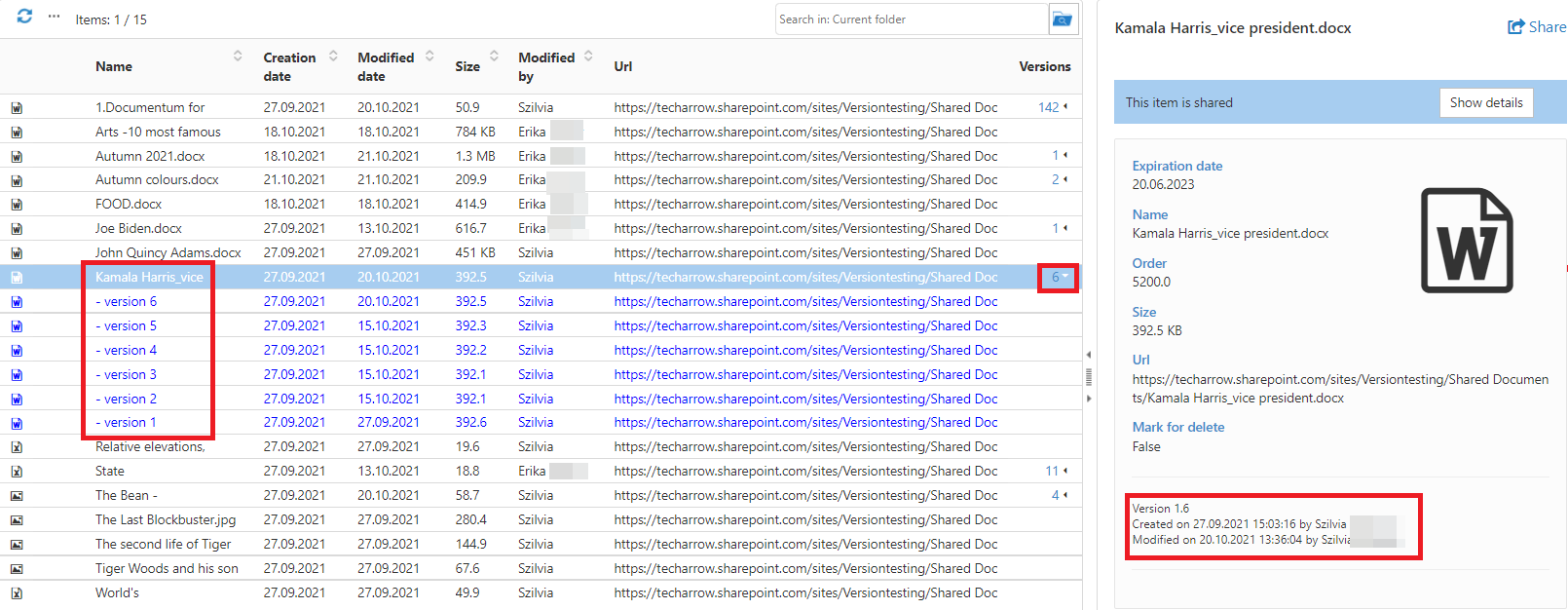
The item's preview also displays the version number, modification date, and the user who modified the item.
Version limitations for sharing, search and tasks
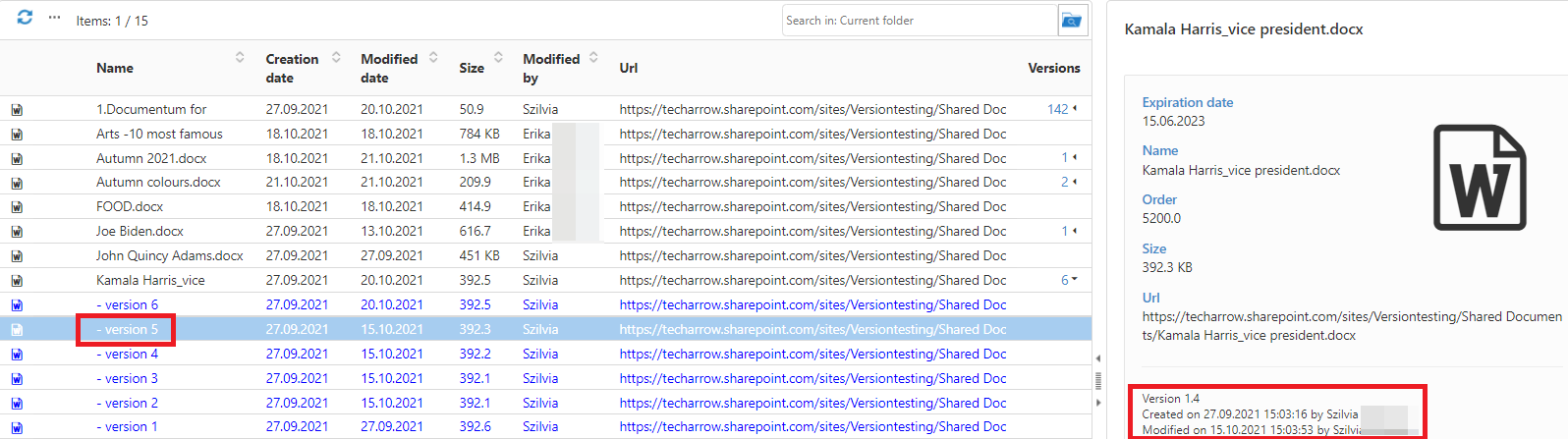
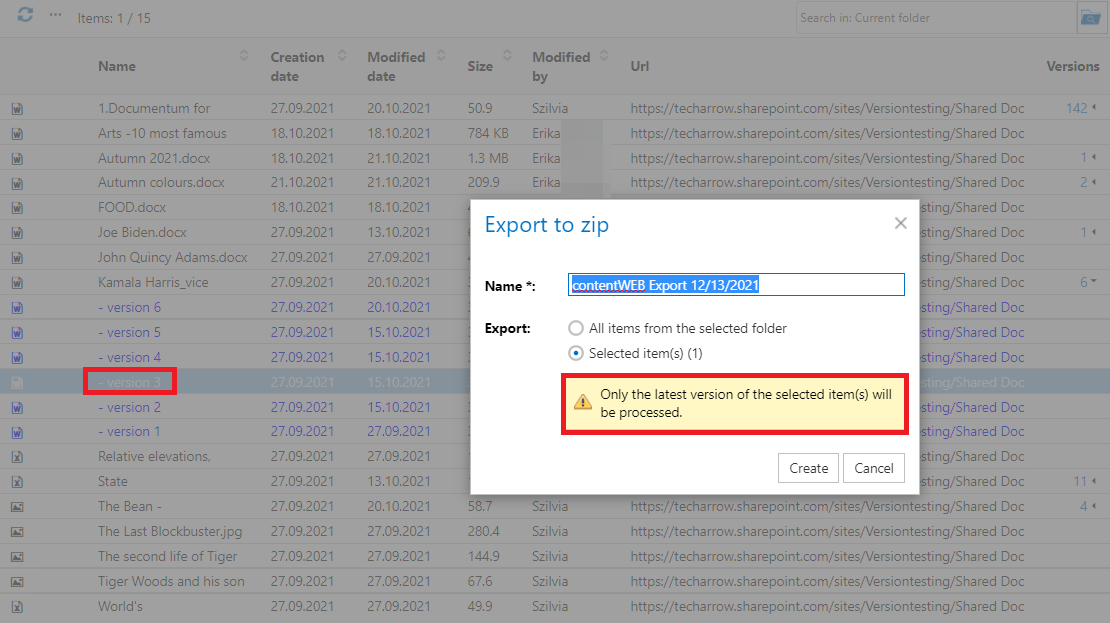
The sharing, search, and task functions available from the toolbar operate only on the latest/current version of an item in the SharePoint Archive.
When a user selects a previous version:
- The Share button is disabled.
- Toolbar tasks remain available, but a message informs the user that the latest version will be added to the selected task.
Enabling version information
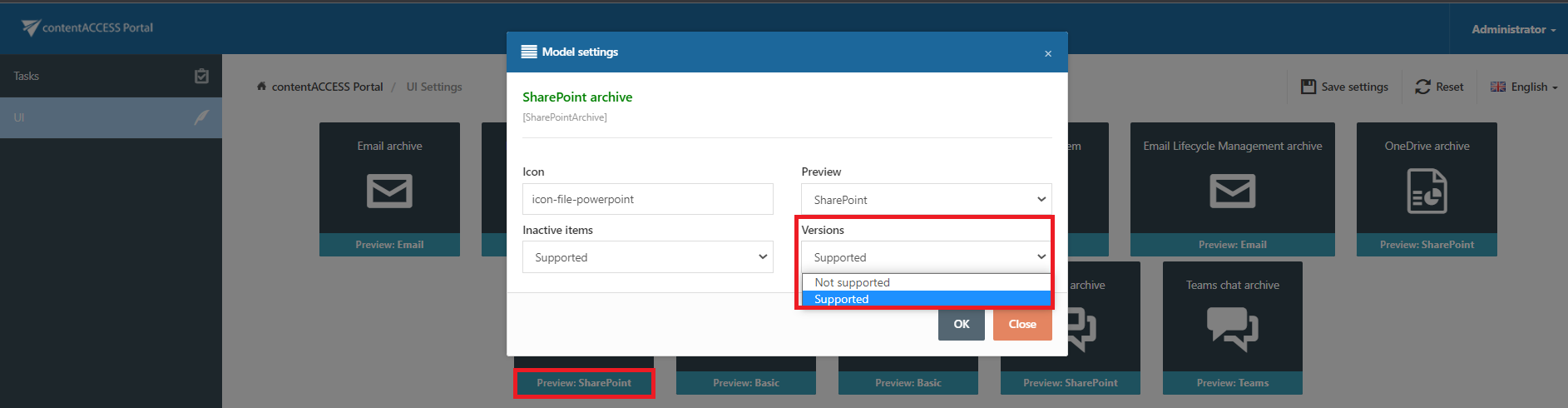
The Versions column must be enabled in the settings before file versions can be displayed in contentACCESS Portal.
To enable it:
-
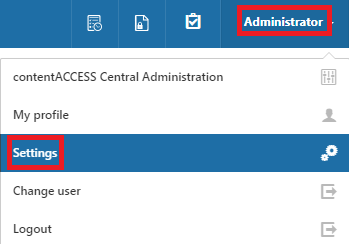
Navigate to the logged-on user in the upper-right corner of the header bar.
-
Open the dropdown menu and click Settings.
-
On the UI tab, select the SharePoint Archive model settings.
-
Select Versions supported from the dropdown menu.
-
Save the changes at the top of the page.
Important: Limitations
The full SharePoint version history is archived only for SharePoint 2019 and later or Microsoft 365.