Manifest file and its settings
Introduction
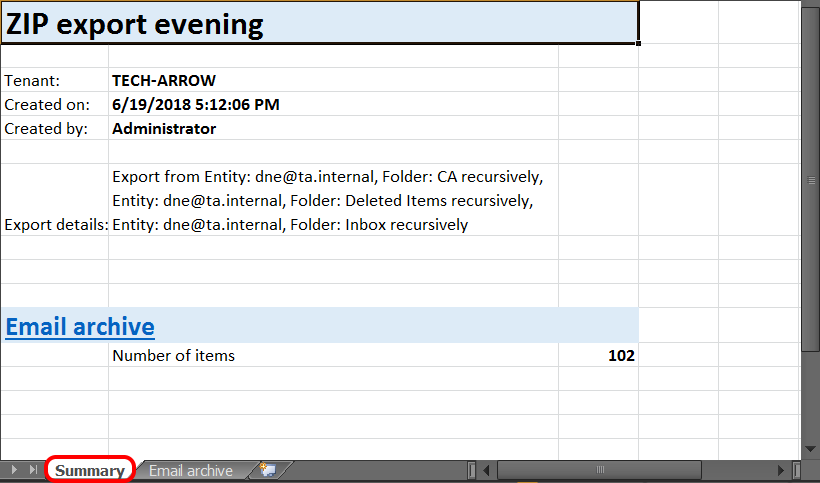
The Manifest file is an XLS file automatically created when files and/or folders are exported to ZIP format. It is included in the ZIP file downloaded from the Tasks list and provides a summary of the exported items.
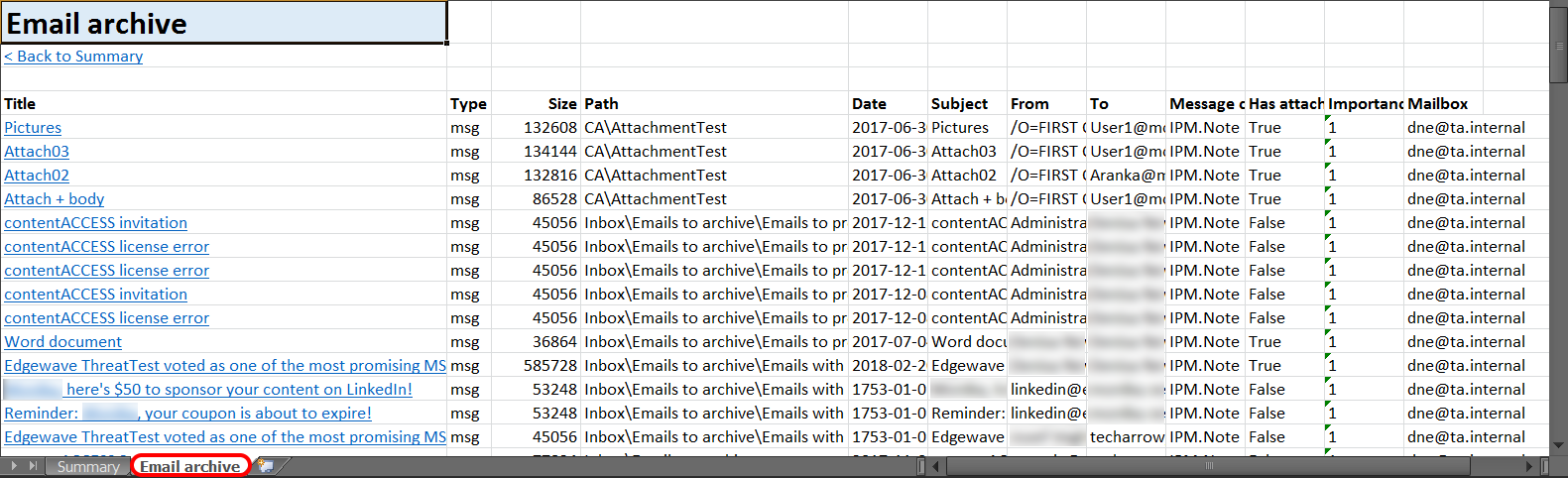
By default, the Manifest file contains the following information:
- Summary tab – Displays the task summary information, the creation date and creator of the export action, and the total number of exported items.
- Entity tab – Named after the entity from which the items were exported and contains the title, item type, size, and path of each exported item.
info
Note: In the File System Archive, the Title column of the Manifest file contains links to the corresponding files.
Configure Manifest fields
The fields included in the Manifest file can be configured in the administrator settings.
To configure the fields:
-
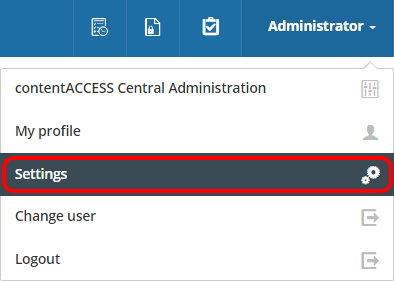
Navigate to the logged-in user and open Settings.
-
In the left pane, select Tasks.
-
Select the Manifest tab.
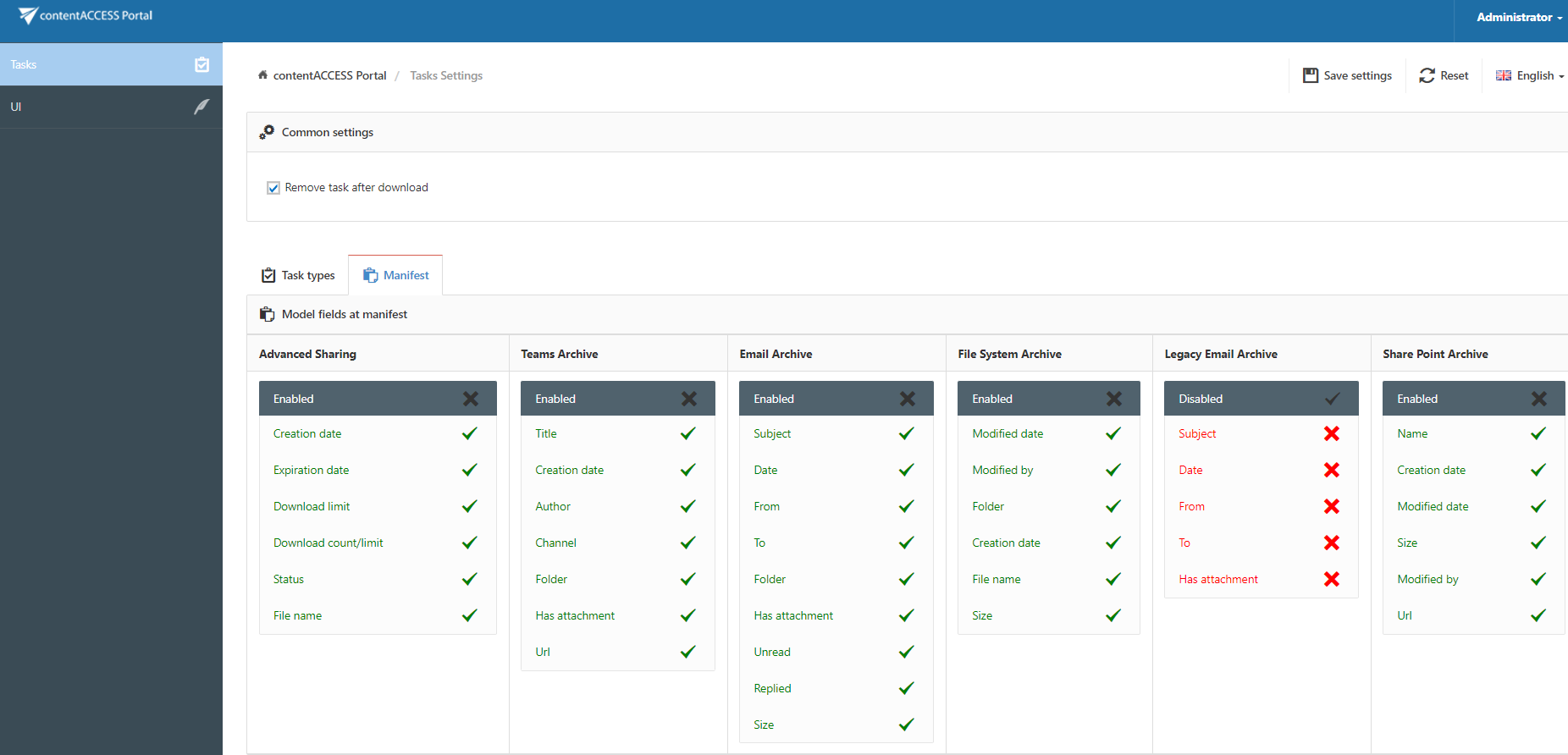
The Manifest tab displays all fields that can be included in the Manifest file.
To enable or disable a field:
- Click the cross mark (
 ) next to a field to add the field to the Manifest file.
 - Click the check mark (
 ) next to a field to disable it.