Item versions in OneDrive Archive
Introduction
In contentACCESS Portal, end users can view the versions of files created during the archiving process. A new version is created when the original file is modified in the user's OneDrive account and the OneDrive Archive job archives the new file version.
View file versions
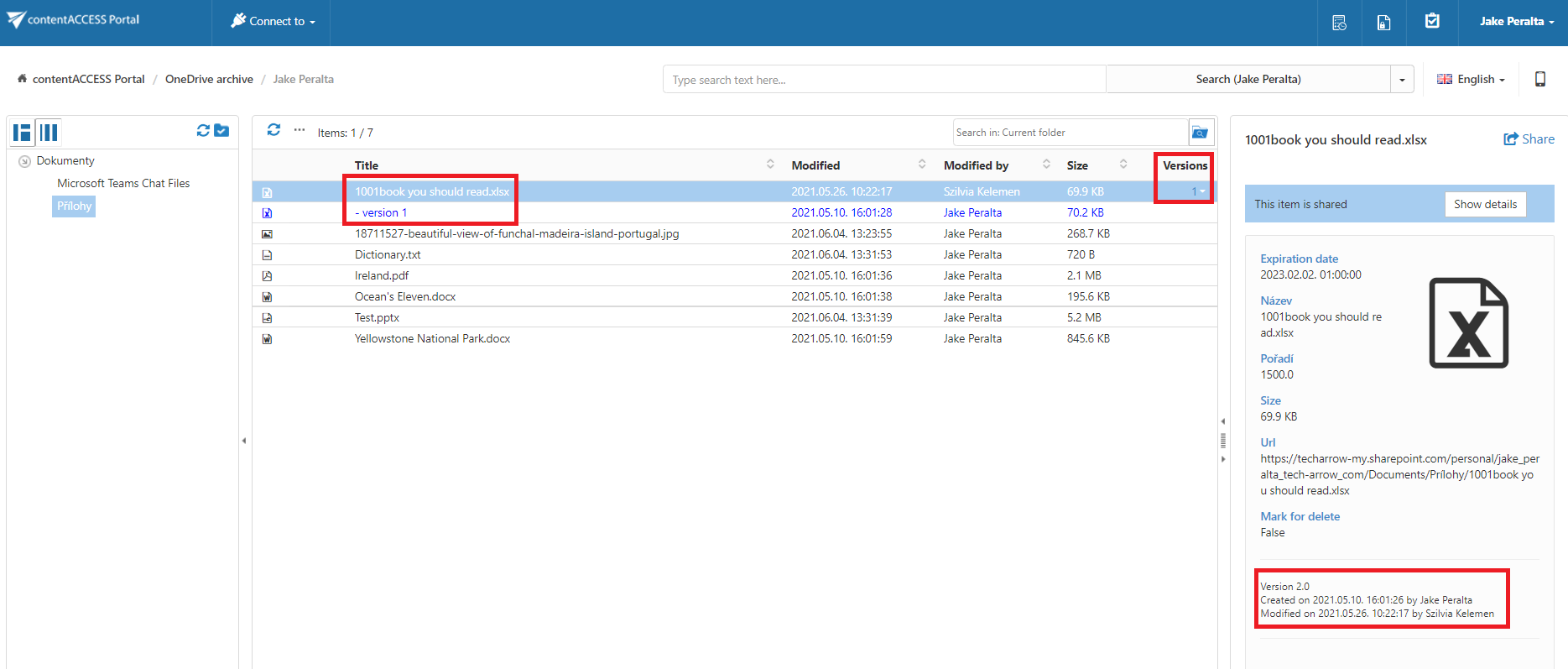
File versions are available in the Versions column of the item list.
To view the available versions:
- Locate the required file in the item list.
- Click the version count in the Versions column.
- The available document versions are displayed.
Document versions are marked in blue.
Item versioning in the OneDrive Archive works in the same way as in the SharePoint Archive. For more information, see Item versions in SharePoint Archive.