Create report
Introduction
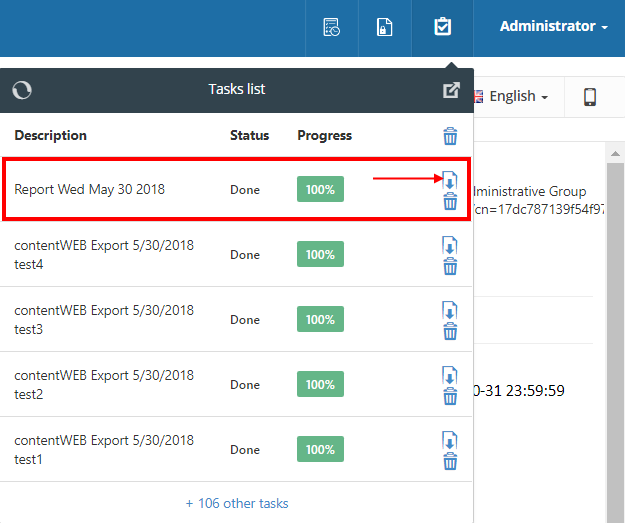
The Create report task generates an .xls file containing a summary of selected items or all items in a selected folder. The report is stored on the resource storage and can be downloaded from the Tasks list or Tasks page.
Create a report
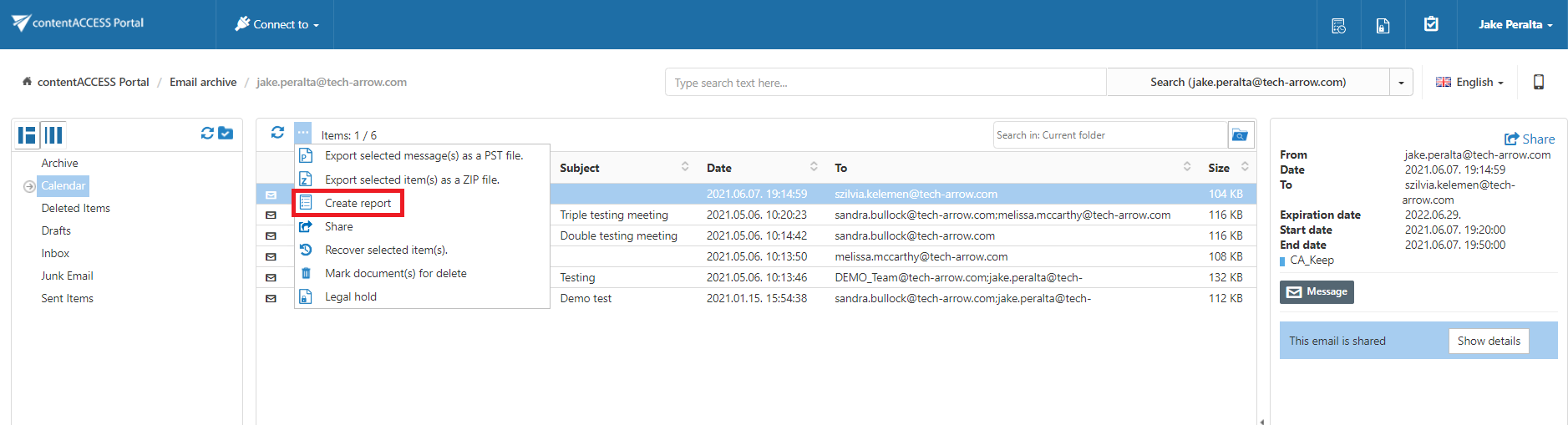
To create a report:
-
Select the items you want to include in the report.
-
Click Create report.
-
In the pop-up window, enter a name for the report.
-
Select whether the report should contain:
- A summary of all items in the selected folder.
- A summary of only the selected items.
-
Click Create.

Download the report
Download the generated report from the Tasks list or Tasks page.
Report contents
The generated report contains the following tabs.
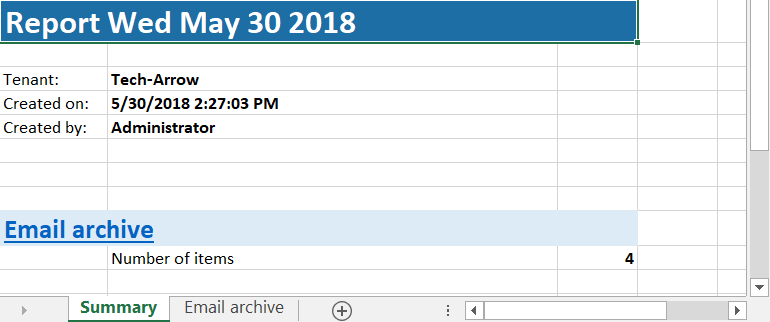
Summary
The Summary tab contains:
- Task summary information.
- The report creation date.
- The user who created the report action.
- The total number of items.
Entity details
The entity-specific tab is named according to the entity of the reported items. It contains information about each item, including:
- Title
- Type
- Size
- Path
