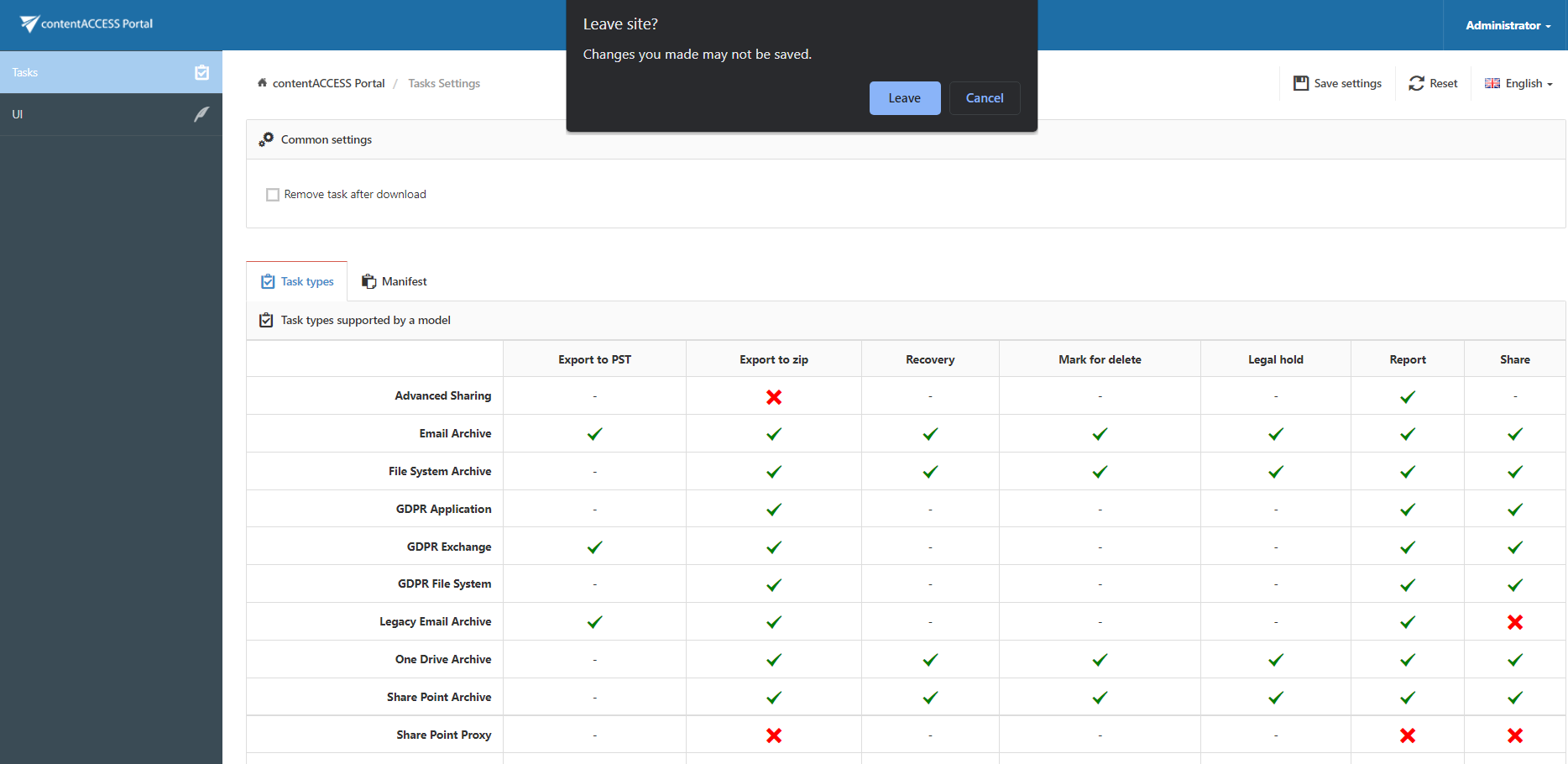
Enabling/disabling tasks
Introduction
The Task types settings allow system administrators to control which tasks are available for each entity (model) in contentACCESS Portal. By default, all tasks available for an entity are enabled, but individual tasks can be enabled or disabled according to the administrator's requirements.
Configure task types
To configure the tasks available for entities:
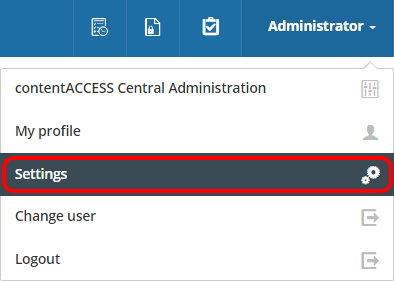
- In the upper-right part of the header bar, click the logged-in user's name.
- Open the drop-down menu and click Settings.
- Open the Task types tab.
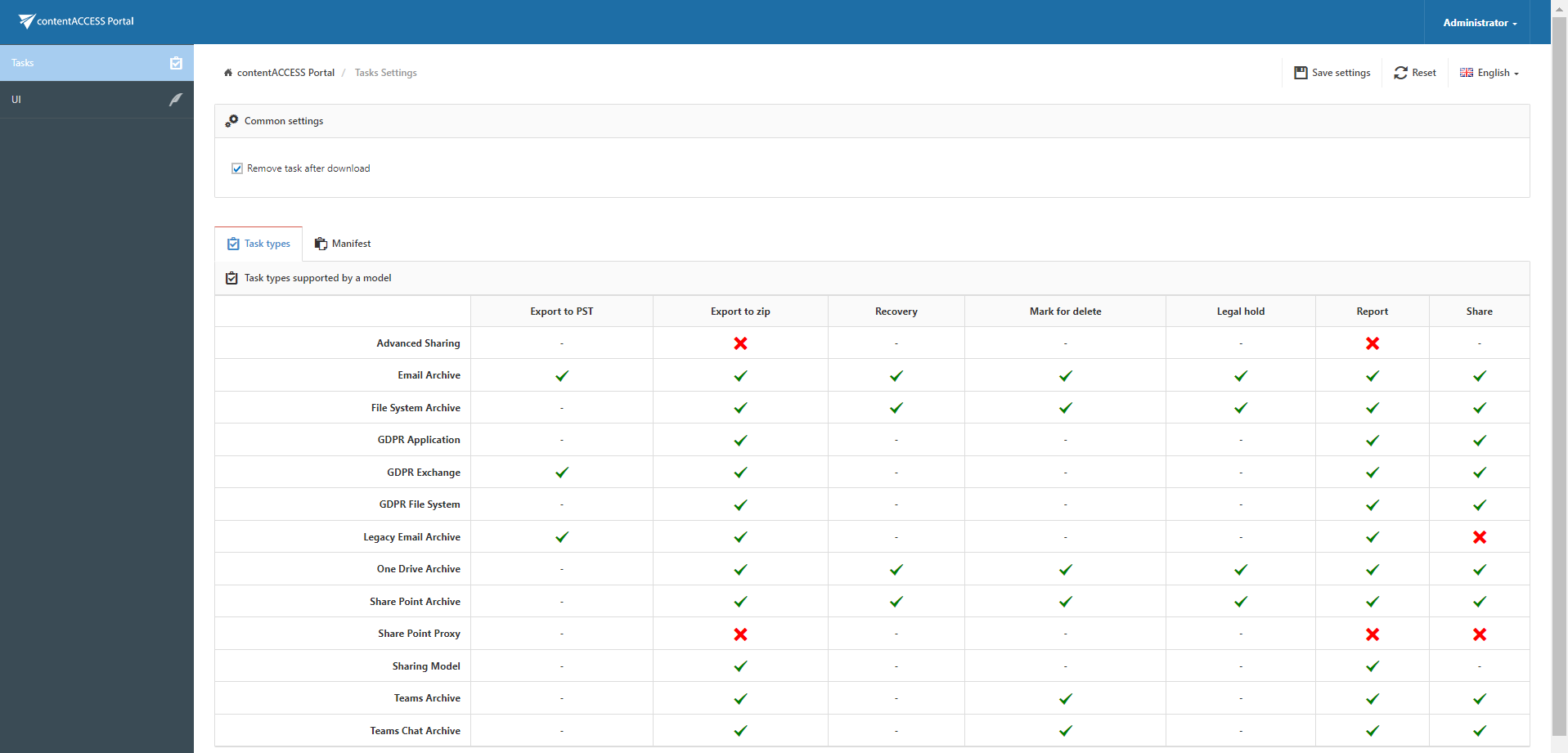
The Task types tab displays the tasks that are enabled or disabled for each entity (model).
To change the status of a task:
- Click the cross mark (
 ) to enable the task.
 - Click the check mark (
 ) to disable the task.
Save task type settings
After making changes, click Save settings to apply them.
If you leave the page without saving your changes, the system displays a notification.