Item versions in Teams archive
Introduction
In contentACCESS Portal, end users can view the versions of files or messages created during the archiving process. A new version is created when the original file or message is modified in Teams or on the SharePoint site related to the team, and the archive job archives the new version.
View file and message versions
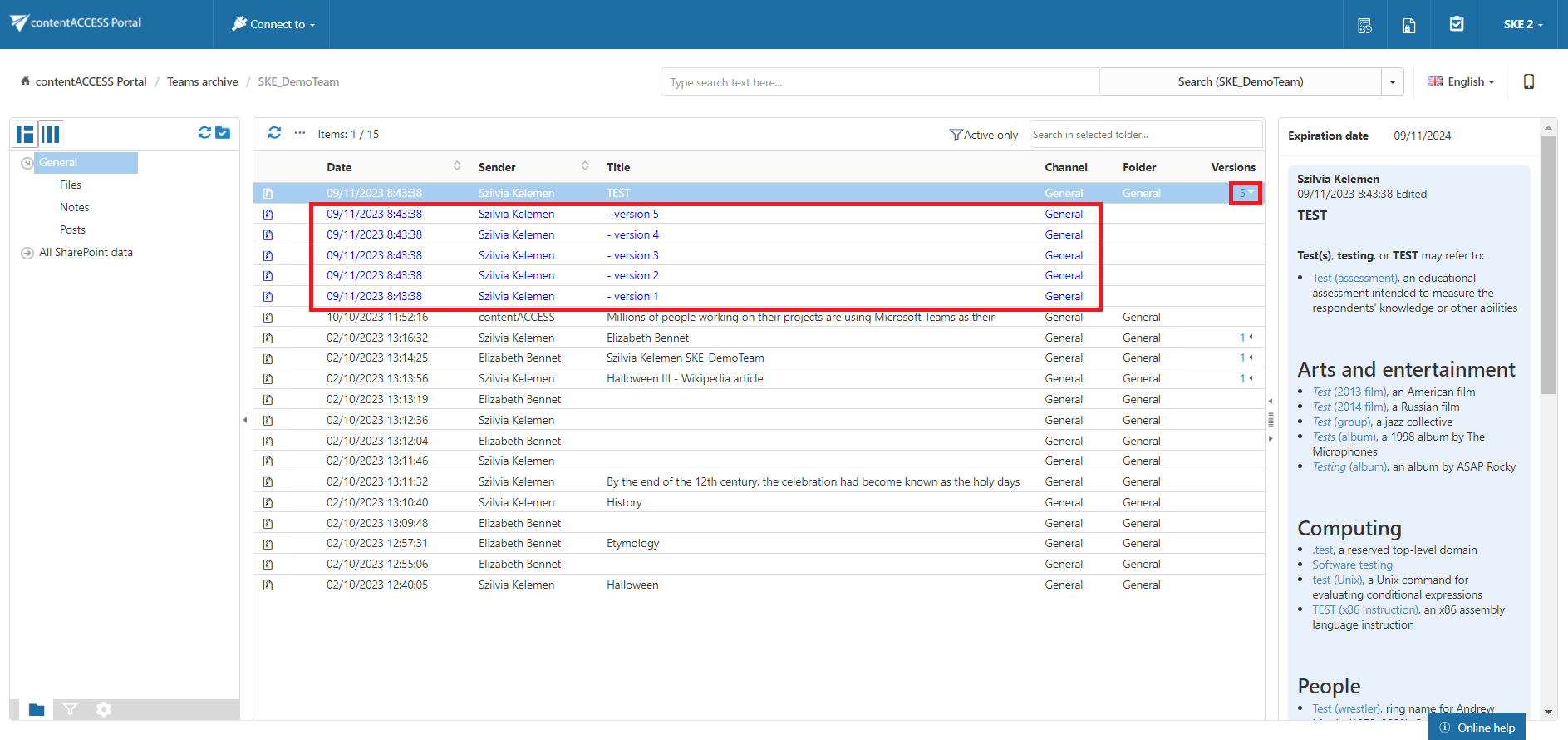
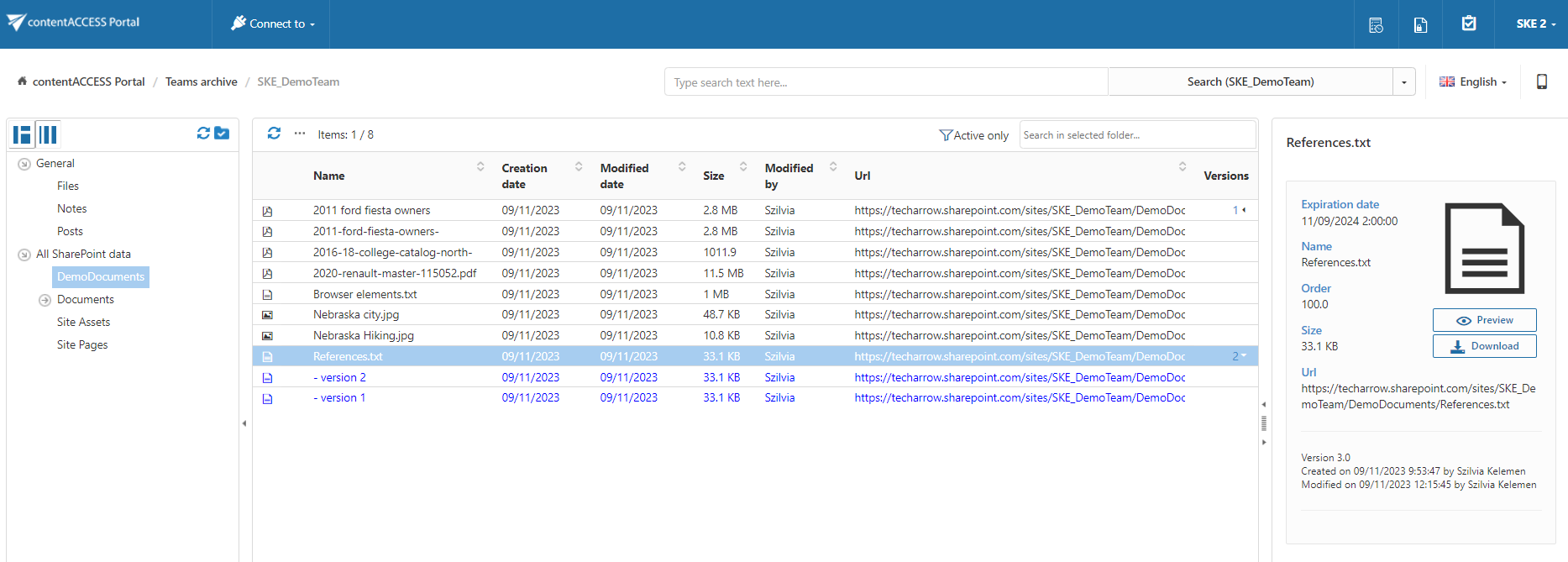
File and message versions are available in the Versions column of the item list.
To view the available versions:
- Locate the required file or message in the item list.
- Click the version count in the Versions column.
- The available item versions are displayed.
Document versions are marked in blue.
Note: Be aware of the behavior related to title renaming on a SharePoint site associated with Teams. If the title is renamed multiple times and the file is subsequently archived together with its complete version history, the file preview displays the latest title for all versions.
This behavior is caused by the SharePoint versioning system, which displays the latest title for all versions. This is a limitation of SharePoint versioning.