contentACCESS Version 2.7

✨ Highlights
- Introduces an enhanced, collapsible job status bar in Central Administration, allowing direct editing of job names and assigned nodes.
- Improves the age filter with more accurate date handling to support better archiving policies.
- Adds Outlook Web Access (OWA) 2010 integration for handling archived emails directly in the web interface.
- Expands contentWEB with manual email recovery, full folder export (including subfolders), and centralized administrator settings for export tasks and manifest files.
- Introduces new tools and planning capabilities, including the contentACCESS Analysis Tool and TECH-ARROW’s WinShortcutter.
Common features
✓ Planning: The contentACCESS setup was extended with a Planning section containing the hardware and software requirements and the contentACCESS Analysis Tool (see below in the Tools section of this document).
✓ Tools: The Tools page now contains the new TECH-ARROW’s WinShortcutter (see below in the Tools section of this document).
✓ Collapsible and enhanced status bar: In Central Administration, you can collapse the job status bar. It is now possible to edit the job name and the assigned node directly from the status bar.

Job status bar in Central Administration
✓ User details: The User Details preview has been changed in Central Administration.

User details
Email Archive
✓ OWA 2010 integration: This version provides Outlook Web Access 2010 integration. You can handle email shortcuts just like non-archived emails. Using the OWA 2010 integration, it is possible to archive and restore, forward, and reply to archived emails. You can configure it in the Email Archive > Settings > User Experience section of contentACCESS Central Administration. Note that the MailApp for Exchange 2013 can be found here as well. OWA 2010 integration works with legacy archived data using the legacy archive connectors.
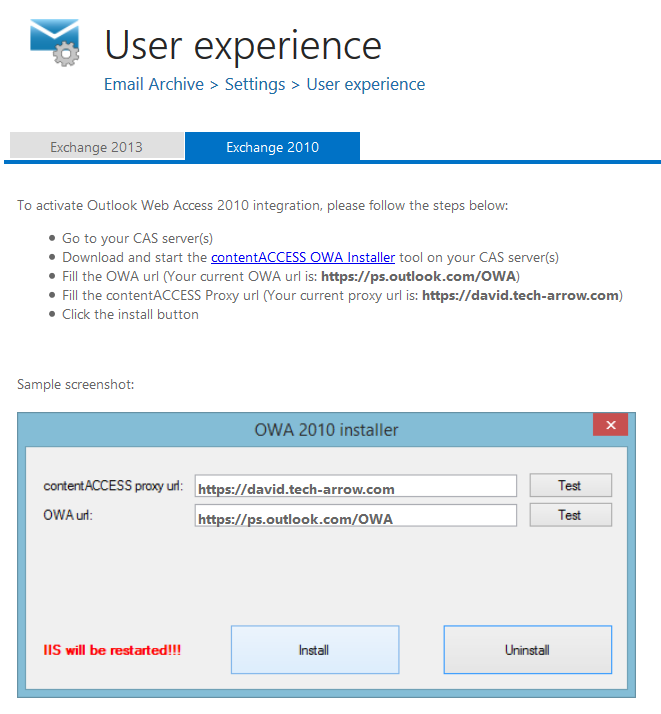
User experience in Central Administration
File Archive
✓ Remote shortcutting job: The contentACCESS File Archive has been extended with a new job type to support companies with a central data center and several remote locations. The data center and the remote locations are synchronized. In this case, contentACCESS is installed only in the data center, and the files are archived there. With the Remote shortcutting job, it is possible to create shortcuts for archived files at remote locations. In this solution, it is sufficient to install contentACCESS centrally (only a single node), and this new job takes care of shortcut creation at remote locations. For a detailed description, see the contentACCESS manual.
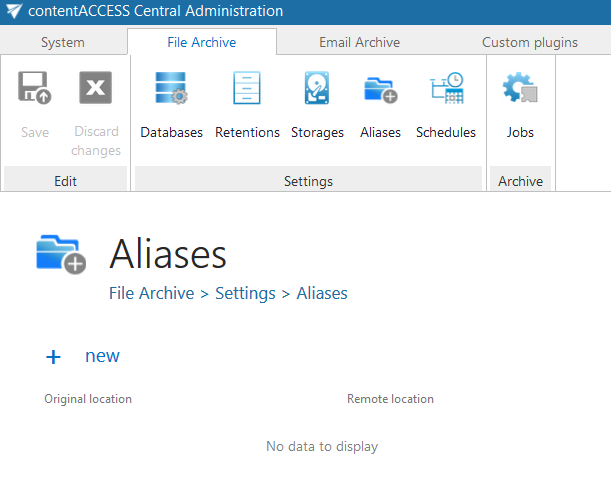
Configuring aliases for the Remote shortcutting job
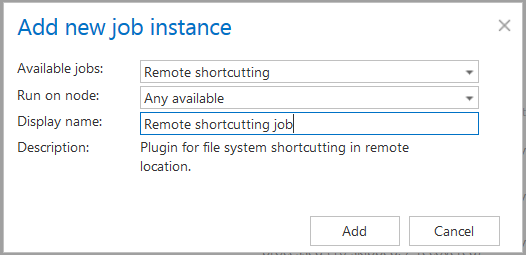
Creating a Remote shortcutting job
✓ The age filter: The age filter was extended with the possibility to use the younger of the modification date and the creation date. When should this option be used? If files are copied from external disks, the creation date will be newer than the modification date. If company policy prescribes archiving all newly created or recently modified files, this filter enhancement solves this problem. To create a proper archiving policy, take these rules into consideration:
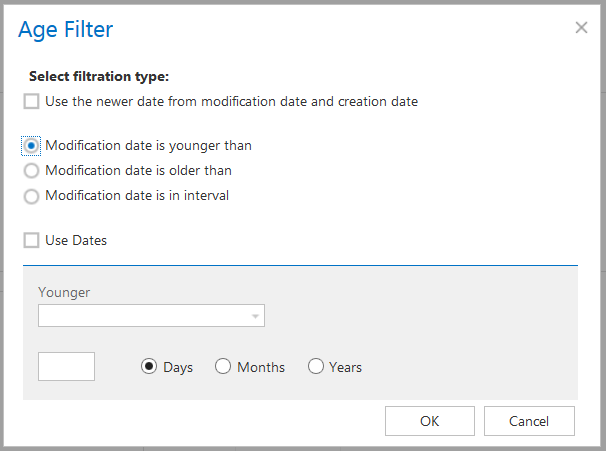
The Age filter dialog
Client Applications / Tools
✓ contentWEB – Manual recovery for emails: If you have accidentally deleted emails from your mailbox, it is now possible to manually recover them directly in contentWEB.
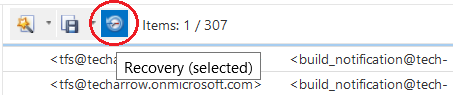
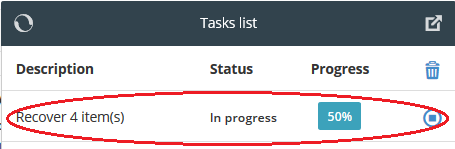
Manual recovery job in contentWEB
✓ contentWEB – Export all: Using this new function, you can export the contents of a folder, including its subfolders. It is available for both Email Archive (export to PST / export to ZIP) and File Archive (export to ZIP). Exporting the results of a search query can also be done with this function.

Export all function of contentWEB
✓ contentWEB – Administrator settings: Administrators can now configure, for all users, the settings related to export tasks and the export manifest file.
Export tasks configuration in contentWEB
✓ contentWEB – Export manifest file: Administrators can also configure the columns shown in the export manifest file; for example, these columns will appear in the Excel file created during the export process. The manifest file now contains a link for each file.
Export manifest file configuration in contentWEB
✓ contentWEB – Folder selection improvements
- Select parent and all subfolders

- Select parent and some of the subfolders

- Select only the parent folder

- Select only a subfolder

- Do not select a folder

✓ contentACCESS Analysis Tool: The contentACCESS Analysis Tool is a software solution for analyzing file shares before archiving them with contentACCESS File Archive into a desired storage. It helps users plan resources before starting the archiving process. The application calculates the size of all files to be archived and provides a time estimation for the duration of the archiving process. It measures the performance of the file shares to be archived as well as the speed of the target storage. The results can be exported as a PDF report. The tool is included in the setup package under Tools or can be downloaded from our website. Read more…
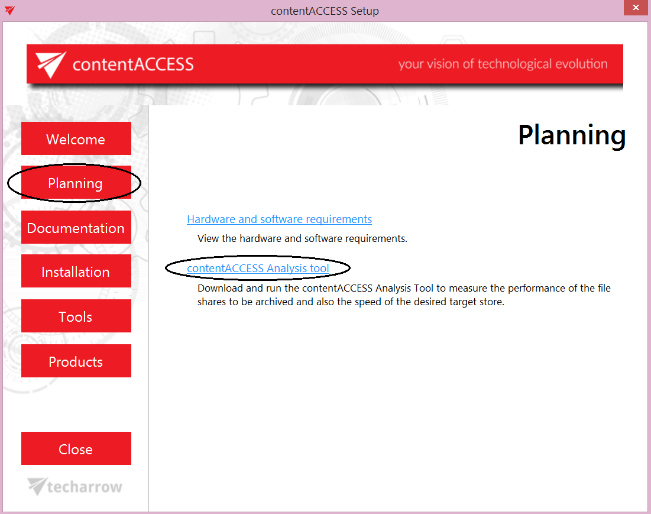
The contentACCESS Analysis Tool in the Planning section of the installation package
The contentACCESS Analysis Tool
✓ TECH-ARROW’s WinShortcutter: TECH-ARROW’s WinShortcutter is a collection of small and useful utilities primarily focused on people working in a Windows-dominant office environment with limited Mac support. You can open shortcuts created in Microsoft Windows just like any other file. For more information and usage instructions, please visit the website: TECH-ARROW’s WinShortcutter
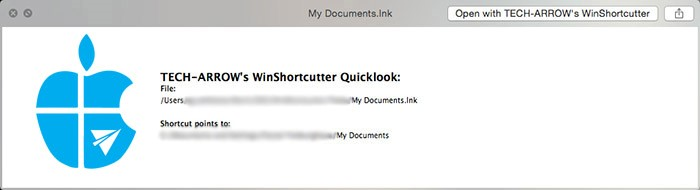
Quick Look in TECH-ARROW’s WinShortcutter
✓ officeGATE: A new version of officeGATE is now available in English and German. Integration with the contentACCESS archive has been improved. Single sign-on is now available for DMS providers configured in contentACCESS. The connection to SharePoint has also been enhanced with new features: you can now view your company’s internal Microsoft SharePoint servers and SharePoint Online sites in a single tree. Paging in list view mode has also been improved.
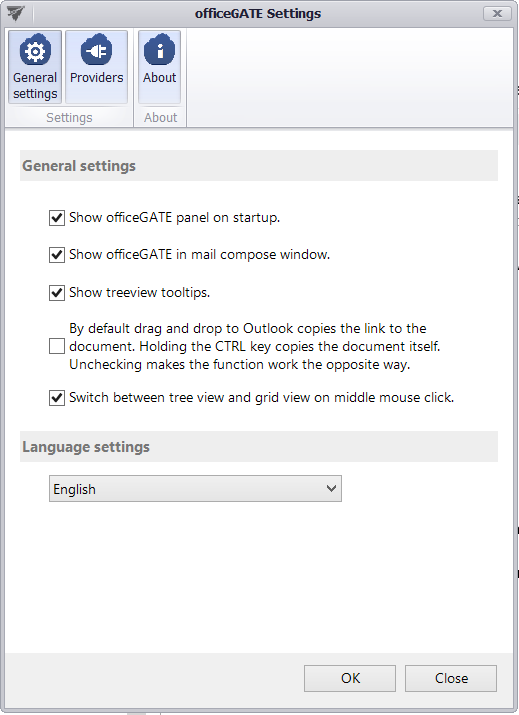
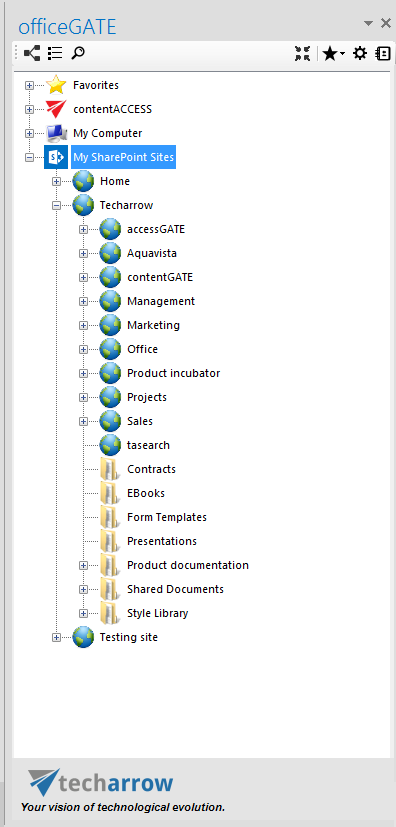
New version of officeGATE