contentACCESS Version 2.9

✨ Highlights
- New storage options, including HybridStore and Lexmark ELM, expand supported archive media and deployment scenarios.
- A new sharing plugin enables secure file sharing via links, with configurable retention periods and download limits.
- An enhanced license server introduces offline activation, centralized telemetry, and more flexible licensing models.
- A powerful new Importer simplifies bulk configuration by allowing data import from CSV, XML, and text-based files.
- Central Administration now provides detailed email and file archive statistics for improved visibility and control.
Common features
✓ Importer: Adds the ability to import data from files such as CSV, XML, and tab- or space-separated text. This makes adding large amounts of data to different configuration sections much easier, as there is no need to enter each entry manually. Options are available to overwrite existing items, update them, or skip them entirely. After the initial upload, the file’s columns can be mapped to the importable entry’s fields by dragging the column headers. When the mapping is finished, the newly imported entries are added to the configuration section. The import option is available for all relevant settings (e.g., Email Archive: Exclude folders, Exclude addresses; File Archive: Folders to process, Exclude folders).

✓ contentACCESS as migration target: contentACCESS is now available as a file and email archive migration target for contentGATE. This allows migration from any other file or email archive into contentACCESS using contentGATE.
✓ New storages support: Using the new HybridStore storage, a range of new archive media is now supported by contentACCESS (Centera, Celera, Iternity, etc.).
Using the new Lexmark ELM storage, contentACCESS is able to use ELM as a storage backend.
✓ New sharing plugin: The new sharing plugin allows files to be shared using contentACCESS. The file is uploaded only once, and only a link is sent to other participants. The user sharing the file can configure retention and limit how many times the file can be downloaded. To activate this feature, a new job must be created in the custom plugin sections.

✓ New license server: The new license server allows offline activation. The link is available directly from Central Administration.
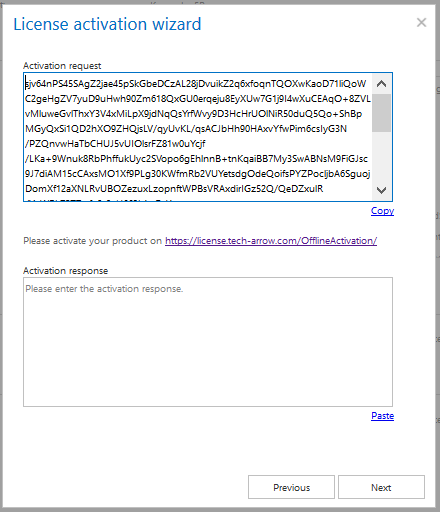
The new license server system is designed to cover all company products and to measure, store, and count all possible properties, known as telemetry information, for each product. The telemetry information sent by a product is not static and may differ from product to product. Based on the collected information, the license server defines limitations, which are then evaluated by the application.
The licensing system allows installing the same product with the same key on multiple machines, given appropriate license settings. Telemetry information is summarized by the server and distributed to all applications using the same license key. Based on valid maintenance and support, the license server allows installation of the newest product version.
✓ Statistics: Central Administration now includes email and file archive statistics, including tenant-level summaries for the number of mailboxes/files, size, archived items, and system statistics.
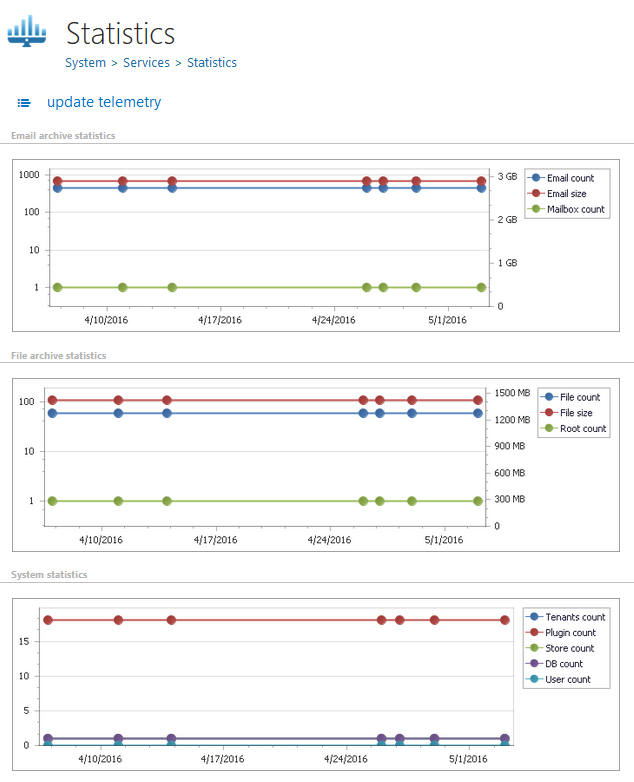
✓ New licensing: contentACCESS licensing has been extended to allow limiting the number of archived items, the size of archived items, and the number of archived entities (mailboxes, root folders) at the tenant level. These limitations are also visible in the Central Administration licensing section.
Email Archive
✓ Exclude folders and/or addresses in email archiving, recovery, and restore: It is now possible to exclude individual emails by sender, recipients, or both. After specifying a list of excluded email addresses and setting the filtering type to sender, recipients, or both, emails containing any of these addresses in the specified fields will be excluded from processing. The recipients include the “To”, “Cc”, and “Bcc” fields.
hier finden.
Die folgende Liste gibt Ihnen einen raschen Überblick über die neuesten Verbesserungen, die contentACCESS Version 2.9 für Sie bereithält:
✓ Multi-forest support for email archiving: The new version can look up all parent-child domains to find and work with mailboxes.
✓ Email Archive improvements: More stable Exchange connections for load-balanced Exchange servers.
✓ Email Archive improvements: Possibility to manually add an Exchange group.
✓ Legacy connectors: In contentACCESS 2.9, it is possible to configure the legacy archive connector for ELM systems as well.
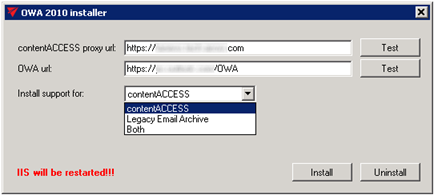
✓ OWA 2010 integration: OWA 2010 support is selectable starting with contentACCESS 2.9.
File Archive
✓ User provisioning from Active Directory: After configuring the “Active Directory Integration Settings” under the tenant’s system settings, users can be added from Active Directory. A new page called “Provisioning Settings” is available under the File Archive tab. After specifying group names or LDAP paths and starting provisioning, all users under the defined objects are added to contentACCESS. contentWEB access can be configured for these users.
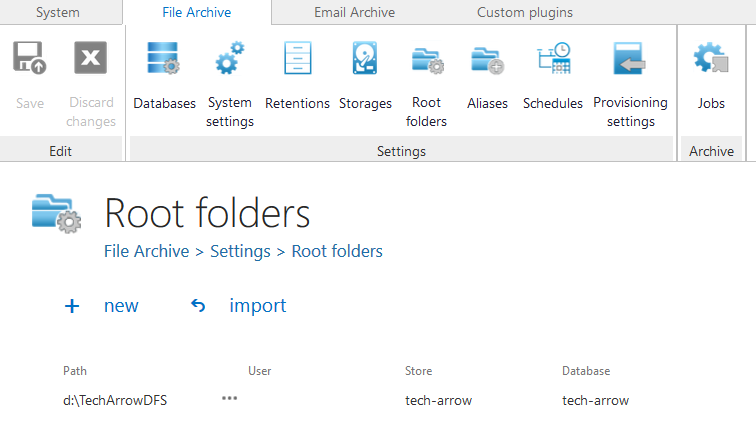
✓ File Archive changes: The FSA system now matches EA behavior. Roots (paths) are assigned to a store and database, similar to mailboxes. File Archive can be connected to multiple databases and stores.
✓ Virtual drive disk: Virtual drive selection is no longer fixed. The setup maps already used drives, and the virtual drive is assigned the first available drive letter in reverse alphabetical order.
✓ Streaming: A streaming process was implemented to support large files.
✓ Exclude folders: It is now possible to define a list of folders that should not be processed by the archive job.
✓ Import folder list: Adds the ability to import data from files such as CSV, XML, and tab- or space-separated text. This simplifies managing large data sets by allowing overwrite, update, or skip behavior. After upload, columns can be mapped to fields by dragging headers, and imported entries are added to the configuration section.
Client Applications / Tools
✓ Universal data display in contentACCESS: contentWEB can now display any model in a universal way. When a new plugin is added that introduces a model for its handled items, it is automatically displayed in contentWEB. Administrators can customize the view by selecting which fields to display.
✓ Configurable columns in contentWEB: Administrators can configure required UI settings in contentWEB. These settings are available to all plugins within contentACCESS.