contentACCESS Version 3.3

✨ Highlights
- Introduces a new, fully scalable full-text search engine with an enhanced and configurable user interface, including a new query language and improved basic and advanced search.
- Adds comprehensive legal hold and auditing capabilities to support compliance, investigation, and reporting requirements.
- Expands storage options with support for Google and Amazon S3–compatible cloud storages, along with single instancing to reduce storage costs.
- Improves authentication and integration with support for Azure login through the legacy API, Perceptive login, and a stateless Central Login component.
- Enhances scalability and administration with tenant-specific databases, a new task runner job, and clearer user and tenant management.
Common features
✓ New full text search engine: The new version comes with a fully scalable full-text search engine that meets customers’ needs for speed and usability. To take advantage of the new search engine, the search user interface in contentWEB has also been extended. A new context-sensitive basic search text box is always available in the UI, allowing users to easily execute queries in the currently selected entity or across all available entities.
To speed up searching, a new query language has been introduced that users can easily learn and use. This query language allows users to write and execute queries directly from the search text box. The basic search input also provides assistance for learning and writing queries in the new query language. For basic users, there is a redesigned advanced search page where they can compose search queries using specific controls.
The new search look and feel is fully configurable by the system administrator, who can select which fields are allowed in basic and/or advanced search.
The search system also stores recent search queries, allowing users to easily re-run their last searches.
✓ Legal hold: contentACCESS provides a powerful way to manage legal hold processes within the company. The legal hold feature allows the creation of multiple legal hold cases and the placement of archived emails, files, and SharePoint documents into those cases. Each legal hold case has its own expiration date and prevents documents from being deleted while the legal hold process is active. Documents under legal hold are displayed in the item list, search results, and item details page if the user has the necessary rights.
Legal hold cases can be created from the item list by multi-selecting items, selecting folders, or directly from search results.
Existing cases can be reviewed and extended by adding new documents or removing documents from an existing legal hold. Each legal hold case has its own expiration date, after which the system automatically removes the legal hold flag from the documents, although a case can also be deleted manually before it expires.
Documents from a legal hold case can be exported into a ZIP file that also includes an Excel-based manifest file containing direct links to the exported documents.
This feature can be enabled on a tenant basis.
✓ Auditing: The auditing feature allows logging of every file access and search query executed by users. The tenant administrator can view and filter auditing logs by various criteria. Audit entries can also be exported in various formats (CSV, XML, HTML, etc.) from Central Administration.
This feature can be enabled on a tenant basis.
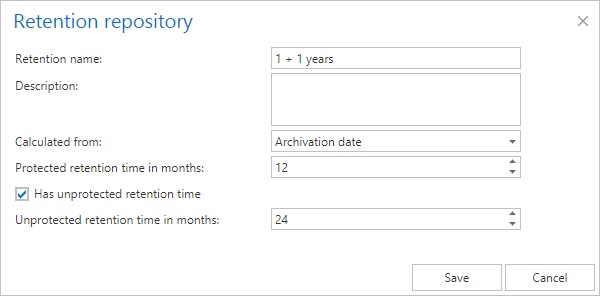
✓ Extended retention categories: In previous versions, administrators could only set the protection time. Retention categories have now been extended with an option to specify the maximum retention time, the so-called unprotected time, during which a document will not be deleted automatically but can be deleted manually. After the unprotected time expires, the item will be deleted.
The new retention category also allows specifying the starting point from which the retention time is calculated. The available options depend on the given archive, as file, email, and SharePoint archives provide different starting points.
✓ Deletion from archive: New delete-from-archive jobs allow cleaning up unwanted or expired items. Delete jobs can run in three modes: report generation, deletion based on a report, and immediate deletion. Using report mode gives administrators full control over deleted items. Deletion is supported in email, file, and SharePoint archives.
Another way to delete items from archives is to mark them for deletion in contentWEB. Users with the necessary rights can mark files for deletion so that delete jobs remove them even if they are in unprotected retention time. Users can select single items, folders, or entire search results.
Deletion also depends on the storage used. The following storages support deletion: Disk, Azure, HybridStore, Google, and AmazonS3 (and compatible). Delete jobs have no effect on storages that do not support deletion.
✓ Multi-tab support in contentWEB: contentWEB now supports opening the same application in multiple browser tabs or windows, helping users parallelize their work.
✓ New storages support: The new version introduces additional storage options, including Google storage and AmazonS3 (and compatible) cloud storages for storing information from contentACCESS.
✓ Single instancing for storages: Single instancing support has been added for Azure and AmazonS3 (and compatible) storages. This allows the same file to be stored only once, even if it is archived multiple times, significantly reducing storage costs.
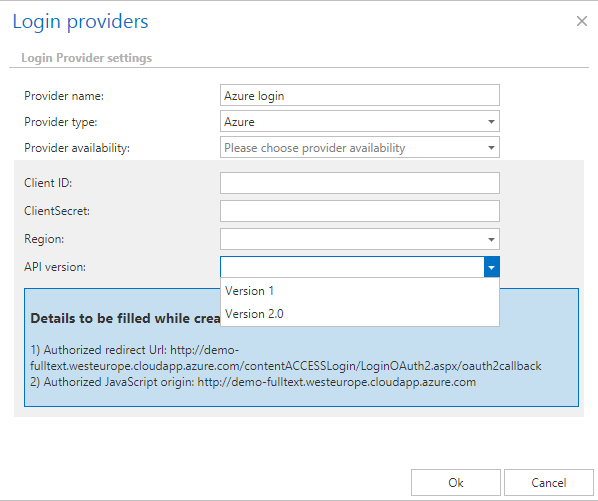
✓ Support for Azure login through old API: The Azure login provider now supports logging in with Azure accounts using the old API version (1.0). This API is supported by the German Azure cloud, enabling German cloud users to log in with their Azure accounts. API version 1.0 requires an app registration in Microsoft Azure, so a valid Microsoft Azure subscription is required.
✓ Perceptive login support: The login page now allows Perceptive users to log in to contentACCESS with their Perceptive credentials. Credentials are verified by Perceptive, and operations executed over the Perceptive DMS are securely trimmed based on the user’s effective Perceptive rights.
✓ Improved error page at download: If an error occurs while downloading files from contentACCESS, a custom error page is displayed, showing clear reasons for the error.
✓ Stateless login: The Central Login component has been made stateless to support load-balanced environments with multiple login components behind a load balancer. Login requests can now be distributed across multiple login component instances.
✓ Tenant database: The new version introduces a tenant database, which is used by tenant-specific components such as the task runner job and the full-text engine, and can also be used for other purposes such as email or file archiving. The tenant creation dialog has been redesigned to create this database directly, reducing the tenant creation process by one step.
✓ Task runner job: A new job type has been introduced to run export, auditing, and legal hold tasks executed from contentWEB. The task runner job is automatically deployed for new tenants, and tenant administrators can modify its settings. This job type improves scalability, stability, load balancing, and security, as each tenant’s jobs run in isolation and can be distributed across contentACCESS nodes.
✓ Users assigned to tenants: User handling has changed in this version. Previously, users existed globally and were not assigned to tenants. Now, each user has a default tenant, which can be changed later by a system or tenant administrator. This change makes user administration clearer.
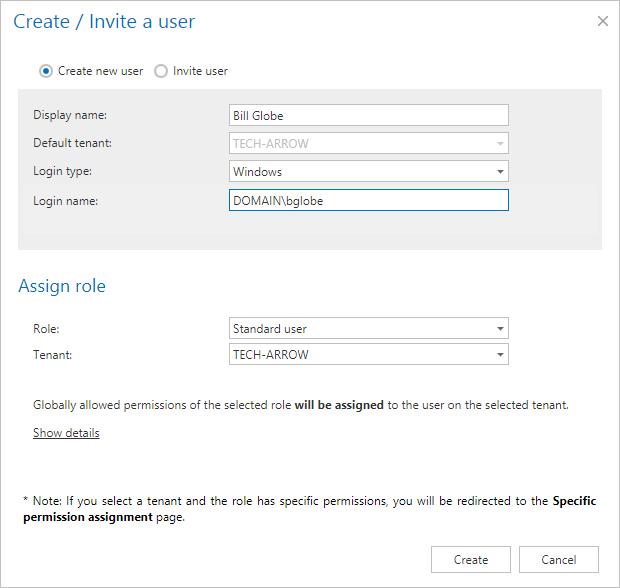
✓ Redesigned user page: The users page has been redesigned to allow system and tenant administrators to see users assigned to the current tenant, as well as users with permissions to objects in the selected tenant. System administrators can also see system administrators and unassigned users.
✓ Red header if system tenant is selected: In Central Administration, some functions require switching to the system tenant. Previously, this happened automatically and was not always obvious to users. Now, when the system tenant is selected, the header bar turns red to clearly indicate this state.
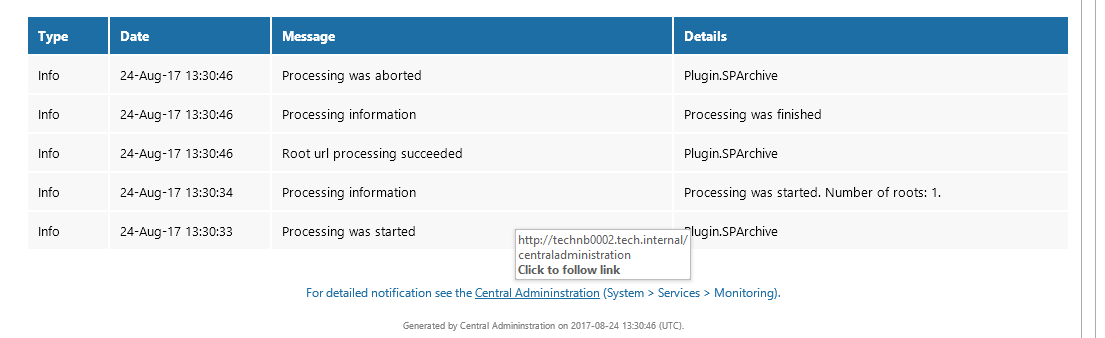
✓ Notification email extension: Notification emails have been extended to include the creation date and a link to Central Administration.
Client applications:
contentWEB:
✓ Improved connection selection – The new contentWEB version includes many improvements to enhance usability. One improvement is the browse option in the connect-to menu, which allows filtering by tenant, type, and entity name.
✓ Enable/disable folder selection – Folder selection can now be turned on or off in the folder selection pane to avoid accidental selection. If multiple folder selection is not needed, the checkboxes can be hidden.
✓ Action buttons merged – There is now a single action button for each action, with the selection method chosen in a popup dialog. This reduces the number of buttons and makes the UI clearer.
✓ Save button on settings page – A save button has been added to the contentWEB settings page, allowing administrators to save or discard changes. Settings are saved to the contentACCESS system database and distributed to all contentWEB instances in the cluster.
✓ Default language and active/inactive filter – Administrators can select a default language for users or choose to use the user’s browser language. Users can also control whether inactive items in file and email archives are displayed. These options can be overridden by users and are remembered by contentWEB.
✓ Open Central Administration from contentWEB – A new option in the contentWEB settings menu allows opening Central Administration directly, provided the user has the required rights.
✓ Entity name and icon in search results – contentWEB displays the entity name (mailbox, root folder, etc.) and a small icon in search results to help identify the source of each item.
officeGATE:
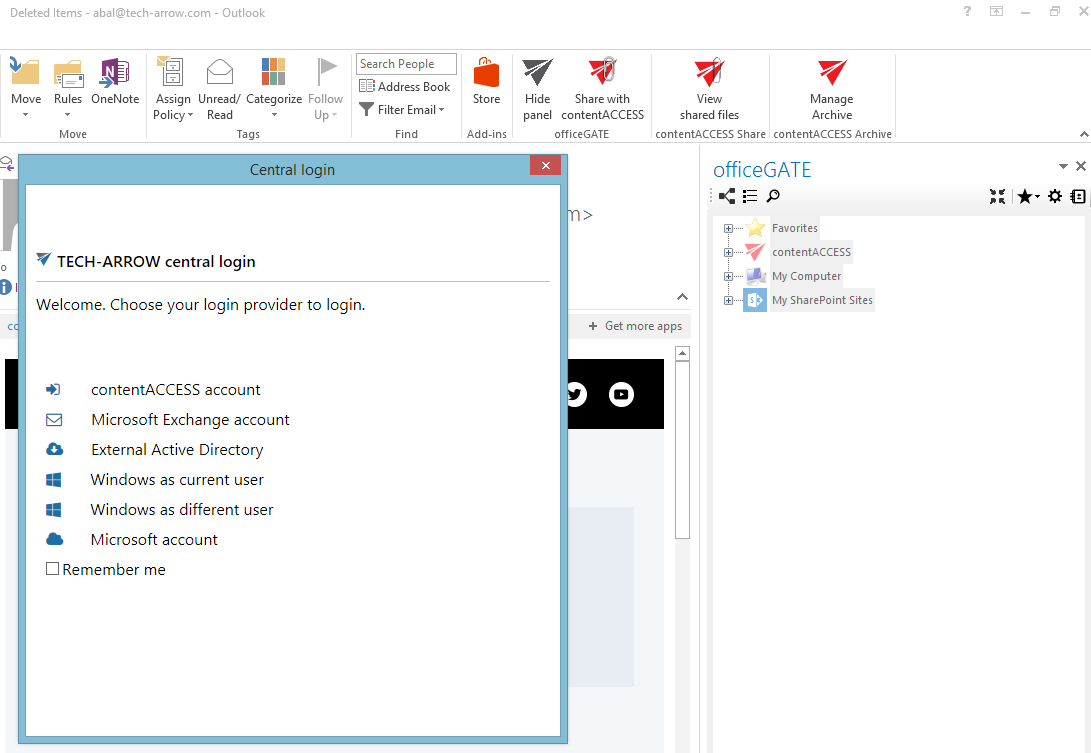
✓ Central login integration – officeGATE now uses the Central Login component for authentication, allowing users to take advantage of all authentication types supported by contentACCESS.
Email Archive
✓ Handle mailbox change: The email archive can now handle scenarios where the mailbox owner changes or a mailbox is recovered with a new unique GUID on the Exchange server. It also supports cases where an SMTP address is reused within the organization, treating it as a new mailbox and archiving it separately.
✓ Email property updates: The email archive database now stores message flags and categories. This information, along with read, unread, forward, and reply flags, is updated by the shortcut synchronization job and is searchable.
✓ German cloud support: Email archive connection settings have been extended to support the German Azure cloud.
✓ SMTP server: A new SMTP server component has been introduced, implementing the standard SMTP protocol on port 25 and secure SSL/TLS ports. It allows the creation of virtual mailboxes that are archived into contentACCESS. Virtual mailboxes can be mapped to existing mailbox archives or created directly in contentACCESS using the Address Book export function.
This component allows archiving emails from any system capable of forwarding emails, such as Gmail.
✓ Mailbox information: A new mailbox information dialog displays advanced details such as archive size, item and folder counts, and group memberships.
✓ Enhanced Exchange connection testing: Exchange connection testing has been enhanced to verify required administrative rights, helping to avoid archiving issues.
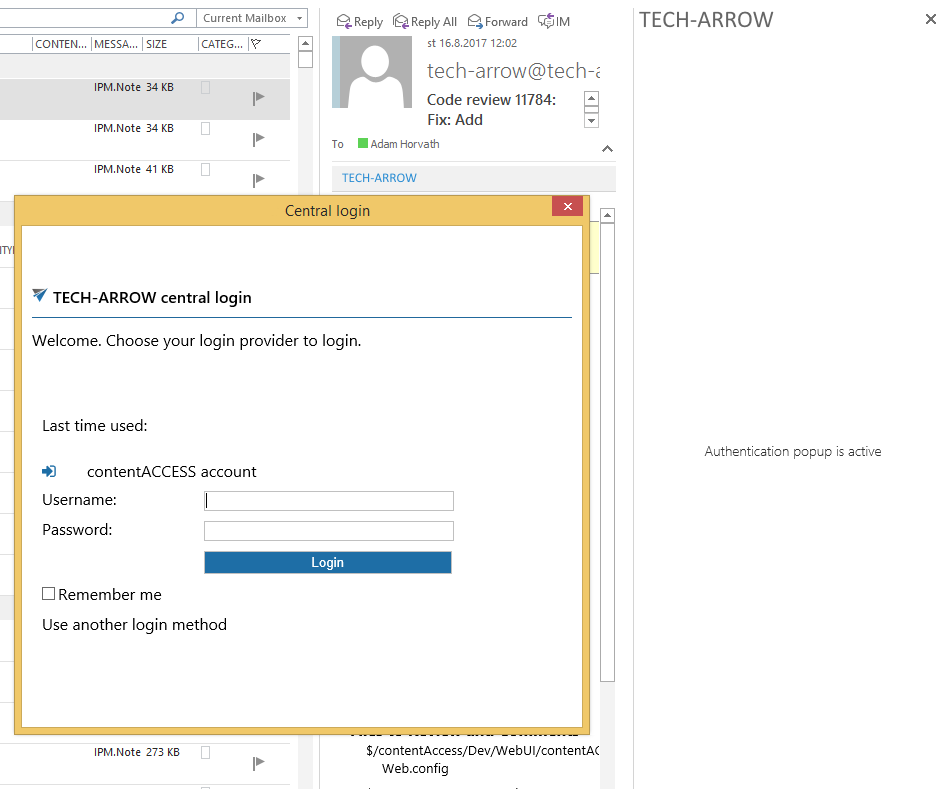
✓ Central login integration into MailApp: The MailApp now supports logging in through the Central Login component, enabling all supported authentication types. Login is required if link security is enabled.
✓ VSTO add-in multiple mailbox support: The native Outlook add-in now supports scenarios where new mailbox accounts are added to Outlook. Previously, only attached mailboxes were supported.
File archive
✓ Shortcutting errors reporting: File archiving now reports shortcut creation issues as warnings, including clear reasons for the problem.
SharePoint
✓ User provisioning: SharePoint archive integration has been enhanced to allow provisioning users from SharePoint sites into contentACCESS. Provisioned users can log in and see archived SharePoint data with proper security trimming, ensuring consistency across contentWEB, officeGATE, and SharePoint.