contentACCESS Version 3.4

✨ Highlights
- Introduces the new contentACCESS mobile application for iOS and Android, enabling secure access to data anytime and anywhere, with full search, offline access, and sharing capabilities.
- Adds cluster node grouping to better support scalability and geographically distributed hosting environments.
- Improves administration with role cloning and enhanced role visibility directly on user details pages.
- Integrates SMTP server configuration into Central Administration, simplifying email archive setup and management.
Common features
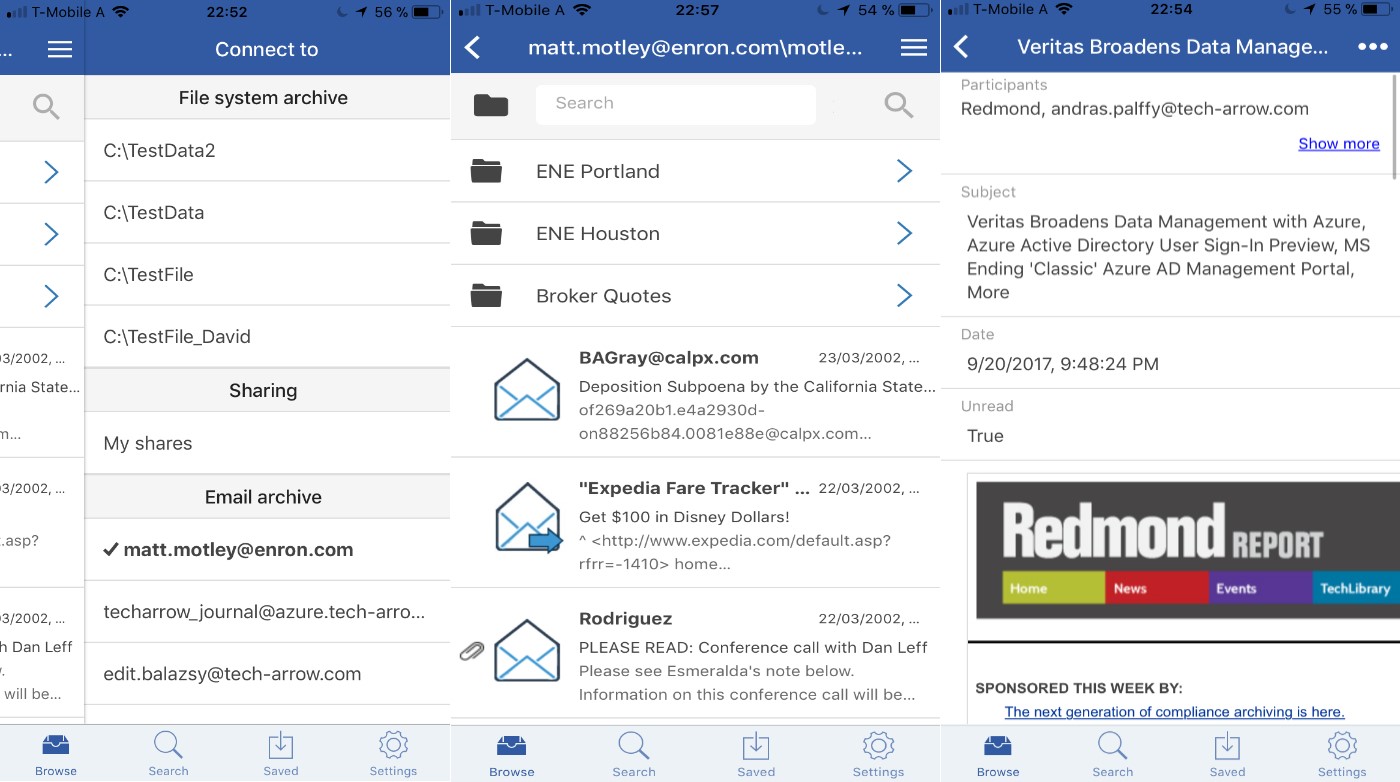
✓ contentACCESS mobile: To improve the mobility of the contentACCESS platform, we are releasing a brand-new version of our mobile application, which allows users to access all their data inside contentACCESS anytime, from anywhere, and on the most commonly used iOS and Android platforms. The new mobile application supports data browsing and provides the same search experience as other client applications of the platform. Files and emails can be stored locally to be accessible without an internet connection as well. Files and emails can also be shared as links or as files with other users. Users can use all available login methods on their mobile devices, including Forms, Windows, and Azure authentication.
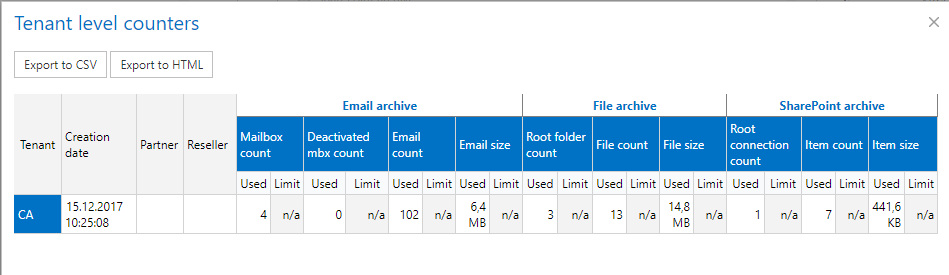
✓ Hosting license information: In the case of a hosting license, contentACCESS is now able to provide detailed tenant-level statistics to the license server. This feature allows hosting companies to create and monitor license usage of their partners and resellers and to invoice precisely based on their tenants’ data usage.
✓ Cluster node grouping: The new cluster group feature allows administrators to group cluster nodes. The cluster group can then be assigned to tenants, where the tenants’ jobs will run only on the nodes assigned to the tenants’ cluster group. This feature is useful for hosting solutions where contentACCESS nodes are located in multiple data centers. In such cases, tenants’ data will be processed by the nodes that are geographically closest to the tenants’ resources.
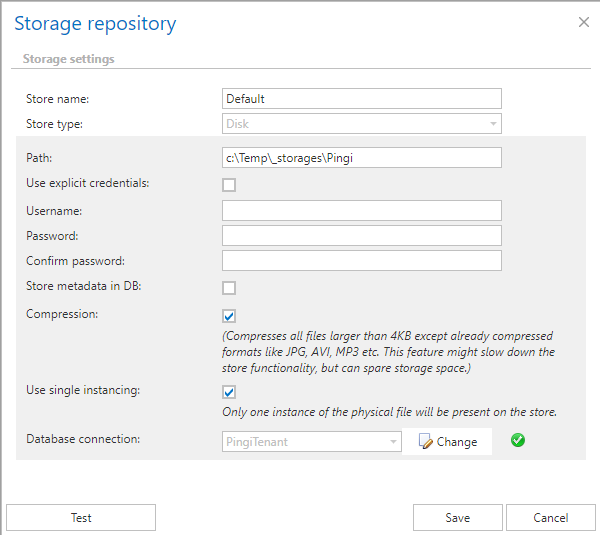
✓ Disk store single instancing: The single instancing functionality can now be enabled or disabled in the disk store. This feature is useful for companies that use simple NAS or SAN solutions without built-in single instancing functionality, but it can be turned off in cases where the storage system already provides this feature. Single instance support allows storing the same file only once, even if it is archived multiple times. This feature helps significantly reduce storage costs.
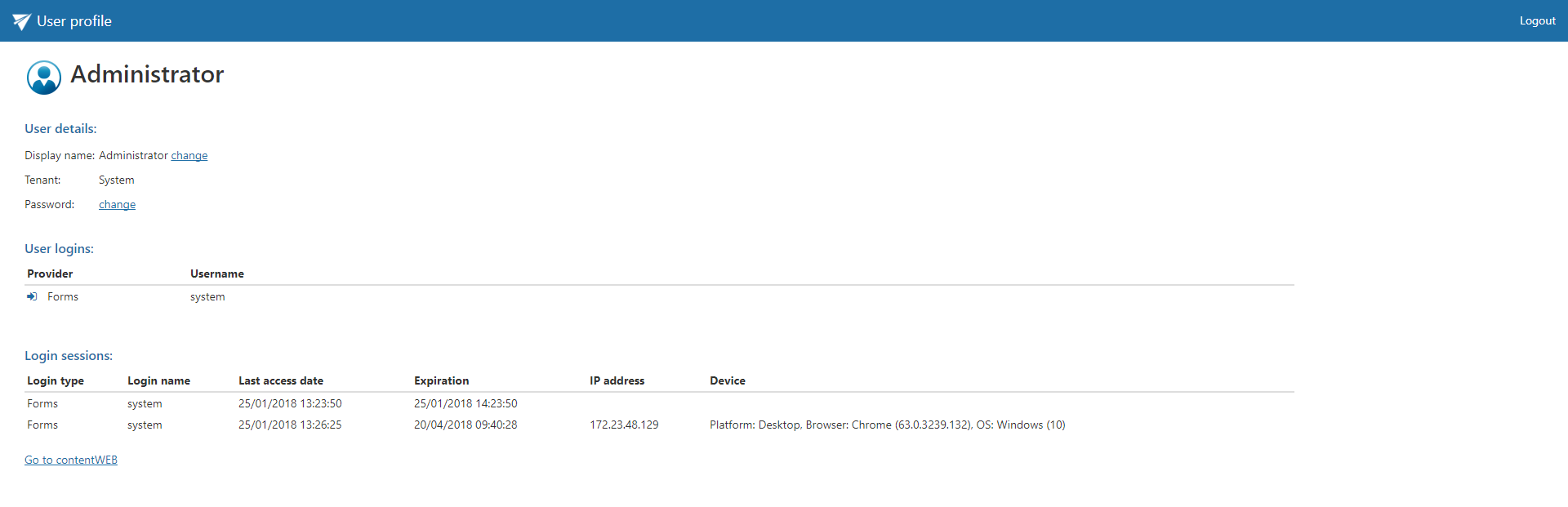
✓ User profile: The new user profile page allows the currently logged-in user to see their user details, login types, and active login sessions. Users can also change their contentACCESS password or display name, which is visible inside contentACCESS. The profile page is directly accessible for end users from contentWEB.

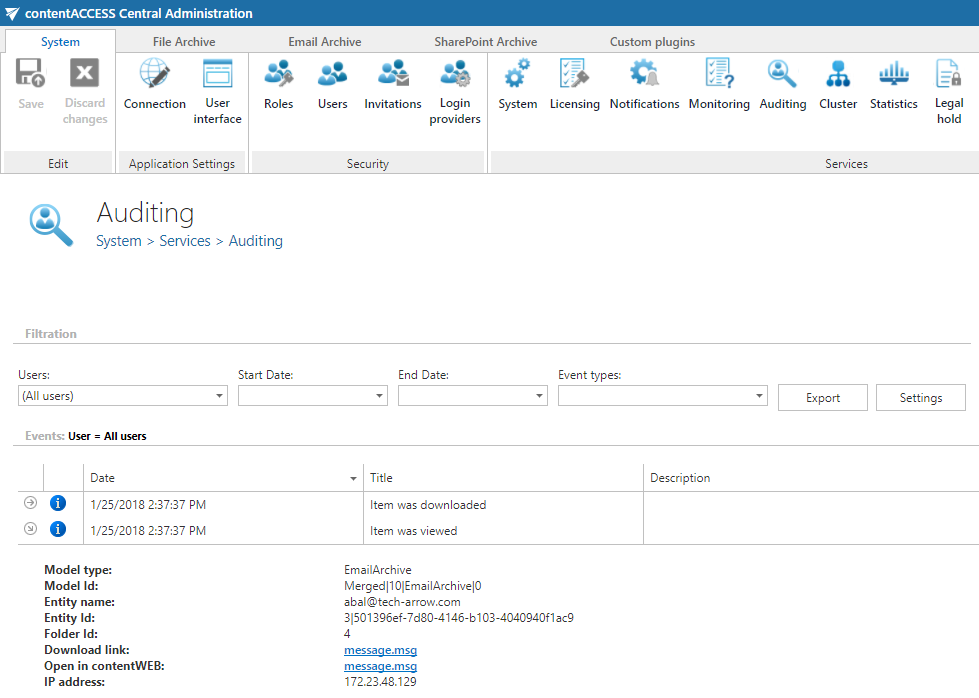
✓ Auditing user IP: User access auditing has been extended with the IP address from which the given user was connected during an operation. The user’s IP address is dynamically updated inside contentACCESS in case of change.
Central Administration
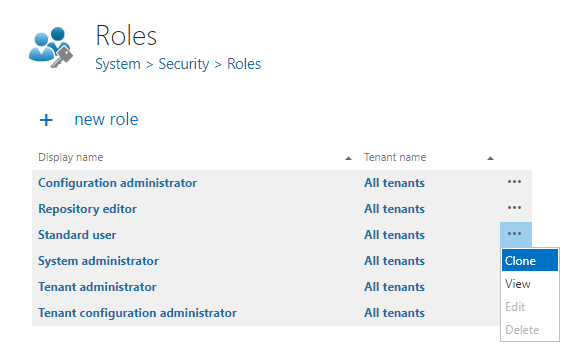
✓ Role cloning: Creating a new custom role in contentACCESS is now easier than ever. The new role cloning functionality allows administrators to easily create new custom roles based on existing built-in roles. Using the cloning function, administrators can clone the most similar built-in role and focus only on the necessary permissions, while other permissions are already pre-filled.
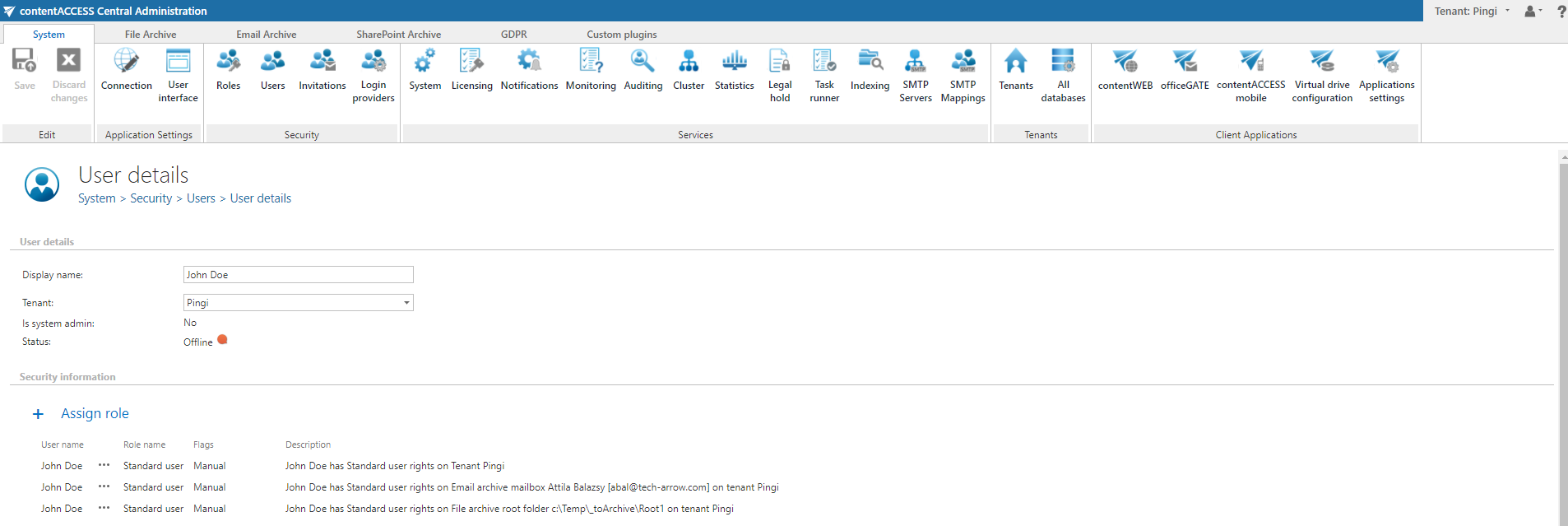
✓ Roles on user details: The user details page has been improved to allow role assignment directly from it. Role descriptions have also been extended to include the display name of the object (email address, file archive root, …) to which the given role was assigned.
contentWEB
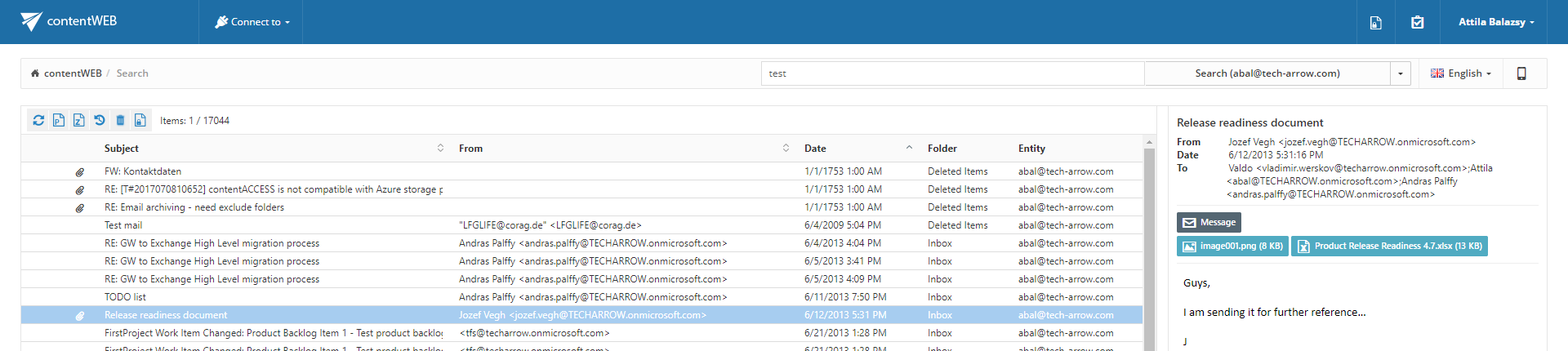
✓ Sorting the search result: The improved search page in contentWEB allows sorting search results by all visible columns. The default sorting method is ranking, calculated by the search engine, but by clicking on a column header, users can change it to any other column. This helps end users more easily find the necessary items in contentWEB.
✓ Retention expiration displayed in contentWEB: In this new version, contentWEB displays document expiration based on the associated retention settings. Retention is visible in all modules that support it, including file, email, and SharePoint archives.

Email Archive
✓ SMTP server configuration integrated into Central Administration: The new version comes with integrated management of the SMTP server component, allowing system administrators to manage multiple SMTP servers connected to contentACCESS directly from Central Administration. Tenant administrators can also configure their virtual mailbox mappings from Central Administration without requiring system administrator interaction. This makes it easy to define a virtual email address and mailbox that will archive incoming emails directly into contentACCESS.
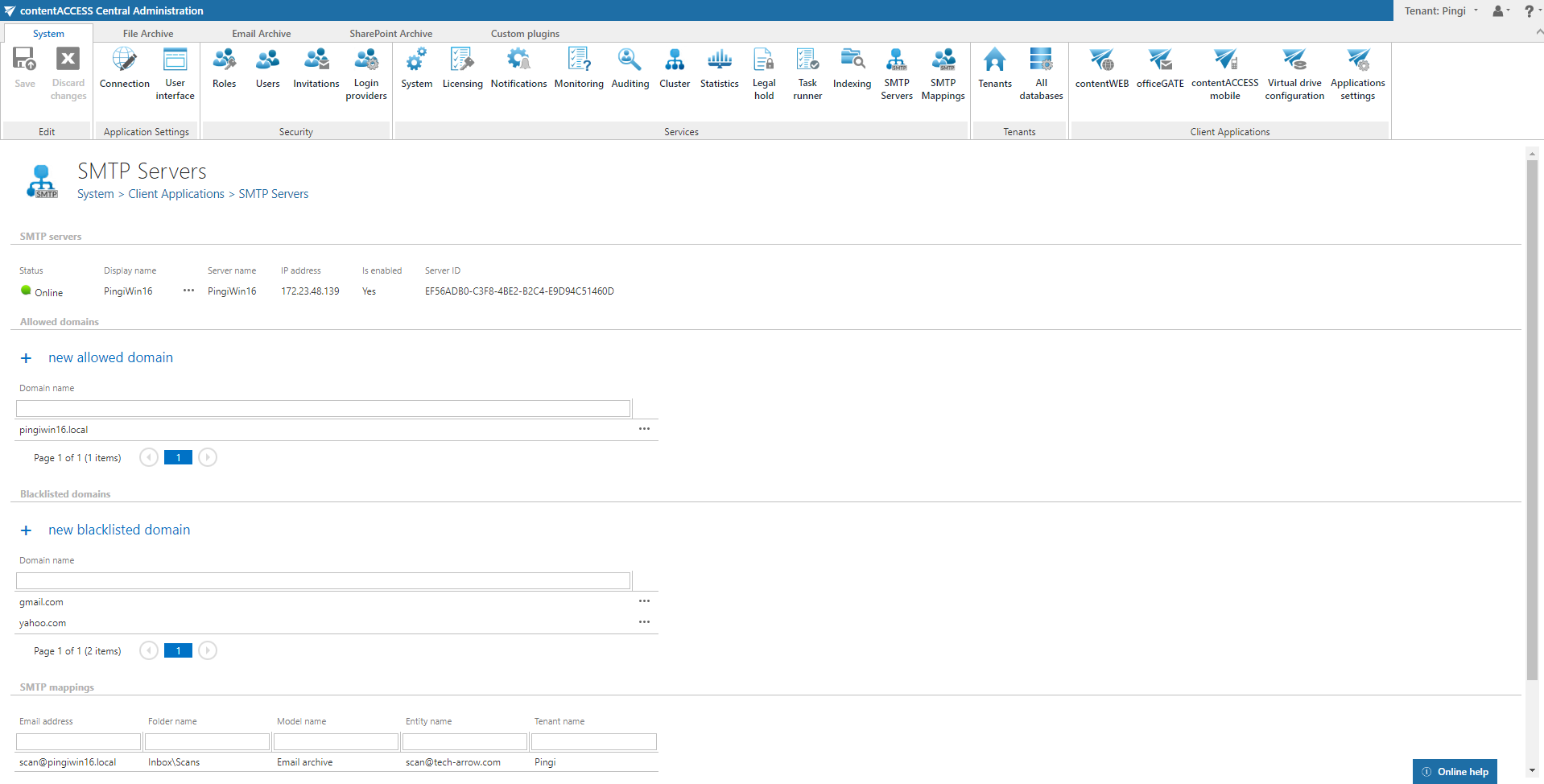
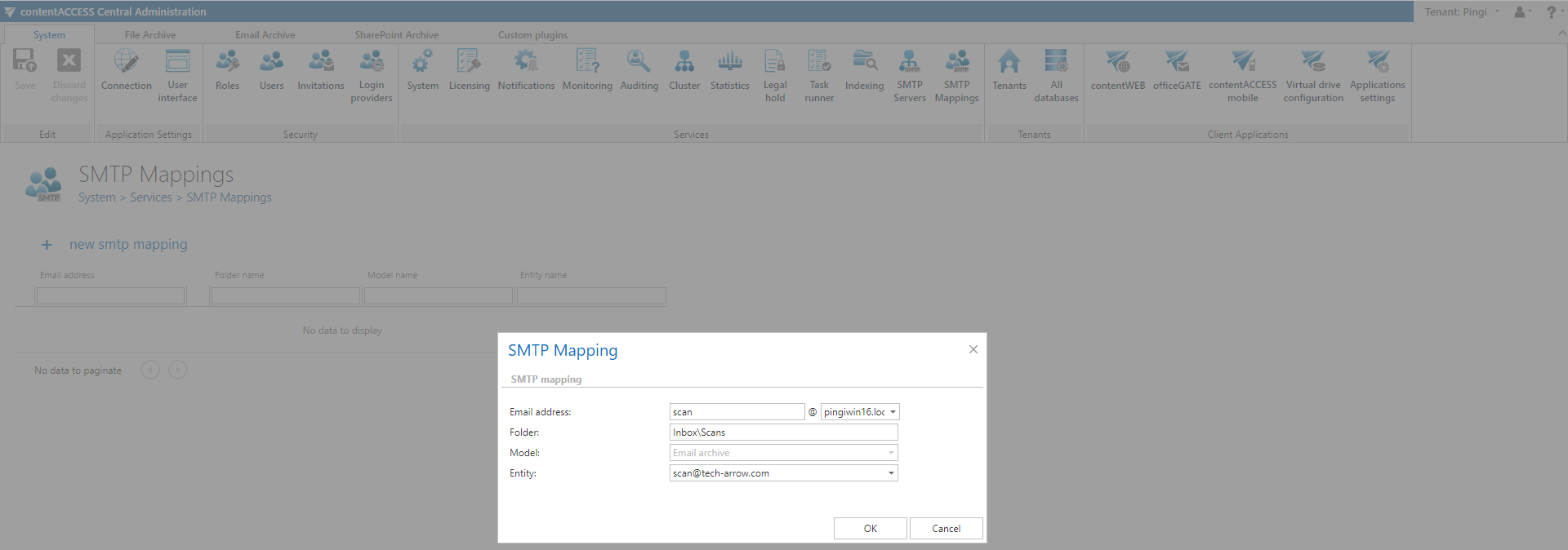
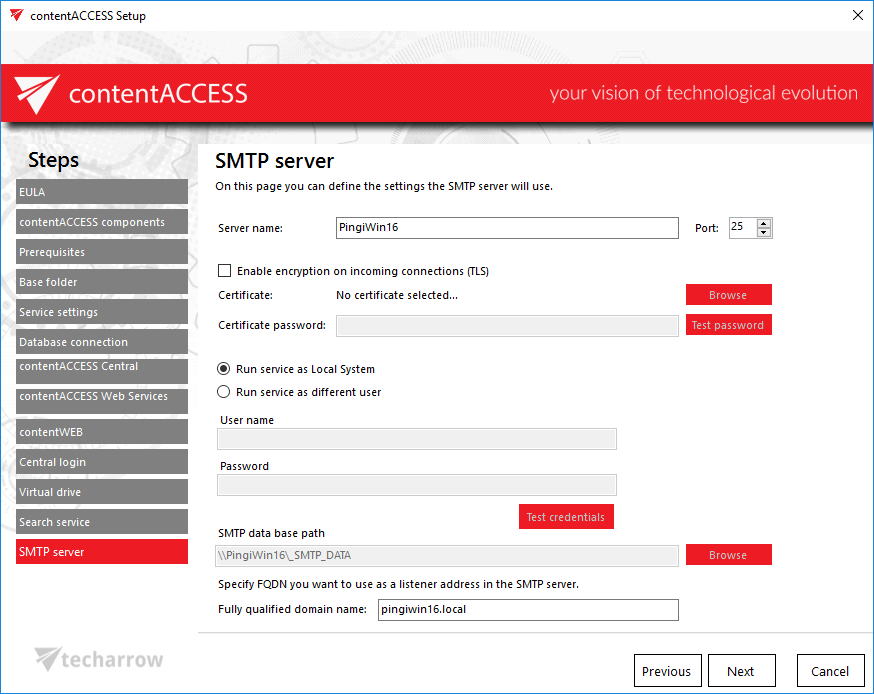
✓ SMTP server integrated into installation package: Installing and configuring the contentACCESS SMTP server is now easier than ever. It is now part of the standard component list in the installation package, allowing full configuration options, such as certificates, data paths, and domain names, with a single click.
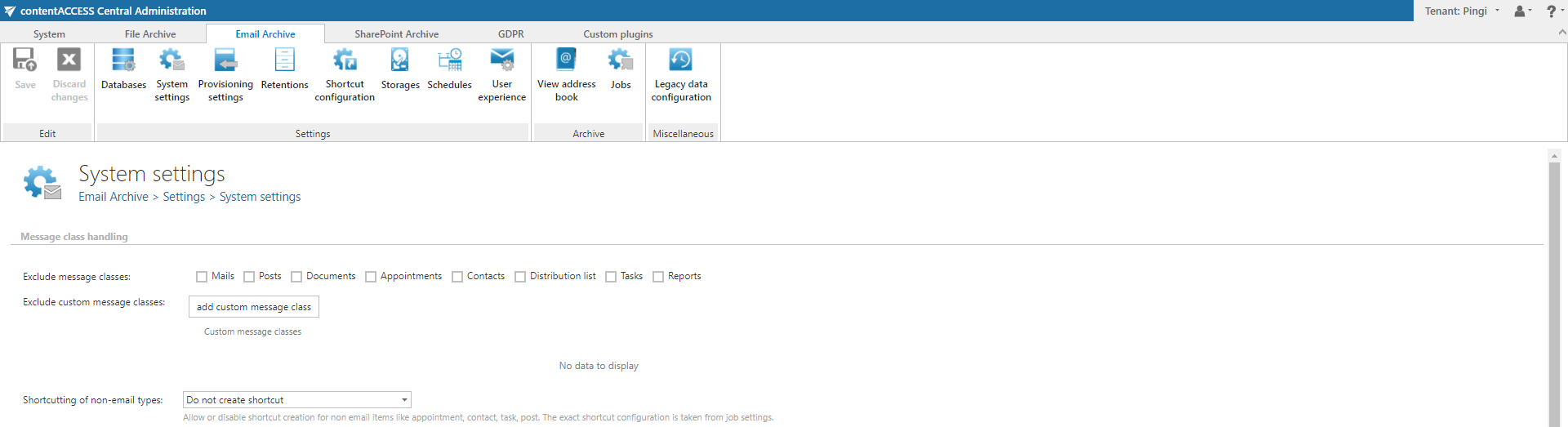
✓ Shortcutting non-emails: In previous versions of contentACCESS, only emails could be offloaded (shortcutted) to save space in Exchange mailbox databases. In this new version, contentACCESS can also offload non-email items, such as calendar items and contacts. These items are shortcutted in a special way, without changing their message class, by removing attachments and adding attachment links to the body of the item. This approach allows administrators to fully benefit from offloading regardless of item type.
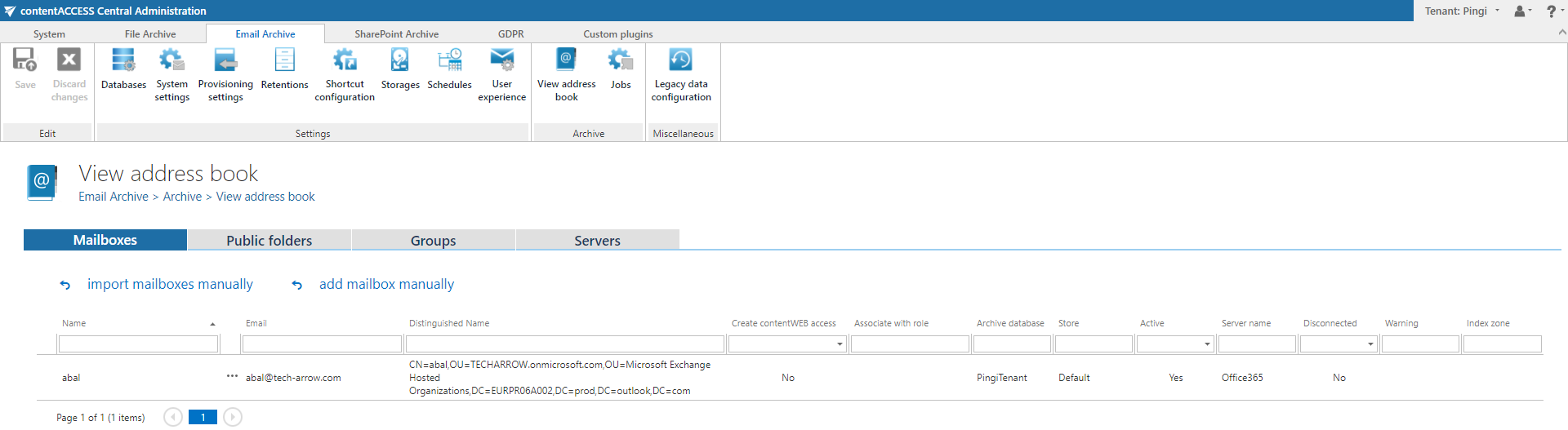
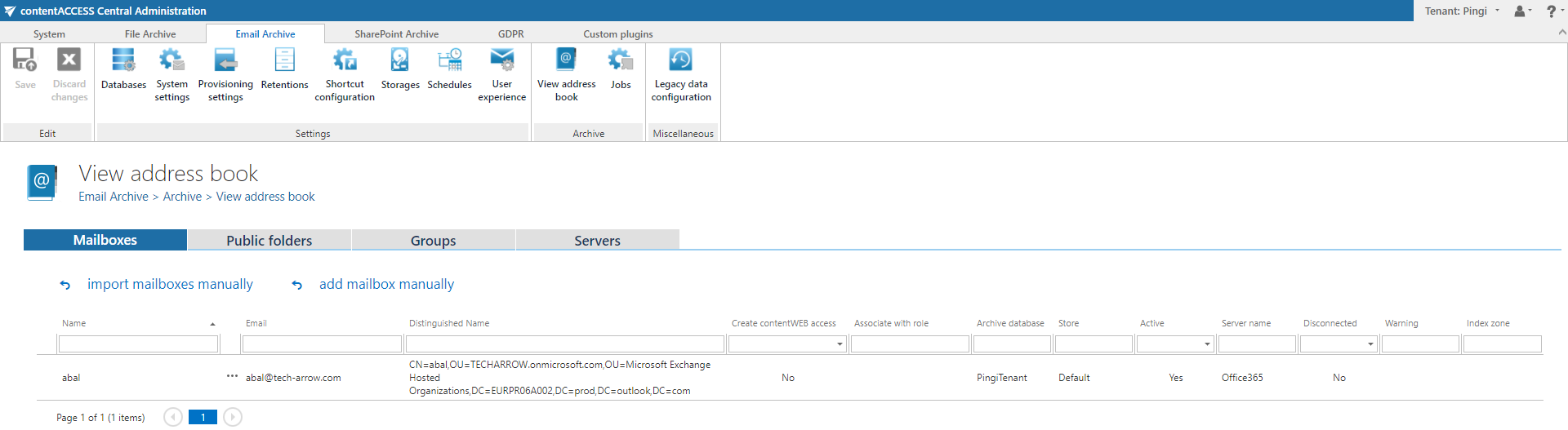
✓ Tabbed view in address book: The address book view in Email Archive configuration has been redesigned to be more user-friendly and to provide better overview and navigation. The full page containing server, group, user, and public folder lists has been split into tabs, allowing administrators to focus on the objects they want to work with.
✓ Automatic mailbox activation at manual archiving: In previous versions of contentACCESS, manual archiving from MailApp and officeGATE worked only for mailboxes that already had some items archived by contentACCESS archive jobs. This behavior has been changed to allow manual archiving from mailboxes with no previously archived emails. The manual archiving process will automatically activate a mailbox in the background.
✓ Manual server, group, and mailbox creation in address book: The address book now allows manual creation of servers, groups, and mailboxes directly from the address book. This feature is useful for migration and SMTP archiving use cases where the target mailbox does not exist on the Exchange server or could not be imported by the automated provisioning process.
File Archive
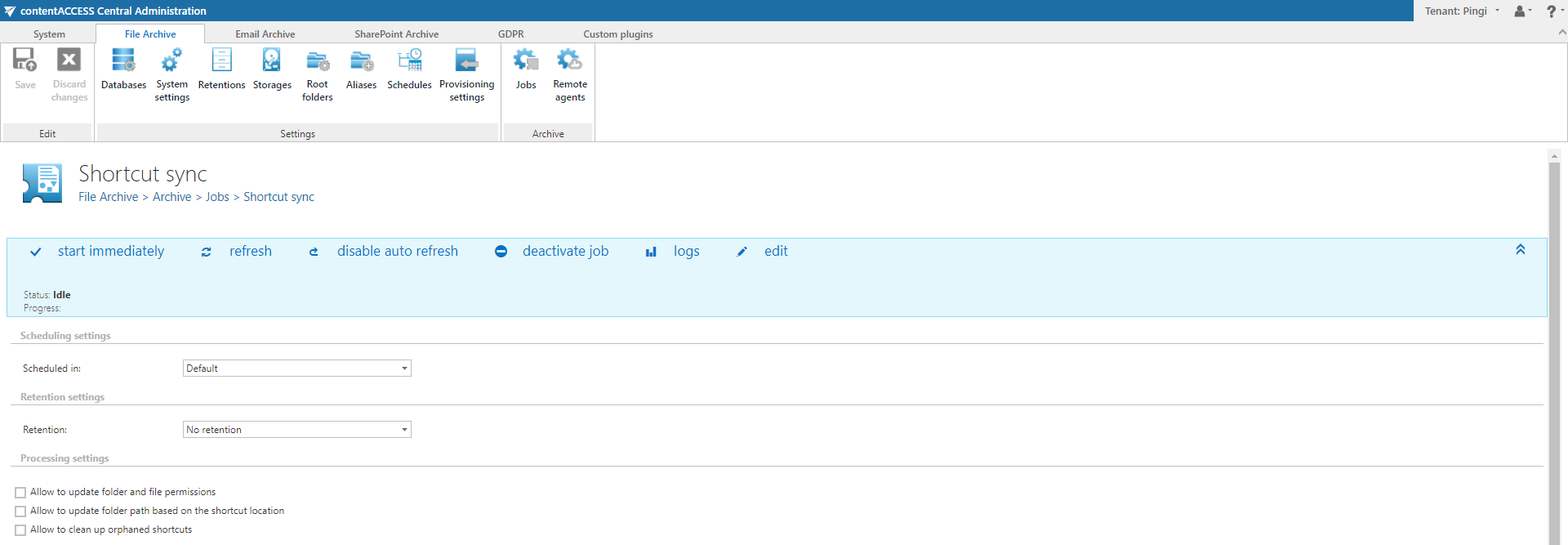
✓ Shortcut synchronization job: The file archiving module has been extended with a new shortcut synchronization job, which can synchronize permission changes and shortcut location changes. It can also delete shortcuts for which the data has already been removed by the delete-from-archive job. This helps users clean up their file share archives and keep only working shortcuts on their file shares.
✓ Root folder information: File archive root folder information is now accessible for each root folder. The information dialog also contains basic archive statistics, including the number of folders and files in the given root folder.

SharePoint Archive
✓ Root site information dialog: SharePoint archive root site information is now accessible for each root connection. The information dialog also contains basic archive statistics, including the number of folders and files in the given root connection.
