contentACCESS Version 3.5

✨ Highlights
- Introduces the new MailApp with role-based archive and restore options, enhanced search, and improved sharing of emails, attachments, and search results.
- Delivers a comprehensive GDPR feature set with federated full-text search across repositories and enhanced end-user tools.
- Redesigns export functionality in contentWEB and improves advanced search with better filtering, sorting, grouping, and visibility of selected entities.
- Enhances email archiving with advanced journaling, improved synchronization, updated HTML shortcut templates, and better handling of missing or unknown emails.
- Includes important breaking changes and enhancements across client applications and system components.
Email archive
✓ MailApp: The archive and restore options in the app are now role based; administrators can fine-tune these functions on a user level by assigning the correct roles to users.
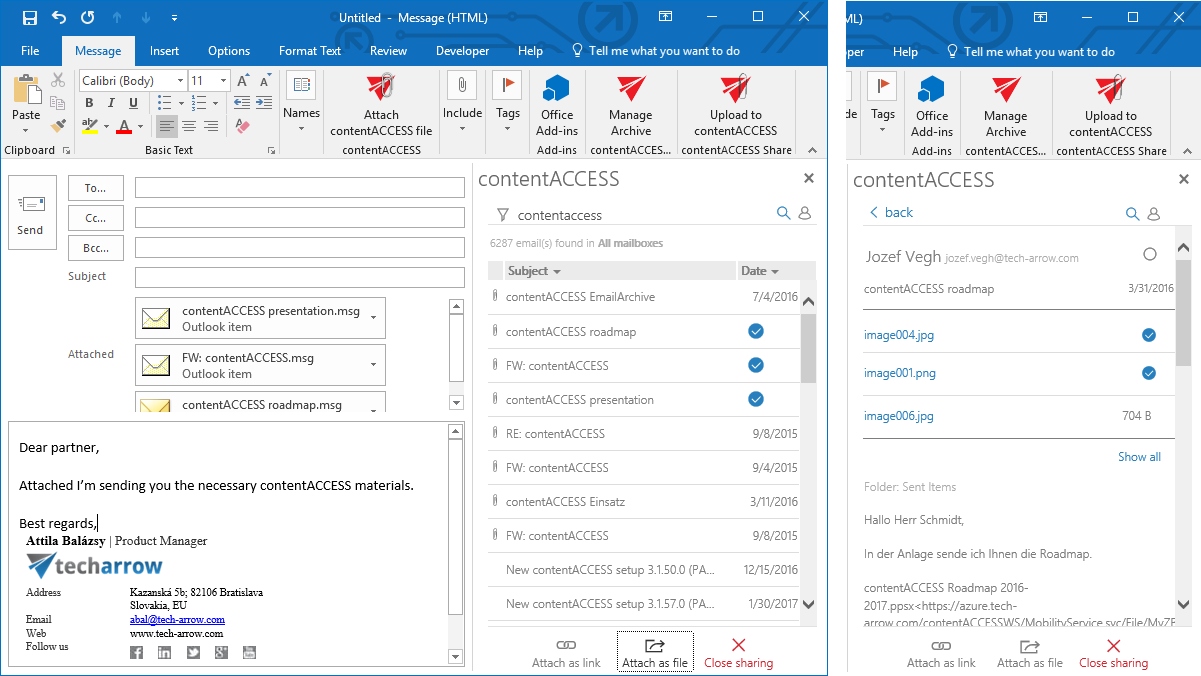
The new MailApp provides searching through accessible mailboxes. It delivers the same rich search experience and uses the same search syntax as the other contentACCESS applications.
The MailApp is now enabled in compose mode as well and allows sharing emails and attachments as direct files or as links only. It also allows sharing the entire search result as a link.
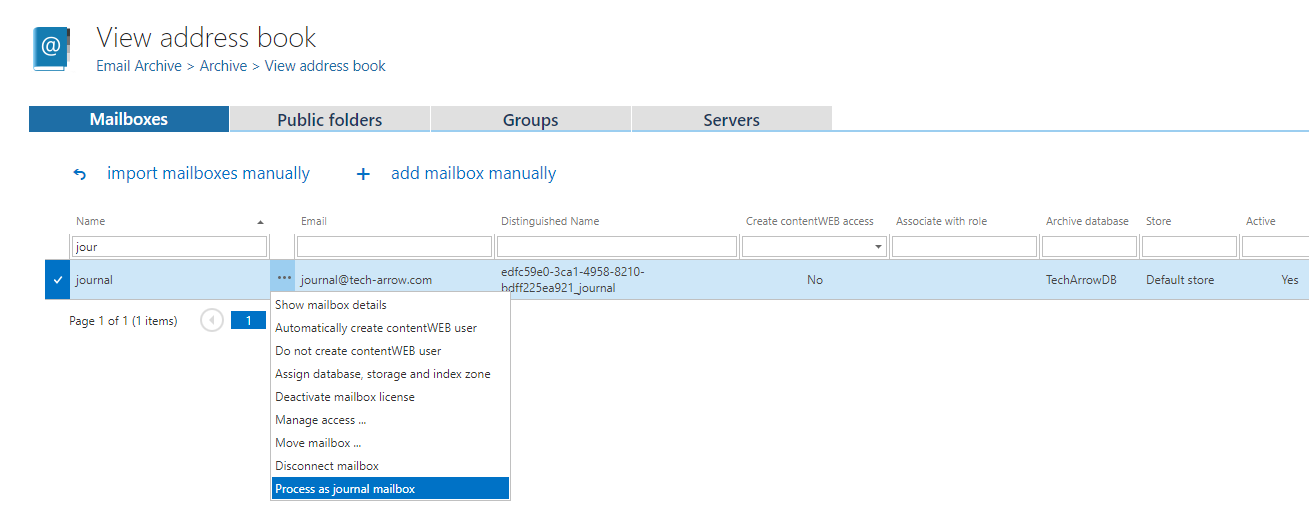
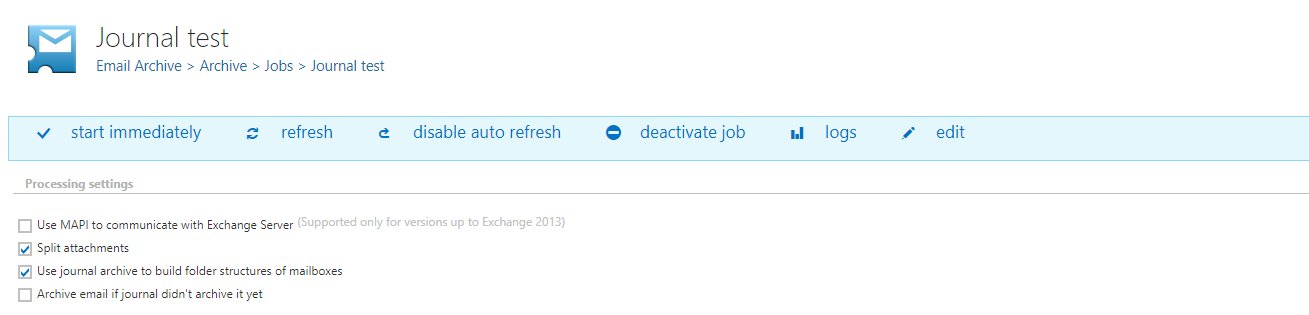
✓ Advanced journaling: Journal archiving was extended in contentACCESS to allow splitting emails into mailboxes (Inbox, Sent Items) to provide users with personalized views of their emails. By default, users will see every sent email in the Sent Items folder and all received emails in the Inbox folder. They also get support for all features such as search, export, and more. The same journal processing is supported for emails received through the contentACCESS SMTP server or for migrated emails.
The mailbox archive job was extended with new options that allow rich archiving possibilities based on journal data. These options allow building folder structures and creating shortcuts in user mailboxes for data that was already archived by the journal job.
✓ Updated HTML shortcut template: The HTML shortcut template now uses updated colors.
✓ Moving unknown shortcuts: The shortcut sync job was extended with an option to move unknown contentACCESS shortcuts missing from the archive into a separate folder. This folder can then be excluded from archiving.
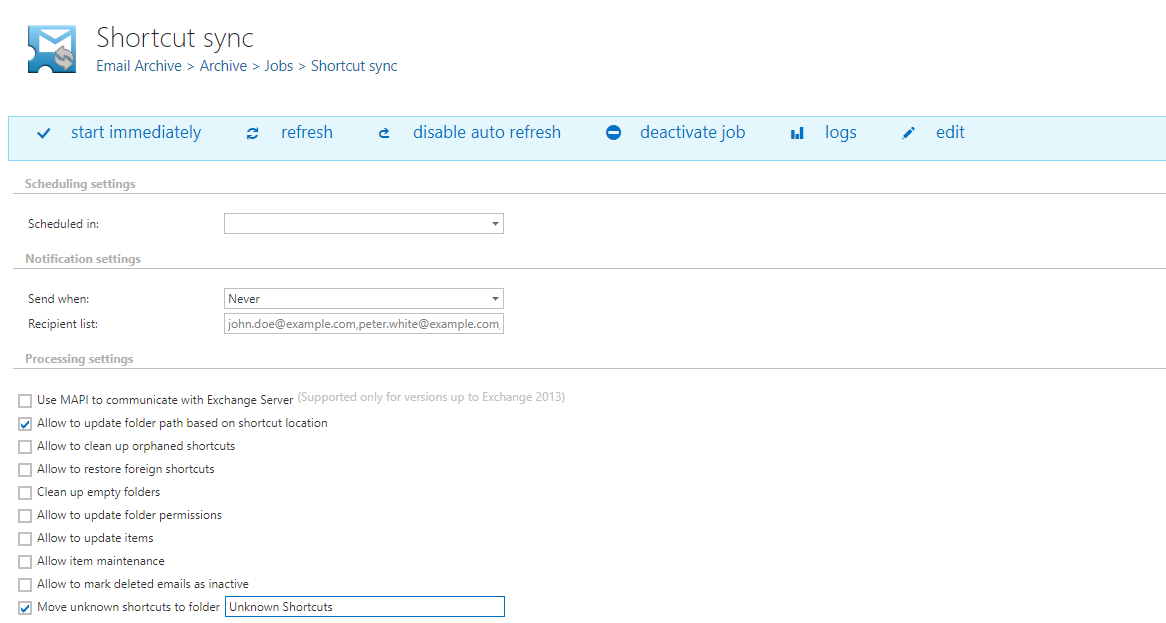
✓ Mark missing emails as inactive: The shortcut sync job is now able to mark missing emails as inactive in the archive. This allows users to filter out or precisely identify missing emails in contentWEB. This feature is optional and can be turned on or off at any time.
GDPR:
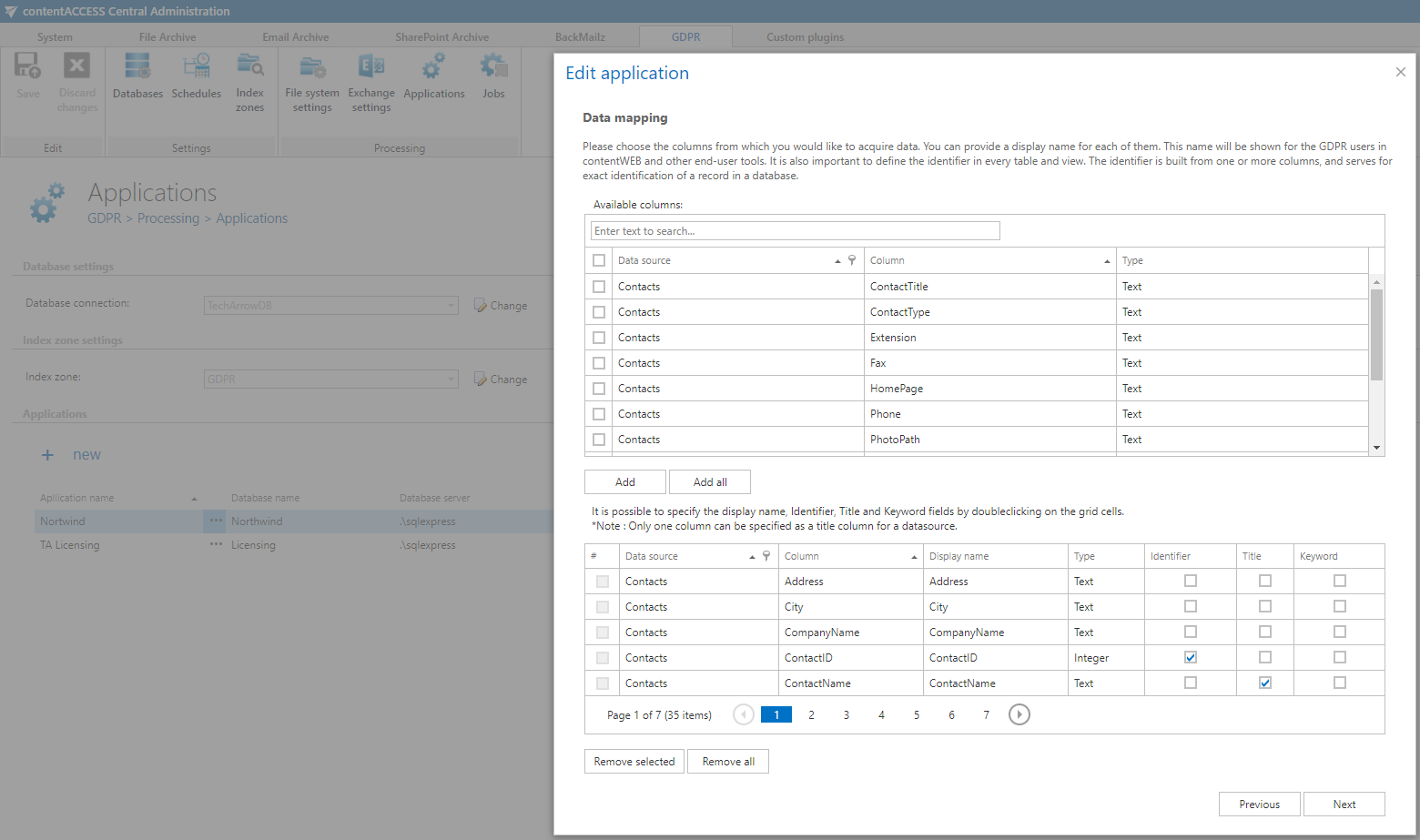
✓ The new GDPR feature set of contentACCESS helps companies achieve GDPR compliance in a simple yet effective way. contentACCESS enables companies to full-text index all relevant data repositories and provides federated full-text search across company data, giving organizations the power to manage their data efficiently. Finding relevant information across all internally used systems quickly becomes trivial. The end-user tools—contentWEB, officeGATE, and contentACCESS Mobile—enable browsing and searching all company data anytime and anywhere. The new GDPR feature set, combined with the contentACCESS Archive, addresses many challenges companies face as GDPR became enforceable on 25 May 2018.
Client applications:
contentWEB:
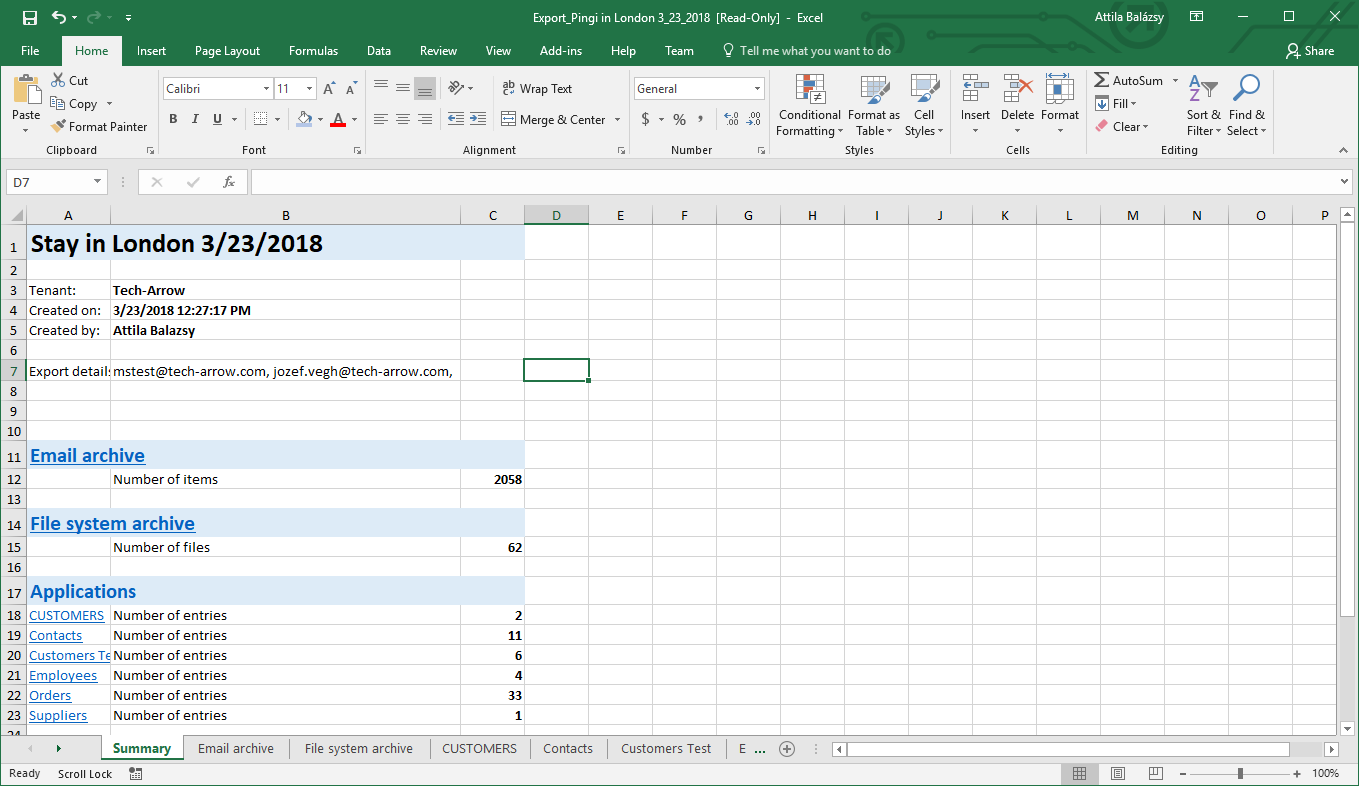
✓ Export: The export manifest format was redesigned and now includes navigation between the summary page and the detail pages.
The export job was also improved to allow picking up new export tasks while a long-running export is in progress. The number of parallel exports is defined by the thread count settings of the task-running job.
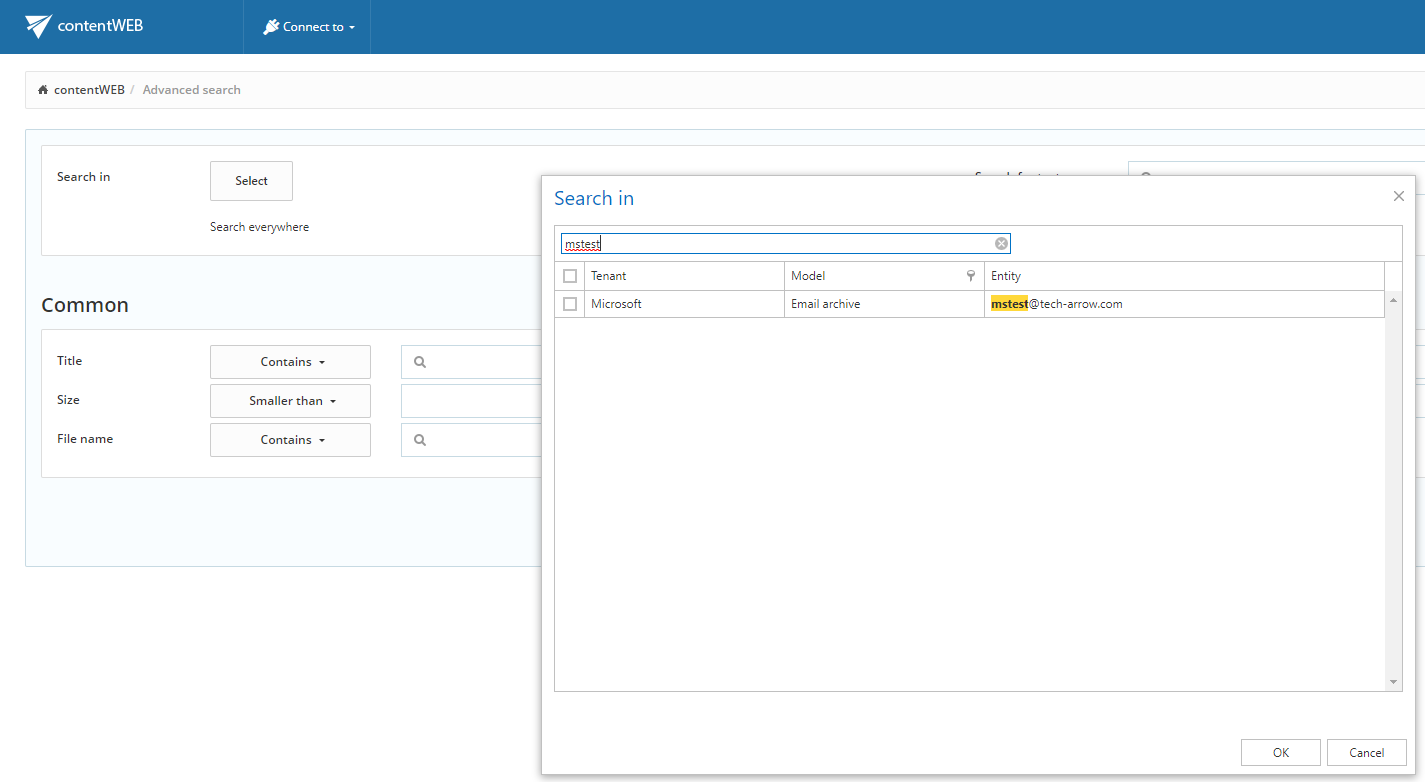
✓ Advanced search improvement: The entity selection was redesigned to allow filtering, sorting, and grouping. The list of selected entities is also displayed on the search result list page.