contentACCESS Version 3.6

✨ Highlights
- Added Arabic and Slovak translations across all client applications.
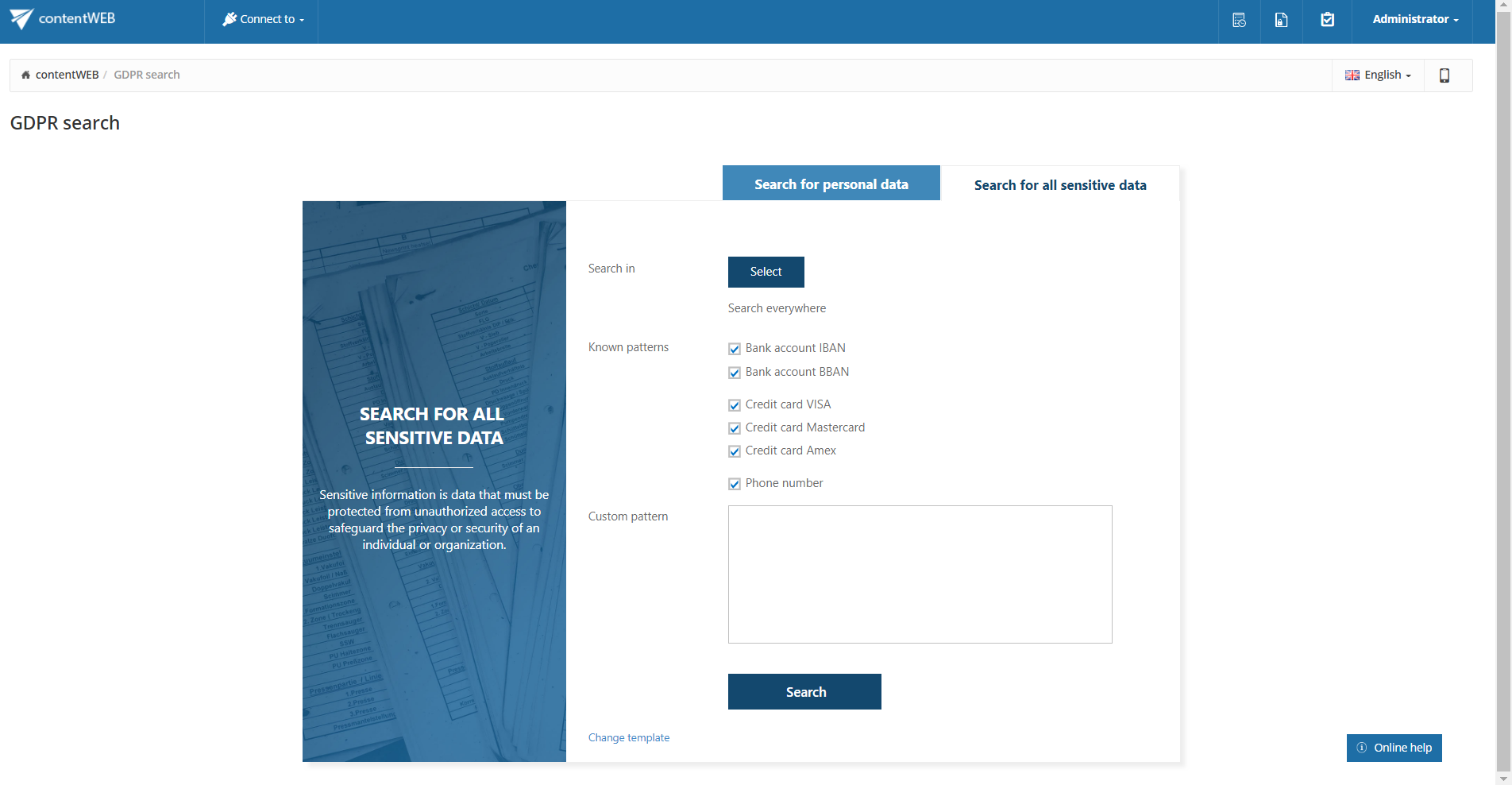
- Redesigned advanced search experience with improved usability and support for regular expressions, logical operators, and GDPR-focused searches.
- New options to open original items directly from search results, including emails in the Mail app and contentACCESS Mobile.
- Expanded archiving and recovery capabilities via RFA, including workstation archiving and flexible recovery locations.
- Enhanced sharing, reporting, and automation features, including document sharing controls, report-only exports, and periodical search execution.
Common features
✓ Translation: To be even closer to our customers, we added Arabic and Slovak translations to all our client applications!
✓ Framework: The Java component is now automatically installed by the installation package, making installation much easier and faster. If the computer or server is already running a newer version than the one included in the setup, it will not be touched or downgraded.
Client applications:
contentWEB:
✓ Regular expression search – It is now possible to define search patterns using regular expressions. Regular expressions can be used for property queries as well as free-text queries, helping you quickly and easily find the items you are searching for.
✓ Logical AND and OR search – Use the AND and OR operators to specify and narrow down your search results.

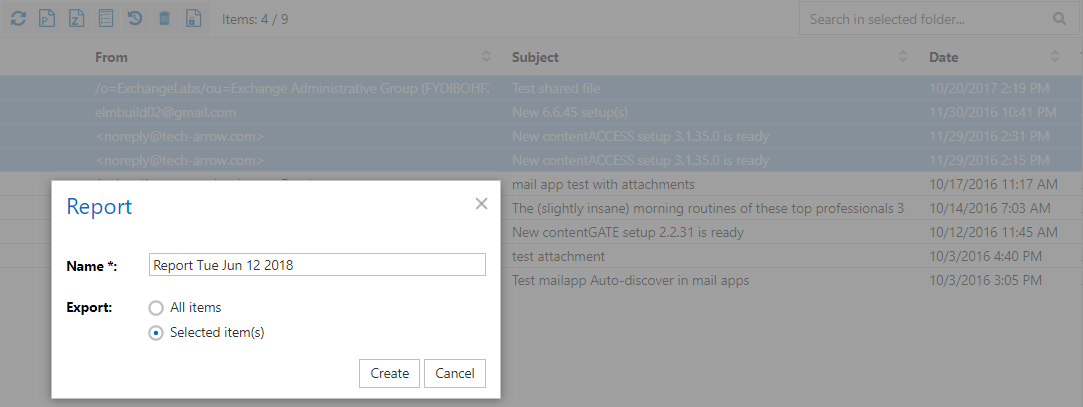
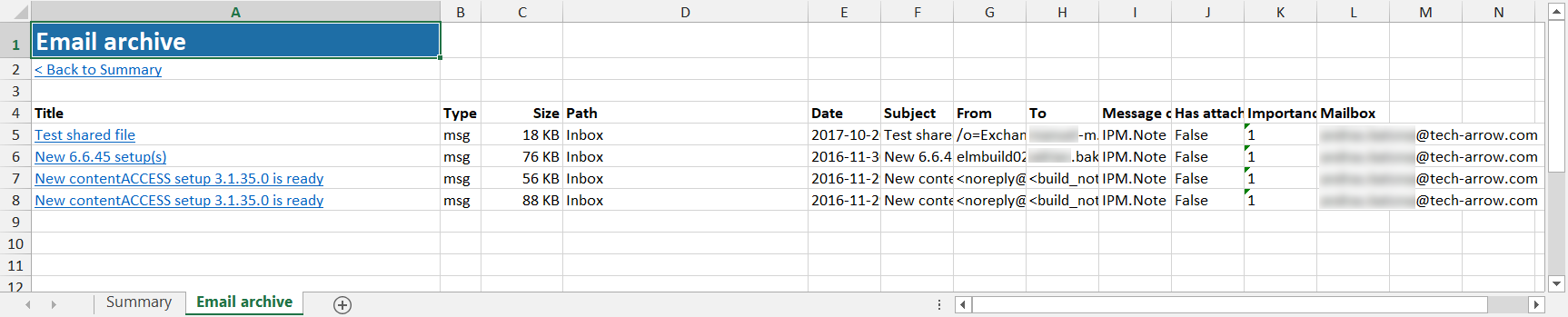
✓ Generating report only (exporting without files) – Create an XLS file containing a summary of the selected items with links pointing to the items in the archive, and use the Excel filtering options you are used to. Download the report from the Tasks list or Tasks page without the need to export selected items.
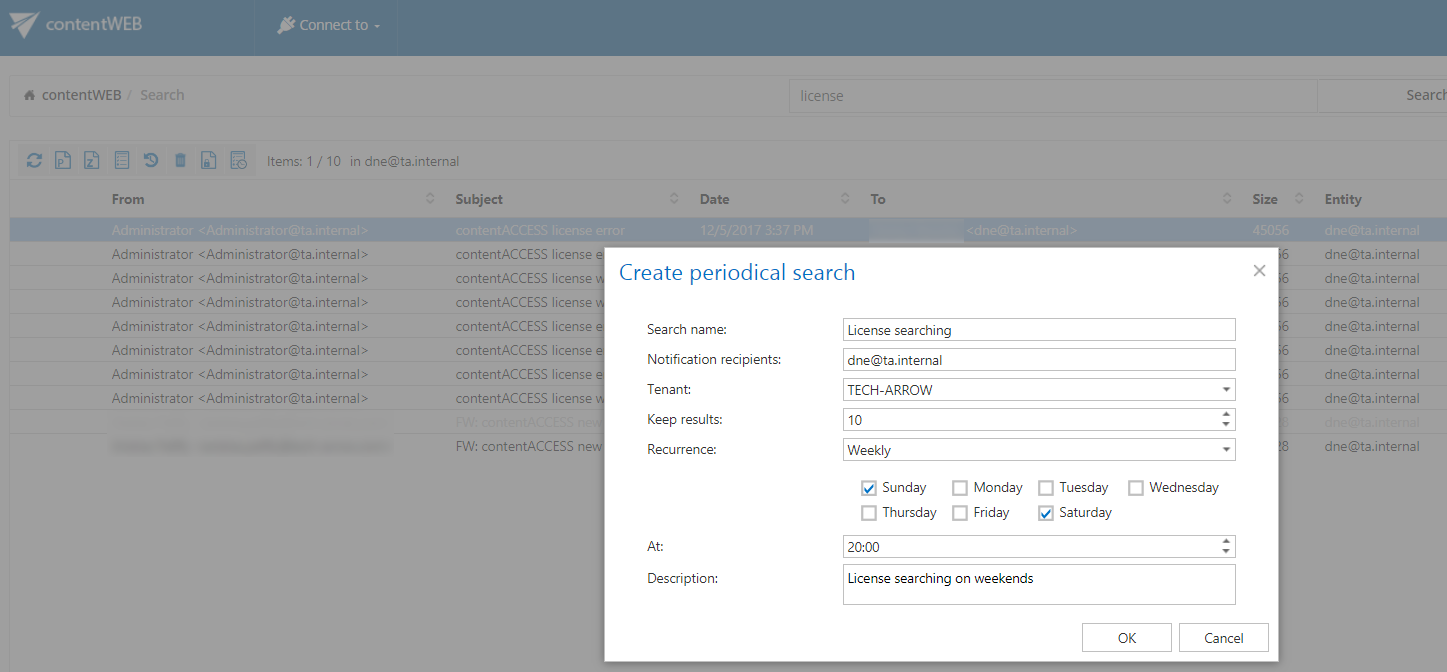
✓ Periodical search execution – We have implemented this feature to help with detecting any data leakage as soon as possible, so our customers can stay GDPR compliant. With this feature, users no longer have to manually check whether someone worked with sensitive data. Instead, they can create and configure a periodical search that performs all the necessary actions at selected times and sends reports to specified email addresses. Already created periodical searches can be viewed and edited.

contentACCESS Mobile:
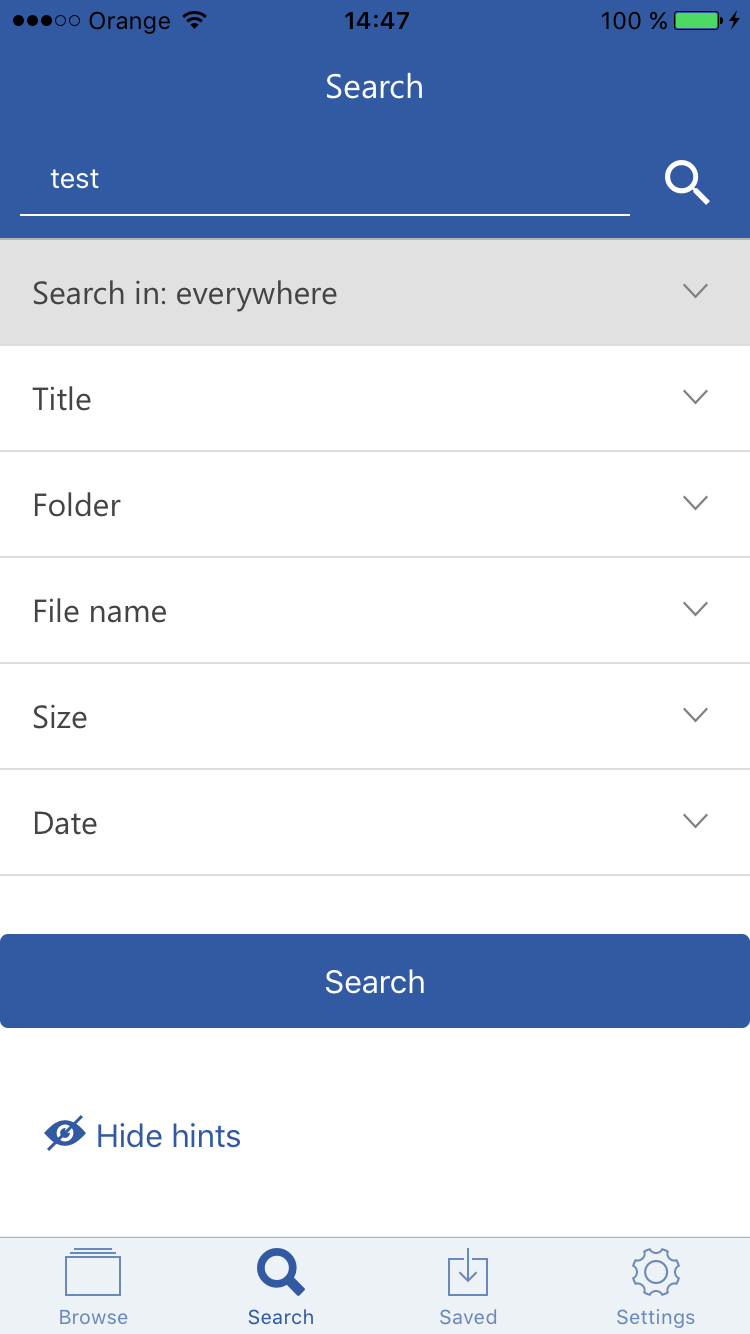
✓ Redesigned advanced search: Improved look, hints, and feature specification of advanced search. You can now easily compose complex property filtering and target selection to find your required documents, emails, and any other data managed by contentACCESS directly from the mobile application. The search results and history now also contain the number of found items.
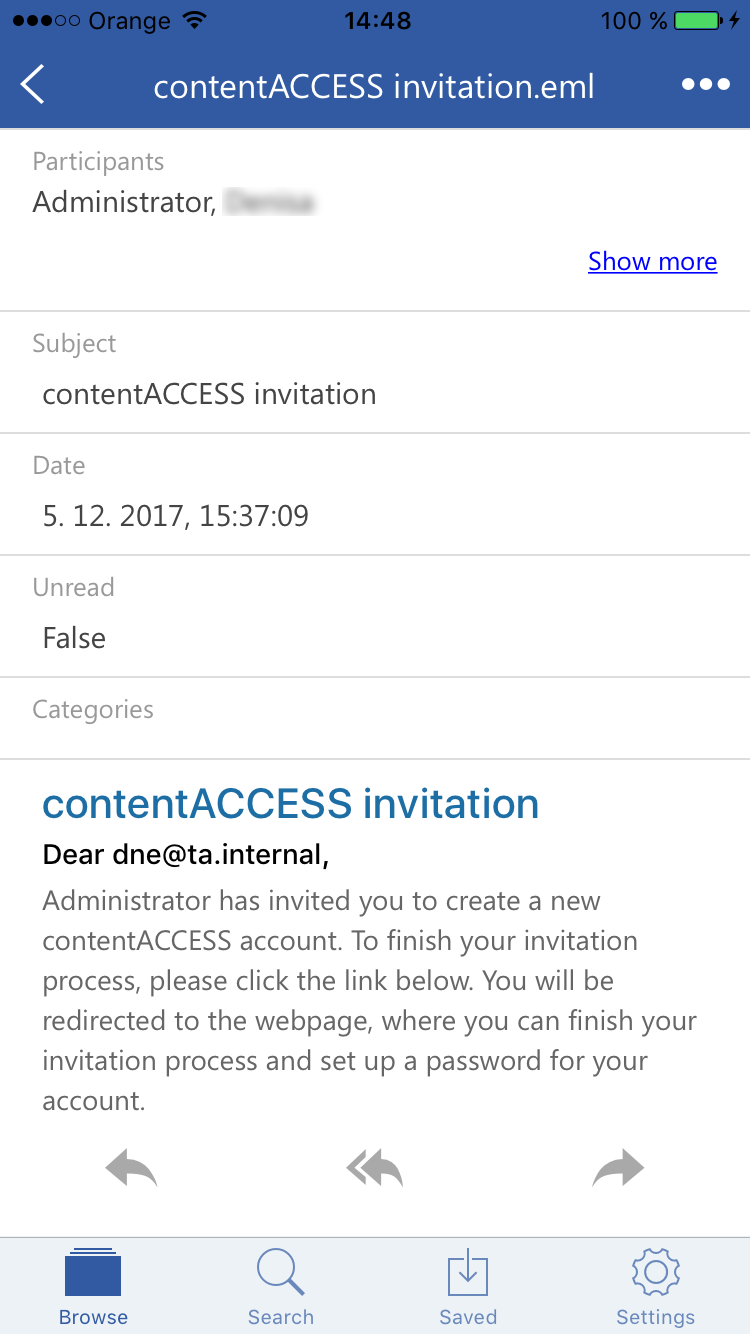
✓ Forward/Reply a message directly from the archive: No need to open multiple apps when you want to reply to or forward an archived message—this can now be done directly from contentACCESS Mobile.
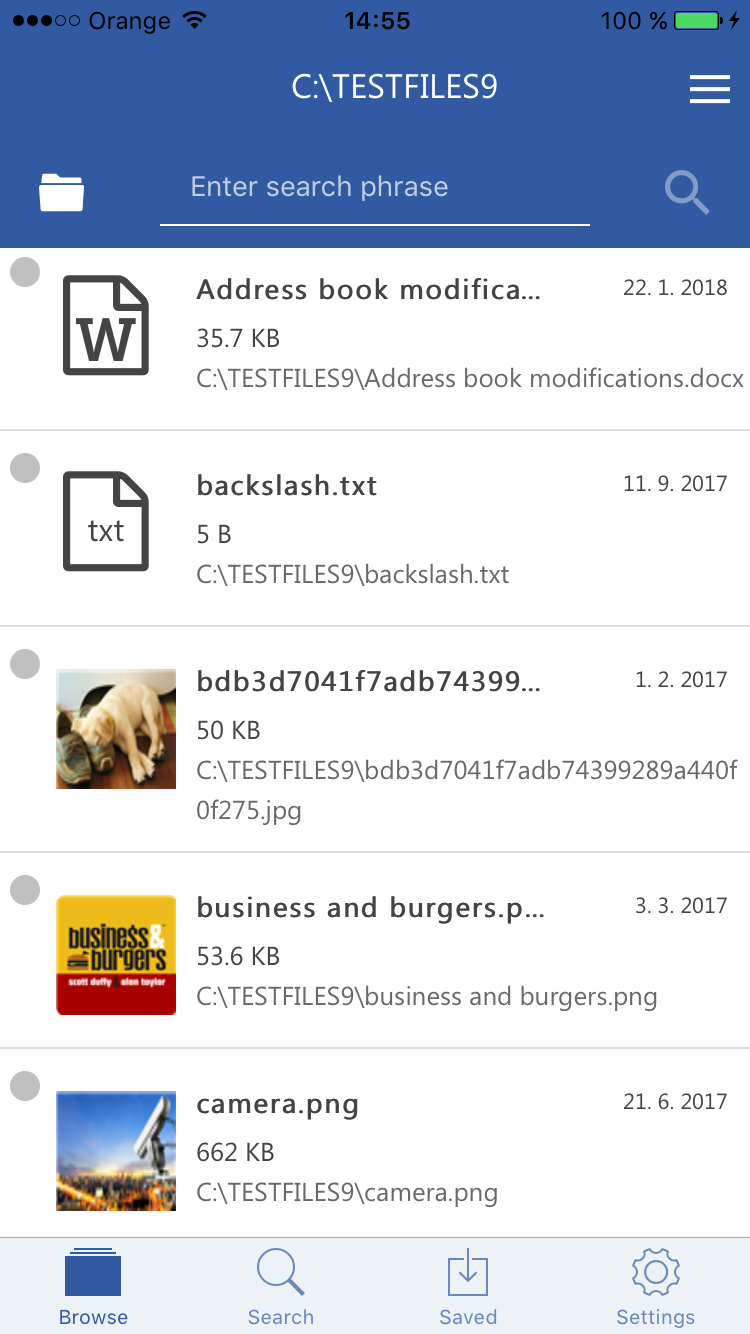
✓ Better look & feel: Unified header design for all pages, with View of items settings now applied to all pages instead of only the Browse page.
✓ File type–specific icons: To make your experience with contentACCESS Mobile more familiar, primary icons now reflect the item type.
✓ Inline attachment handling: To reduce confusion, inline attachments are no longer displayed in the attachment list by default. To open an inline attachment, simply click it directly in the email body.
contentACCESS Document Share:
✓ Sharing for specific people: Users can now choose between sharing documents only with email recipients or sharing with anyone who has access to the link (for example, when an email is forwarded). In the case of secure sharing, you also have full auditing and a rich overview of downloads, including who downloaded an item, when, which item, and from which device. The same information is also visible in contentWEB.
Sharing is now deeply integrated with contentACCESS invitations—each user without a contentACCESS account will automatically receive an invitation when a shared file is sent to them.
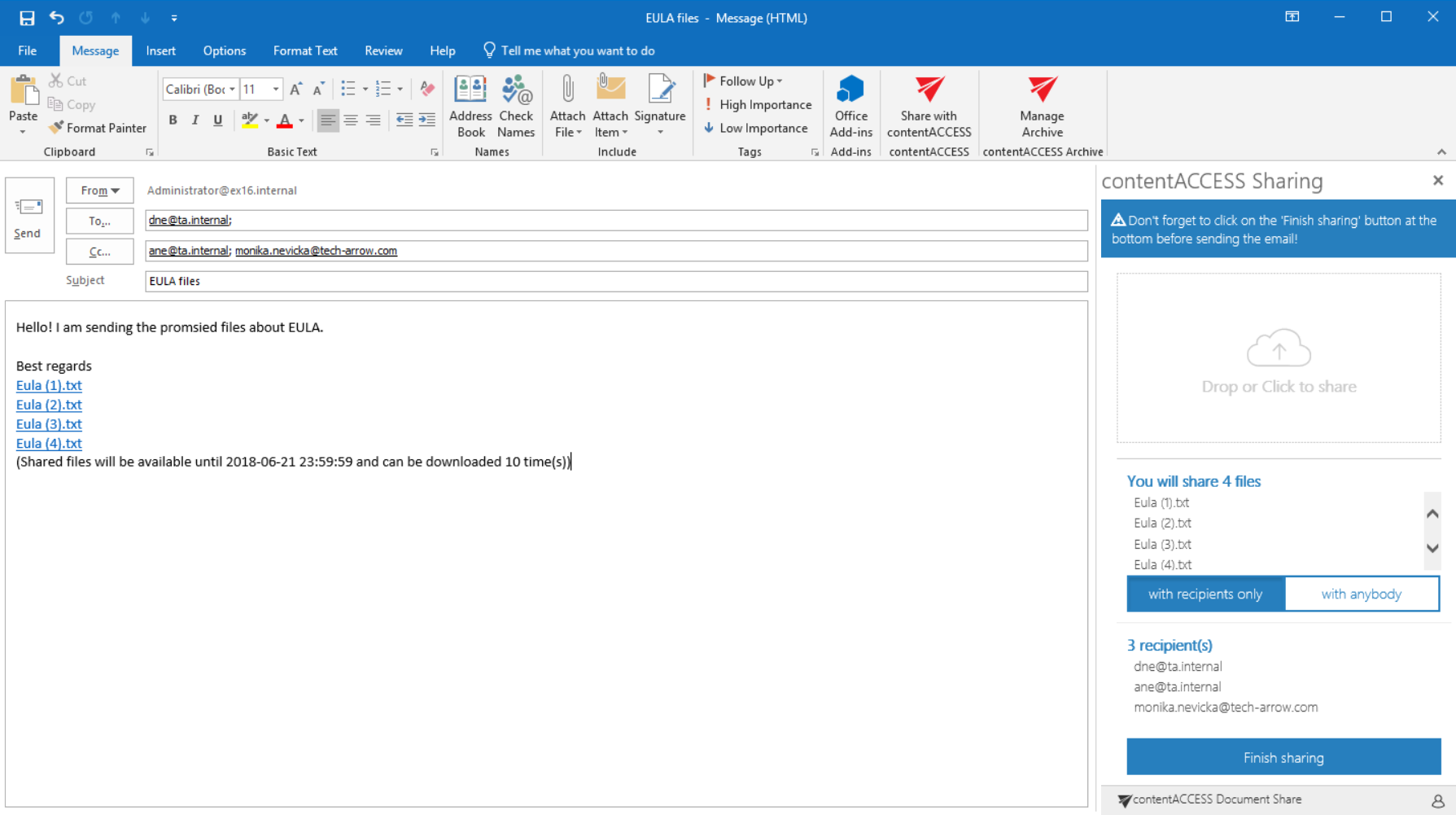
✓ Better look & feel: Improved design and functionality for a better sharing experience.
Mail app
✓ Open original from search: Search in the Mail app now includes the option to open the original email directly from the list of search results. This allows users to reply to or forward an email that is already archived. The Mail app now supports Outlook on mobile, so you can access your archive even when you are away from your computer.

✓ Inline attachments: Inline attachments are now hidden and no longer appear in the list of attachments for an email, allowing users to focus on the actual attachments.
File archive
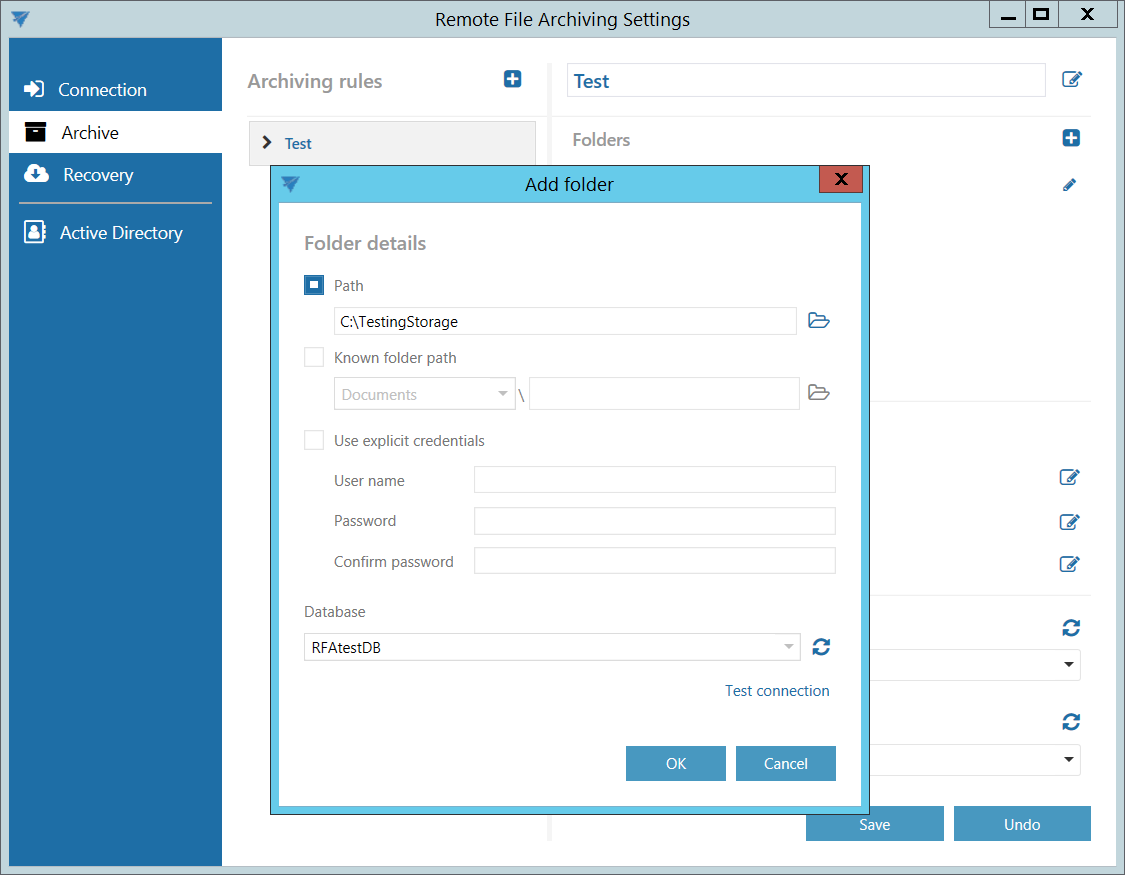
✓ Workstation archiving by RFA: Users can now archive not only network shares, but also local files, folders, and entire workstations.
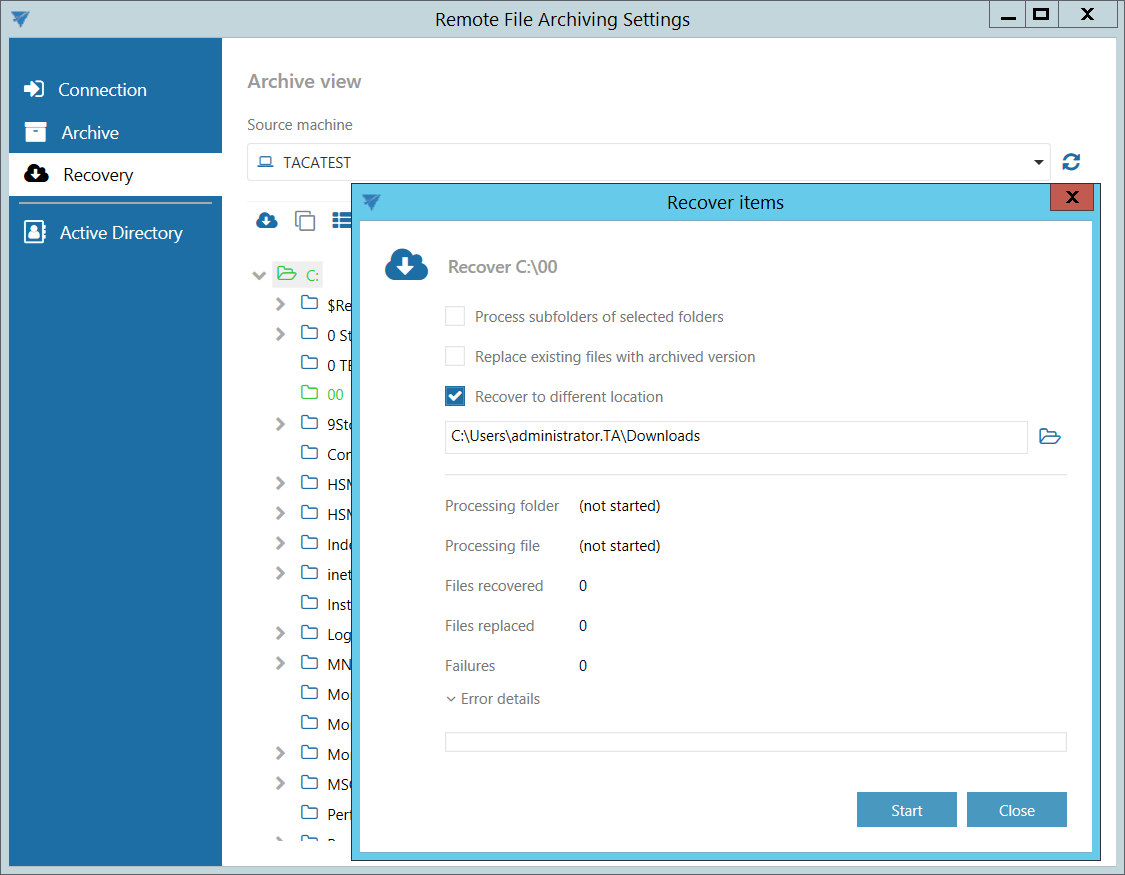
✓ Recover to in RFA: If you do not want documents to be recovered to their original location, you can now choose a different target location and recover the documents there.
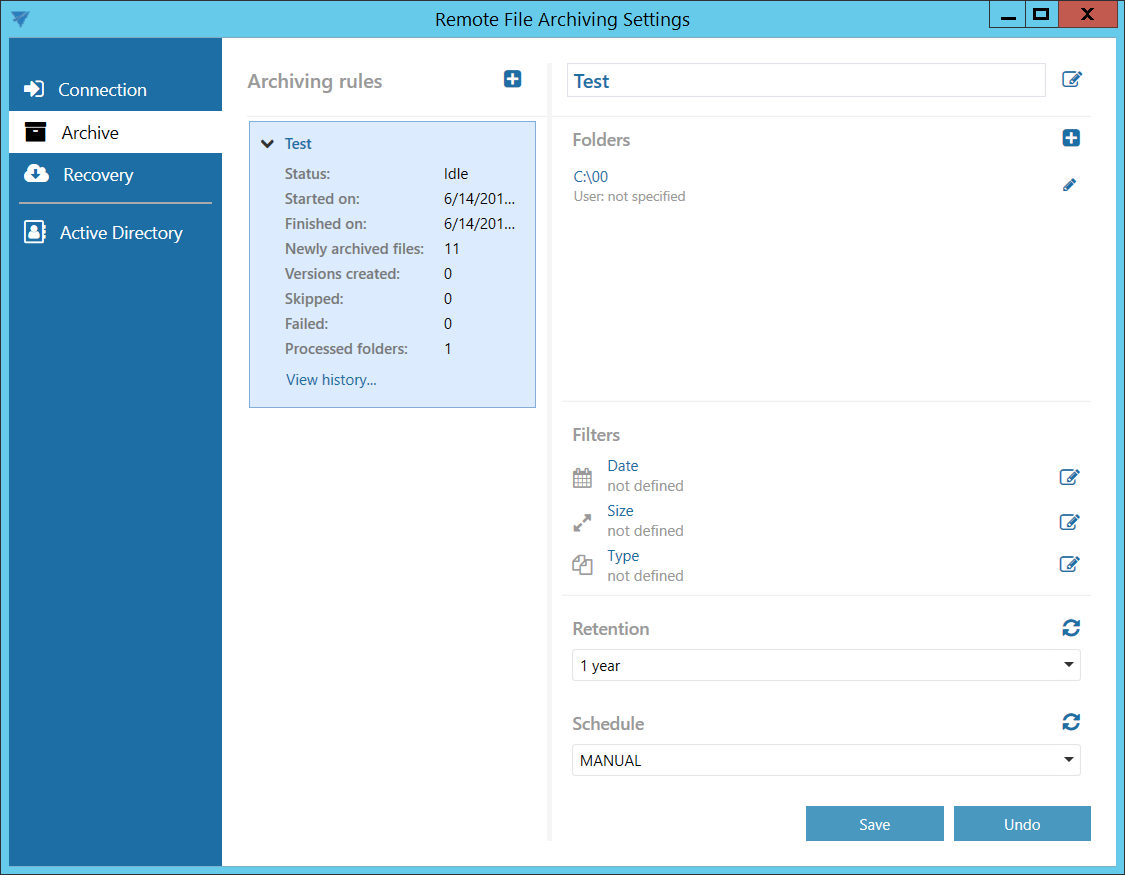
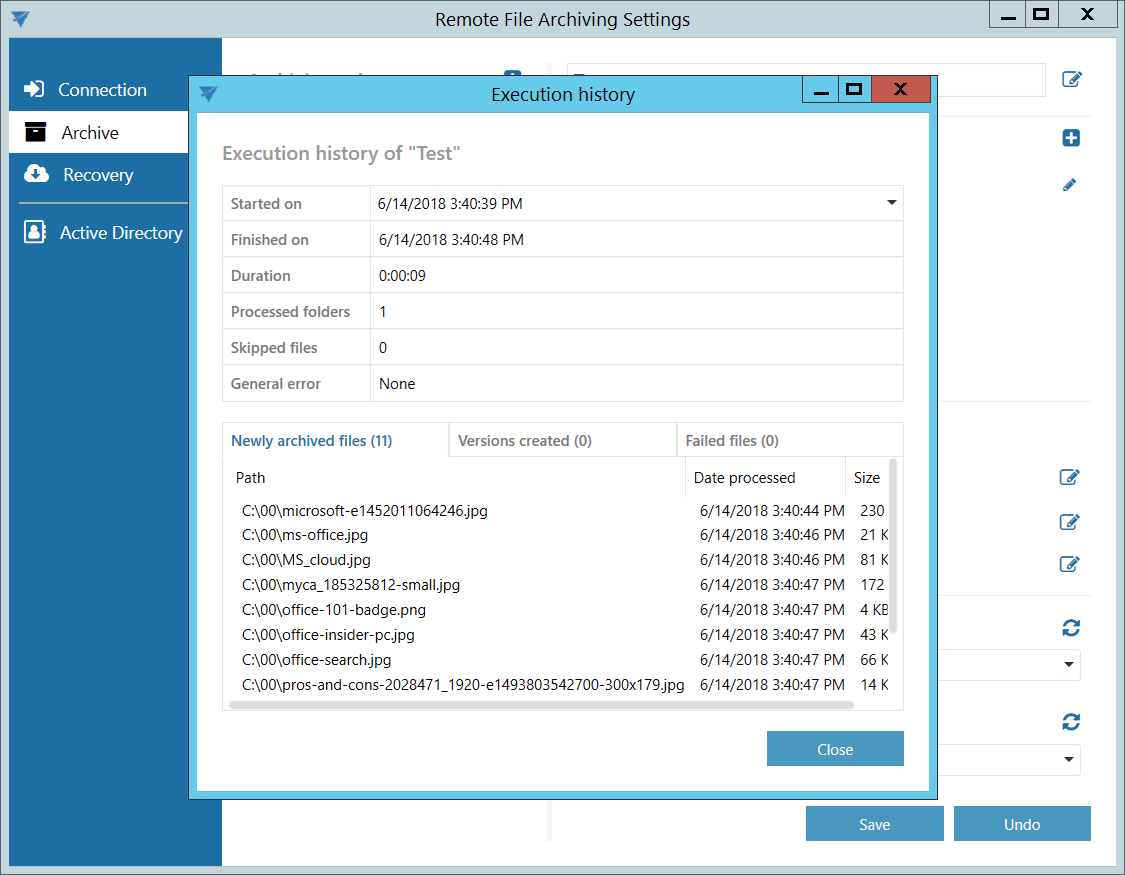
✓ Rule status and rule history in RFA: To provide better insight into item processing, it is now possible to view details of the current rule run as well as the history and details of the last rule run in RFA.
SharePoint
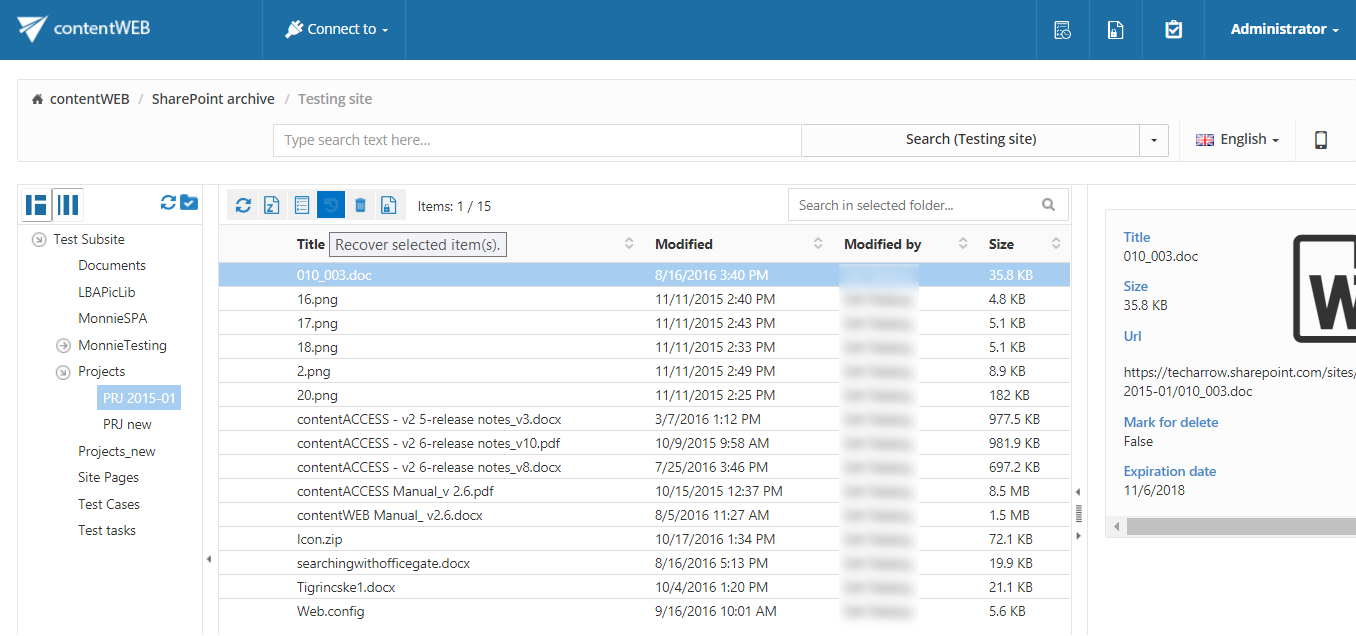
✓ Recover SharePoint documents/items: You asked for it, and we delivered. It is now possible to recover SharePoint items and files directly from contentWEB with just a few clicks.
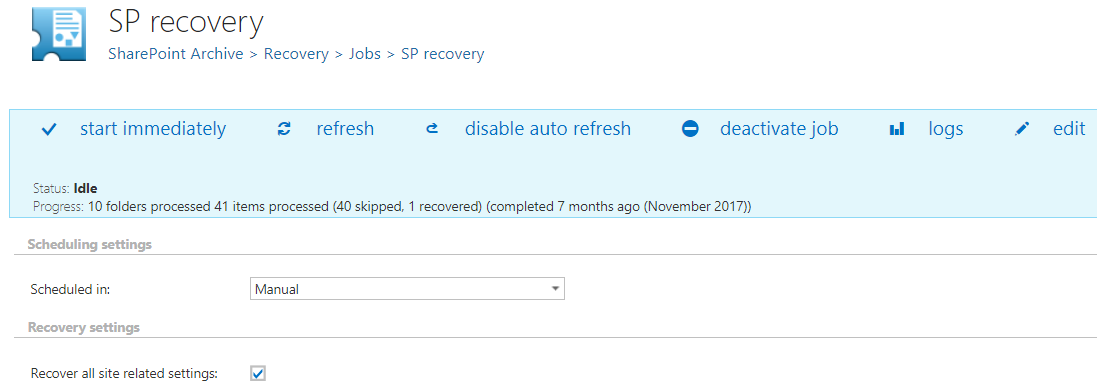
✓ Recover full SharePoint sites: contentACCESS can now recover not only SharePoint items and files, but also full sites along with all site-related settings.
GDPR:
✓ New search layout designed specifically for GDPR searches. You no longer have to work with long search query strings—now you can quickly and easily find all required sensitive data and then work with it (export, delete, etc.). The search user interface can be customized at both the system and user levels.