contentACCESS Version 3.6 SP1

✨ Highlights
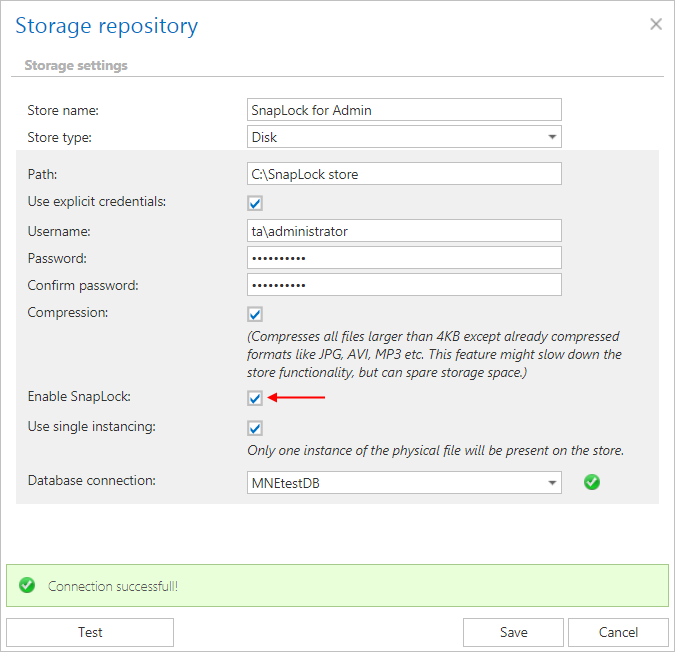
- Added SnapLock support in DiskStore to enable retention-based protection against file deletion on supported storage systems.
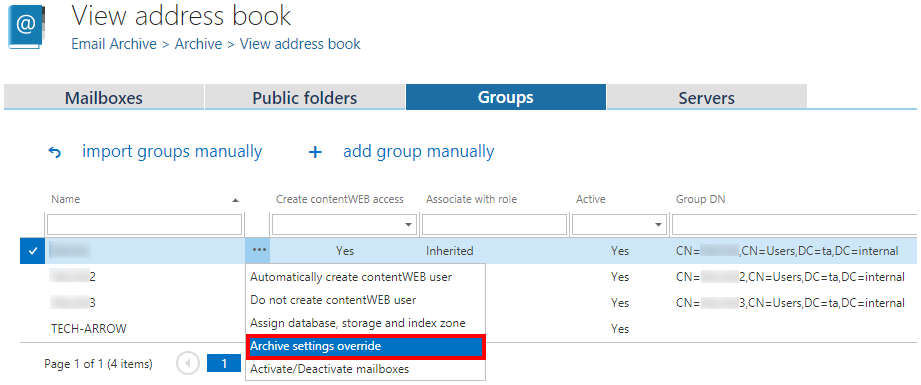
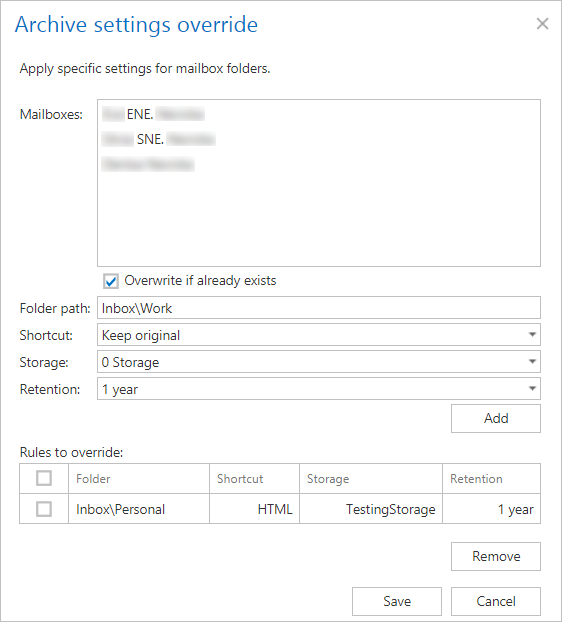
- Introduced a new override option for folder-level configuration in the Email Archive, allowing more granular control of settings.
- Added SQL support for SMTP data to improve performance and increase flexibility when handling email processing data.
Common features
✓ SnapLock support in DiskStore: The Disk store now supports SnapLock, which allows the storage system to prevent file deletion until the specified retention period has expired. This feature can be used with storage systems that support it, such as NetApp.
✓ Improved German localization: Minor bugs were fixed in our German translation, resulting in a much better experience for our German-speaking clients.
✓ Performance and security updates: Security remains our primary focus, and with every update we also aim to improve performance across all our solutions. This also applies to 3.6 Service Pack 1, enabling users to work faster and more securely in a user-friendly interface.
Email archive
✓ Override option: Do you have specific mailboxes with folders that require different configuration settings, such as storage, retention, or shortcutting type? With this new feature, you can now override settings at the folder level.
✓ SQL support for SMTP: It is now possible to store SMTP data, such as emails waiting for processing, processed items, and failures, in an SQL database. SQL Server provides better performance and more flexibility, resulting in an improved user experience.
Client applications:
contentWEB:
✓ Hide entity list in “Connect to” menu: To speed up processing in contentWEB, we have added the option to disable the “Connect to” menu in the contentWEB settings. When this option is enabled, the Browse menu opens automatically.

✓ Hide item count in a folder: To further improve performance, we have added the option to hide the item count in the contentWEB settings. This prevents the system from querying the item count of a folder, allowing everything to load faster.

✓ Default sorting: If the search result contains only items from the Email archive, they are sorted by Date by default.