contentACCESS Version 3.7

✨ Highlights
- On-demand execution of task runners and email notification jobs, delivering faster results when exports or notifications are triggered.
- Maintenance node status to simplify upgrades by preventing new jobs on a node while allowing existing jobs to finish.
- Centralized remote agent management with global rules, enabling easier configuration, deployment, and oversight from Central Administration.
- Improved file sharing experience, including the ability to edit sharing options directly in the app and a redesigned contentWEB layout for shared files.
Common features
✓ On-demand task runner and email sender start: The task runner and notification job now start when an event, such as ZIP export, PST export, or a new notification, triggers them. This makes the process much more responsive, with results available immediately.
✓ Azure store: Azure storage now uses Blob Storage to store its metadata. This keeps the database much smaller and faster, and is also more cost-efficient.
✓ Maintenance node status: This status allows existing jobs running on a deprecated node to finish, while the system will not assign new jobs to that node. This helps with upgrade processes, allowing administrators to upgrade or shut down a node without restarting already running jobs on a new node.
✓ Offline synchronization backend: We like making good things even better—that’s why we upgraded the offline synchronization backend for officeGATE (supported by version 3.2 and higher). You can now work even faster.
✓ Localization: To be even closer to our customers, we added Czech, Polish, and Hungarian localizations to all our client applications and improved the existing localizations.
Client applications:
contentACCESS Remote Agent:
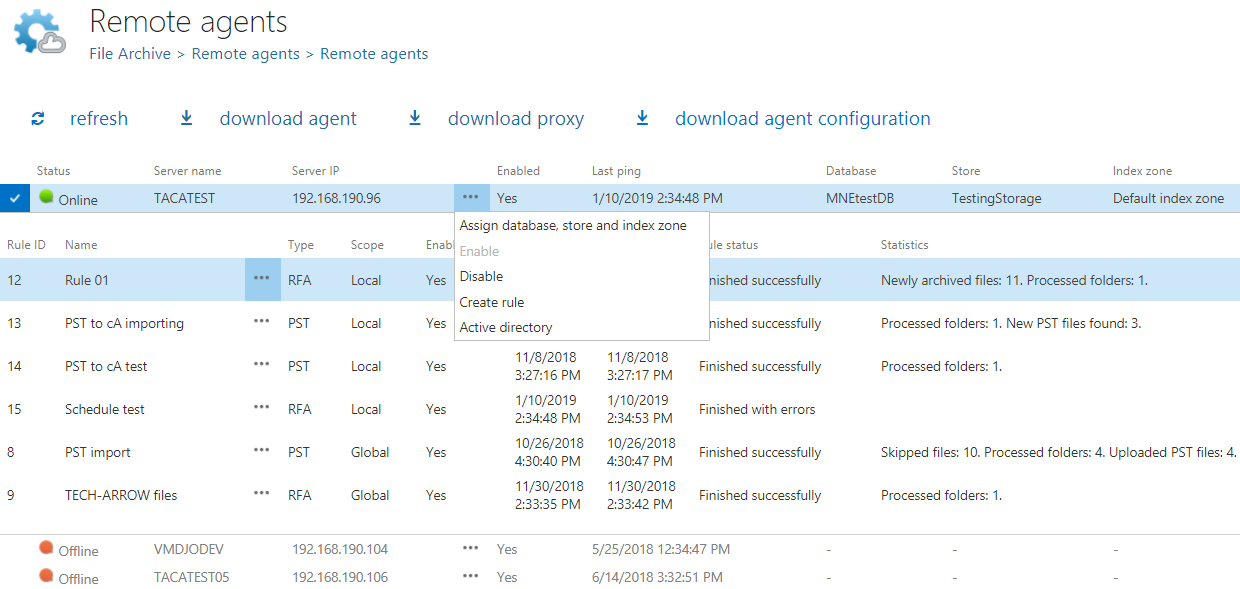
✓ Centralized agent management: The management of remote agents can now be done from Central Administration (File archive and/or Email archive tab). It is also possible to assign database, storage, and index zones, or even create and configure rules. This makes it much easier to work with and maintain an overview of all available remote agents. The agents can now also be deployed in an automated way through group policy.
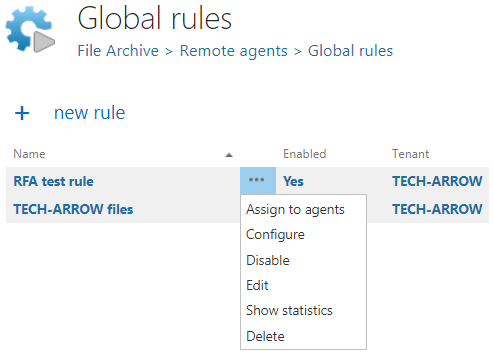
✓ Global rules: Another major improvement is global rules—they can be created and configured in Central Administration and then assigned to all available or only selected remote agents. They appear in the list of rules on the Archive tab (File archiving rules) or on the PST import tab (PST import rules) in the RFA agent. They can’t be changed by the end user through the RFA agent.

ShareApp:
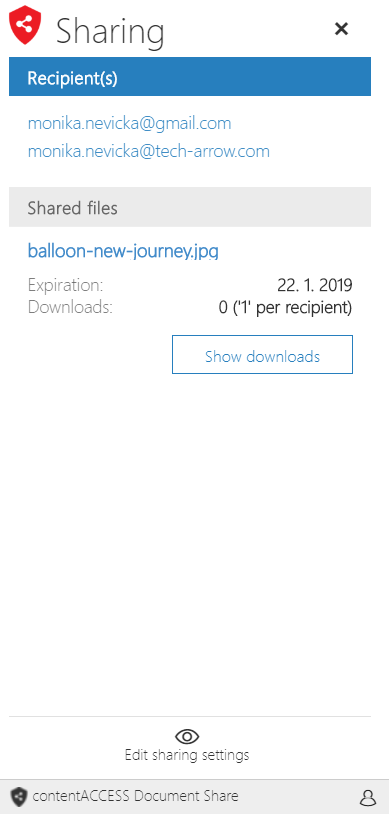
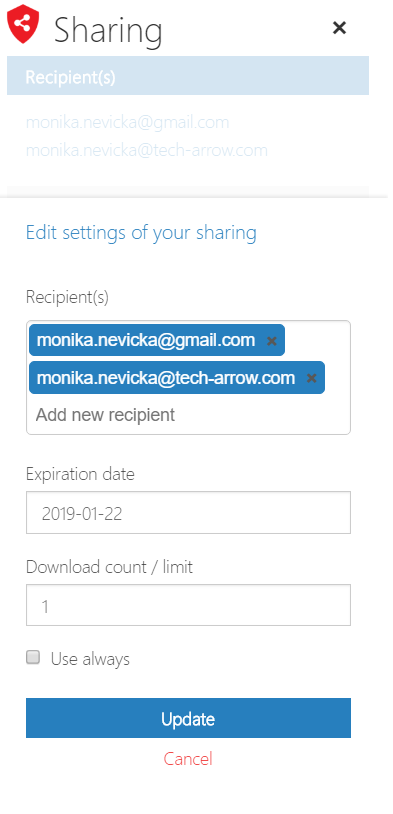
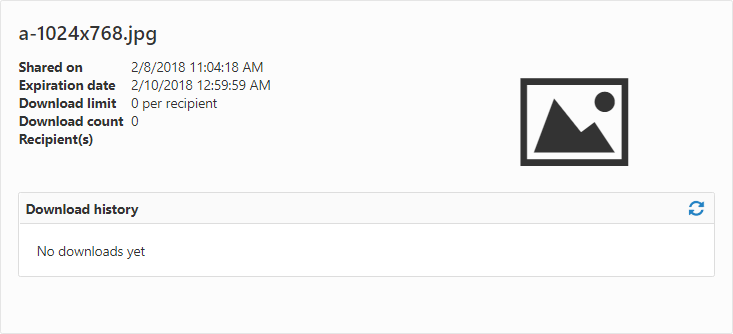
✓ Edit sharing options directly in app: Forgot to add someone to the sharing recipient list, or has the sharing expired? The sharing options for files can now be edited later directly in the app, making the process much easier.
✓ New contentWEB layout for shared files: The contentWEB layout for files shared with the ShareApp has been redesigned.
Email archive
✓ Inactive folders: The email archive shortcut synchronization job now also marks missing folders as inactive. Inactive folders are displayed in contentWEB in grey and can be filtered out. Compared to the real mailbox, this provides a much more consistent view of your archive.
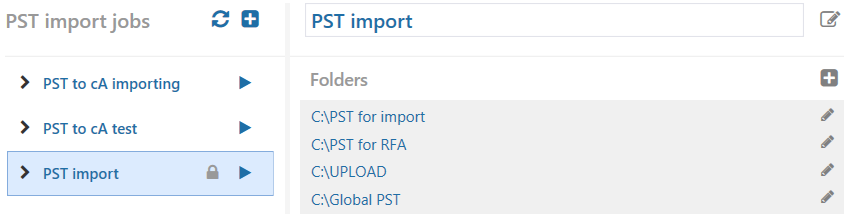
✓ PST discovery and import: Scan remote computers for PST files, upload them to contentACCESS, and then import them into the desired mailboxes. This process can be completed with a few simple clicks using both Central Administration and the RFA client.

✓ Email rendering on the server side in contentWEB: contentWEB can now display email previews without downloading the .msg file. With this approach, only the HTML content is sent from the server instead of the entire .msg file, which improves loading performance and eliminates the need to install MS Outlook on the contentWEB machine. The rendering mode can be configured directly in the contentWEB settings.
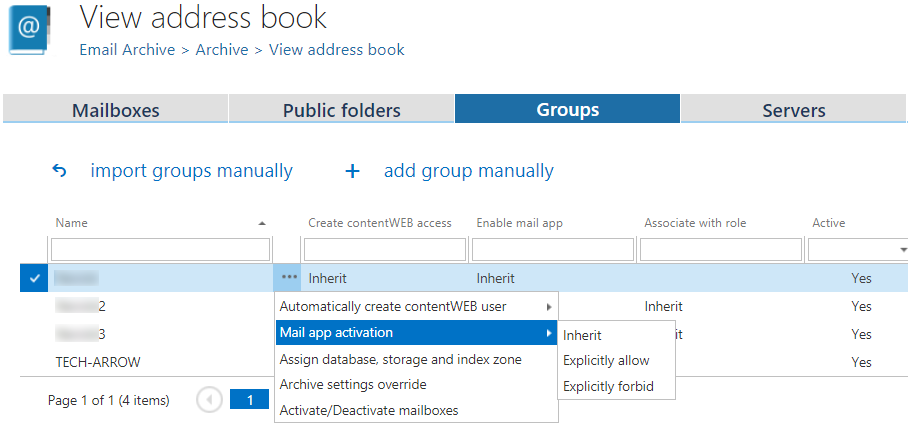
✓ New way to activate Mail app: Mail app activation has been redesigned and moved from User Experience to Address Book in Central Administration. This makes the activation process much faster and more transparent, as administrators can select mailboxes, groups, and servers and then run the EA provisioning job manually or automatically.
✓ Correct separation of the mailboxes: To avoid confusion, deactivated mailboxes will not appear by default in client applications. Administrators can activate a mailbox at any time to make its content available.