contentACCESS Version 3.9
· One min read

✨ Highlights
- Virtual drive writeback: Edit archived files directly via shortcuts, with changes written back to the archived file as new versions.
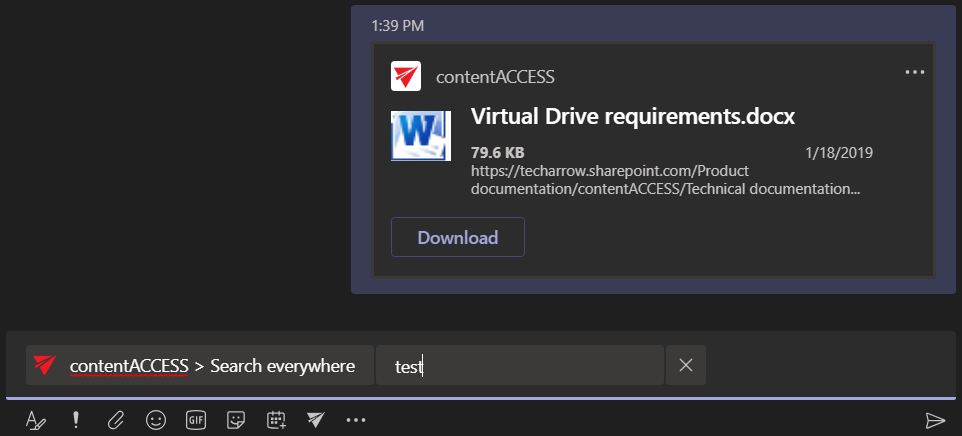
- contentACCESS Teams app (Beta): Search archived content and share results directly within Microsoft Teams.
- Improved update path: Simplified and expanded support for updating from earlier contentACCESS versions.
- Email archive updates: Faster, more robust email archiving via Fast Transfer Stream, along with changes to Mail app activation and Outlook forms.
Common features
✓ Virtual drive writeback: Files that are archived using the shortcutting method can now be edited directly through the shortcut. Changes (versions) are applied to the file in the archive to which the shortcut points.
✓ contentACCESS Teams application: We are very happy to introduce the contentACCESS Teams app! This application lets you search your contentACCESS archive and share the results with collaboration partners directly in Microsoft Teams, without the need to switch to or use any other application. BETA
Email archive
✓ FTS archiving for Email archive: The Email archive now works via Fast Transfer Stream, making it significantly faster and more robust.