contentACCESS Version 4.1

✨ Highlights
- Added Microsoft Teams private channels archiving, including correct permission trimming for files and conversations.
- Introduced automated, rule-based Teams provisioning to ensure newly created teams are archived with the appropriate policies.
- Implemented a new Teams archive licensing model based on team membership, with automatic license assignment.
- Switched Teams archiving to use SharePoint modern authentication exclusively, improving security and administration.
- Delivered various bug fixes and general improvements across the platform.
Teams archive
The new contentACCESS version brings many new features for Teams archiving.
✓ Private channels archiving
With this contentACCESS version, you can archive channel conversations and private channel files. Correct permission trimming is applied for private channels in contentACCESS client apps and in search results, so only authorized users can access the content.
✓ Automated teams provisioning
Teams to be provisioned (and later archived) can now be added automatically to the provisioning job. You no longer need to worry that new teams containing important information will not be archived. The new rule-based provisioning automatically picks up newly created teams and categorizes them into Team groups. For these groups, the correct archiving rules are then applied. Simply select the Automated method and specify the desired filters based on which the teams will be added.

✓ Teams archive licensing
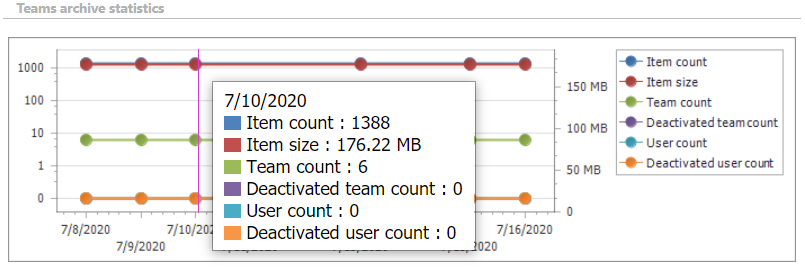
Teams archive is licensed based on the number of users who are members of a team. When a new user is added, a license (if the tenant has any free licenses left) is automatically assigned to that user. Only teams with all members licensed can be archived, so if a license is revoked from a user, the user must be removed from the team for it to be archived. In addition, the system provides useful size information about your archived teams.
✓ SharePoint modern authentication
From now on, Teams archive uses only SharePoint modern authentication to access the SharePoint data belonging to a team. This authentication method is safer, more secure, and saves significant administrative effort.
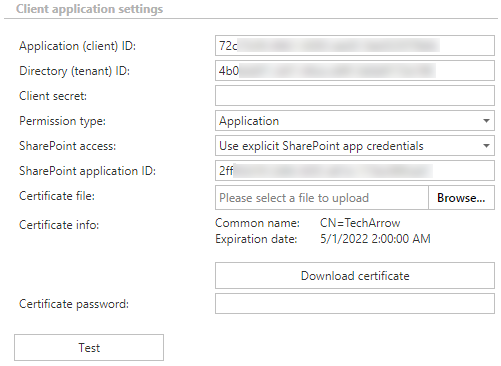
Important: If you are updating from contentACCESS 4.0, SharePoint settings in Teams archive System settings must be adjusted—only modern authentication is supported in version 4.1.
✓ Bug fixes and improvements
Our team is constantly working to deliver the best and fastest possible versions of our apps.
SharePoint archive modern authentication
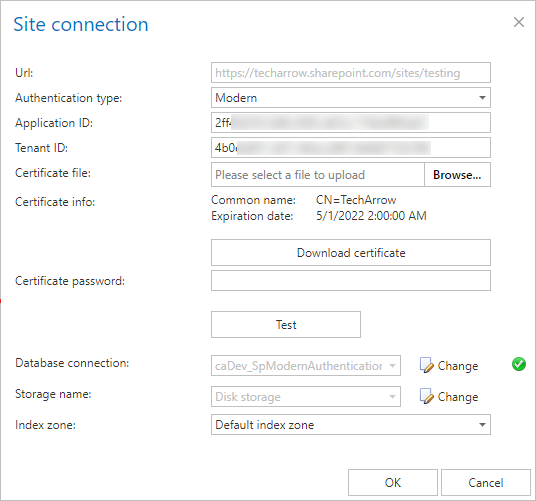
When specifying a new SharePoint root connection, it is now also possible to select modern authentication. Modern authentication ensures higher security and better transparency. It also helps administrators eliminate the need to set the required permissions for the SharePoint archive superuser on all site collections. With modern authentication, all site collections are available for archiving.
Mail app – search everywhere
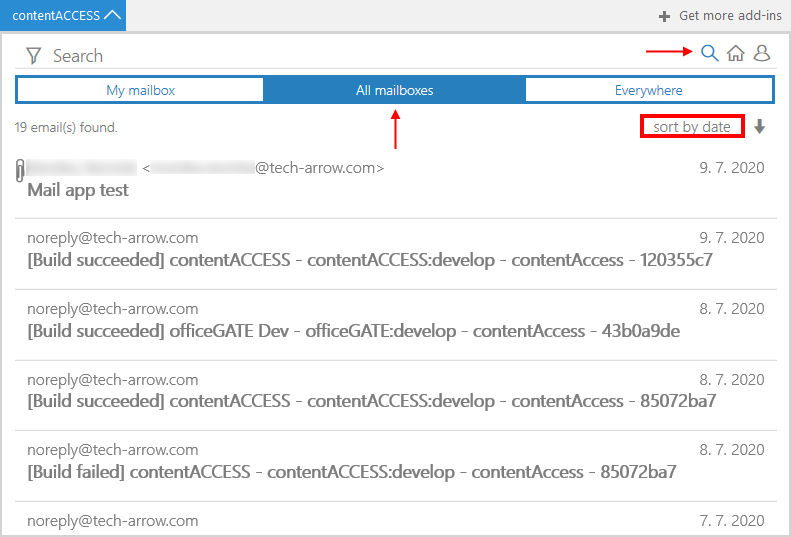
The new contentACCESS Mail app makes all data available and searchable across the entire contentACCESS platform on all Outlook platforms (Outlook Mobile, Outlook on the Web, Outlook on Mac). The extended search capabilities allow you to choose from three options: My mailbox (the mailbox of the currently logged-in user), All mailboxes (all mailboxes the user has access to), and Everywhere (every accessible archive).
Teams archive in Tenant provisioning tool
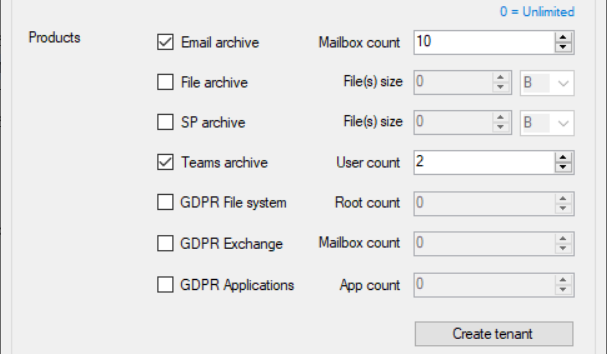
The Tenant provisioning tool has been enhanced with the option to automatically deploy the Teams archive module for a tenant.
Share app improvements
✓ Stop sharing
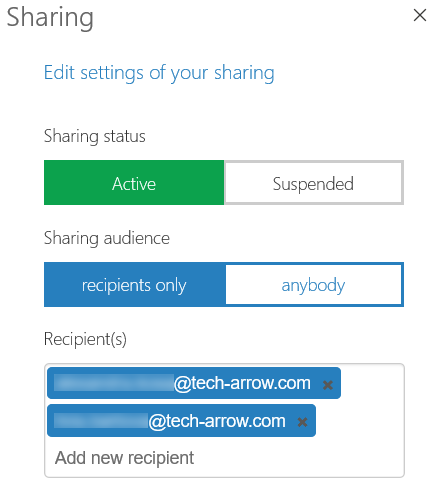
With this function, the owner (the user who shared the file) can stop sharing the file and disable downloading of the shared data by others. Sharing can also be re-enabled later.

✓ Re-send invitation
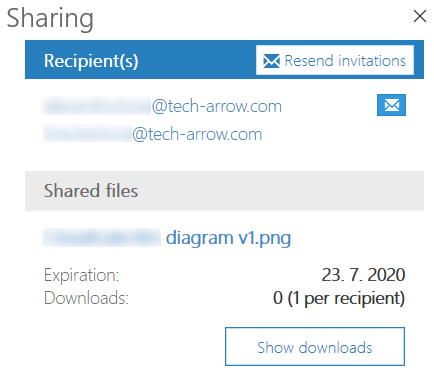
If recipients have not accepted the invitation to contentACCESS yet, it is possible to re-send it directly from the Share app.
✓ Switch between public and private sharing
Have you accidentally shared a file with everyone instead of just specific recipients? Or do you want to make a file accessible to more than the original recipients? This feature allows you to easily switch between public and private sharing.