contentACCESS Version 5.1

✨ Highlights
- Extended recovery options for File and Email archives, including point-in-time restores to alternate locations and the ability to recreate folder structures independently of content.
- In-place archiving for email archive mailboxes, merging primary and archive mailboxes into a single structure for simpler access and administration.
- Support for archiving and indexing rights-protected emails, with administrator preview available in journal-based archiving scenarios.
- Enhanced deletion handling that allows removal of items with expired retention even if they are not explicitly marked for deletion.
- Folder sharing across modules, enabling secure, dynamic sharing of entire folder structures with full support for permissions, retention, and auditing.
Email archiving
✓ Extended recover functionality
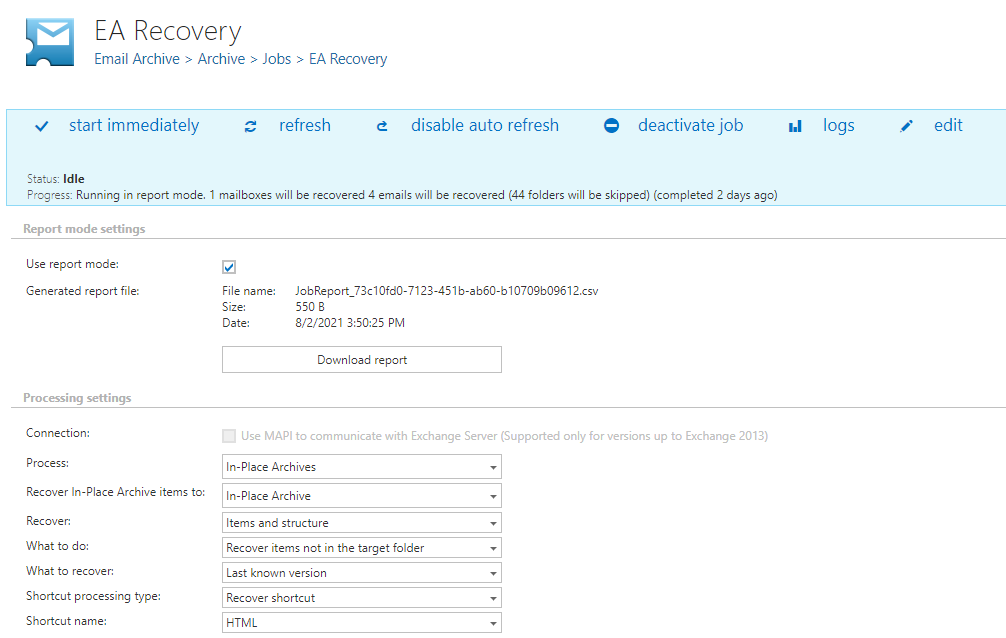
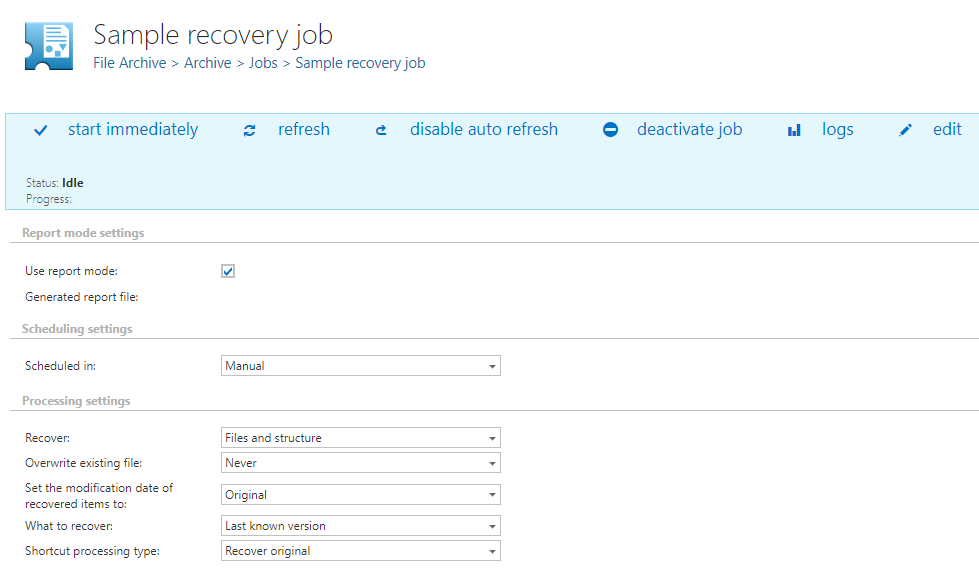
Ransomware attacks and disaster recovery scenarios are becoming increasingly common. In response to these requirements, we improved contentACCESS archives to provide a powerful tool for IT administrators handling such cases. Administrators can now recover data to a different location and specify the exact point in time to be restored.
In addition, enhanced use cases are now supported where administrators want to clone and reuse only the folder structure, as contentACCESS is able to re-create it at a different location.
The enhanced recovery options are available for both File and Email archives.
✓ Archiving In-place archive
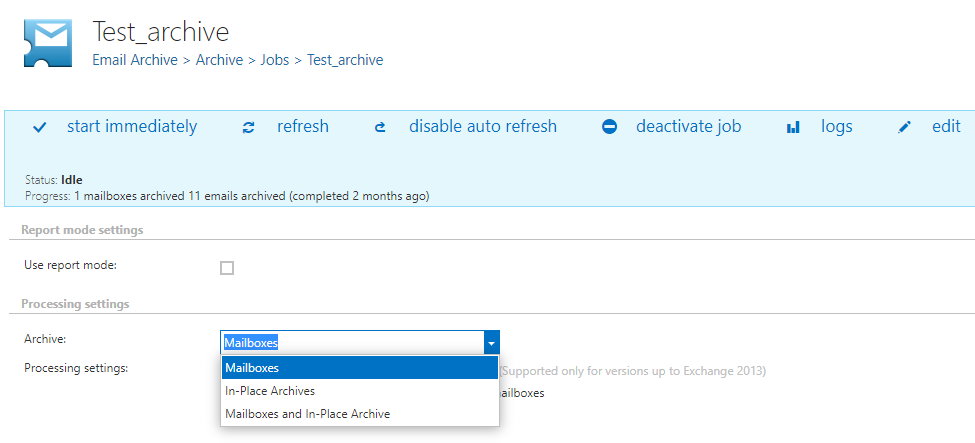
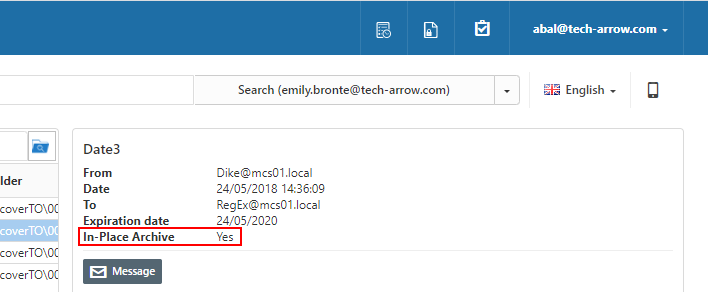
In this version, we introduced a new way to archive users’ archive mailboxes. In contentACCESS, we aimed to implement this beyond the native Microsoft possibilities by merging the primary mailbox and the archive mailbox into a single structure. As a result, users do not need to switch between two mailboxes to access their data, and administrators retain full control over data and recovery. This feature is available for both O365 and on-premises mailboxes.
Our solution can be used either to maintain an on-site backup of archive mailbox data or to fully replace the archive mailbox and switch to a more cost-efficient O365 subscription.
✓ Rights protected message archiving
Rights-protected messages are a powerful O365 security feature, as they move protection to the document level. contentACCESS is now able to archive and index these emails and provide a preview to administrators. Indexing and preview are available only in journal-based archiving scenarios.
✓ Deleting items not marked for deletion
Are you struggling to delete data from the archive because every email must be manually marked for deletion? Many companies face this issue when their retention category does not include an unprotected time configuration.
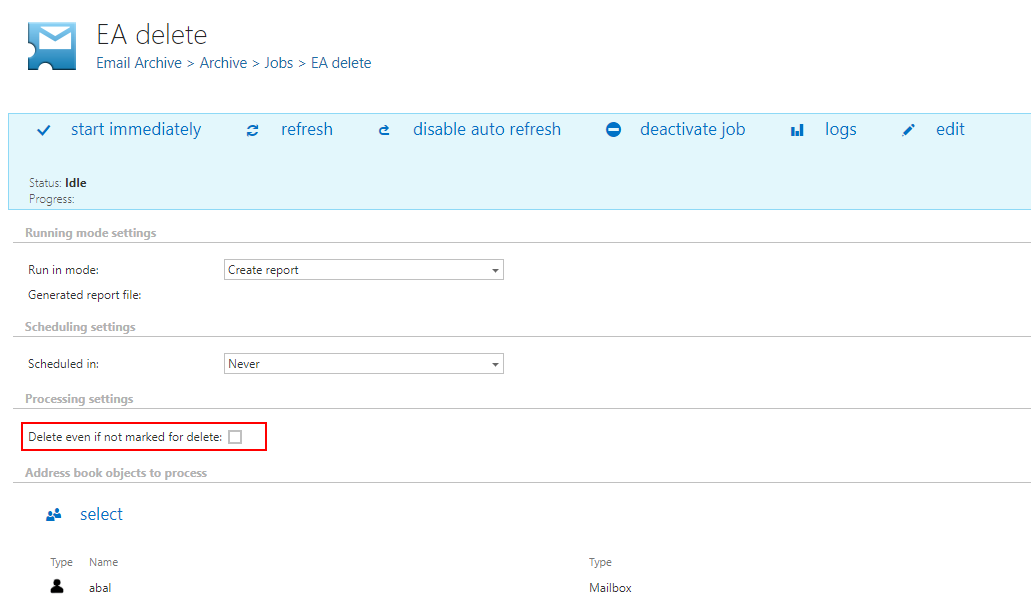
We have good news: an override option has been implemented in the delete job, allowing administrators to delete emails with expired retention even if they have not been explicitly marked for deletion.
File archiving
✓ Extended recover functionality
Ransomware attacks and disaster recovery scenarios are becoming increasingly common. In response to these requirements, we improved contentACCESS archives to provide a powerful tool for IT administrators handling such cases. Administrators can now recover data to a different location and specify the exact point in time to be restored.
In addition, enhanced use cases are now supported where administrators want to clone and reuse only the folder structure, as contentACCESS is able to re-create it at a different location.
The enhanced recovery options are available for both File and Email archives.
Sharing
✓ Folder sharing
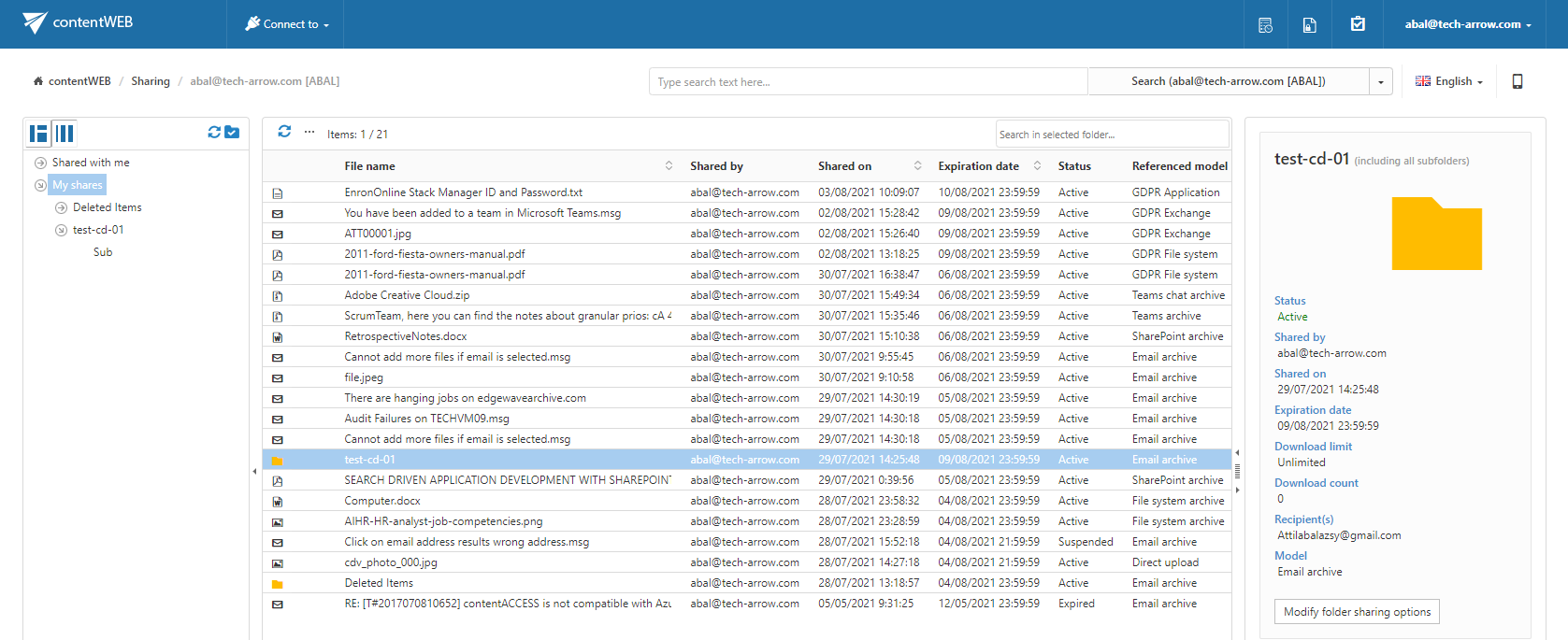
In contentACCESS version 5.0, we introduced sharing at the platform level. This feature has now been extended to support sharing entire folders or folder structures. Data sharing has never been easier or more secure.
Folder sharing manages content dynamically, meaning that when files are added to or removed from shared folders, the changes are automatically reflected. Security is ensured by retrieving all data from the source system on behalf of the sharing user, and any permission changes are automatically applied to shared folders as well. All sharing features, such as retention, download limits, and auditing, remain supported. Recipients of shared folders can also use the powerful search tool to find required data, including within text content.
Folder sharing is available for all modules: File Archive, Email Archive, SharePoint Archive, MS Teams Archive, and GDPR.
Common
✓ File type group filter in index job
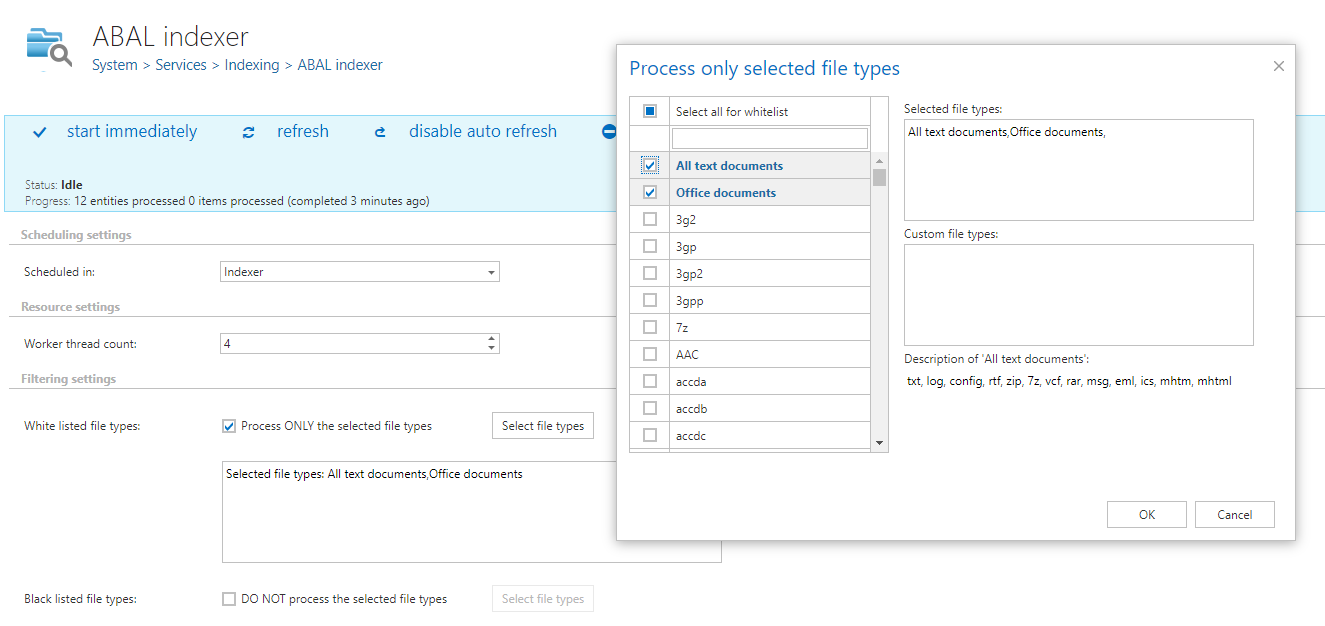
Every data source contains files that can or cannot be full-text indexed. Files without textual content or without an available iFilter are reported as failures during the indexing process, which can be inconvenient. To address this, it is now possible to define a whitelist of file types that contain textual content and should be indexed. This process has been simplified by providing predefined groups of file types, allowing you to select the required group instead of configuring each file type individually.
This improvement saves time during the initial system configuration.
✓ Performance and stability fixes
Improvements were made to increase system performance and stability, ensuring that your contentACCESS experience is better than ever before.