contentACCESS Version 5.2

✨ Highlights
- Introduces OneDrive archiving with Azure AD–based user and group management, allowing different archiving and retention rules per group or user and a clearer separation of OneDrive and SharePoint content for end users.
- Extends SharePoint versioning by combining contentACCESS and SharePoint versions, ensuring continuous version history even if SharePoint versioning is enabled later, including support for list item attachments.
- Enhances recovery functionality with point-in-time restores, recovery to alternative locations, folder-structure-only restores, and a report mode to preview recovery results.
- Improves email handling by saving downloaded emails using their subject as the file name, making files easier to identify.
- Adds download notifications for shared documents, informing users when recipients have downloaded shared content.
SharePoint archiving
✓ OneDrive archiving
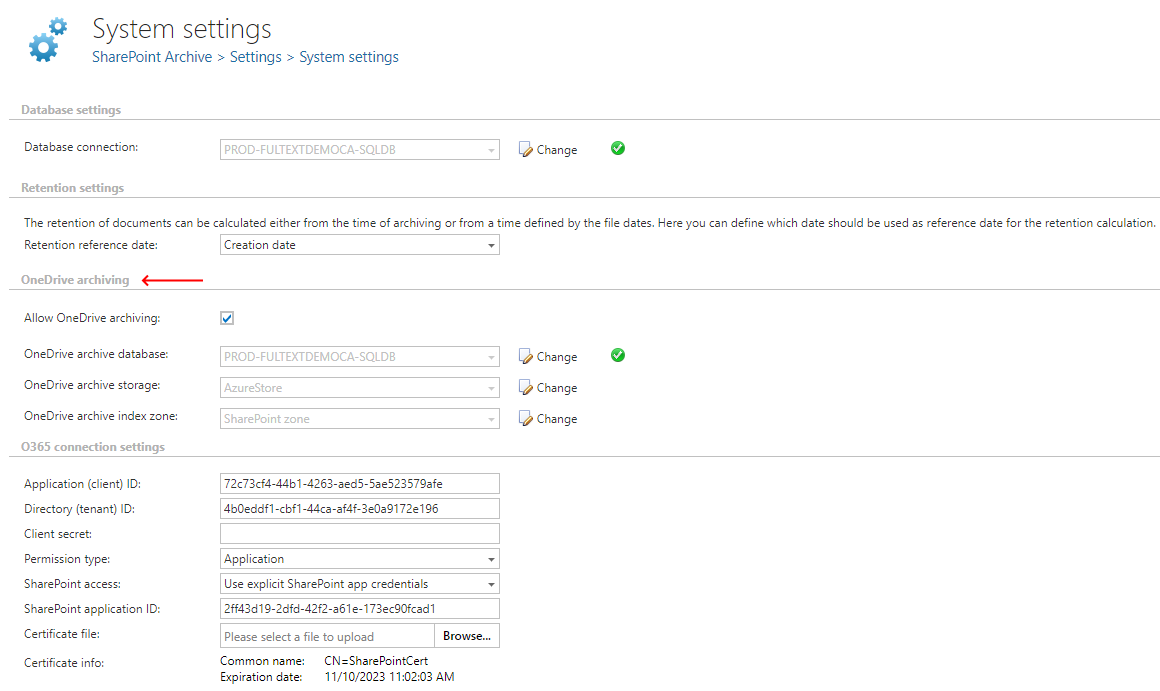
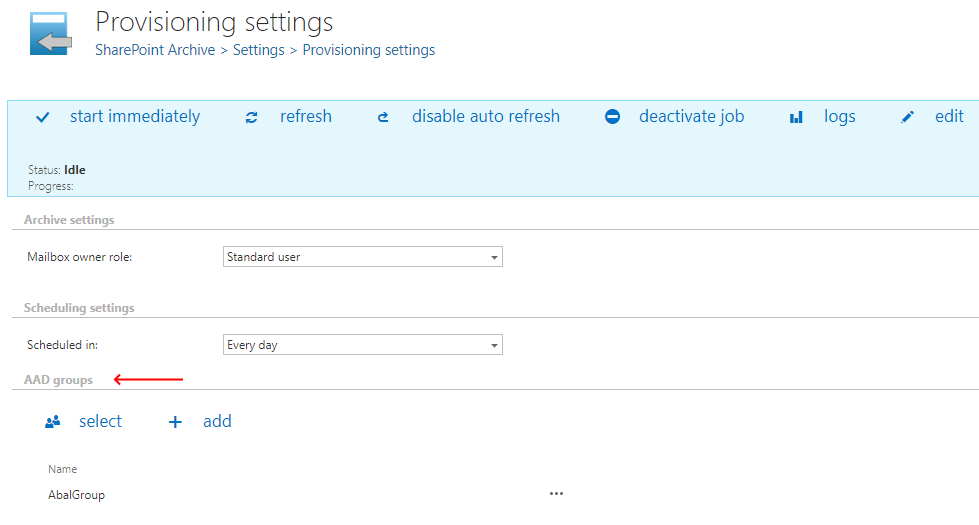
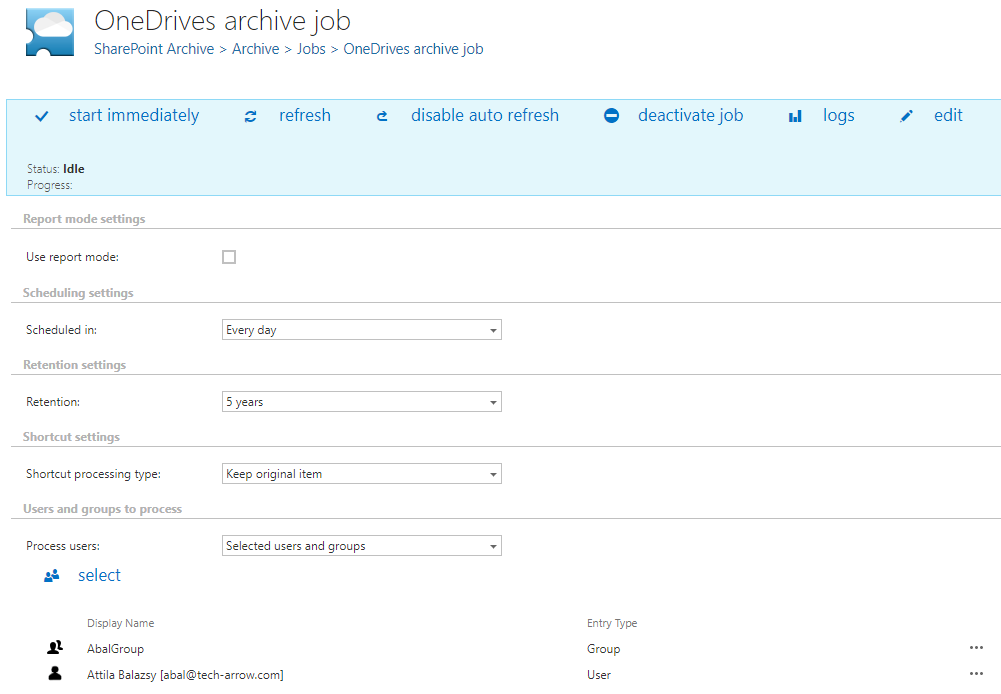
Each OneDrive is associated with a user. Administrators assign users to one or more AD groups, which helps simplify user management. In this version of contentACCESS, Azure AD user- and group-level management of OneDrive archiving has been introduced. Administrators can include existing AD groups in contentACCESS, and these groups are then used during OneDrive archiving. Administrators can specify different archiving and retention rules for each group or for individual users.
The end-user experience has also changed, and users’ OneDrives are now separated from SharePoint sites in the Connect To menu.
✓ Extended versioning
The SharePoint archive versioning function has been extended. This new logic can combine contentACCESS and SharePoint versions. You no longer need to worry about forgetting to enable versioning for some of your lists or libraries, as contentACCESS will always create an internal version for them. Even if you enable SharePoint versioning later, contentACCESS will keep all existing versions and also add the new SharePoint versions.
As a bonus, compared to SharePoint, contentACCESS can also version list item attachments.
✓ Extended recover functionality
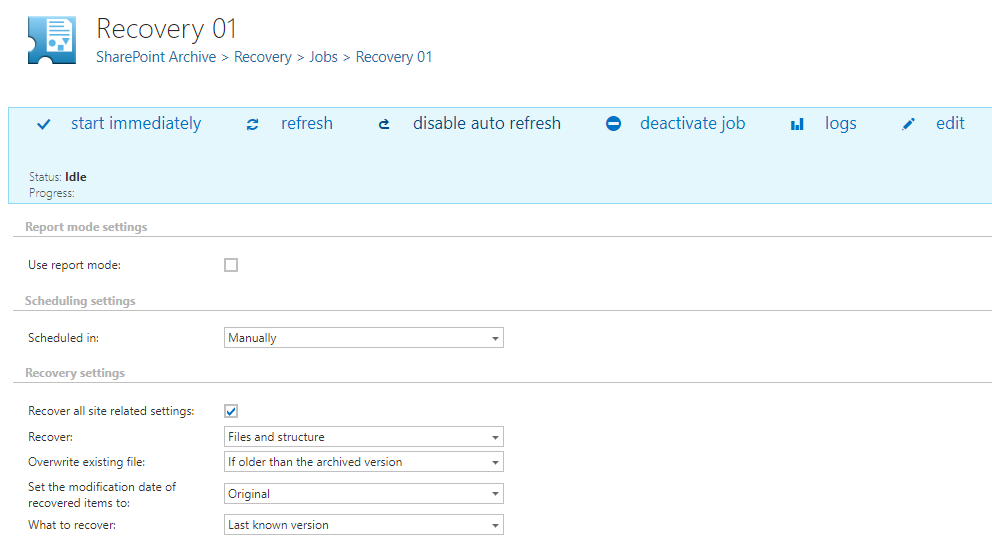
Ransomware attacks and disaster recovery scenarios are becoming increasingly common. In response to these new requirements, we have strengthened the contentACCESS archive to provide IT administrators with a powerful tool to address such cases. Administrators can now recover data to different locations and even choose the exact point in time to which the original data should be restored.
contentACCESS also supports enhanced use cases in which administrators want to clone and reuse only the folder structure, as it can now be re-created at a different location.
The recovery job can also be executed in report mode. Using this feature, administrators can see what would be recovered before running the recovery in live mode. This report can also be used as a comparison between the current version and an older one.
Email archiving
✓ Saving the email under the name of its subject
When downloading an email from client apps or shortcuts, contentACCESS now uses the email’s subject to create the file name. This function enables better identification of files on the user’s machine.
Sharing
✓ Notification about a download
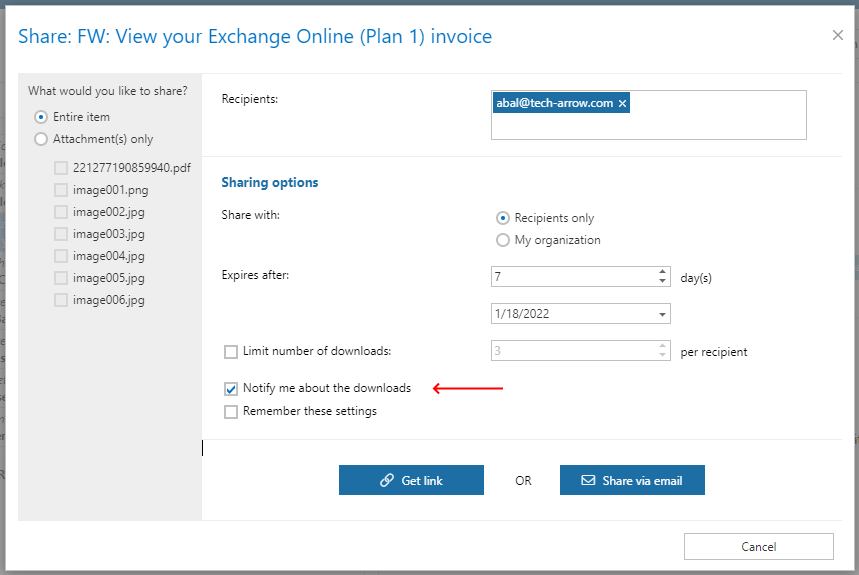
In contentACCESS 5.0, we introduced platform-level document sharing. Since then, we have continued to improve this feature. A common situation is that users want to know whether the sharing party has already downloaded or viewed the shared documents. Until now, it was not easy to find the exact shared document and check its sharing status.
With this new version of contentACCESS, we are pleased to introduce download notifications. When sharing notifications are enabled, contentACCESS sends an email to inform you that recipients have downloaded the shared document.
Common
✓ Email address introduced for users
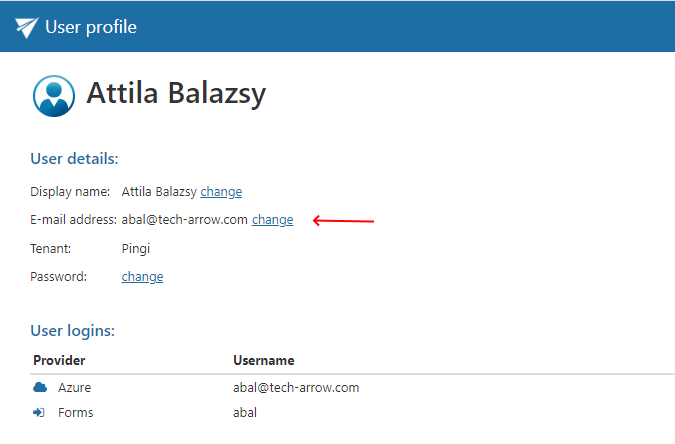
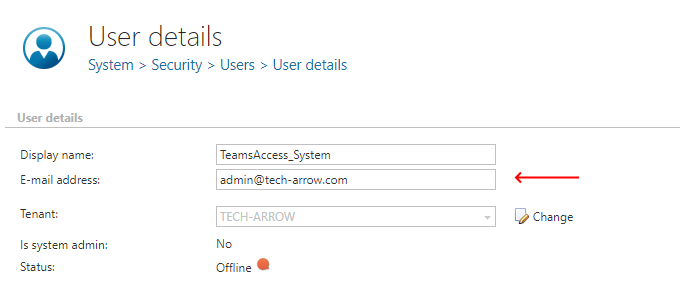
We have extended contentACCESS user information to include an email address, which is used for notification emails. This email address is also filled in automatically by the provisioning job when it creates a new user. It can also be specified or edited by the user on their profile page.
✓ Detection of a pending invitation
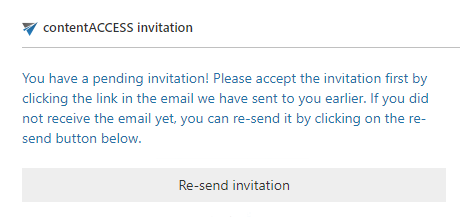
Most issues that occur when a new user tries to access a shared file are caused by the user not realizing that they must first accept the invitation sent in a separate email. This invitation must be accepted to register the account in contentACCESS, which is required to access the shared file. This behavior was confusing for users, as many tried to access the shared content directly without accepting the invitation.
contentACCESS now checks whether a user has a pending invitation and notifies them with information about this outstanding request.
✓ Elastic search updated
Elastic search was updated to version 5.6.16. This version is fully compatible with the previous Elastic search version, so existing index structures do not need to be modified.
✓ Improved security
Improvements were made to raise contentACCESS to a higher level of security.
✓ Performance and stability fixes
Improvements were made to make the system faster and more stable, so your contentACCESS experience can be better than ever before.