contentACCESS Version 5.3

✨ Highlights
- Enhanced Microsoft Teams archiving with full team recovery, point-in-time restore, cloning options, and support for archiving and restoring team tags.
- Major email archiving improvements, including three-level processing, shortcut deletion, improved privacy controls for private emails, and more flexible roles for shared and delegated mailboxes.
- New multi-level processing and shortcut deletion flows for file archiving, enabling more flexible and automated file lifecycle management.
- Security and administration enhancements, such as updated system roles and permissions, improved password handling, stronger encryption, and Java version updates.
- General performance, stability, and usability improvements across the platform.
Teams archiving
✓ Recovering teams
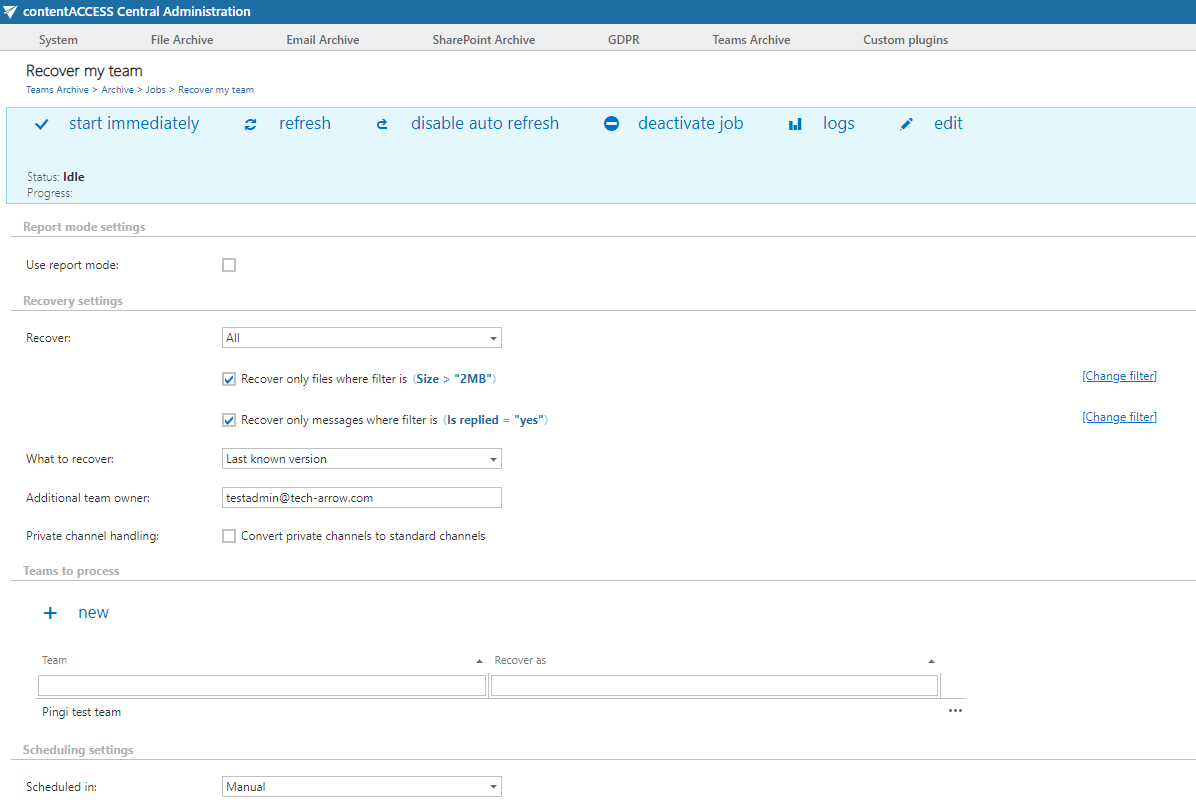
Ransomware attacks and disaster recovery scenarios are becoming more common. In response to these requirements, we have improved the contentACCESS Teams archive to provide IT administrators with a powerful tool to handle such cases. Administrators can now recover all members, data, and files under a different name and specify the exact point in time to recover.
Additionally, enhanced use cases are supported, such as cloning and reusing only the folder structure, as contentACCESS can now re-create it as a different team.
✓ Archiving of team tags
The contentACCESS Teams archive has been extended to include used tags. These tags will be re-created and assigned to the same users during the recovery process.
Email archiving
✓ Shortcut deletion flow
The long-awaited three-level email processing is here. You can now configure the full email lifecycle in a single email archive job. You can create a job that archives all emails immediately, converts emails older than six months to shortcuts, and deletes shortcuts older than one year. Each processing level can have different filters, allowing you to implement even complex processes as needed.

✓ Private emails visibility
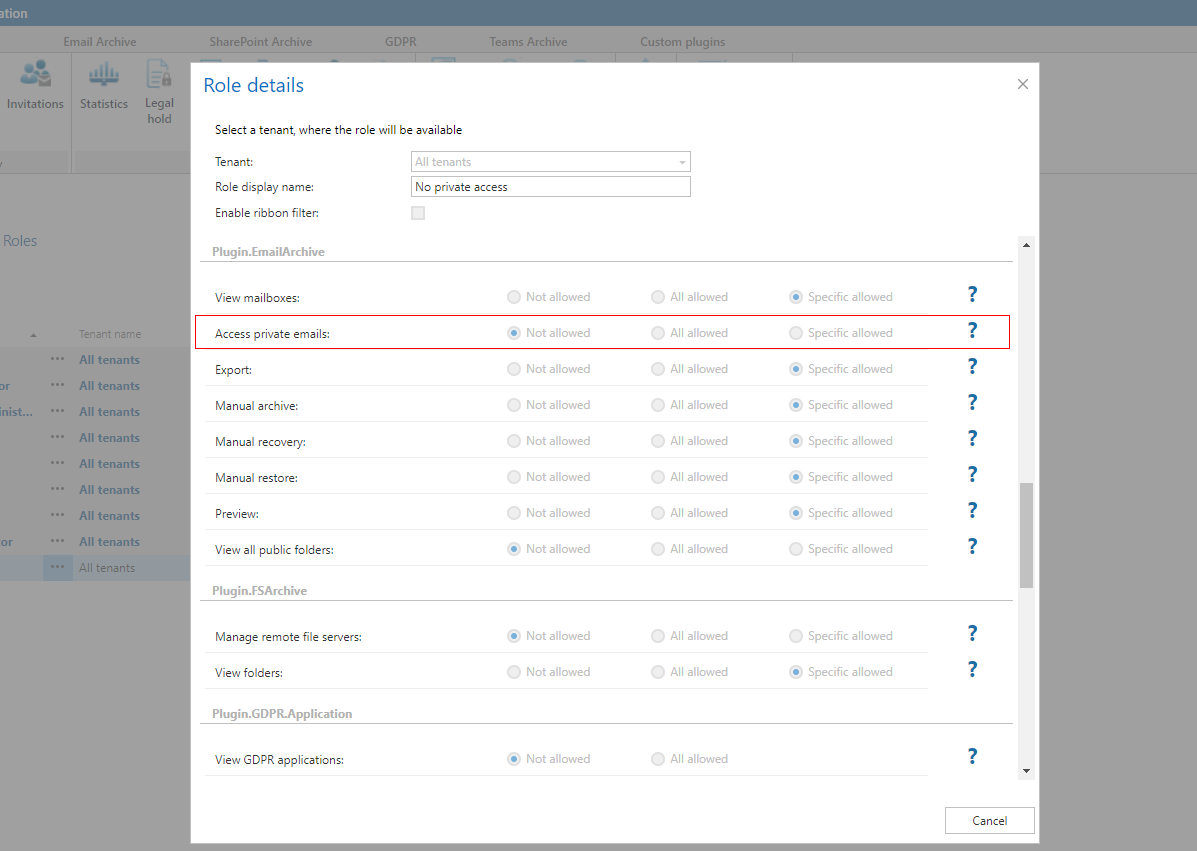
We have introduced new permissions for email archives that allow administrators to control who can view emails marked as private. The default behavior remains unchanged, meaning anyone with access to the mailbox archive can view private emails. To increase privacy, you can change the default settings to allow only mailbox owners to see private emails. Users with delegated access will not see private emails.
✓ Separate roles for shared mailboxes
We have split the default roles for delegated access and shared mailboxes. This provides greater flexibility by allowing administrators to define what users with delegated access or access to a shared mailbox are permitted to view. You can now configure the system to show private emails in shared mailboxes while hiding them in delegated mailboxes.

File archiving
✓ File archive multi-level archiving flow
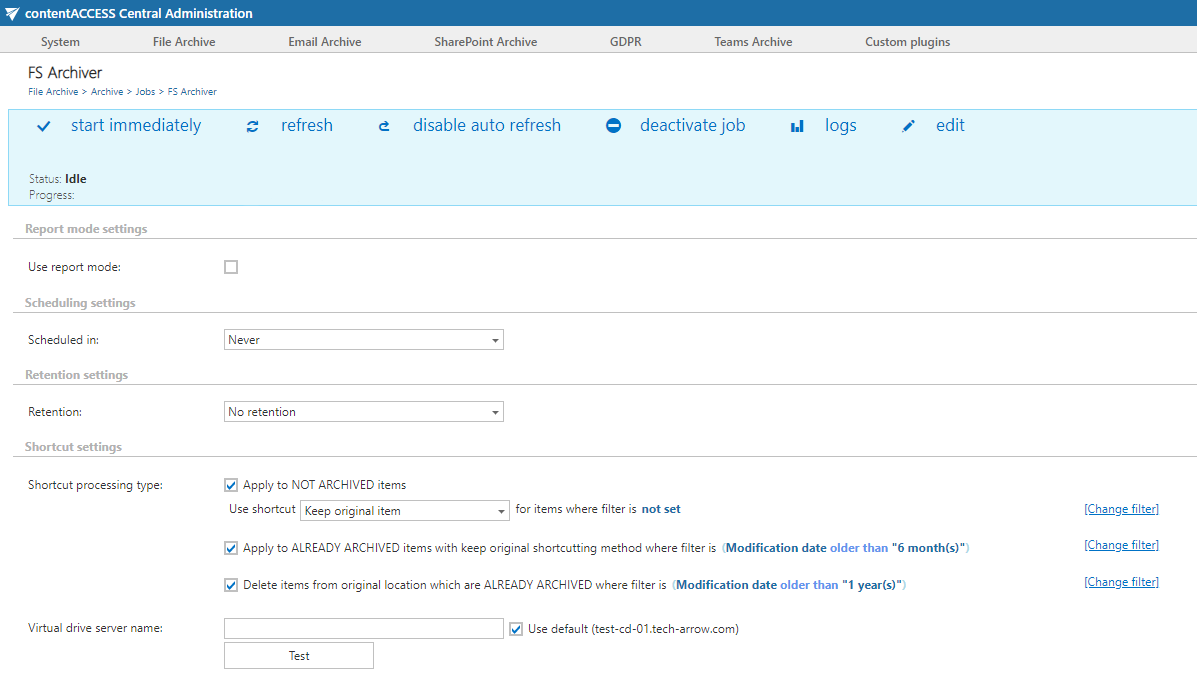
We have used the email archive processing flow as a foundation and implemented it for file archive jobs as well. Administrators can now archive files immediately, convert them to shortcuts after six months, and delete old shortcuts, all within a single file archive job. Each processing level can use different filters, enabling highly customized workflows.
✓ File archive shortcut deletion flow
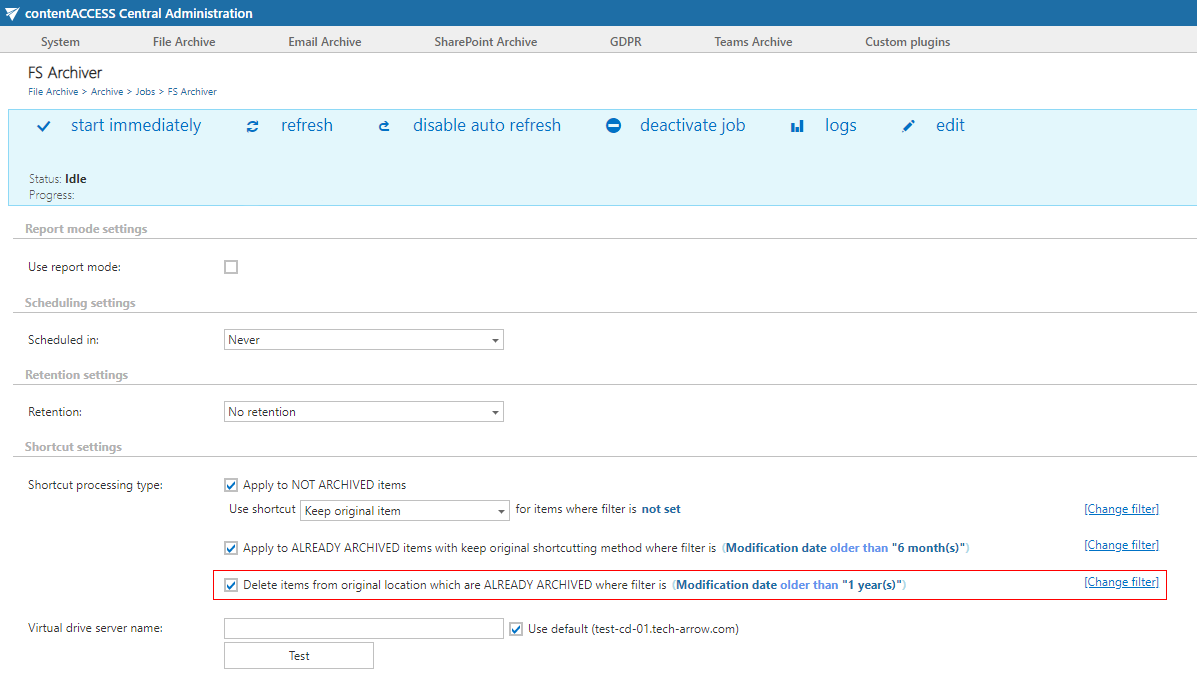
We have extended the file archive job with a new flow that allows the deletion of existing shortcuts. This enables administrators to remove unused shortcuts from the source system. Even after a shortcut is removed, the file remains available in the archive and can be accessed or recovered at any time.
Common
✓ Disk store relocation support
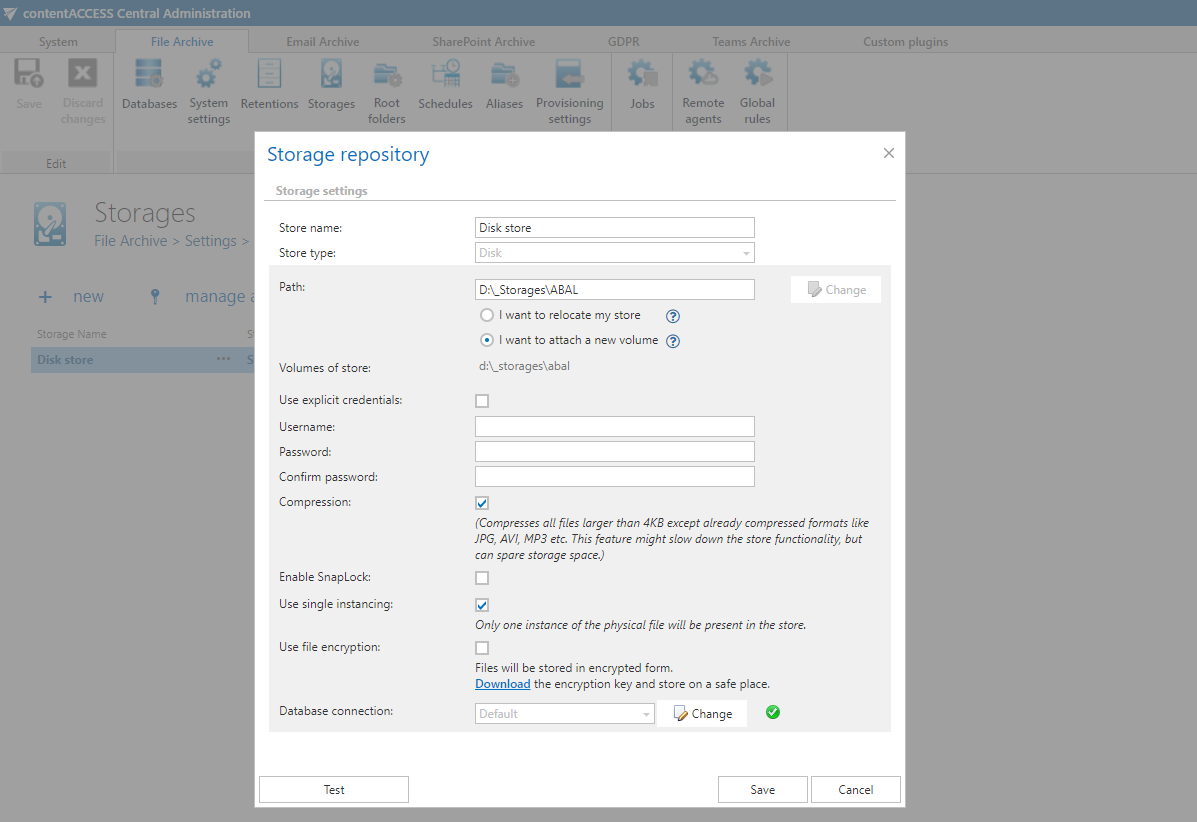
Disk storage now supports two types of path changes. The first option is to open a new volume, where existing files remain in the old location and new files are archived to the new location. This is useful when working with multiple smaller drives and segmenting storage.
The second option is to relocate the store, meaning both existing and new files are available in a new location. This is useful when switching from a local disk to a network share or changing the underlying share.
Before applying the configuration change, the disk store validates the new locations to prevent invalid configurations.
✓ contentWEB renamed
To improve clarity, contentWEB has been renamed to contentACCESS Portal.
✓ Installation package design update
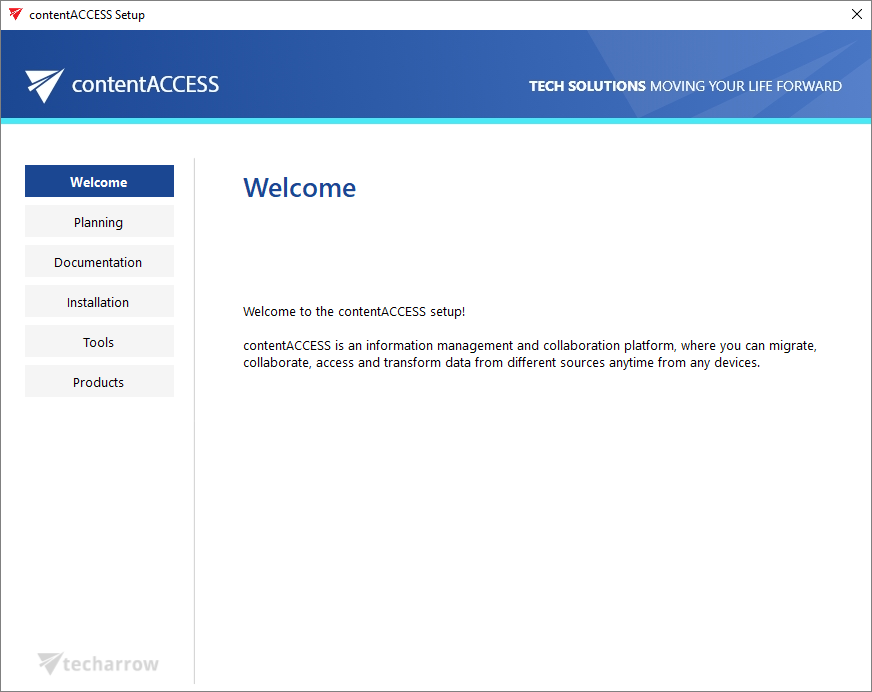
The contentACCESS installation package has received a refreshed design. It now features the updated company color scheme, refreshed pages, and fixes for minor design issues, providing a more modern look and feel.
✓ Java version updated
Java has been updated to the latest available free version installed by the search component. Java detection was also improved to avoid overwriting a newer installed version.
✓ System user password
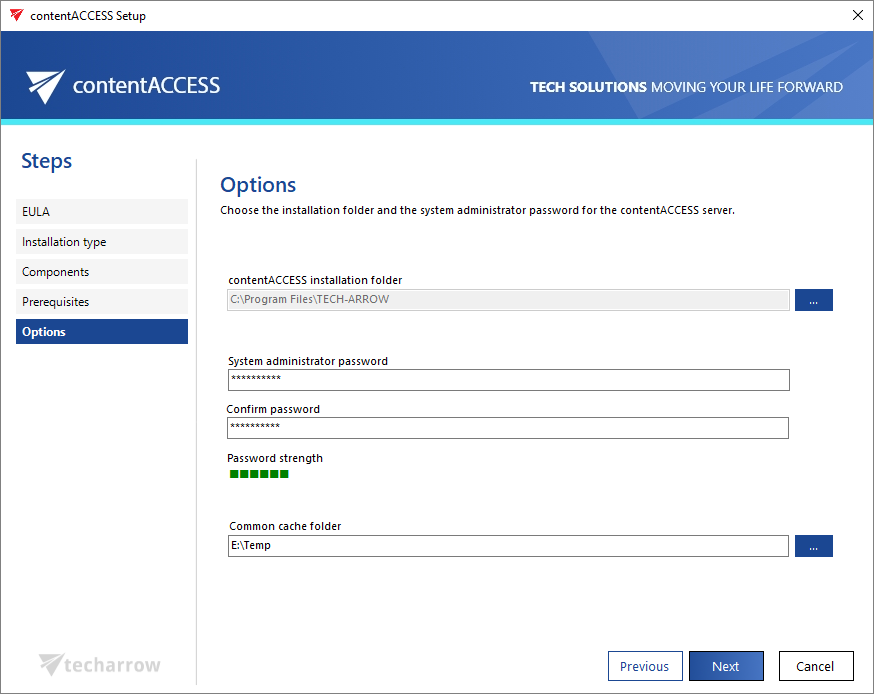
We identified that some customers did not change the default system user password, which poses a significant security risk. To improve security, a default password is no longer used. Administrators must now choose a unique password during installation. The installer also allows updating the system user password during an upgrade. If an update is performed from an earlier version that still uses the default password, the setup will not continue until the password is changed.
✓ Common cache folder
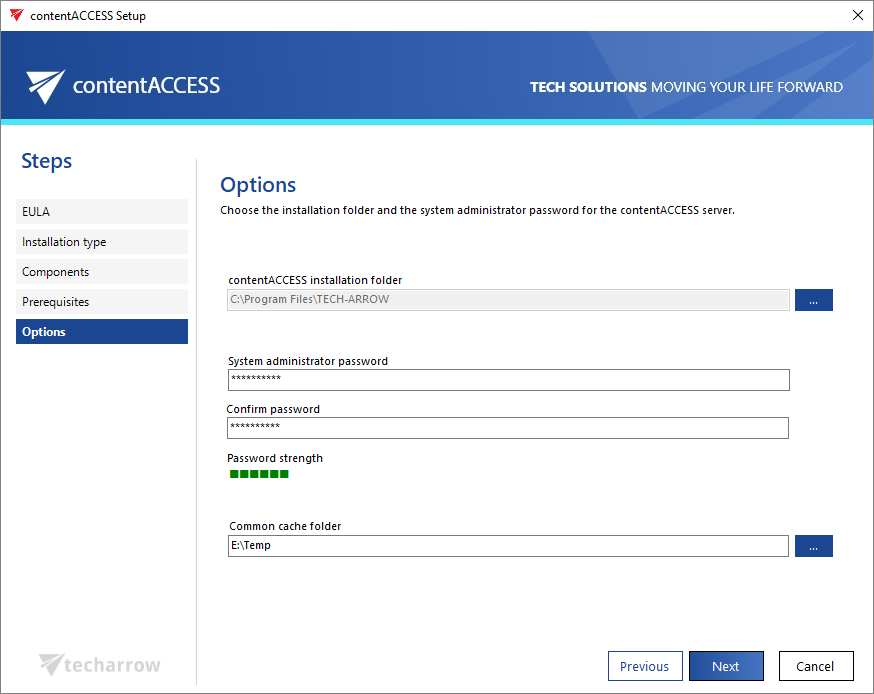
Some system components require a cache folder for certain operations. Previously, some cache folders were hardcoded and could not be changed, which caused issues when the IIS user lacked write access. This has been improved, and you can now configure a common cache folder. The installation package ensures that the application pool user has write access to this folder.
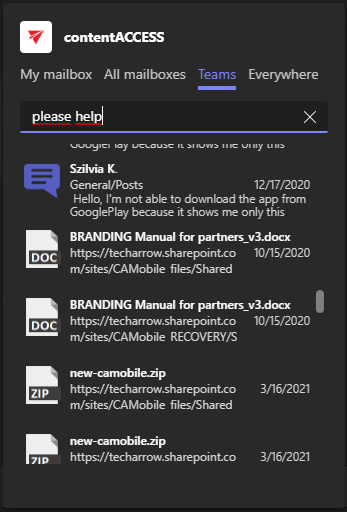
✓ Teams search scope added to contentACCESS Teams app
Previously, searching the MS Teams archive from the contentACCESS Teams app required specifying source:(teams) in the search query. This version introduces a dedicated “Teams” search scope, making it easier to search MS Teams archives.
✓ Improved security
Several improvements were made to enhance system security. As part of these changes, encrypted contentACCESS passwords have been replaced with SHA256 hashes. The conversion is performed automatically during the update.
✓ Role and permission changes
Based on feedback, several role and permission adjustments were made. New roles, “Junior configuration administrator” and “Junior tenant configuration administrator,” were introduced, allowing users to manage the system without granting access to mailboxes. The “Configuration administrator” and “Tenant configuration administrator” roles were extended to allow mailbox access, which was previously limited to system and tenant administrators. All permission-related changes are logged in system configuration auditing.
✓ Performance and stability fixes
Improvements were made to enhance performance and stability, delivering a faster and more reliable contentACCESS experience.