contentACCESS Version 5.4

✨ Highlights
- New retention change and delete-from-archive capabilities for Teams archives, enabling more flexible lifecycle management of archived data.
- Extended and more granular filtering options for Teams archive jobs, with separate filters for channels, messages, and files.
- Improved email archive workflows with support for folder prefixes in mailbox move jobs, simplifying data consolidation scenarios.
- New system notifications in Central Administration to inform administrators about available contentACCESS updates.
- The vNext Mail App introduces a redesigned, unified experience with enhanced search, sharing, and data browsing features.
Teams archive
✓ Retention changer
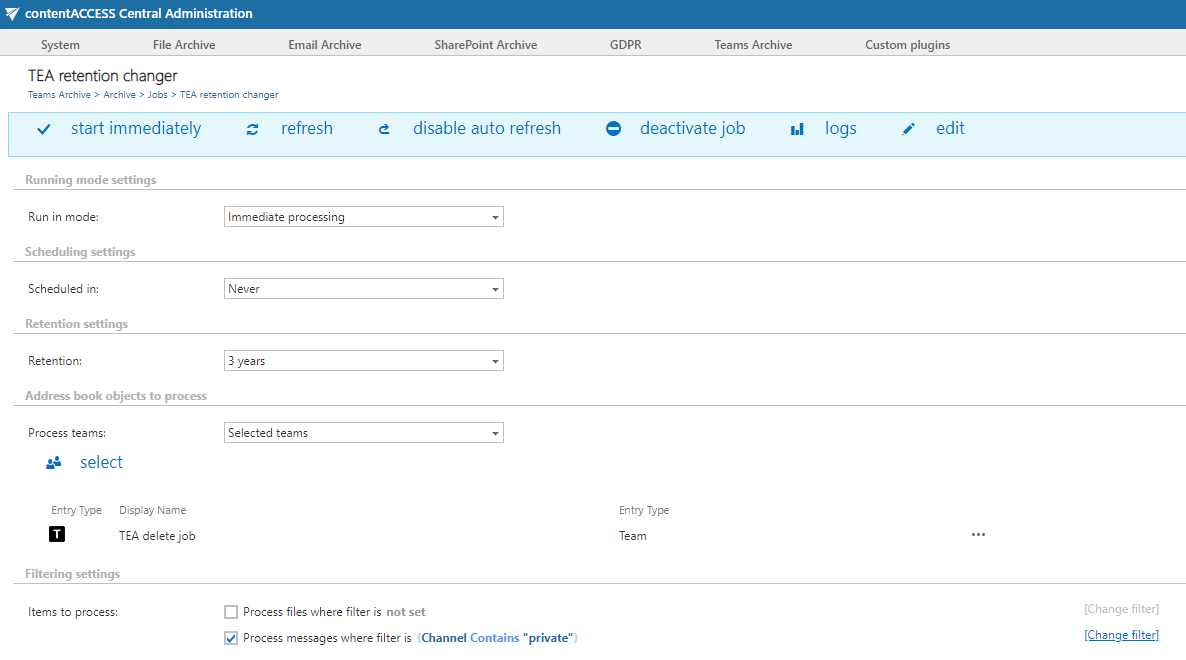
Have your business needs changed, and now you need to keep your archived Teams data for a different period than before? Do you need to delete sensitive archived data earlier? You can now change the previously specified retention time for your MS Teams archived data, making it possible to delete items from the archive sooner when using a shortened retention time. This option is supported by the following stores: Disk, Azure, and Amazon S3.
✓ Delete job
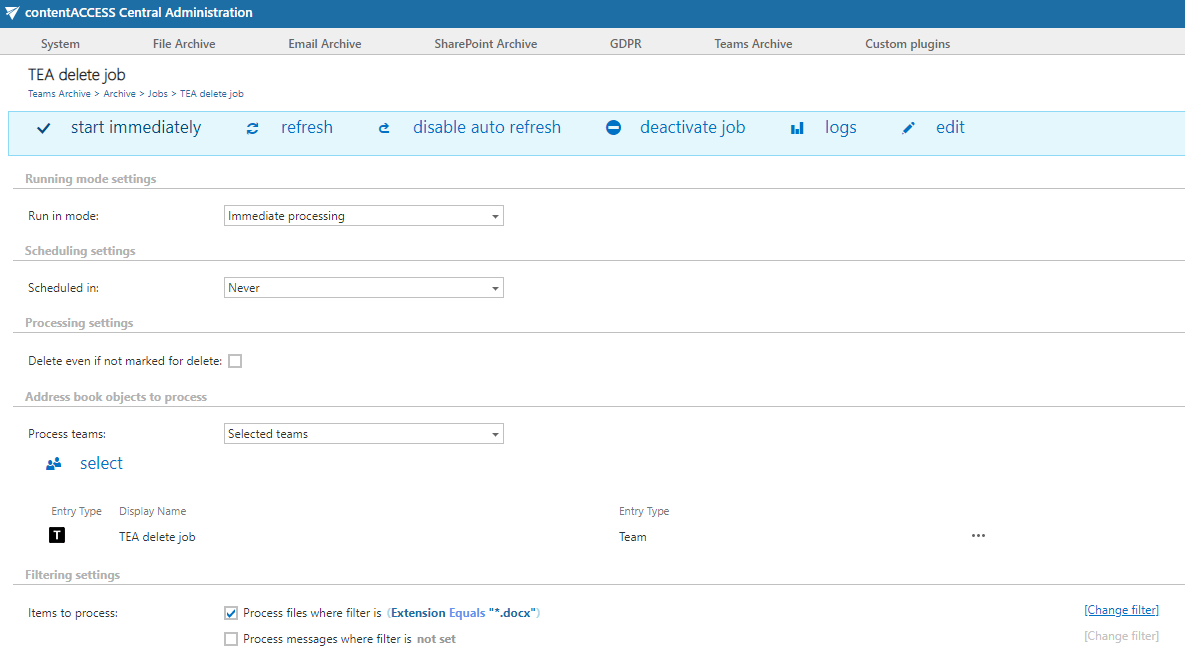
The new delete-from-archive job for Teams archive allows you to clean up the archive from unwanted or expired items. Delete jobs can run in three modes: report generation, delete based on a report, and immediate deletion. When using the report mode, administrators have full control over the deleted items.
Another option for deleting items from archives is marking them for deletion in the Portal. This feature allows users with the necessary rights to mark files for deletion so that the delete job can remove these files and messages even if they are within an unprotected retention period. Users can select single items, single folders, or an entire search result.
Deletion also depends on the storage in use. The following storages support deletion: Disk, Azure, HybridStore, Google, and Amazon S3 (and compatible). The delete job will not have any effect on storages that do not support deletion.
✓ Extended filtration
Teams archive job filters were extended to allow more granular and fine-tuned filtering when archiving, recovering, or otherwise working with data. The archive job now has filters on all three levels: channels, messages, and files can be filtered separately. At the same time, we aimed to simplify the configuration for those who do not want to filter data and prefer to keep everything in the archive. With the current filtering capabilities, we hope to cover both needs: simplicity and granularity.

Email archive
✓ Folder prefix in mailbox move job
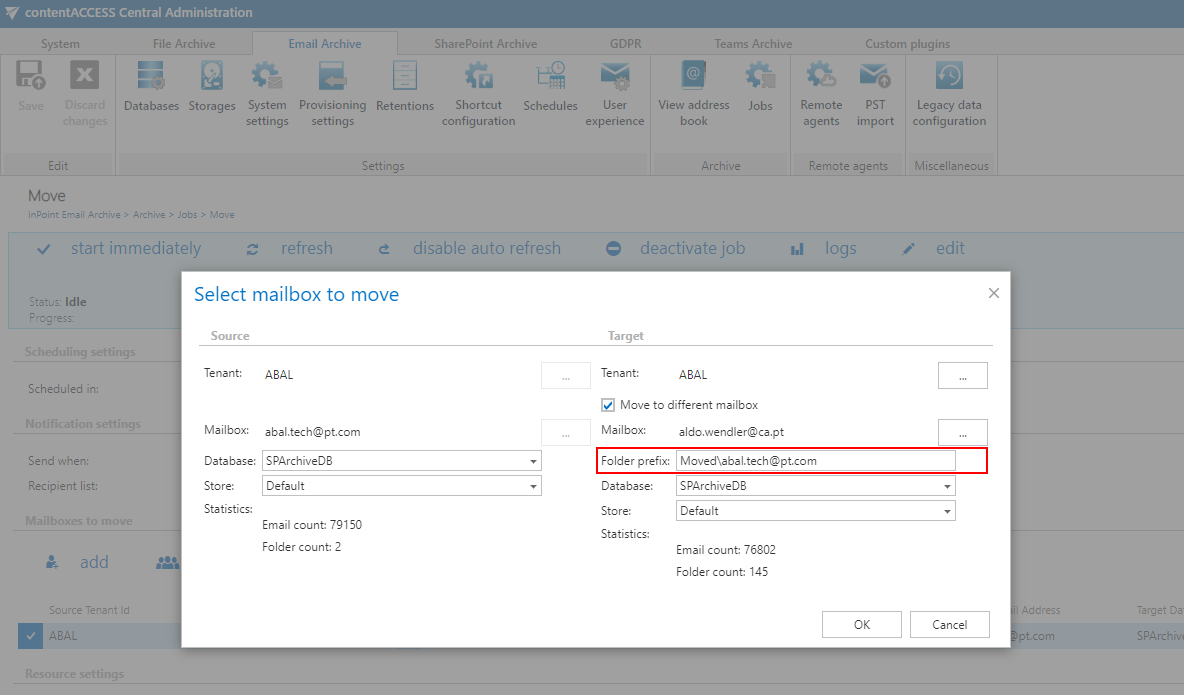
Originally, the mailbox move job was designed to allow customers to switch the store or database behind mailboxes. Over time, it has also been used for data consolidation. We continuously listen to customer feedback and extend functionality based on real needs. To better support consolidation use cases, we have extended the mailbox move configuration to allow specifying a subfolder path that will serve as the base path in the target mailbox for the imported data.
Common
✓ Notification about new version
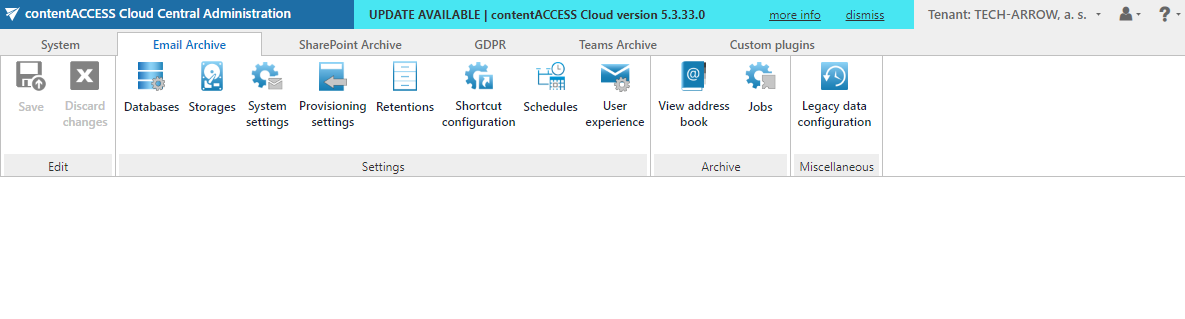
From now on, you will never miss a new version. We have added a notification bar to Central Administration that informs system administrators when a new contentACCESS version is available. You can open the release notes directly from the notification bar to review the exact features and changes included in the new version.
✓ Sign up for a newsletter
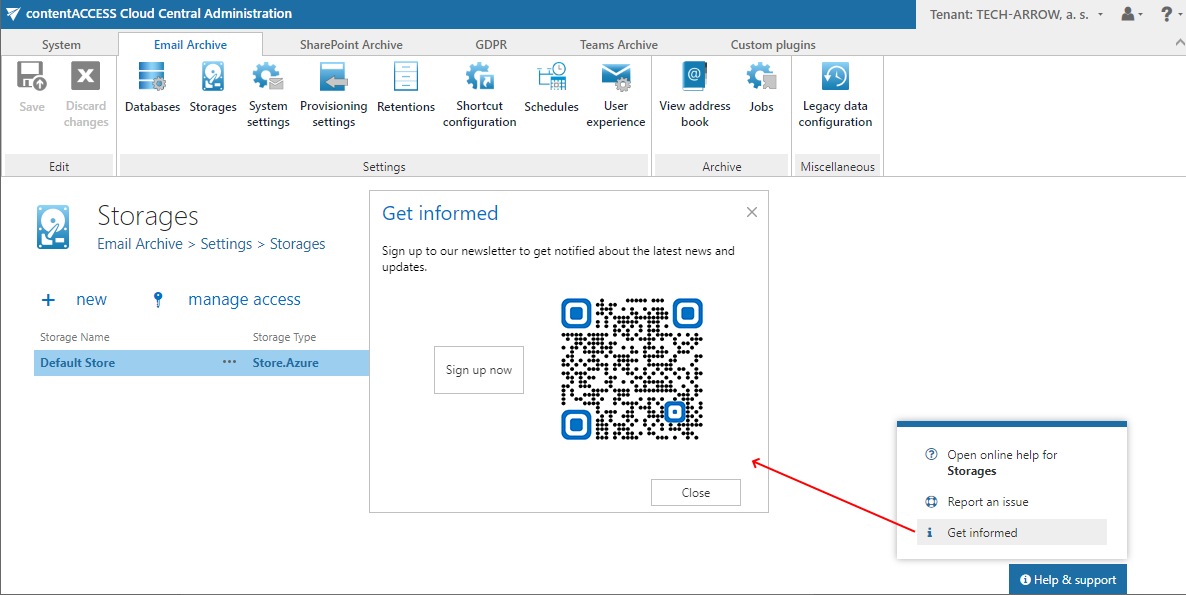
The new version notification is one of the channels we use to communicate with our customers and partners, and it informs you only about new contentACCESS versions. If you would also like to receive information about other products or read useful articles on how to get the most from your archive and increase productivity, you can sign up for our newsletter. This can now be done directly from Central Administration.
✓ Report an issue
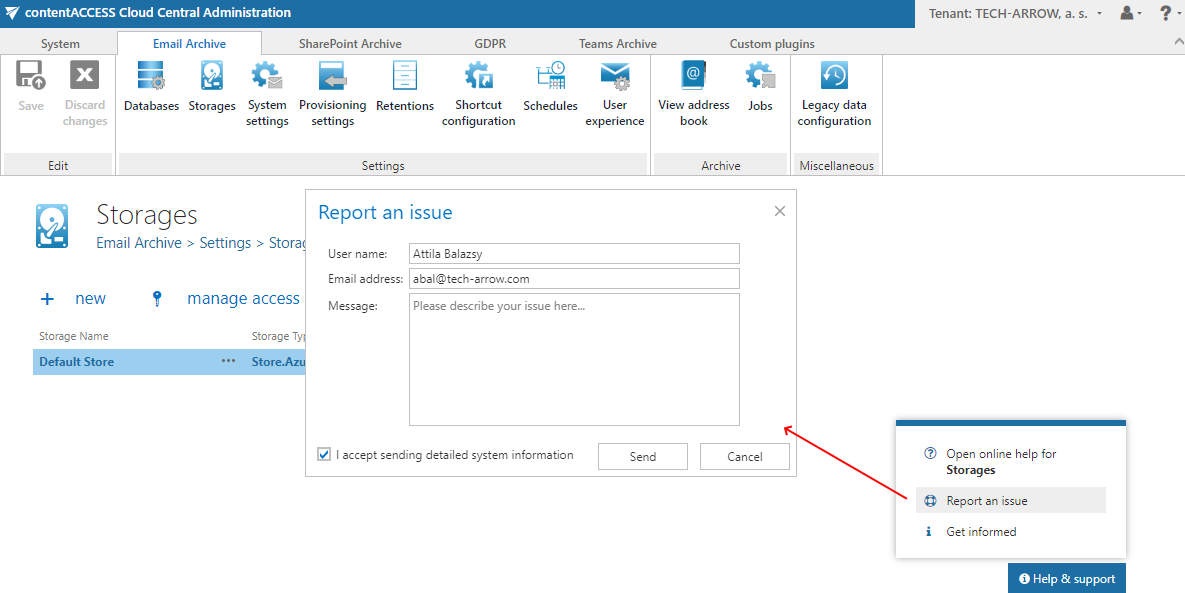
Did you run into an issue or have a question regarding any functionality? Are you having trouble reaching our professional support? Don’t worry—you are only a click away from us. We have added an option to Central Administration that opens a support ticket directly with our team. Additionally, this option allows you to send system information to help our technicians quickly understand your current configuration. This can save several initial emails and allows our technicians to focus directly on your issue.
✓ Mail App vNext
Mail App is a lightweight, cross-platform contentACCESS client for Microsoft Outlook. It was originally designed to provide basic functions, such as manual archiving, restoring, and searching for emails archived by contentACCESS. Customers appreciated the app for being fast and cross-platform.
The vNext version is not just a simple update, but a complete rewrite. We combined existing features from the legacy Mail App, contentACCESS Mobile, and the Share App into a single experience. Users familiar with contentACCESS Mobile will notice a similar look, feel, and feature set in the new Mail App.
Pin the app
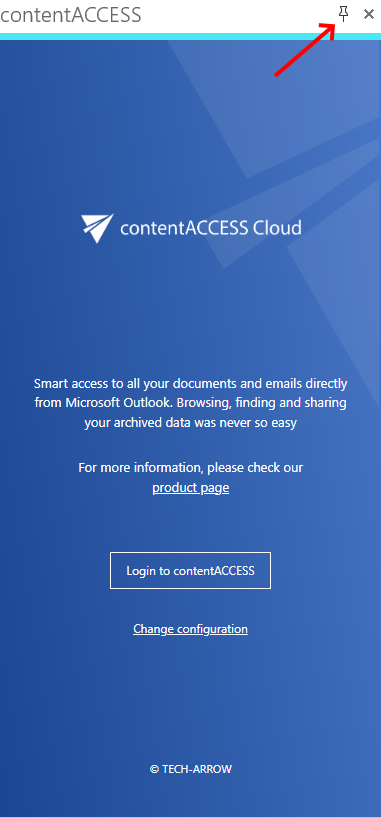
The pin feature ensures that the Mail App is always open when an email is selected for preview in Outlook, keeping the app readily available.
New look and feel
Dynamics, simplicity, and productivity are the key factors driving the new design. The result allows users to focus on important data and functionality.
Startup screen
The startup screen presents the main features of the app with short descriptions, which is especially helpful for first-time users.
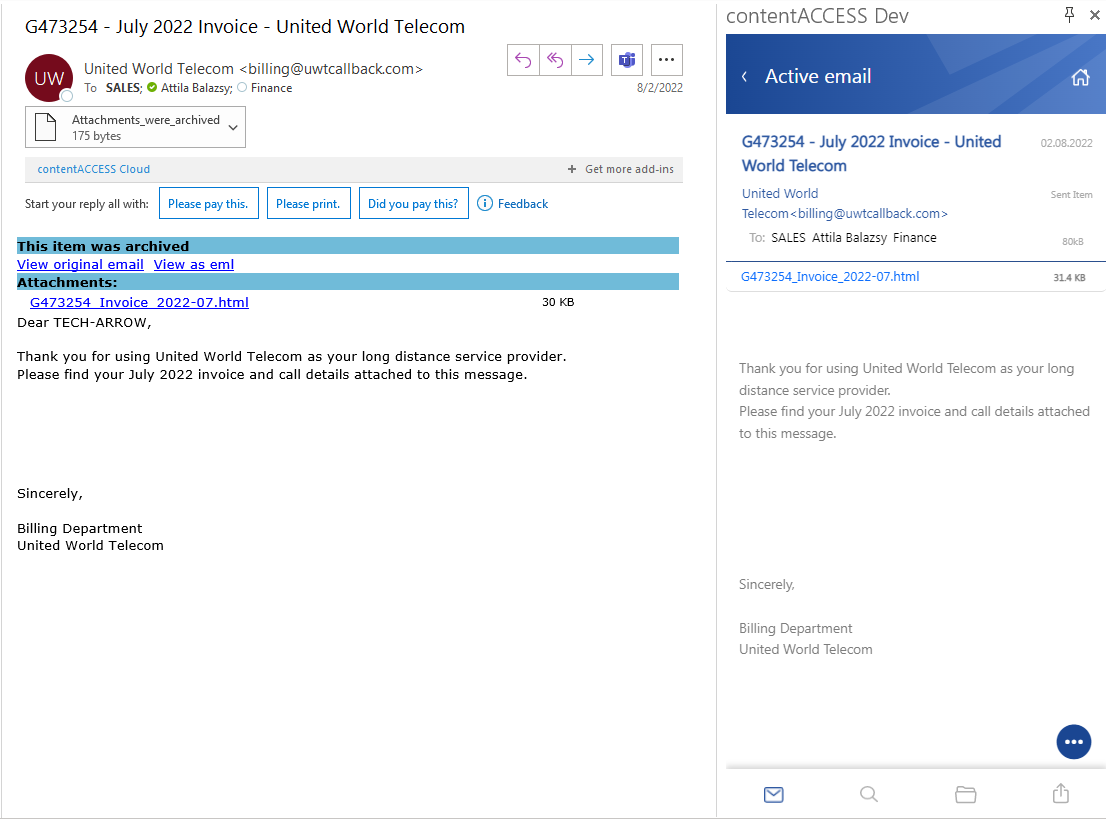
Active email
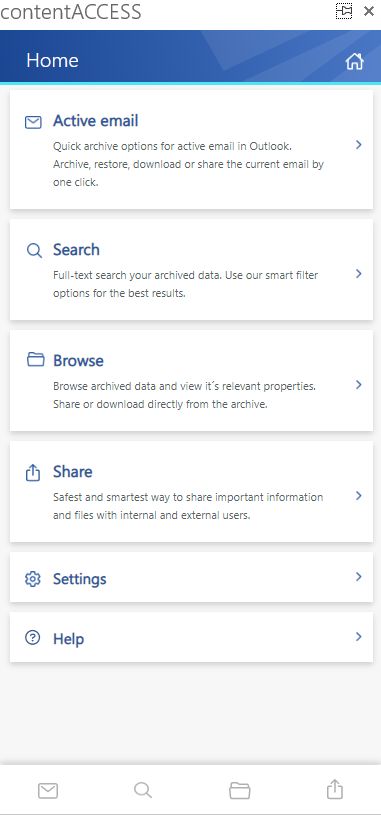
The active email page provides access to archive functions for the email currently opened in Outlook’s preview pane. This view is similar to the old Mail App startup page, but more feature-rich. You can manually archive unarchived emails or restore archived ones. The active email view automatically loads the email preview from the archive. If shortcuts are available, the original text and attachments are directly accessible. Additionally, you can share or attach the email or any of its content with a single click.
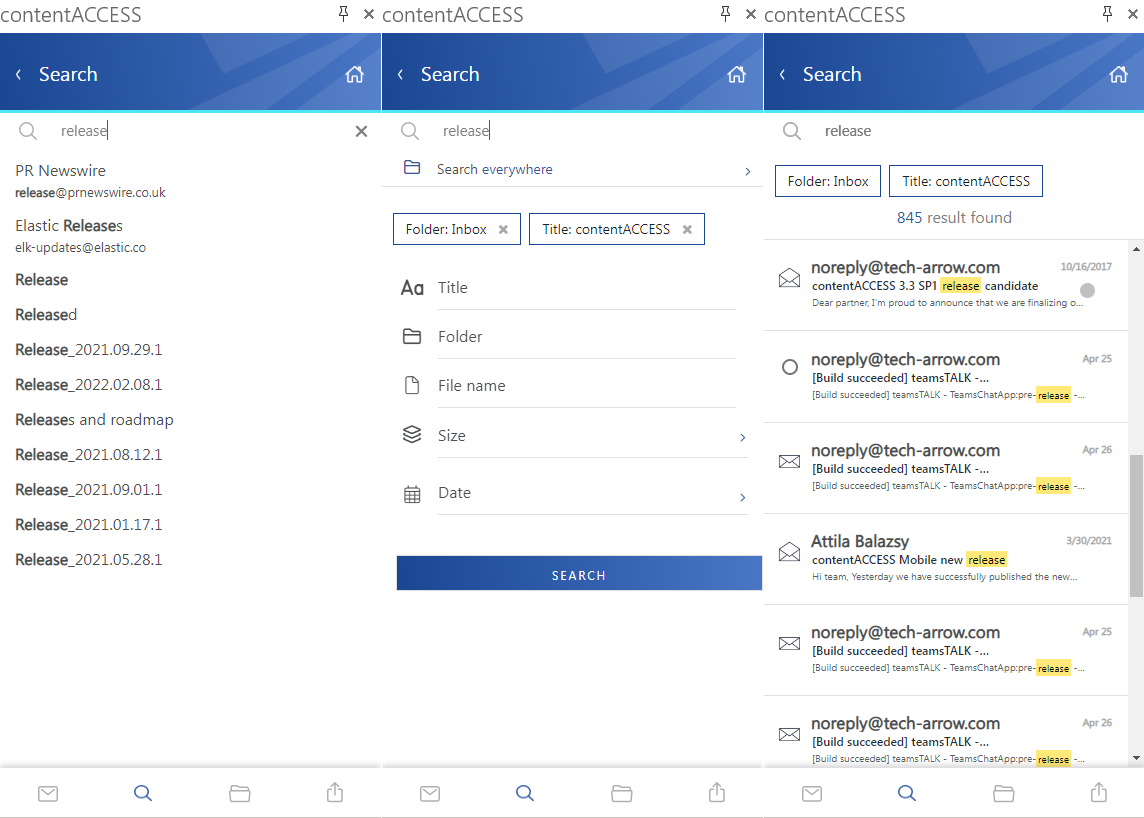
Advanced search
The new search experience integrates all contentACCESS search features, including search suggestions, hit highlighting, history, and advanced filters.
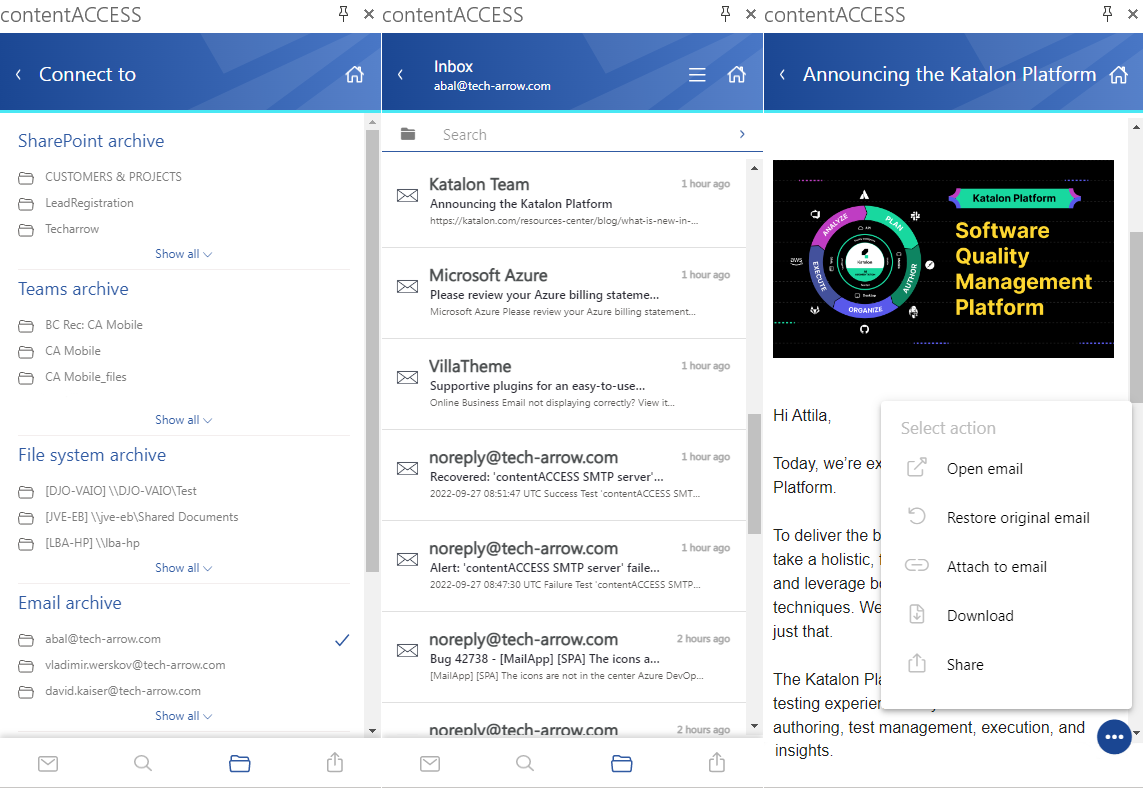
Data browsing
The new Mail App provides access to all available entities across all modules. You can browse folders, view items, search, and review relevant information. Items and attachments can also be restored or shared.
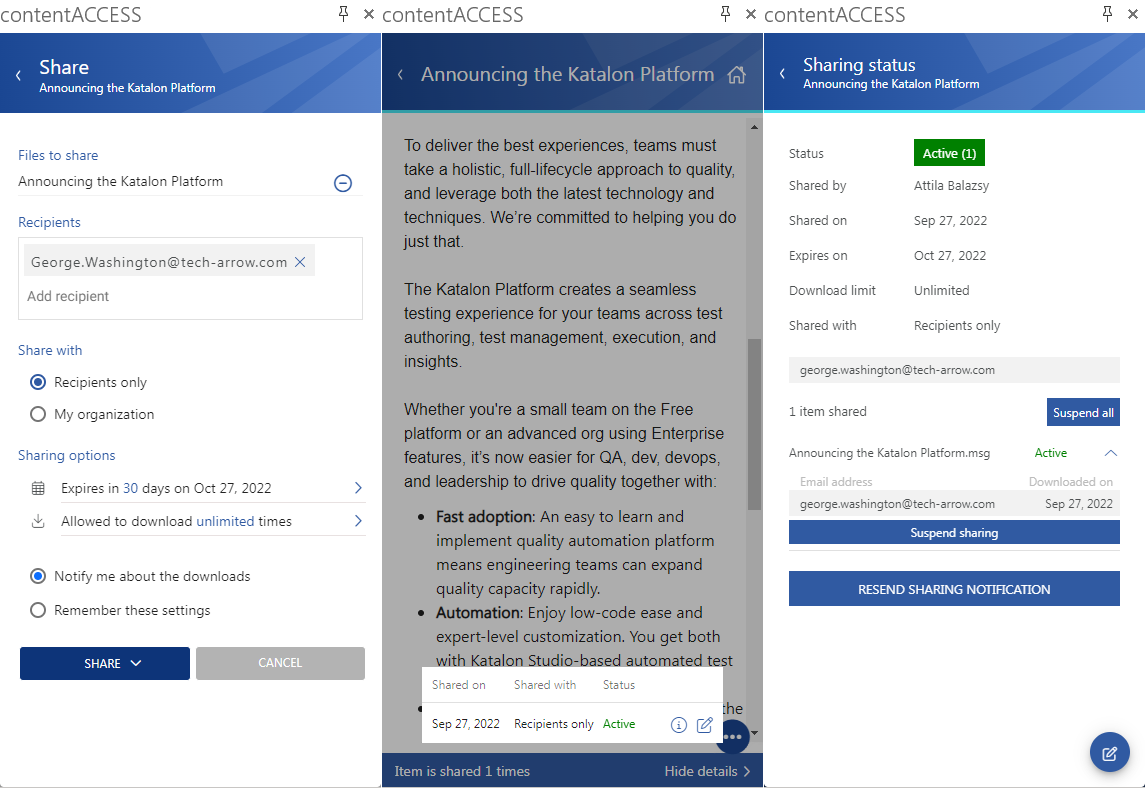
Sharing
In contentACCESS 5.0, we introduced platform-level sharing, which is now also available in the Mail App. You can share data directly from the contentACCESS archive in just two clicks, review download audits for shared items, and modify sharing settings.
Inviting recipients to contentACCESS, sending shared files, enforcing retention, limiting downloads, and auditing access are all managed by the system.
Sounds good? Give it a try!
✓ Performance and stability fixes
Improvements were made to increase performance and stability, making your contentACCESS experience even better than before.