contentACCESS Version 6.0

✨ Highlights
- Major search server upgrade with a redesigned index structure, migration tooling, and support for running the new and legacy search side by side.
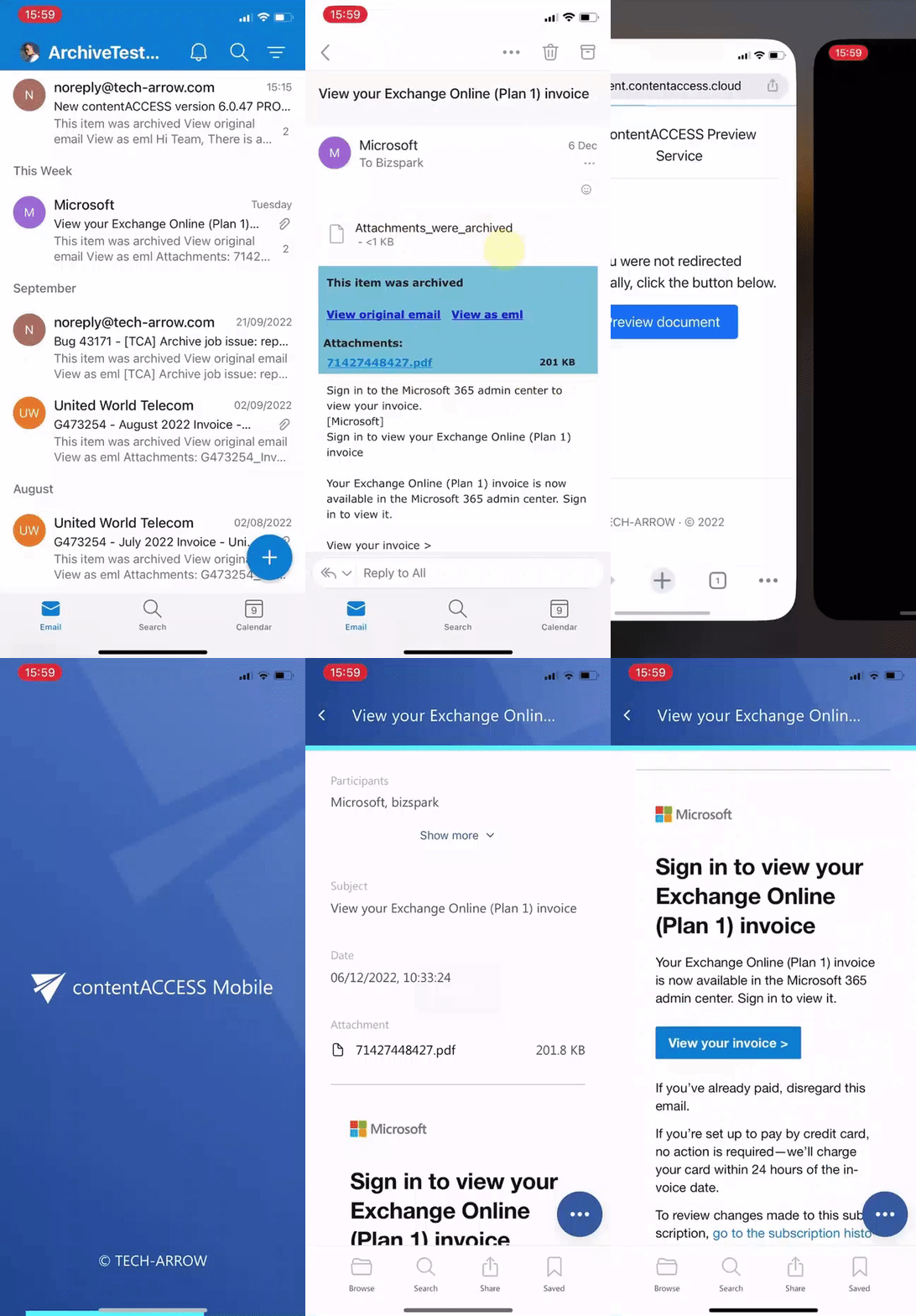
- New web-based document preview that enables viewing, printing, and PDF downloads directly in the browser, with seamless integration for mobile users.
- Shortcuts can now be opened directly in contentACCESS Mobile from a mobile email client with a single click.
- Unified log folder for all contentACCESS components, improving log management and system reliability.
- Mail App vNext is now production-ready, delivering new features, broader platform support, and improved performance and stability.
Common
✓ Search server update
It has been a long time since we last updated the Elasticsearch engine used in contentACCESS. The reason was that Elasticsearch introduced some breaking changes, which made a direct update impossible. This meant that we had to redesign our index structure.
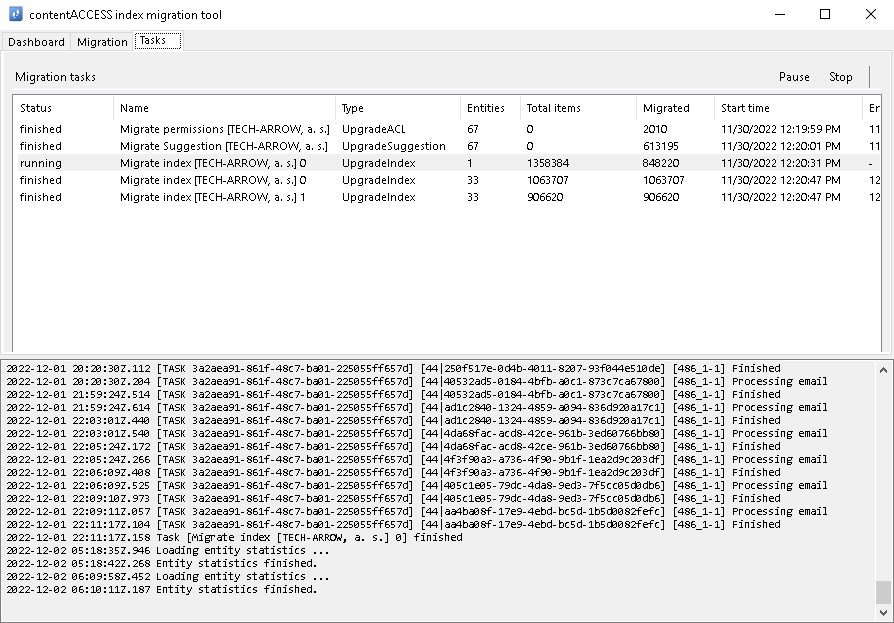
We think the time has come. We have collected all our experience from the past years, revisited all open issues that were impossible to solve with the old index structure, invested months of development, and updated Elasticsearch from 5.6 to 8.4. We knew from the beginning that upgrading Elasticsearch would require customers to re-index their data. Our primary goal was to design a more robust and more performant index structure using the most recent technology. The secondary goal was to make the transition as smooth as possible.
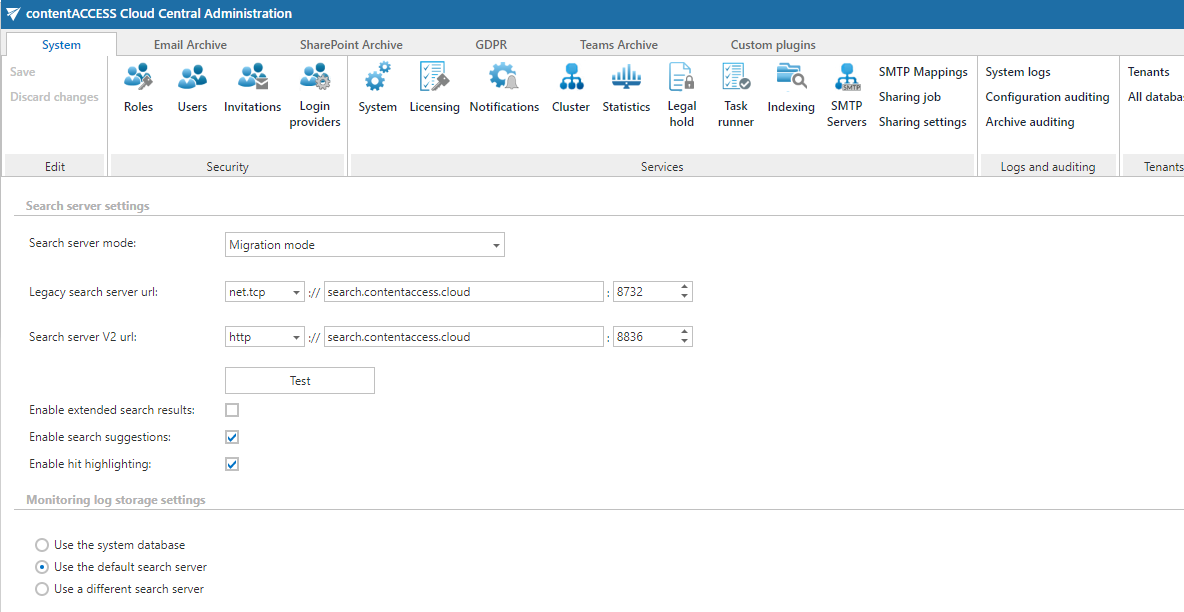
As a result, we have developed a new contentACCESS search component on .NET Core 6, which can live side by side with the old search component. To make the transition fast and smooth, we have also developed an index migration application that can transfer old index data from the legacy Elasticsearch to the new one in the background. The application is intelligent enough to make the transition fully transparent, and search and indexing can continue while the data is migrated. The migration runs from entity to entity (mailbox), and the system will identify which entities are on the old Elasticsearch and which are on the new one. As a result, search requests are routed to the correct search engine.
We know that for some customers, the update must be scheduled and coordinated between multiple departments, which requires longer preparation. We have considered this and decided to keep supporting the old search component for one more year. This means anyone who wants to keep using the old search component can safely update to contentACCESS 6.0, and the migration to the new search can be started at any later date.
✓ Web preview of documents
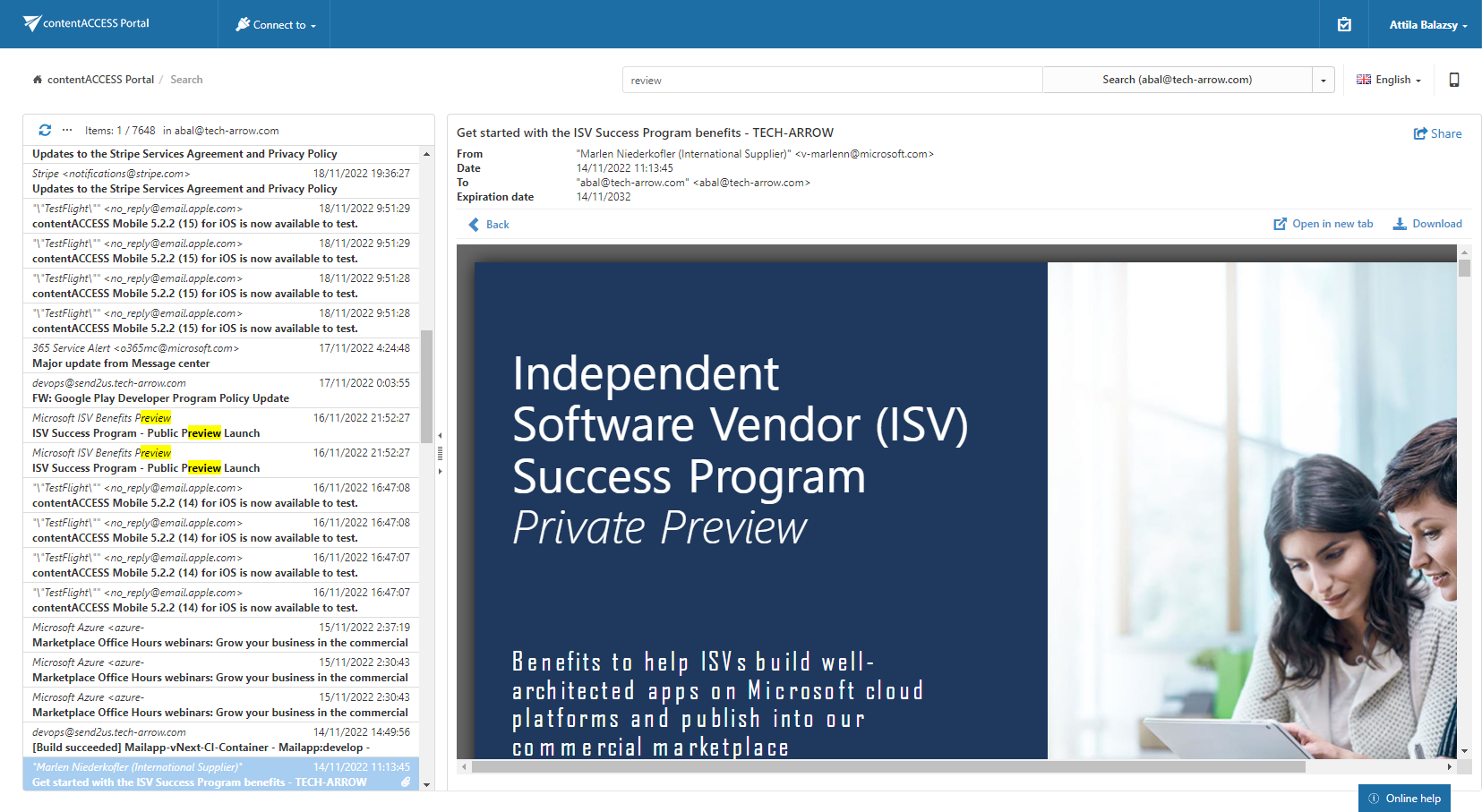
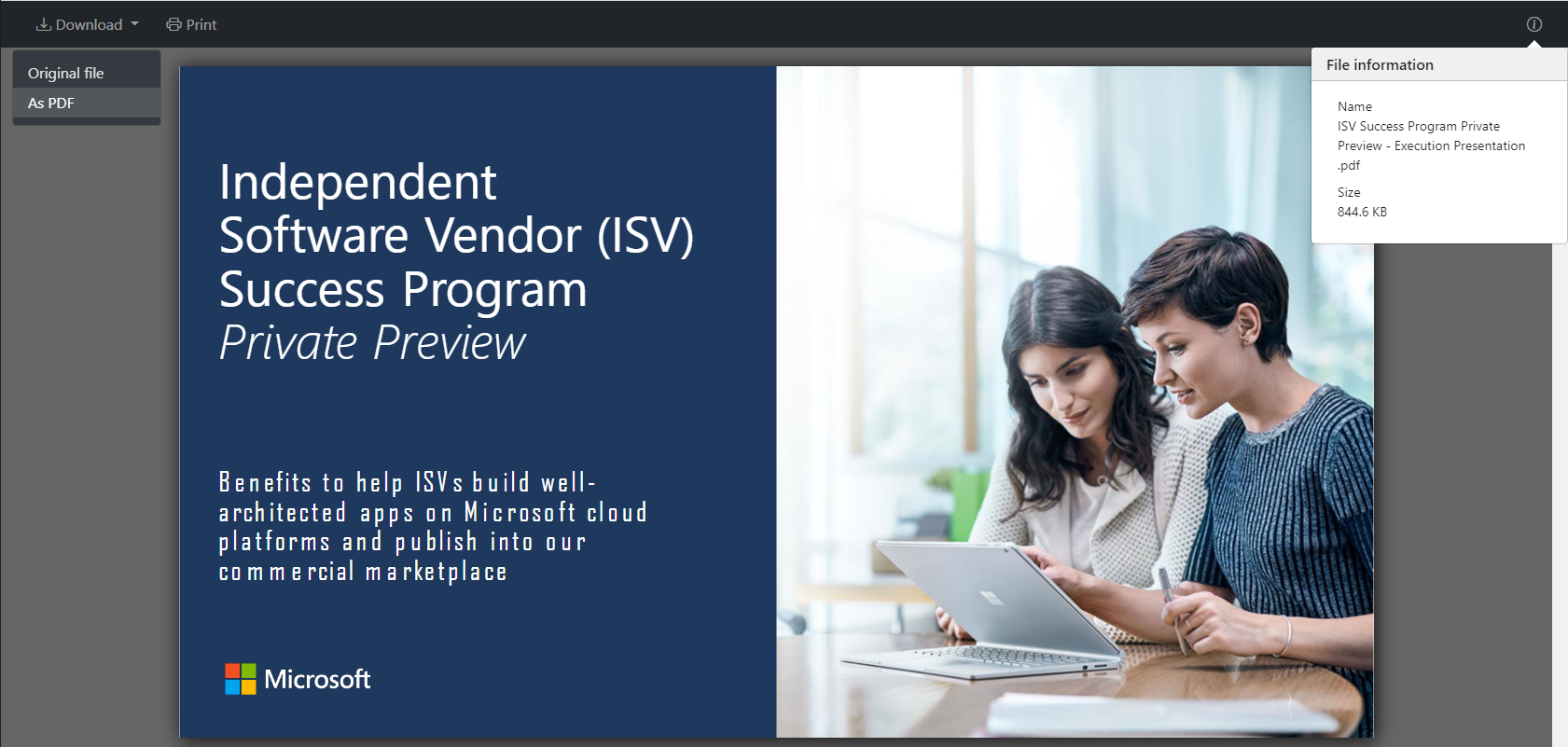
In contentACCESS 6.0, we are introducing a new component called contentACCESS Preview. This is a web component that can show an HTML5 version of nearly every type of document stored in or processed by contentACCESS. Users do not need to download and open documents just to see their content. Mobile users also do not need to worry about having a native application for every document format, as the web preview can display the document for them.
In addition to the HTML preview, this component offers additional capabilities. It allows users to print the document or download it in PDF format.
This component is also used to recognize mobile device requests and redirect them to the native contentACCESS Mobile app if it is installed. Using this approach, users can open their shortcuts directly in the native mobile app. If the mobile app is not installed on the user’s device, the web preview will continue to be displayed.
The web preview is also integrated into the contentACCESS Portal and contentACCESS Mobile, allowing users to view documents directly without downloading them.
Sounds good? Just try it!
✓ Open shortcut in contentACCESS Mobile
Do you travel a lot and have trouble accessing your shortcut emails on your mobile phone? Is it frustrating to search for the same email again in contentACCESS Mobile just to see the full archived content? We have a solution for you. Shortcuts can now be opened directly from your mobile email client in contentACCESS Mobile with a single click.
You might be wondering whether you need to convert all your existing shortcuts to use this feature. The answer is no. It works with your existing shortcuts as well. The only requirement is that you install and configure the contentACCESS Preview service and deploy contentACCESS Mobile to user devices.
✓ Common log folder for all components
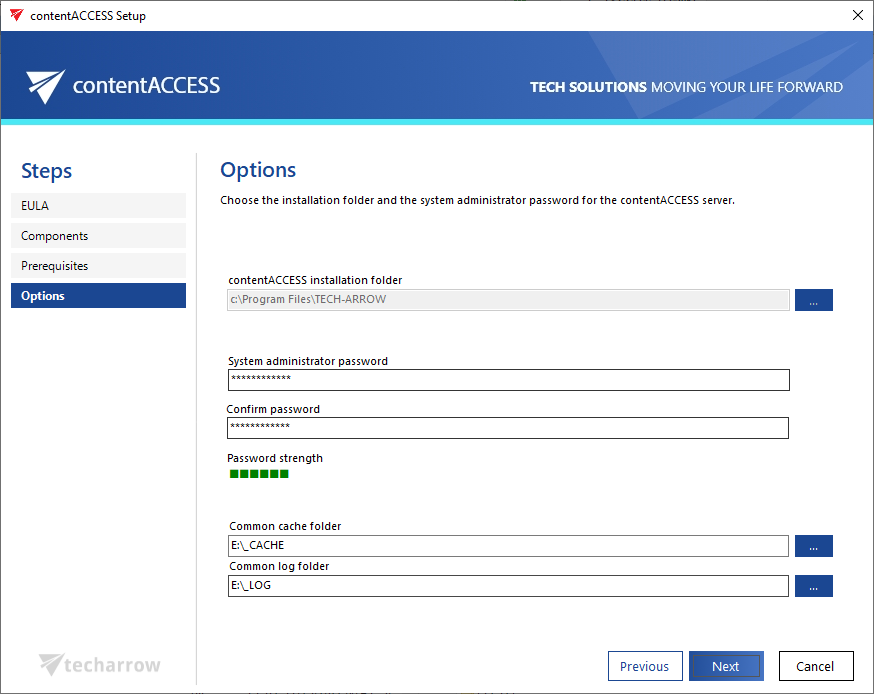
Previously, each contentACCESS component used its own log folder, located under the installation folder of that component. This design was not optimal, as the system disk could be filled up by logs, and the logs were distributed across many different folders. In version 6.0, we have unified this approach and moved all component logs into a common log folder. This common log folder can be configured during installation on each node.
✓ Mail App vNext
Mail App is a lightweight, cross-platform contentACCESS client for Microsoft Outlook. It was introduced in contentACCESS 5.4 as a beta version. Over the past few months, we have gathered feedback and invested significant effort in optimizing performance and fixing bugs. In contentACCESS 6.0, Mail App vNext includes new features and is ready for production use.
By default, existing installations will continue to use the old Mail App, while new installations will use the new version. For existing installations, you can enable the new Mail App in the Email Archive System settings.
Recipient popup
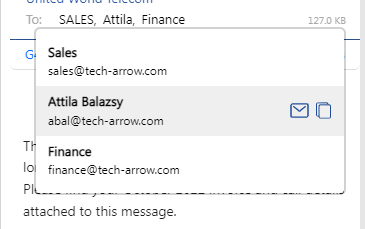
By default, Mail App displays the first name of each recipient to provide as much information as possible in a compact way. Now, when you click on the recipient list, a popup displays full user information, along with features such as sending an email to the recipient or copying the recipient’s name and email address.
Safari support
We have good news for Mac users. Mail App now runs in the Safari browser and in Outlook for Mac. We are continuing to work on providing Mac users with the same user experience as Windows users. You can expect further improvements in upcoming releases.
Quick access to shares
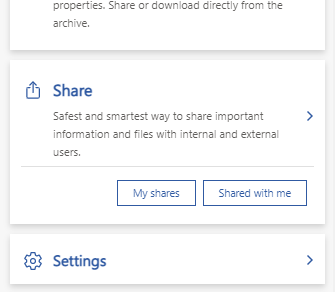
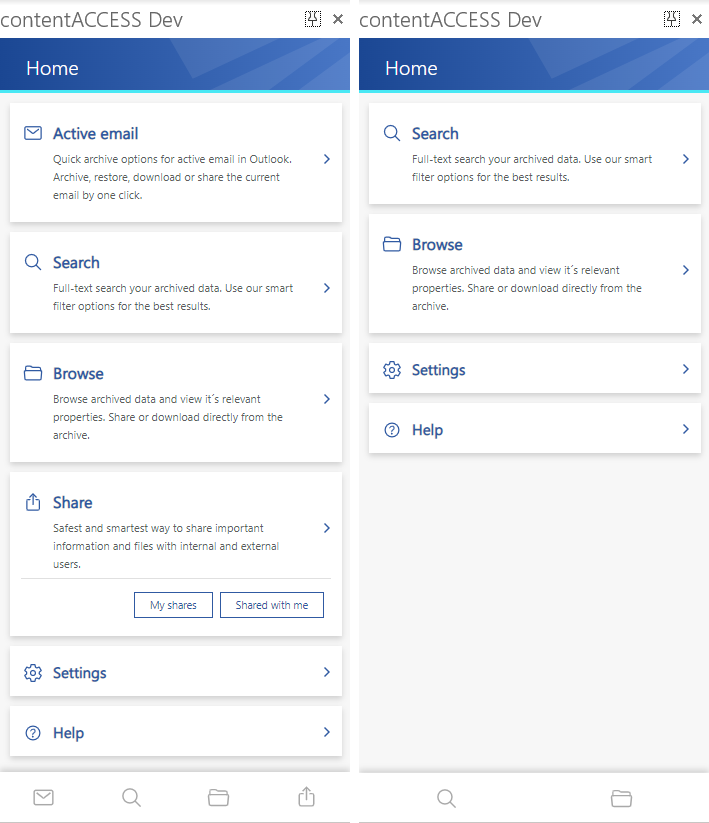
Sharing is a powerful feature in contentACCESS, and we aim to make it as easily accessible as possible. As an improvement, we have added two new shortcuts to the startup page that allow you to directly navigate to files you have shared or files that have been shared with you. This can save several extra clicks.
Hide not accessible features
The previous version of Mail App was designed for email archive users only. The new vNext version supports all other archives in contentACCESS, making it useful for users who work exclusively with, for example, Teams Archive. In such cases, the active email button is hidden on the home screen and in the main menu. The same applies to the Sharing feature.
✓ Performance and stability fixes
Various improvements were made to increase system performance and stability, making the overall contentACCESS experience even better.