contentACCESS Version 6.1

✨ Highlights
- Hybrid Exchange archiving is now available as a SaaS offering, enabling archiving of hybrid Exchange environments without requiring on-premises access to Active Directory.
- A new REST-based provisioning API replaces deprecated Remote PowerShell for O365 mailbox archiving, offering improved security, performance, and long-term support.
- Enhanced Microsoft Teams archiving with new retention management options, delete-from-archive jobs, and support for extended message reactions.
- Introduction of the Is Active filter across multiple archive types to identify and manage items that no longer exist on the source system.
Email archive
✓ Hybrid Exchange archiving as SaaS
From version 3.8 onwards, contentACCESS supports Hybrid Exchange archiving. However, hybrid archiving was initially limited to scenarios where contentACCESS was running on-premises and had access to the local Active Directory. This limitation has now been resolved, and you can archive hybrid Exchange environments through a contentACCESS instance running as SaaS.
✓ REST API for provisioning
When contentACCESS archives O365 mailboxes, it uses Remote PowerShell to obtain mailbox and group information. In December 2022, Microsoft marked Remote PowerShell technology as deprecated and will stop supporting it on June 1, 2023.
To react to this change, we completely rewrote our provisioning mechanism for O365. We are now introducing new REST-based provisioning, which is more modern, secure, and performant. The switch comes without compromise, as all existing features are supported by the new technology as well. However, if you already use contentACCESS 6.0 or later to archive O365 mailboxes, the Azure AD app used in the modern authentication configuration in Central Administration will require additional permissions. For more information, please read the corresponding documentation page.
Teams archive
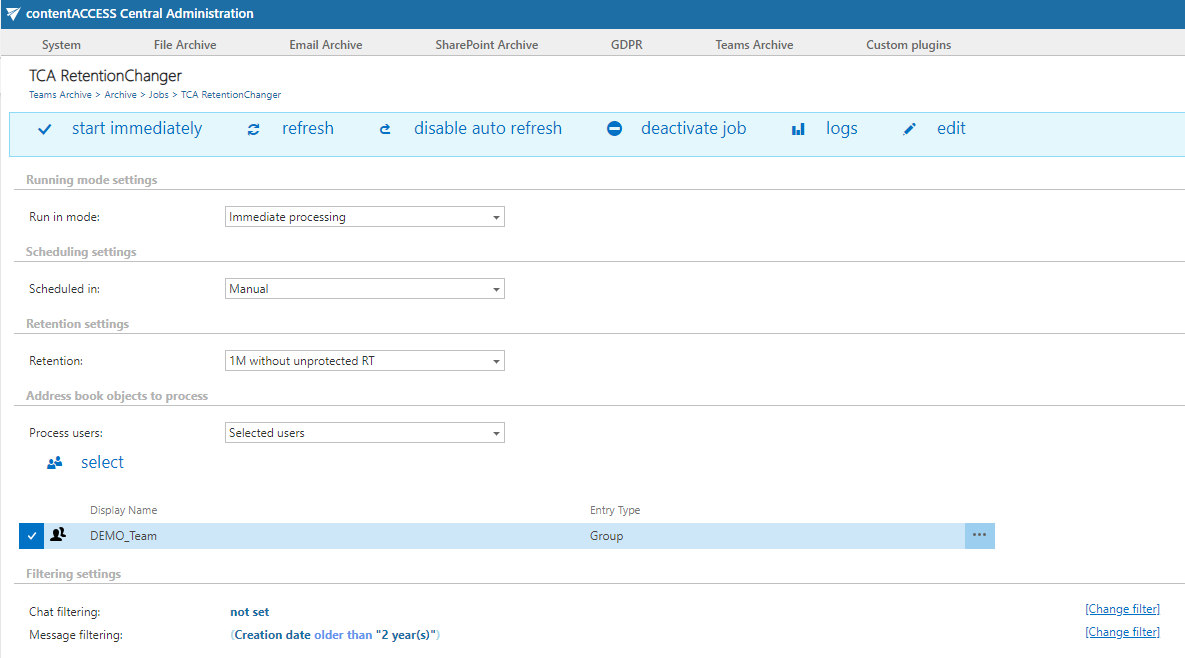
✓ Retention changer
Have your business needs changed, and do you now need to keep your archived private Teams chats for a different period than before? Do you need to delete sensitive archived data earlier? You can now change the previously specified retention time for your private MS Teams chats, making it possible to delete items from the archive sooner due to a shortened retention time. This option is supported by the following stores: Disk, Azure, and Amazon S3.
✓ Delete job
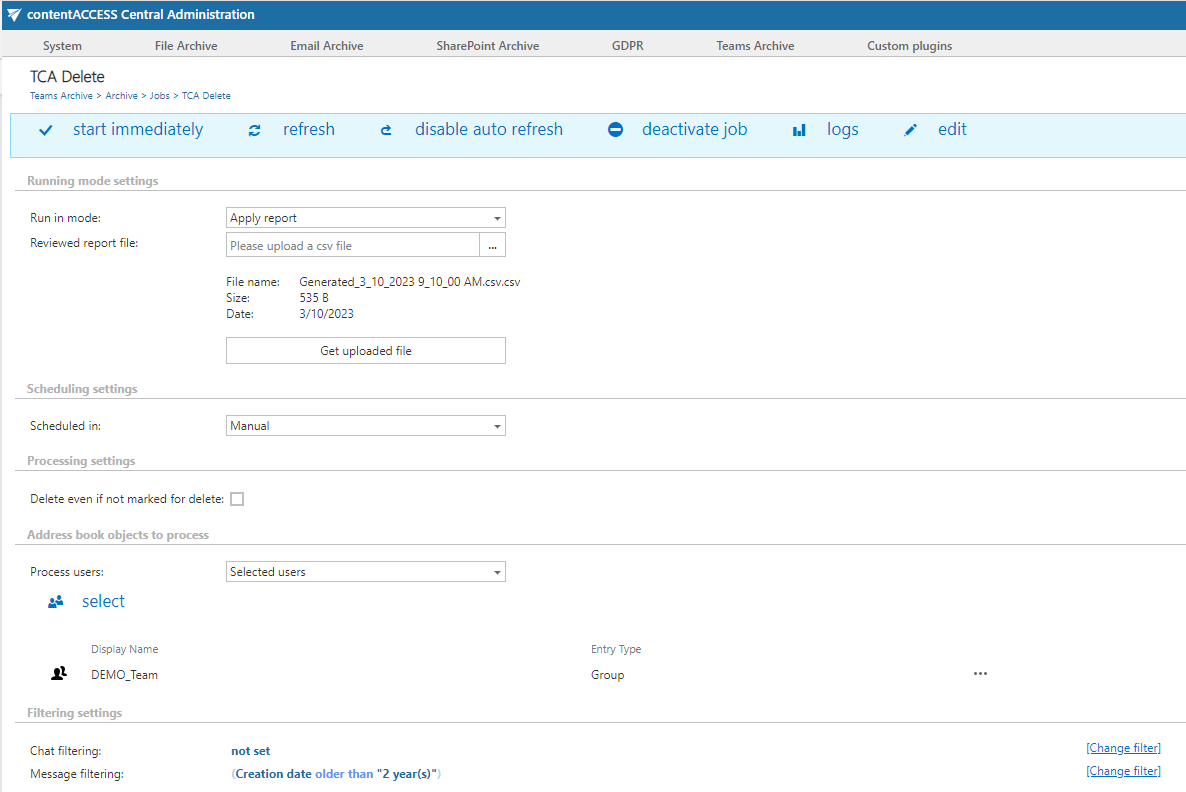
The new delete-from-archive job for Teams chat archives allows you to clean up unwanted or expired chats. Delete jobs can run in three modes: report generation, deletion based on a report, and immediate deletion. Using the report mode, administrators have full control over the deleted items.
Another way to delete items from the archive is to mark them for deletion in the Portal. This feature allows users with the necessary rights to mark items for deletion so that the delete job will clean these chats and messages, even if they are still within the protected retention time. Users can select single items, single chats, or entire search results.
Deletion also depends on the storage type used. The following storages support deletion: Disk, Azure, HybridStore, Google, and Amazon S3 (and compatible). The delete job will not have any effect on storages that do not support deletion.
✓ Extended reactions
Microsoft introduced the possibility to extend the existing set of message reactions in Teams last year. We continuously monitor and respond to Microsoft changes, and contentACCESS is now able to archive all of these new reactions as well.
Common
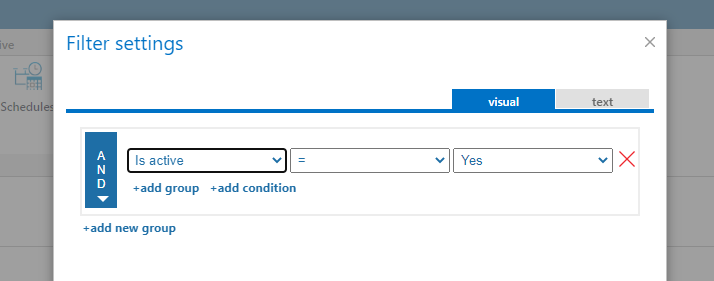
✓ Introducing the Is Active filter
We are introducing the Is Active filter property for File, Email, SharePoint, and Teams archives. The Is Active property specifies whether a given archive item still exists on the target (original) system. Using this property, you can delete data from your archive that no longer exists on the target system.
✓ Performance and stability fixes
Improvements have been made to make the system faster and more stable, so your contentACCESS experience is now even better than before.