contentACCESS Version 6.2

✨ Highlights
- Introduces SharePoint and Teams shortcutting to optimize storage usage by replacing files with small placeholders or removing outdated file versions.
- Adds automated, rule-based SharePoint site provisioning using virtual groups to simplify and standardize archiving management.
- Includes a new SharePoint archive address book for centralized visibility and management of sites, virtual groups, and OneDrive resources.
- Delivers performance and stability improvements for a faster and more reliable contentACCESS experience.
SharePoint archive
✓ Shortcutting
SharePoint has received many feature updates over the past several years, becoming a powerful DMS and CMS platform. Users have widely adopted SharePoint as a document storage solution to facilitate seamless collaboration.
It is important to note that SharePoint Online charges for additional storage, and large SharePoint environments can significantly impact costs. Therefore, optimizing space utilization is crucial to avoid unnecessary expenses.
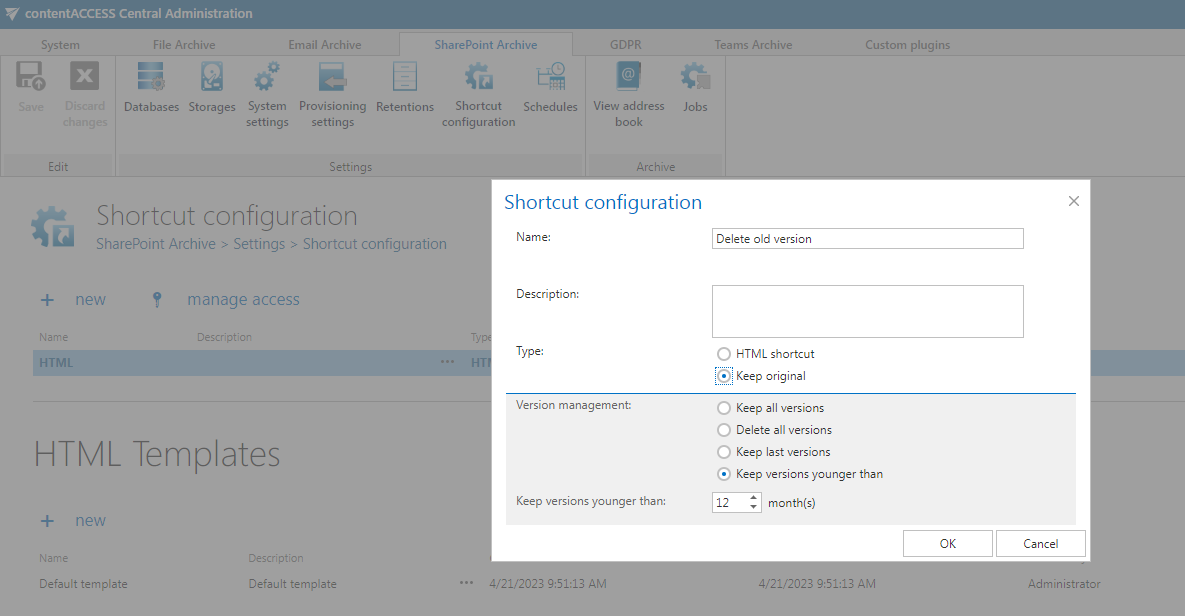
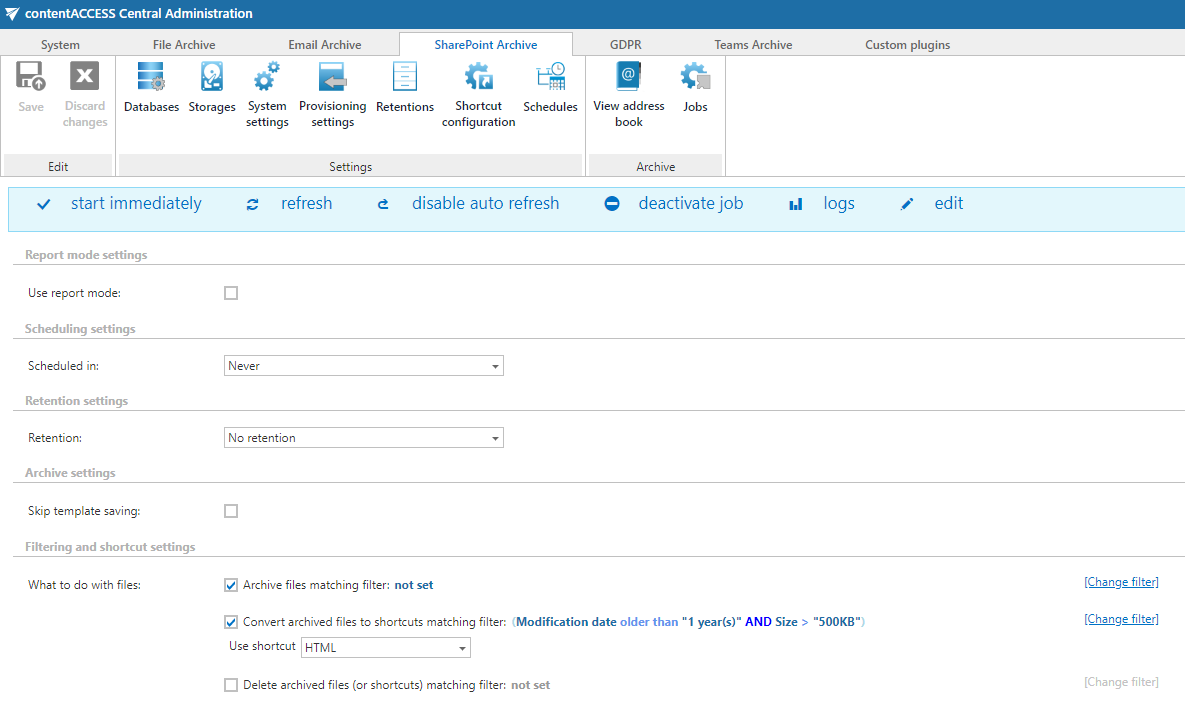
To save space in SharePoint, contentACCESS now provides two methods: replacing files with small 1–5 kB shortcuts or removing old file versions. Both methods are controlled by administrator-defined rules.
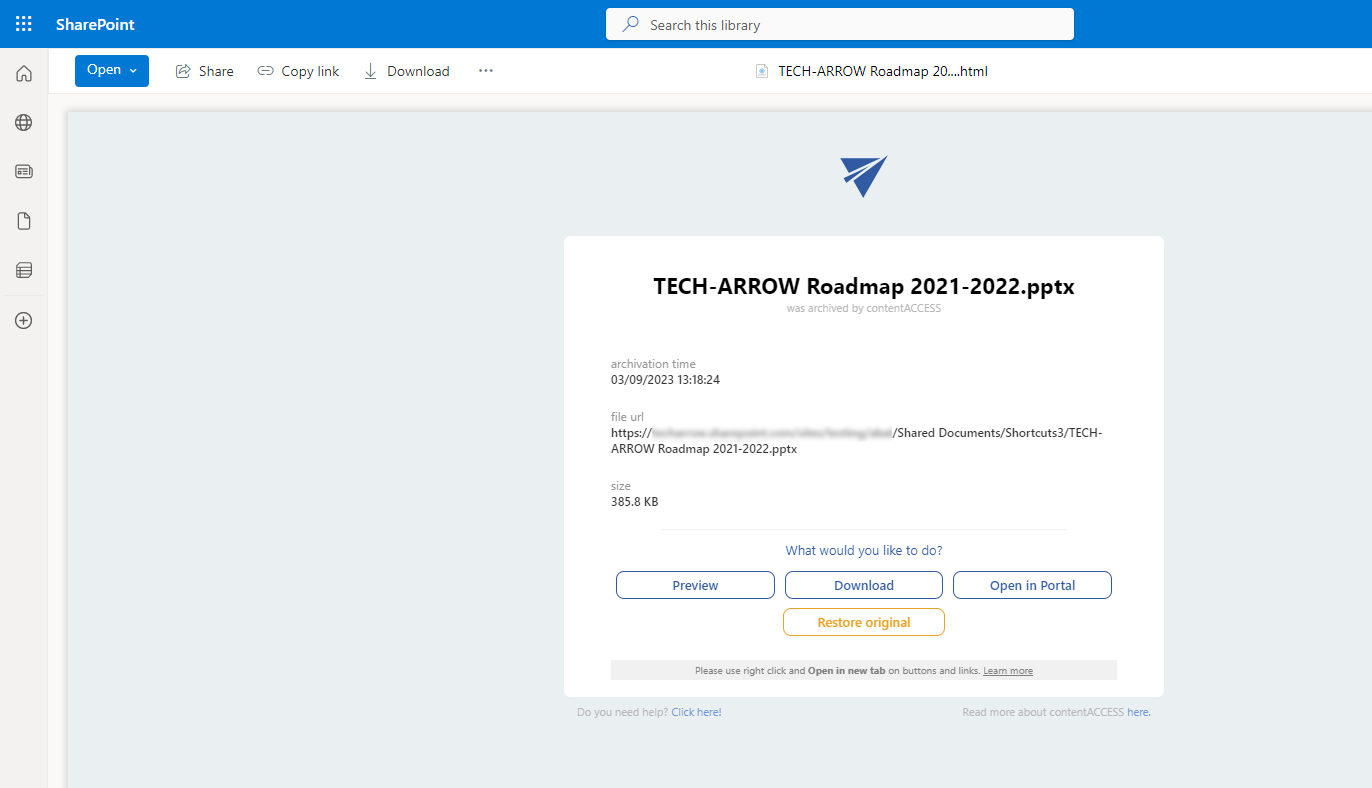
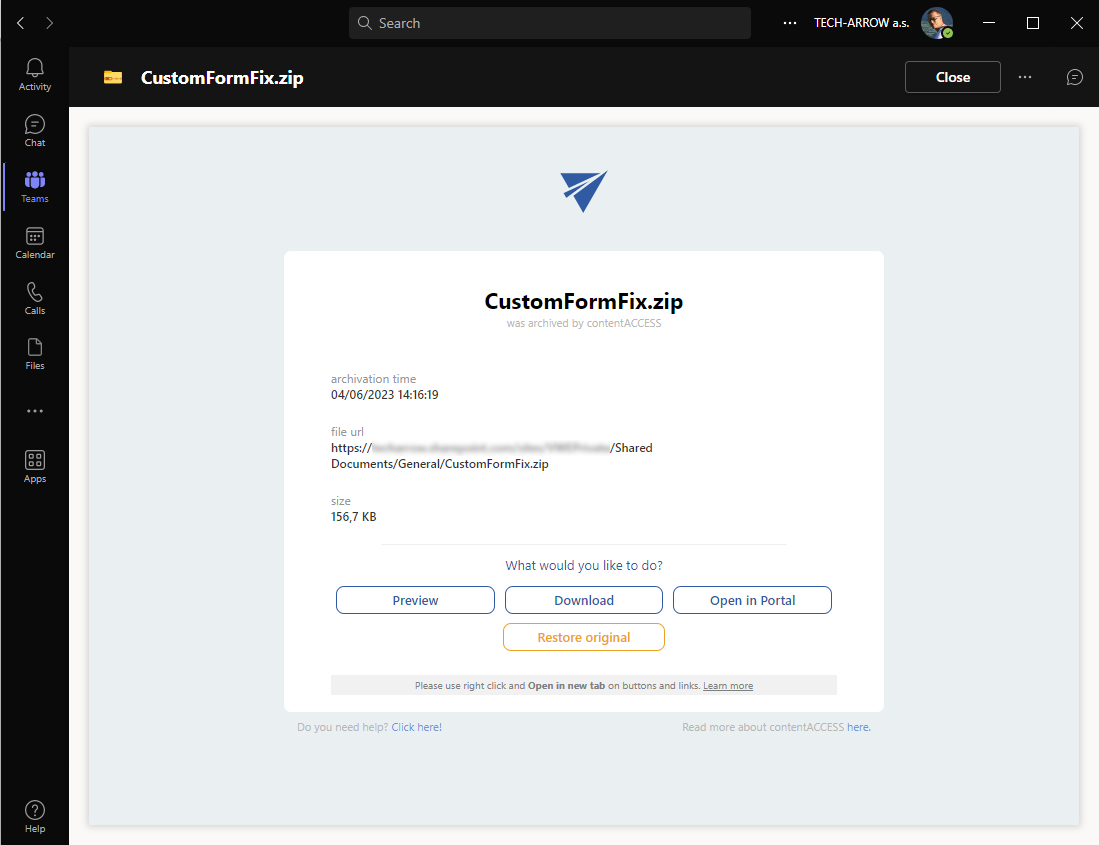
The first method involves replacing files and versions with highly customizable, tiny shortcuts that serve as placeholders. When opening a shortcut, users have several options available directly, such as previewing the file in the contentACCESS preview, downloading the original file from the contentACCESS archive, or restoring the file. These options are customizable by the administrator.
The second method focuses on removing outdated file versions only. SharePoint allows file versioning, but multiple versions can occupy significant space. By selectively removing older versions that are no longer necessary, storage capacity can be optimized while the file remains directly accessible from SharePoint. Older versions can still be accessed through contentACCESS client apps.
Implementing these strategies can help efficiently manage space in SharePoint, potentially reducing storage costs by up to 60%.
✓ Automated site provisioning
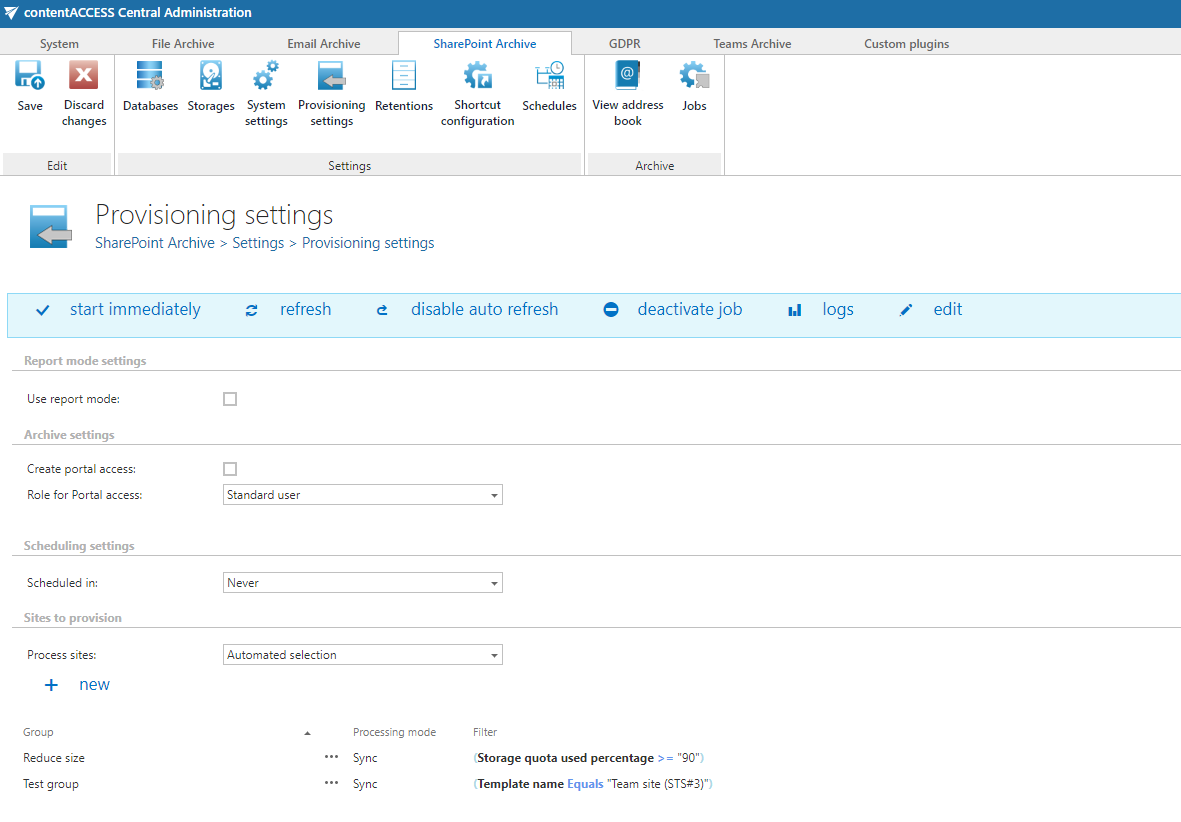
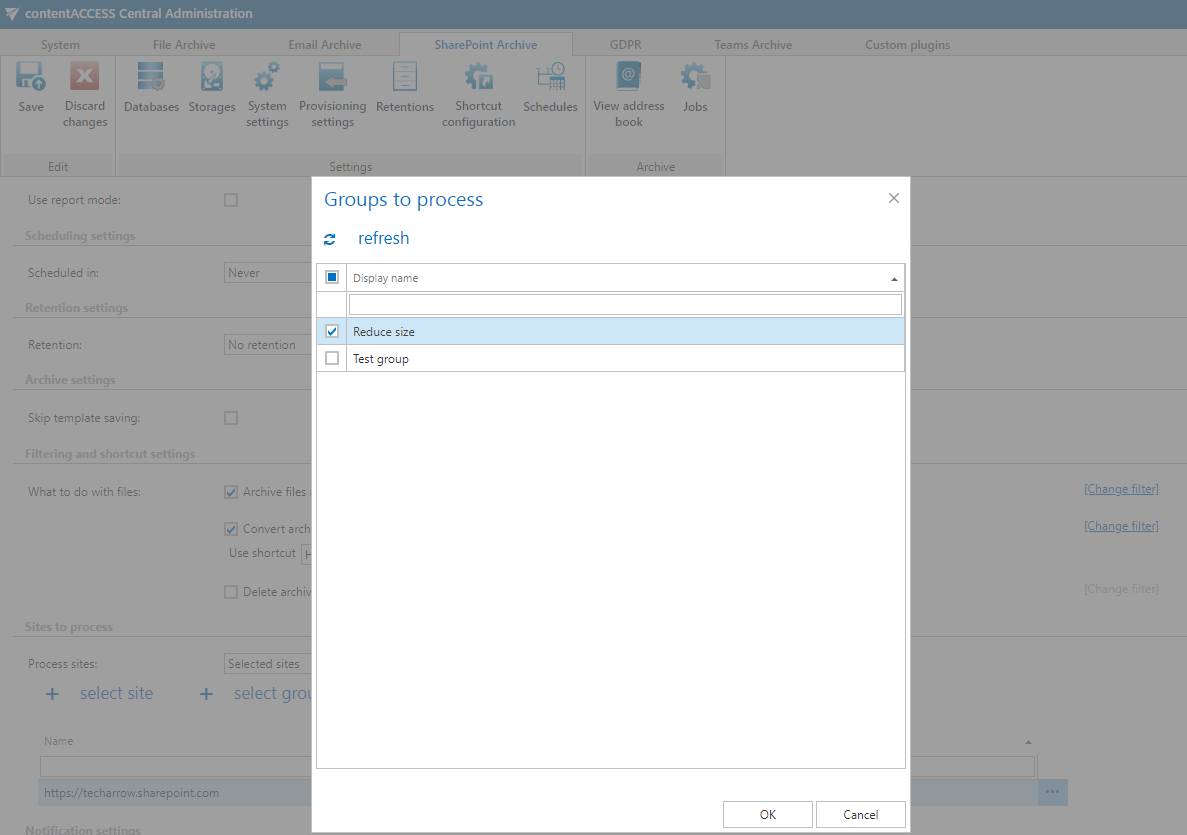
Automated SharePoint site collection provisioning is a rule-based engine that enhances the management of site collections within contentACCESS. It operates by identifying SharePoint site collections based on specified rules and subsequently assigning them to virtual groups in contentACCESS. These virtual groups play a crucial role in streamlining archiving processes.
The rule-based engine evaluates predefined criteria or conditions, such as metadata, naming conventions, size, or other specified attributes of site collections. Once a match is found, the engine automatically assigns the corresponding site collection to a virtual group within contentACCESS. This grouping allows easier management and enables administrators to efficiently organize and categorize site collections based on specific requirements or policies.
By leveraging virtual groups, administrators gain granular control over archiving processes. They can define archiving settings, retention policies, access permissions, and other relevant configurations at the group level. This approach simplifies the management of archiving tasks for site collections within contentACCESS, ensuring consistent and centralized control.
Overall, the automated SharePoint site collection provisioning engine, driven by rule-based criteria and virtual groups in contentACCESS, empowers administrators to efficiently manage and organize site collection archiving. This automated approach reduces manual effort, improves consistency, and enhances overall archiving performance and control.
✓ Address book
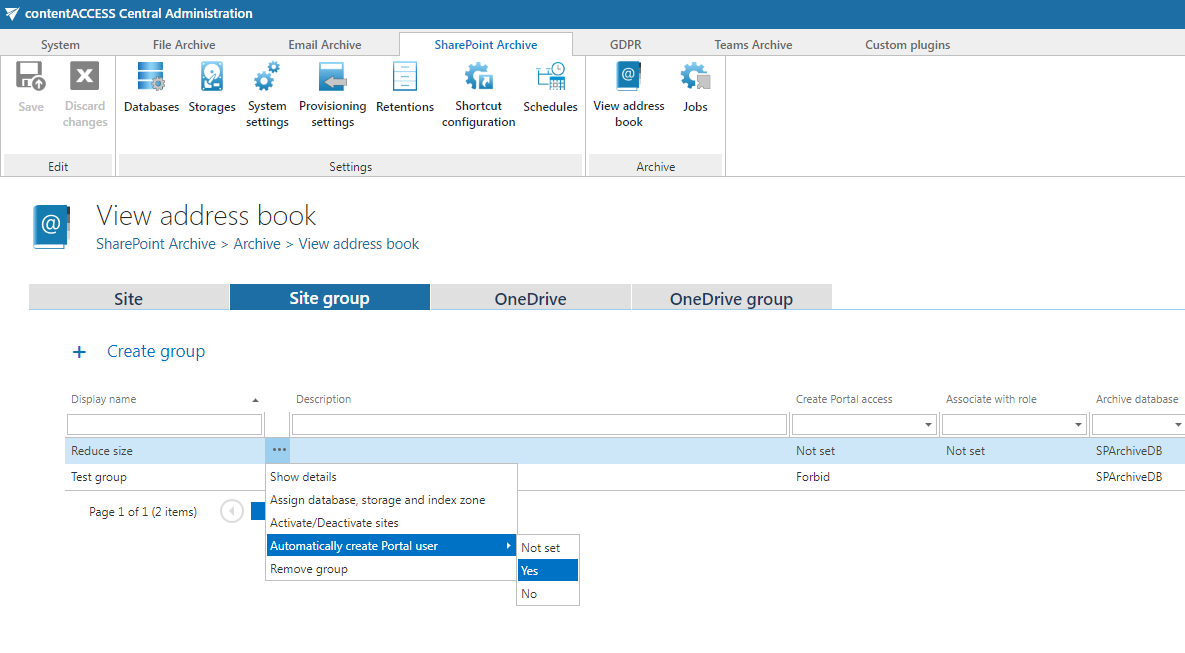
We are introducing an address book for the SharePoint archive. The address book in the contentACCESS SharePoint archive serves as a centralized repository of provisioned SharePoint site collections, virtual groups associated with site collections, OneDrives, and OneDrive groups.
By leveraging the SharePoint archive address book, administrators gain a unified view of their provisioned data and can manage settings or trigger various actions. This enables simplified administration and better visibility into SharePoint resources within the contentACCESS environment.
Teams archive
✓ Shortcutting SharePoint data
Microsoft Teams is a powerful collaboration platform that uses SharePoint as its underlying document storage. This means that each file stored in Teams consumes SharePoint storage allocated to the Microsoft 365 tenant.
It is important to note that SharePoint Online charges for additional storage, and large SharePoint environments can significantly impact costs. Therefore, optimizing space utilization is crucial to avoid unnecessary expenses.
As a solution, we have introduced the same SharePoint offloading capabilities for Teams that are available for the SharePoint archive. This provides two methods: replacing files with highly customizable small 1–5 kB shortcuts or removing old file versions. Both methods are controlled by administrator-defined rules.
Implementing these strategies can help efficiently manage space in SharePoint, potentially reducing storage costs by up to 60%.
Common
✓ Performance and stability fixes
Improvements have been made to increase system performance and stability, delivering an even better contentACCESS experience.