contentACCESS Version 7.1

✨ Highlights
- System Insights for real-time monitoring: A new, integrated dashboard provides instant visibility into system health, performance, storage activity, and license usage, replacing periodic telemetry with always up-to-date analytics.
- AI-powered, context-aware help: Intelligent assistance is now available directly in the Administration UI, offering relevant, documentation-based answers that adapt to your current screen and remember conversation context.
- Amazon S3 Object Lock support: Enable immutable storage with Governance mode to protect backup and archive data against deletion or tampering while remaining compliant with regulatory requirements.
- Modernized platform support: contentACCESS 7.1 adds verified support for Windows Server 2025 and introduces Serilog for structured, more actionable logging and diagnostics.
- Overall performance and stability improvements: Under-the-hood optimizations deliver a faster, smoother, and more reliable experience across backup, archiving, and administration tasks.
Common
✓ System insights
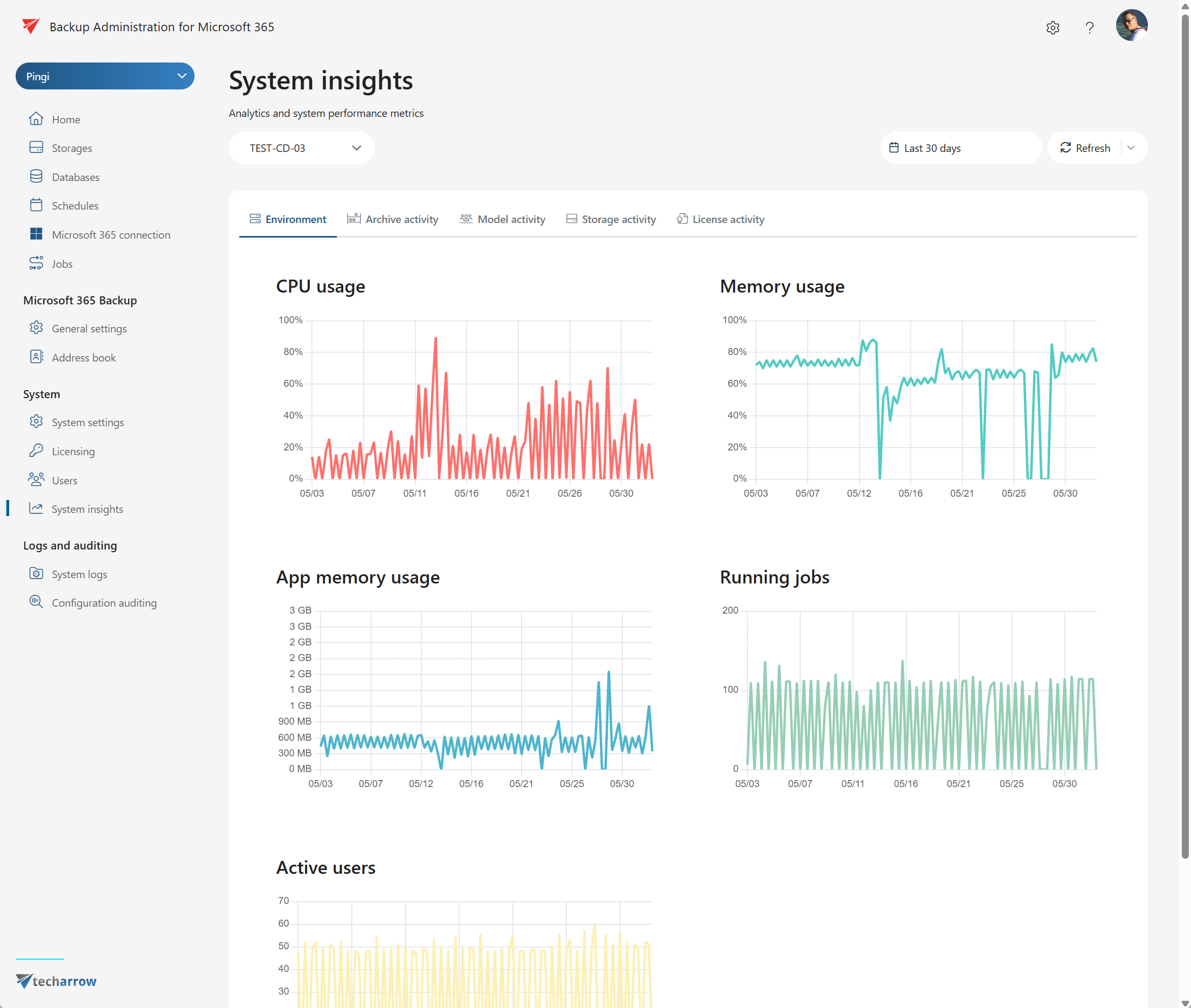
With System Insights in contentACCESS 7.1, administrators get powerful, real-time visibility into the health and performance of their backup and archiving environment. The new System Insights dashboard, integrated directly into the Administration UI, provides comprehensive analytics across key areas, enabling faster troubleshooting, better resource allocation, and smarter decision-making.
System Insights brings a modern, real-time approach to monitoring your contentACCESS environment, replacing the previous periodic telemetry calculations with instant, always up-to-date analytics. Flexible data exploration allows you to effortlessly switch between a complete system overview or zoom in on specific jobs and operations, giving you the right level of detail whenever you need it. Built on a modern technology stack—leveraging Timescale over Postgres for maximum performance and real-time analytics, while also supporting SQL Server 2022 and above for flexible deployment—System Insights helps you make informed decisions, proactively manage resources, and optimize performance, all within a streamlined and intuitive interface.
Key Capabilities:
Real-time metrics: Instant access to up-to-the-minute data on CPU usage, memory consumption, application memory, and the number of running jobs, helping you proactively manage your system’s workload.
Archive activity monitoring: Track the volume of archived data, item counts, average processing times, and error occurrences. Quickly spot trends, bottlenecks, or anomalies affecting archiving performance.
Model activity analytics: View operational metrics such as the number of model-related operations, total data retrieved, and average retrieval times for in-depth performance tuning.
Storage activity tracking: Monitor storage operations, failure counts, and data volume to ensure your storage environment is running smoothly and efficiently.
License usage insights: Get a clear overview of total data volume used and the number of licenses in use, making it easier to plan for future needs and compliance.
Experience instant visibility and control—your system health at a glance!
✓ AI powered help
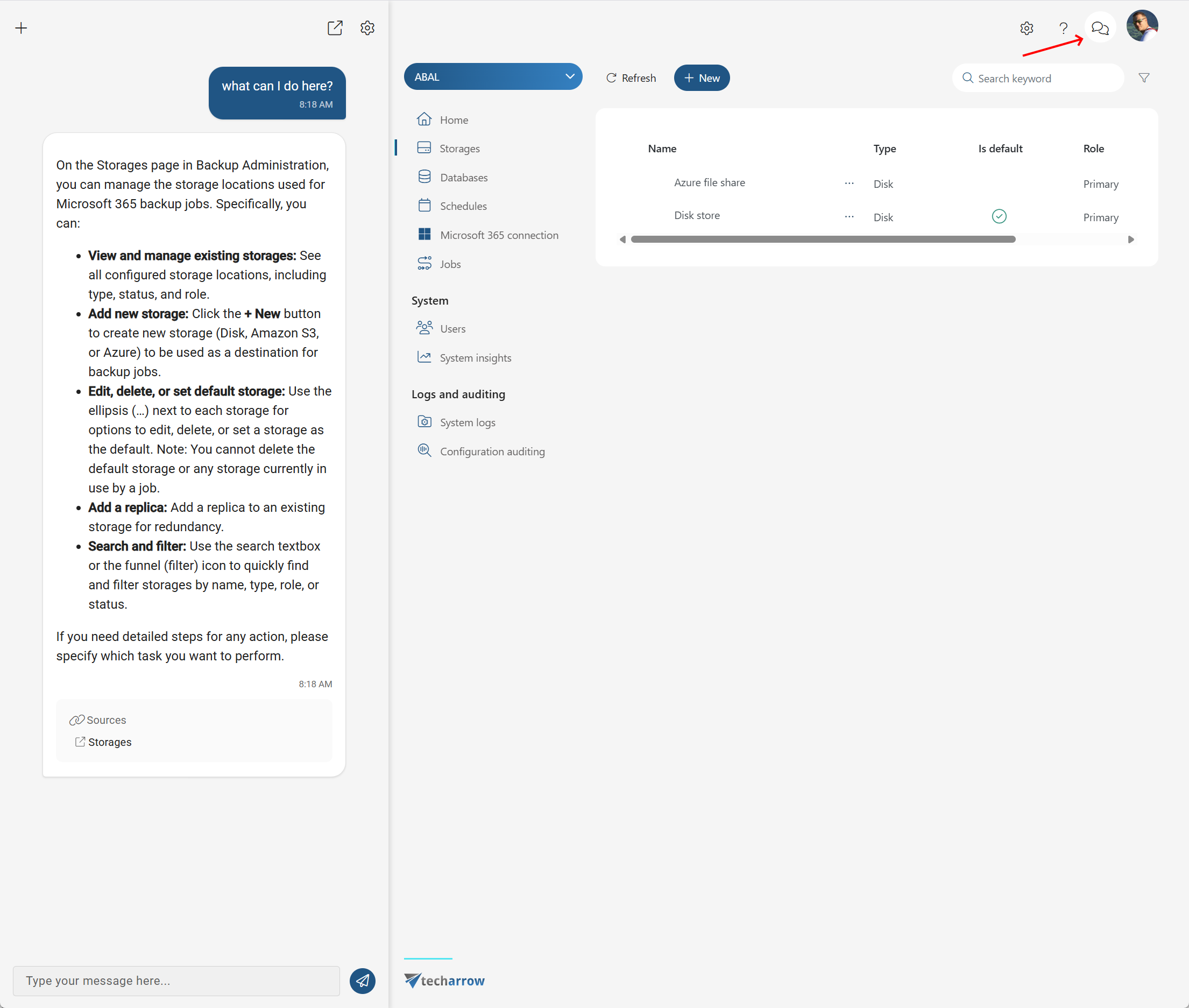
The new AI powered help in contentACCESS 7.1 takes user support to the next level, delivering fast, intelligent answers to your questions directly within the new Administration UI. Powered by advanced AI and grounded in the official contentACCESS documentation, this help agent ensures that every response is relevant, accurate, and tailored to your needs.
What sets this help system apart is its context-sensitive intelligence—it always knows exactly where you are in the application, providing guidance specific to the part of the interface you’re working in. Thanks to session memory, the help agent remembers your ongoing conversation, so even in longer discussions, it keeps track of what you’ve asked and the context behind it. This means you get coherent, continuous assistance without repeating yourself or losing track of your previous questions.
For maximum convenience, the AI help can be launched with a single click directly from your current screen, opened in a separate window, or accessed anytime at https://smartdocs.tech-arrow.com.
Enjoy a seamless support experience that keeps you productive, informed, and always moving forward—no matter how complex your question.
✓ Amazon S3 object lock
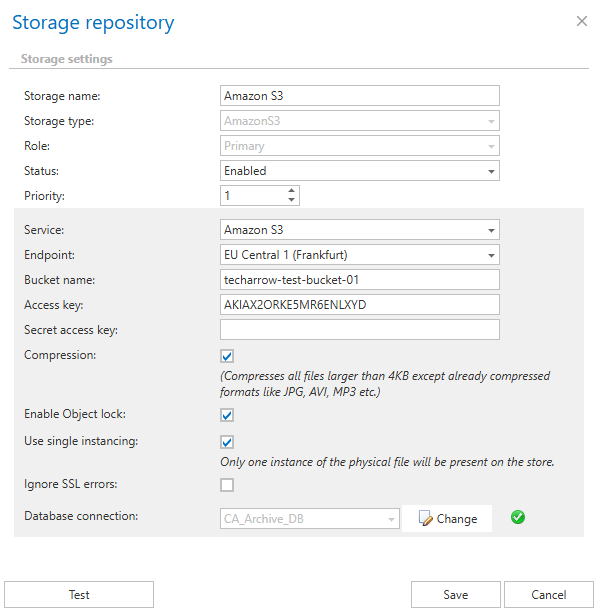
With contentACCESS 7.1, you can now take your data protection to the next level with S3 Object Lock support. Immutable storage is a critical security component for any archive or backup solution, ensuring that once your data is written, it cannot be modified or deleted for a defined retention period. By enabling Object Lock, contentACCESS allows you to activate hardware-level retention policies on your backup and archive data, providing an extra layer of protection against accidental deletion, tampering, or ransomware attacks.
contentACCESS uses Governance mode for Object Lock, which not only enforces data immutability but also allows retention settings to be changed by authorized users when necessary. This ensures your organization can respond flexibly to legal or regulatory requirements such as GDPR, where data may need to be deleted or retention periods adjusted.
This feature is fully compatible with all S3-compatible storage solutions, making it easy to ensure data integrity and meet your security needs, regardless of your chosen storage provider. With Object Lock enabled, you can be confident that your data remains exactly as it was saved—secure, unchangeable, yet adaptable to evolving compliance requirements.
✓ Windows Server 2025 support
contentACCESS 7.1 has been fully verified and optimized to run seamlessly on Windows Server 2025. Whether you’re planning an upgrade or deploying new infrastructure, you can trust that contentACCESS is ready for Microsoft’s latest server platform. Enjoy improved performance, reliability, and compatibility with all the latest features and enhancements that Windows Server 2025 has to offer. Stay ahead of the curve with a future-ready backup and archiving solution!
✓ Introducing Serilog
With contentACCESS 7.1, we’re making a major leap forward in logging technology by replacing log4net with Serilog. Serilog is a modern, industry-leading logging framework that has become widely adopted in recent years, supported by a vibrant community and a rich ecosystem of integrations.
Unlike traditional logging tools, Serilog is built around structured logging. This means we can now log not just plain text messages, but also complex objects and detailed properties, making our logs far more insightful and actionable. Structured logging enables advanced querying, filtering, and analysis, helping you quickly pinpoint issues and better understand your system’s behavior.
This upgrade brings contentACCESS a more robust, flexible, and future-proof approach to monitoring and troubleshooting—unlocking new possibilities for diagnostics and operational intelligence.
✓ Performance and stability fixes
contentACCESS 7.1 delivers a range of under-the-hood improvements aimed at boosting both speed and reliability. We’ve optimized key areas of the platform to ensure faster response times and a more stable overall experience. Whether you’re archiving, backing up, or managing your data, you’ll notice a smoother, more responsive system that lets you work more efficiently and with greater confidence than ever before.
Email archive
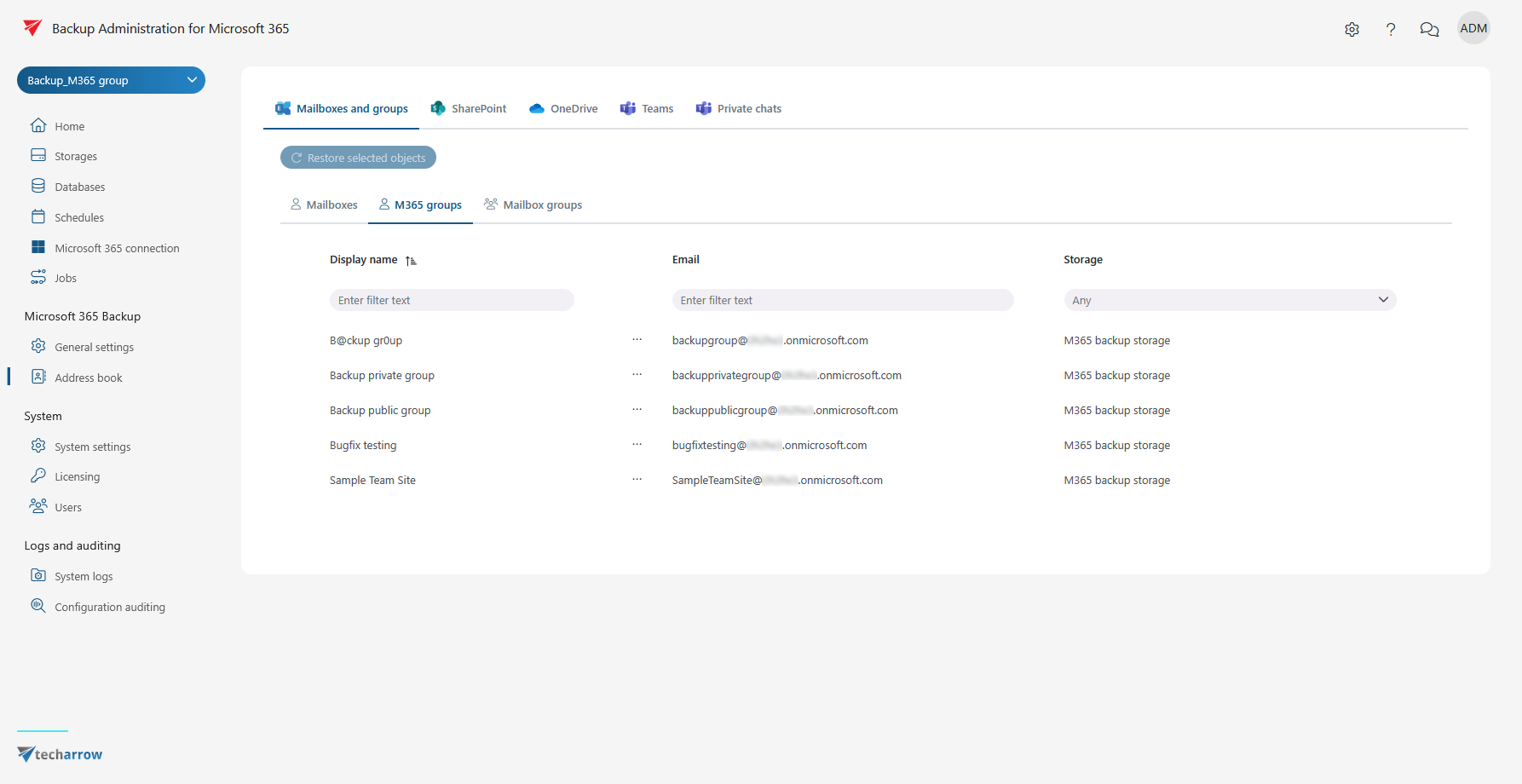
✓ M365 Group archiving
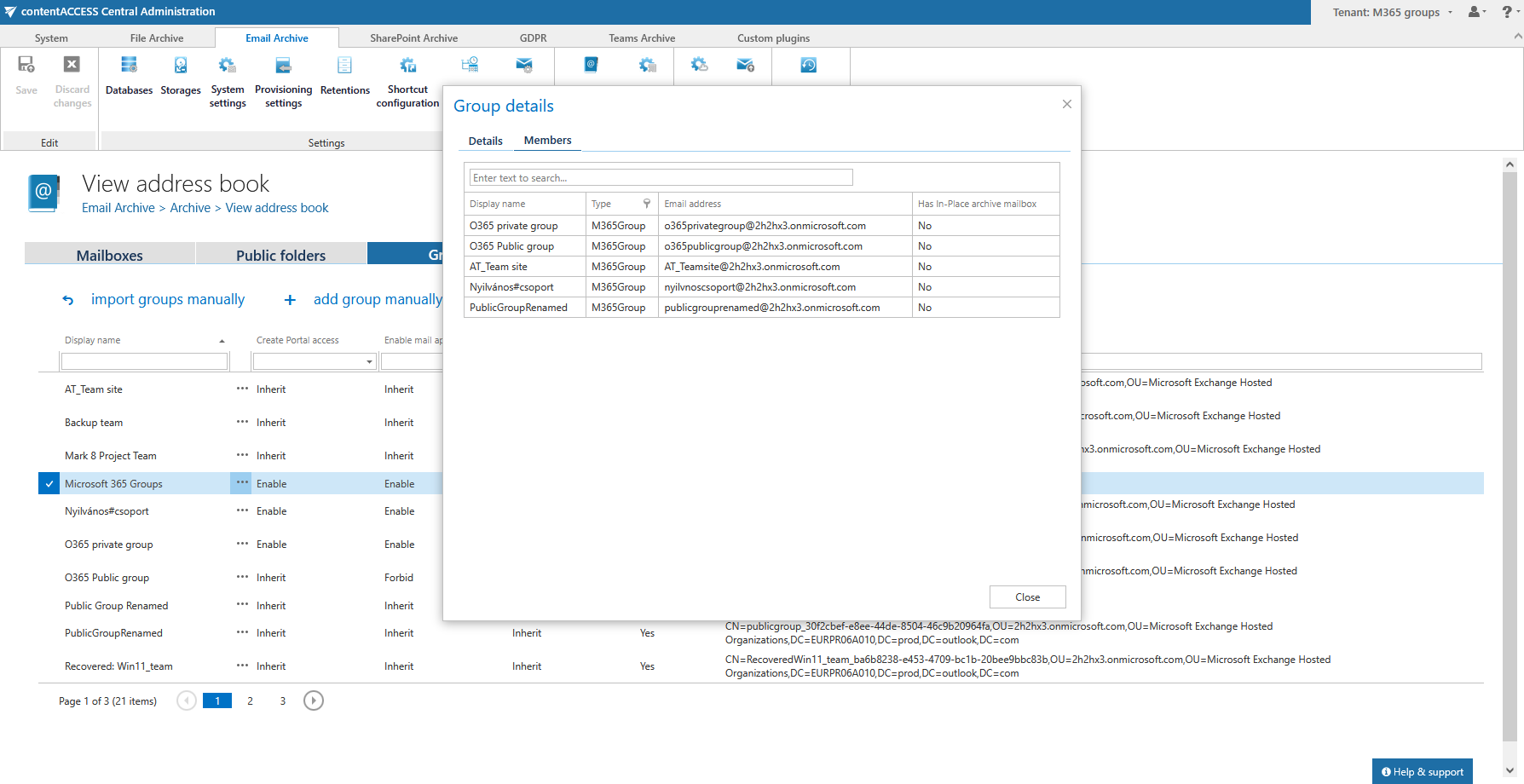
contentACCESS 7.1 introduces comprehensive support for Microsoft 365 Group archiving. Microsoft 365 Groups (often referred to as “modern groups”) are a powerful collaboration tool, bringing together people, shared resources, and conversations. Previously, contentACCESS treated these groups as security groups only. Now, you can take full advantage of contentACCESS’s advanced archiving features—such as filtration, shortcutting, and direct data access—for your Microsoft 365 Groups, just like you do for standard mailboxes.
For even better usability, modern groups are now clearly separated from traditional mailboxes in the Administration UI, making it much easier to find and manage exactly what you need. And if you still want to use Microsoft 365 Groups as security groups within contentACCESS, that option remains available, giving you full flexibility and control.
✓ New style of mailApp deployment
contentACCESS 7.1 introduces a new, streamlined approach for deploying the mailApp. Previously, deployment required providing a backlink from Exchange to contentACCESS, which often caused failures when the archive wasn’t externally accessible—since Exchange couldn’t retrieve the manifest file. With the new version, contentACCESS now sends the manifest directly to Exchange, completely eliminating the need for a backlink.
This improvement means you can now deploy the mailApp even in environments that are not externally accessible. Users can safely and seamlessly access the mailApp behind the firewall, making the deployment process smoother, more secure, and far more flexible for internal systems.
Microsoft 365 backup
✓ M365 Group backup
With contentACCESS 7.1, you can now securely back up Microsoft 365 Groups (modern groups) using the same advanced features available for standard mailboxes. The new Modern Group backup feature ensures that all your group data—including conversations, files, and collaborative content—is protected against data loss and ransomware threats. Enjoy reliable backup and quick data access, so your teams can collaborate confidently, knowing their information is safe and always recoverable.