contentACCESS Version 7.3

✨ Highlights
- Microsoft Graph-based email archiving – Transition from EWS to Microsoft Graph with a modern, secure, and future-ready archiving model for Microsoft 365.
- Multi-factor authentication for Forms login – Protect user accounts with built-in MFA using authenticator apps, email verification, and recovery codes.
- Version management across all archive types – Remove historical versions from SharePoint, OneDrive, Teams, and File archives without affecting source systems.
- Support for longer file paths in virtual drives – Reduce shortcutting issues and support significantly longer file names in File Archive environments.
- Automatic Teams archive license optimization – Reclaim unused Teams archive licenses automatically when users are no longer members of any team.
Common
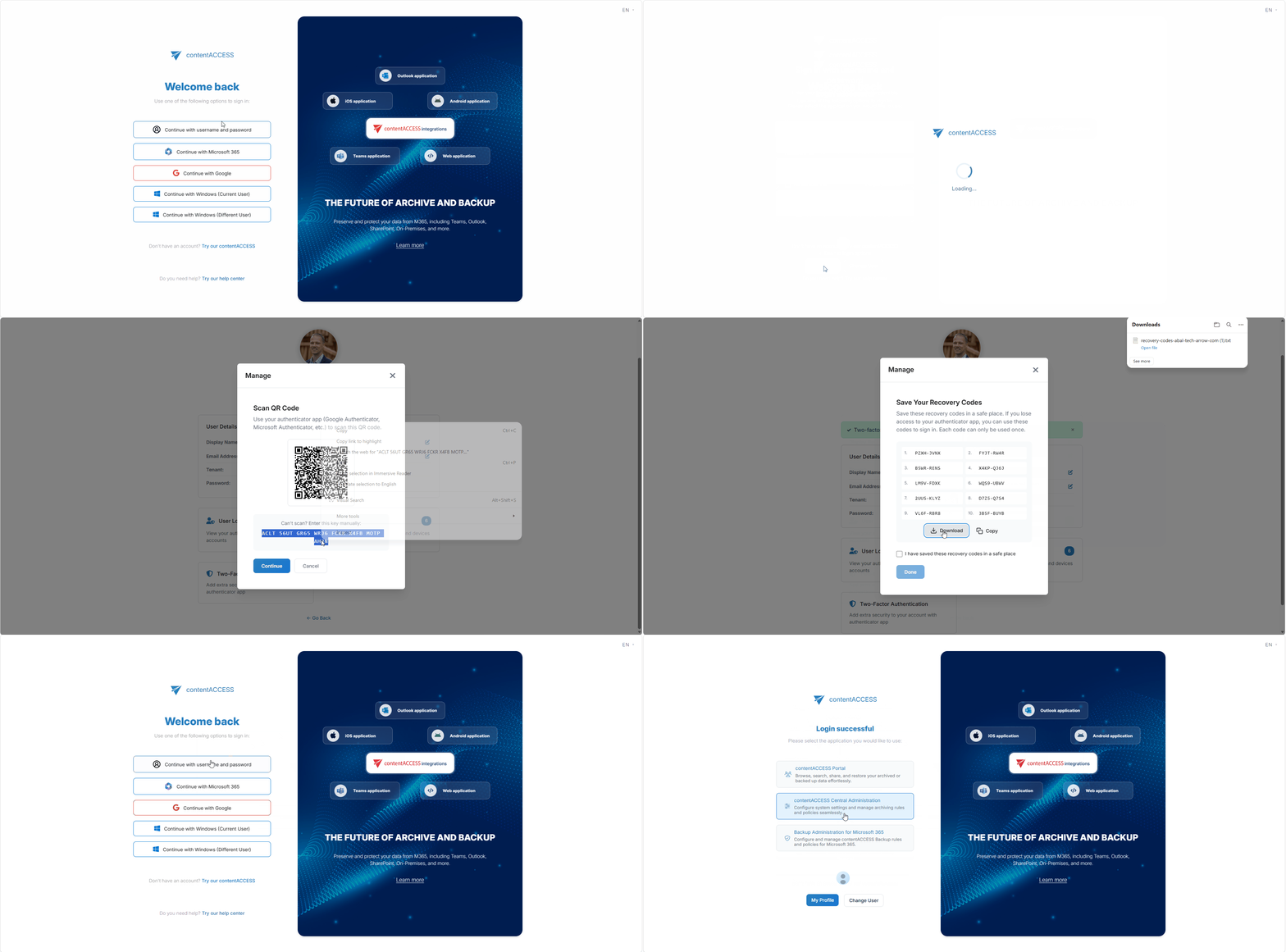
✓ Multi-factor authentication for Forms login
Secure every sign-in with built-in multi-factor authentication for Forms-based logins. Users can verify their identity using an authenticator app or a one-time email token, and they can generate recovery codes to retain access if a device becomes unavailable. This provides a practical way to strengthen account security without introducing a complex onboarding process.
Administrators can enforce MFA globally, per tenant, or per user, allowing security policies to match organizational requirements. Whether you plan a gradual rollout or full enforcement from day one, contentACCESS gives you the flexibility to implement MFA on your terms.
✓ Disable user
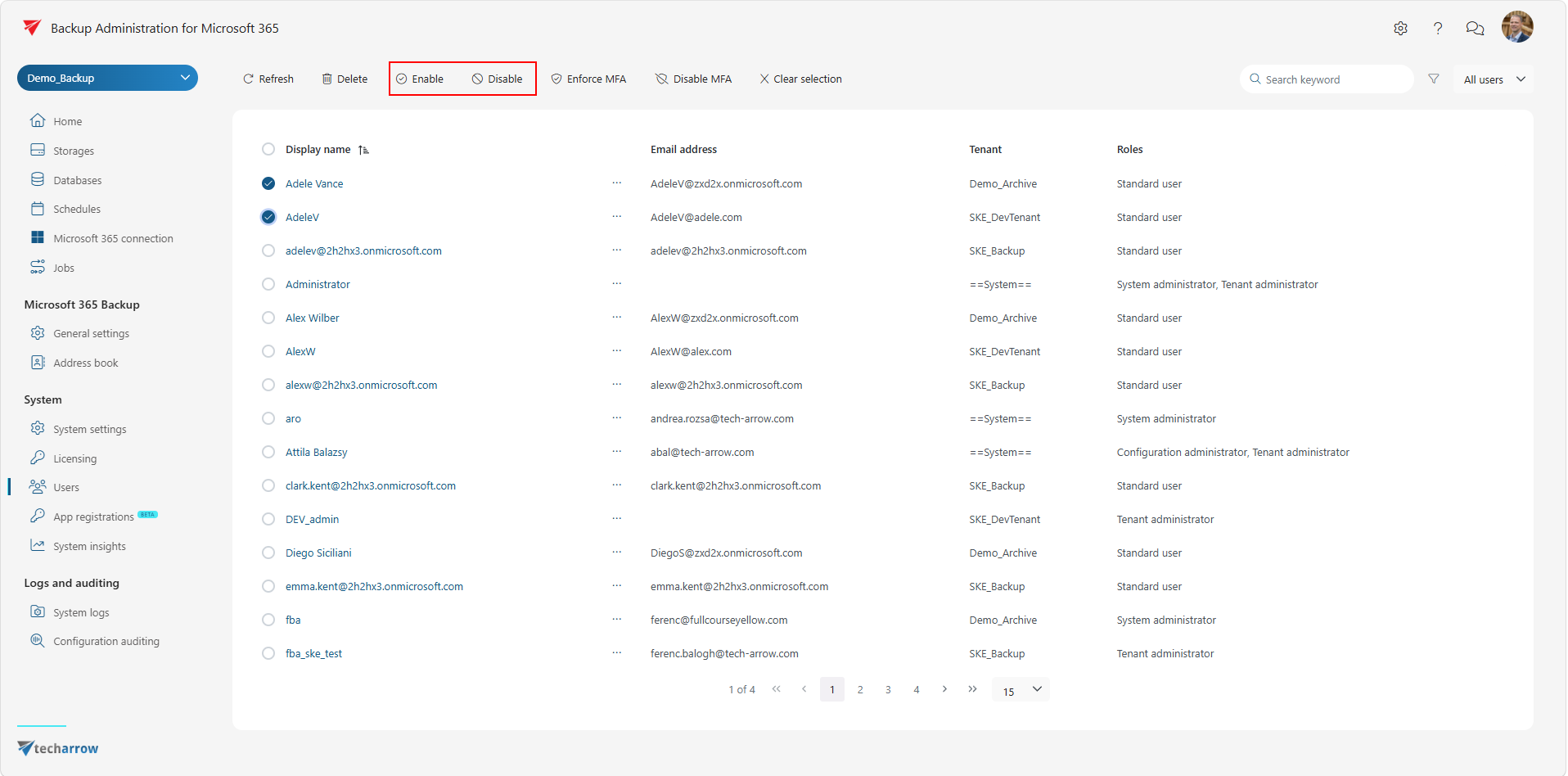
Take immediate control over account access when needed. Administrators can disable a user account to prevent all sign-ins instantly and re-enable it at any time when access should be restored. This simplifies offboarding, temporary lockouts, and security response scenarios without requiring additional workarounds.
The result is stronger operational control and faster response times with minimal administrative effort.
✓ User management in Backup Administration
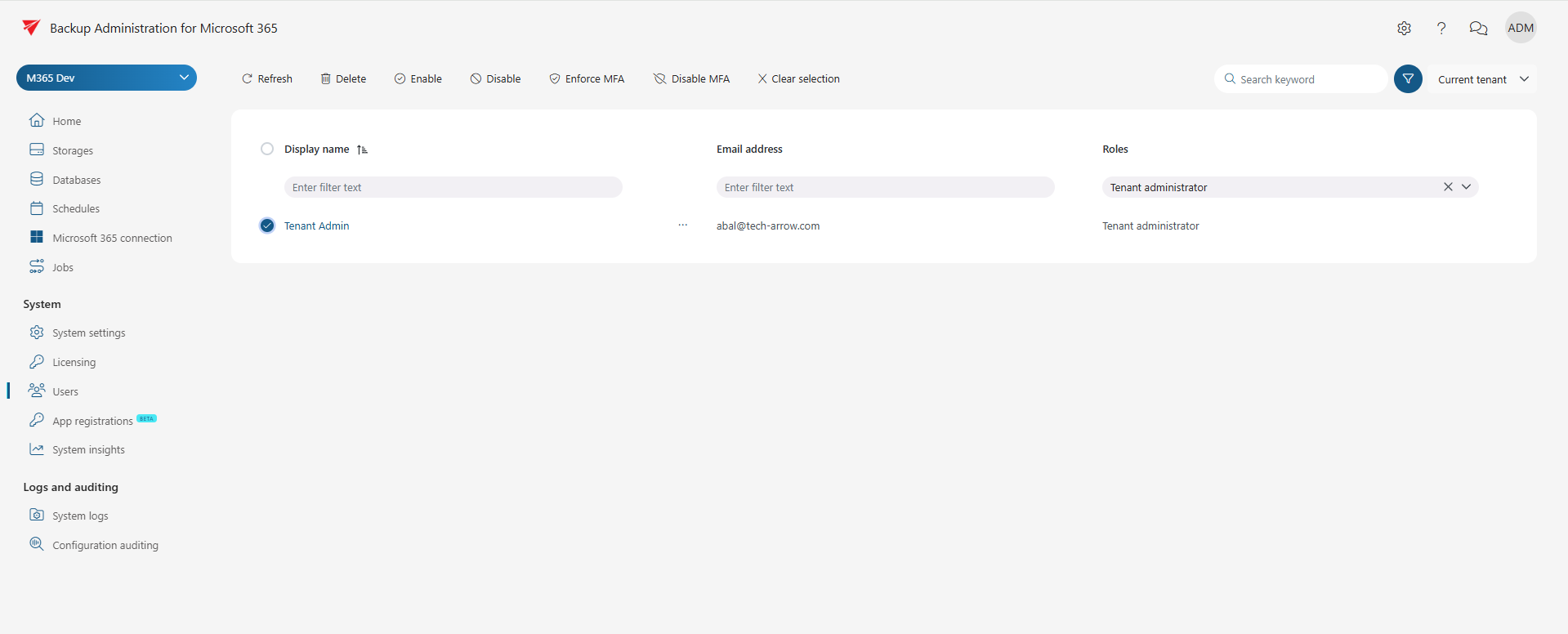
Manage users directly from the new Backup Administration experience. Filter users by attributes and roles to quickly locate the right audience, then use multi-select actions to remove users, disable access, or enforce MFA through a single streamlined workflow.
This significantly reduces repetitive administration tasks, especially in larger deployments with many tenants and user groups. Instead of handling accounts individually, administrators can perform controlled bulk updates while maintaining consistent governance policies.
✓ Access token authentication for contentACCESS API
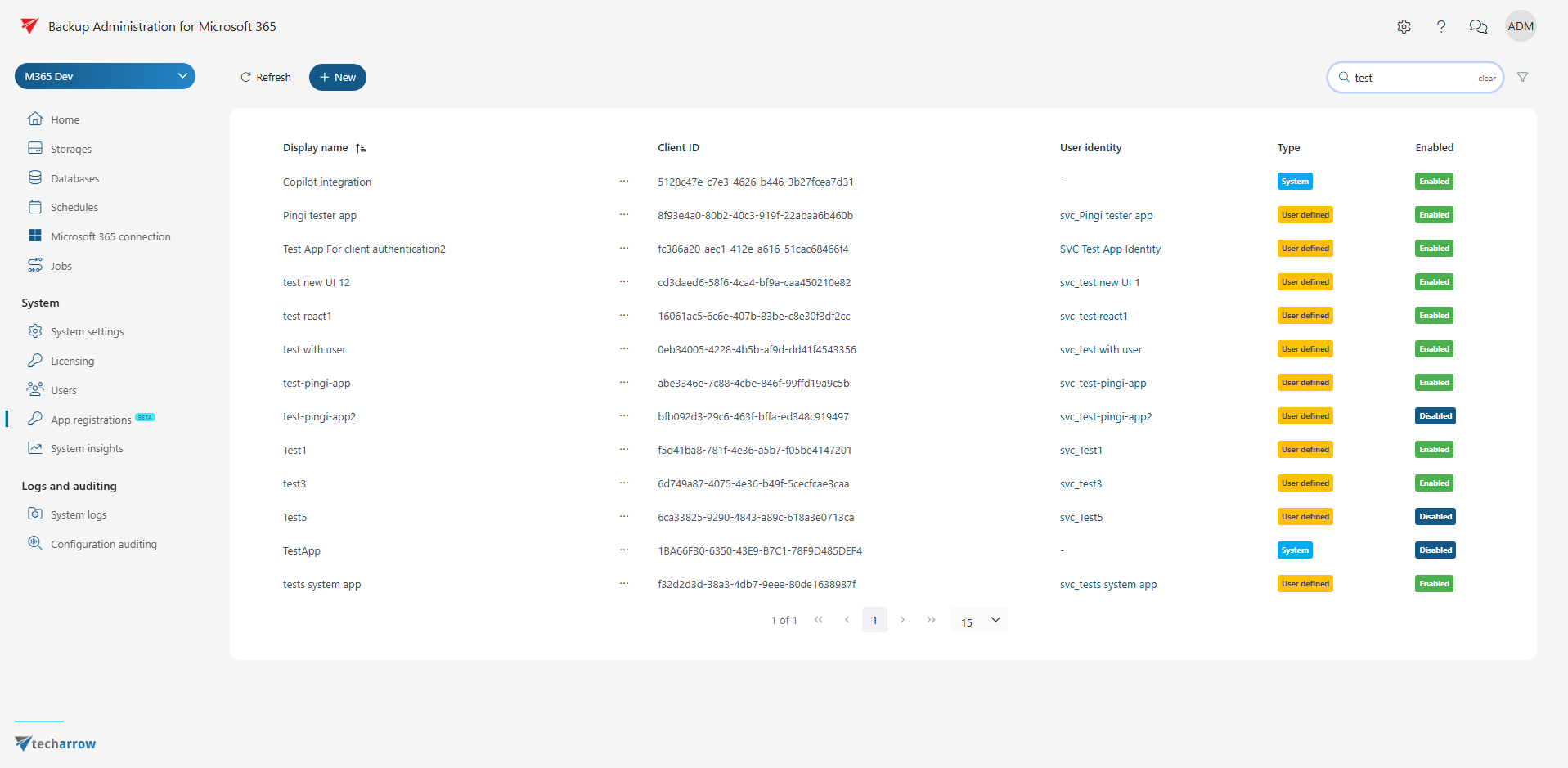
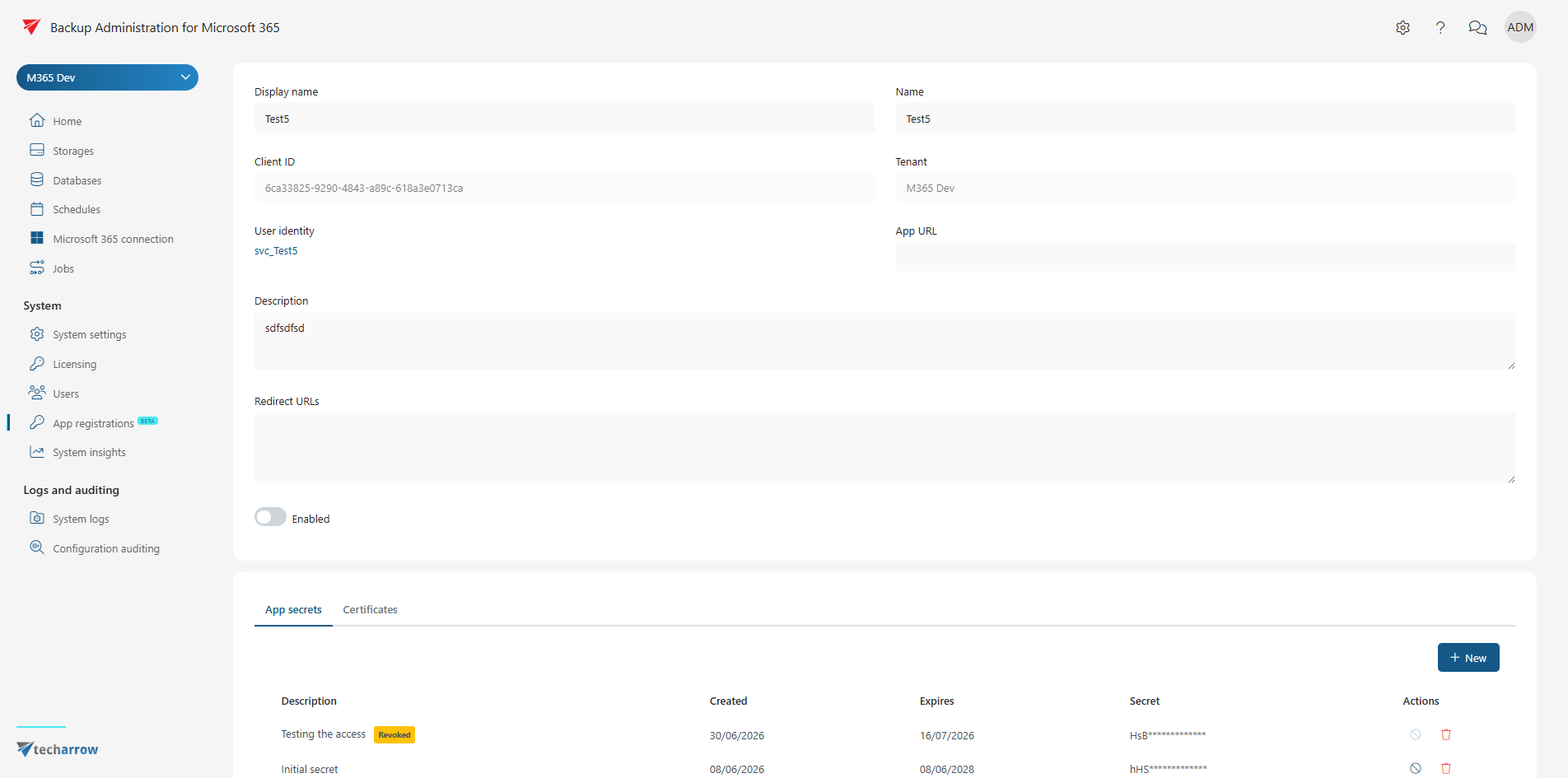
Strengthen API security with expanded token-based authentication for contentACCESS services. You can now use client assertion flow with certificate-based authentication, while application management supports multiple client secrets and certificates for smoother credential rotation.
Every registered application automatically receives a dedicated service identity user, allowing administrators to control permissions more precisely and avoid over-privileged integrations. The new Application Registration module in Backup Administration centralizes registration and credential management, making API onboarding faster, simpler, and more transparent.
✓ Extended logging for tasks in Portal
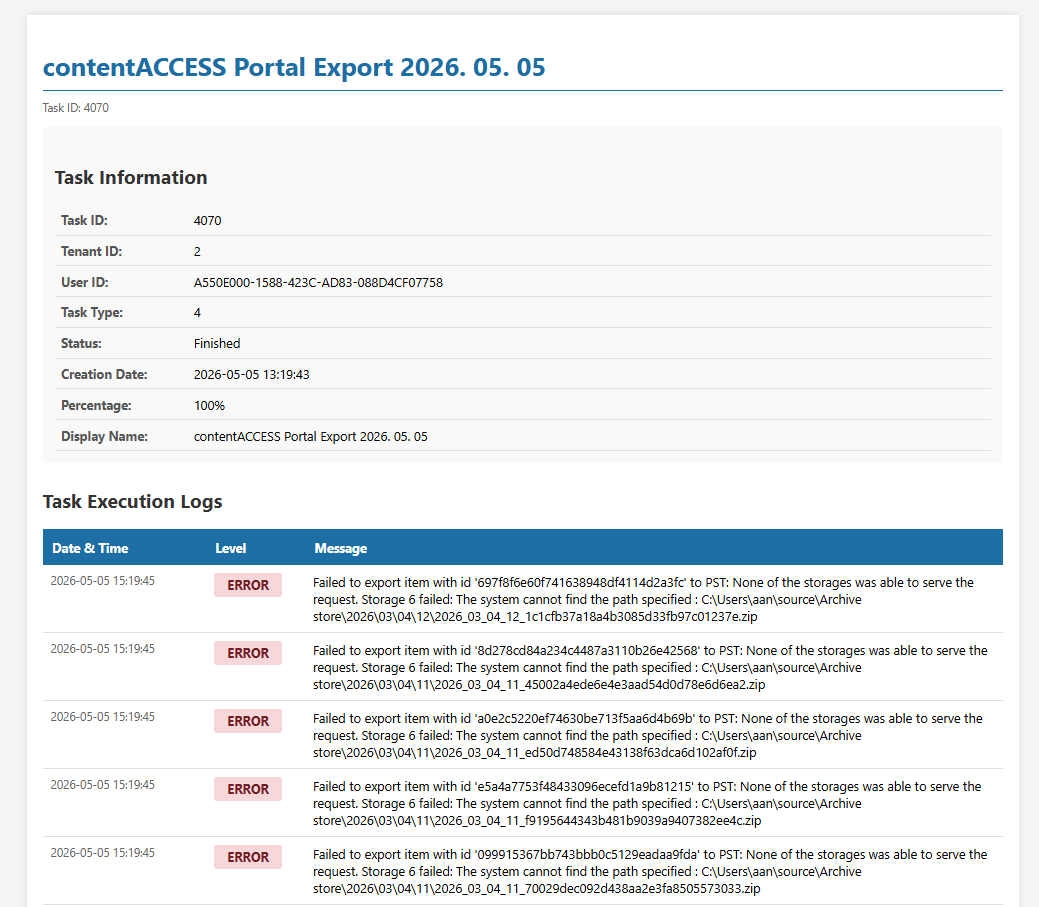
Track background operations with complete visibility. Asynchronous Portal tasks such as Export, Restore, Report, and Legal Hold now generate detailed logs that users can monitor in real time or download after completion.
Instead of relying on a single status message, users can review detailed execution information and understand exactly what each task processed. This improves diagnostics, shortens issue resolution times, and increases confidence in long-running operations.
Email archive
✓ Microsoft Graph-based email archiving
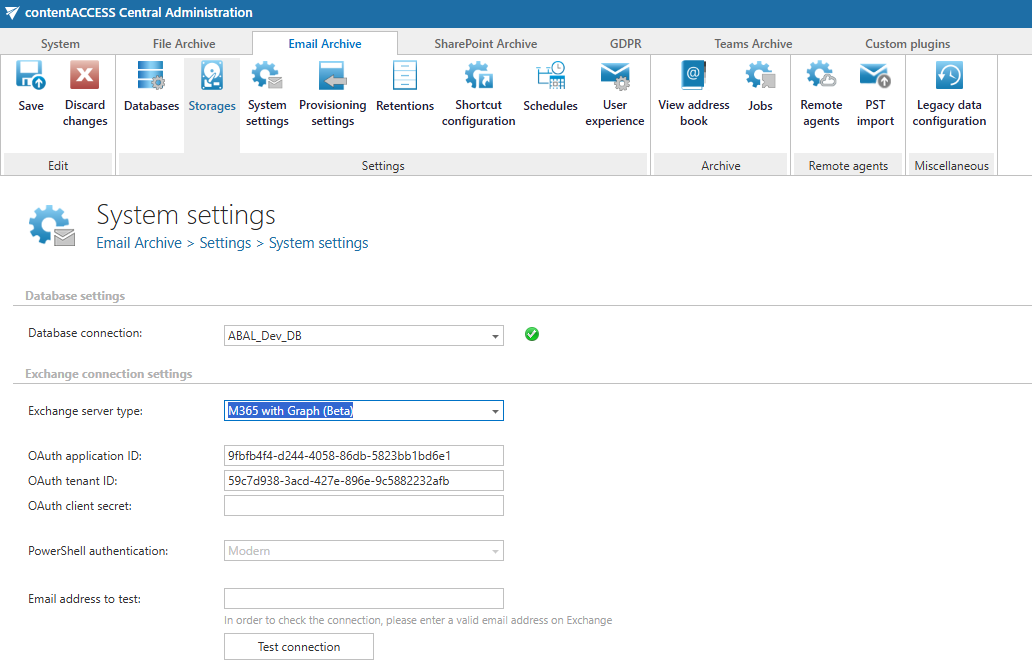
Keep email archiving future-ready with support for Microsoft Graph. As Microsoft 365 transitions away from EWS, contentACCESS now supports both EWS and Microsoft Graph, allowing organizations to adopt the new model at their own pace without disrupting archive operations.
On-premises deployments continue to use EWS, while Microsoft 365 environments can switch to Graph for a more modern and secure authentication and access model. This dual-support approach helps organizations modernize safely while maintaining archive continuity across hybrid and mixed environments.
To enable Microsoft Graph archiving, grant the required permissions to your email archiving application in Azure App Registration and continue processing using the new access model.
SharePoint archive
✓ SharePoint on-prem support
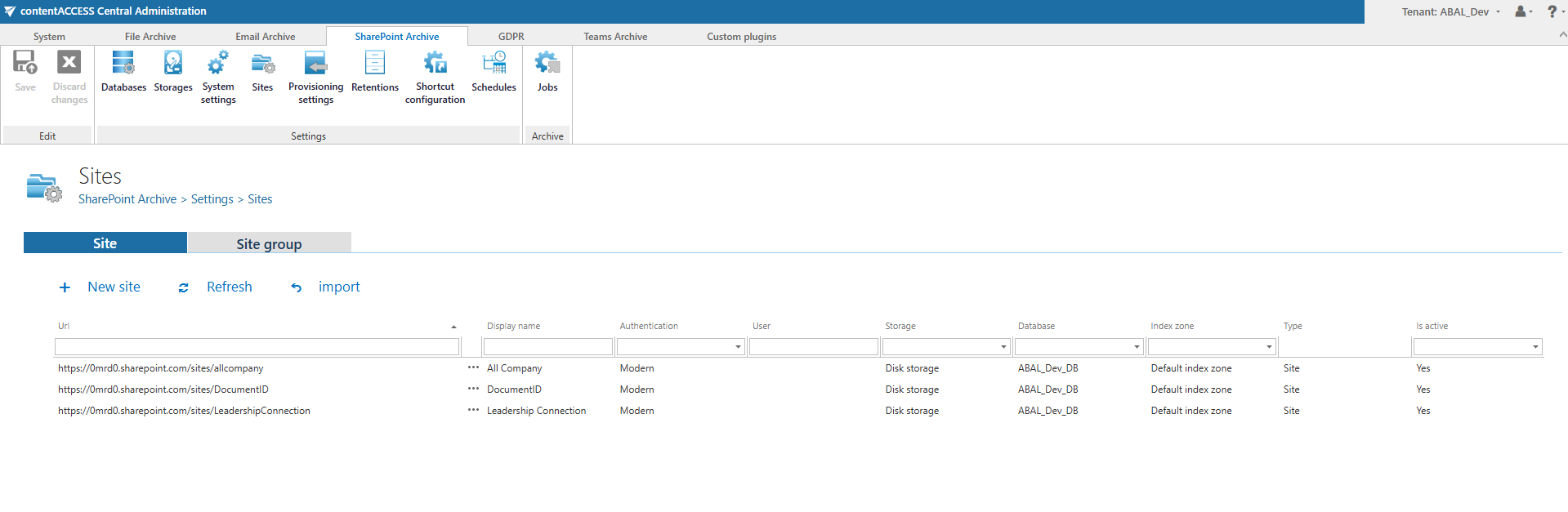
Bring your on-premises SharePoint archives back with improved stability and performance. contentACCESS 7.3 restores SharePoint on-prem support and introduces several practical enhancements, including site import, virtual grouping, and integrated address book functionality.
These improvements make archived content easier to organize, navigate, and manage while maintaining a consistent archive experience across environments. Additional ASPX and URL shortcut types provide more flexible navigation, smaller shortcut size and better alignment with real-world SharePoint structures.
✓ Delete versions from archive
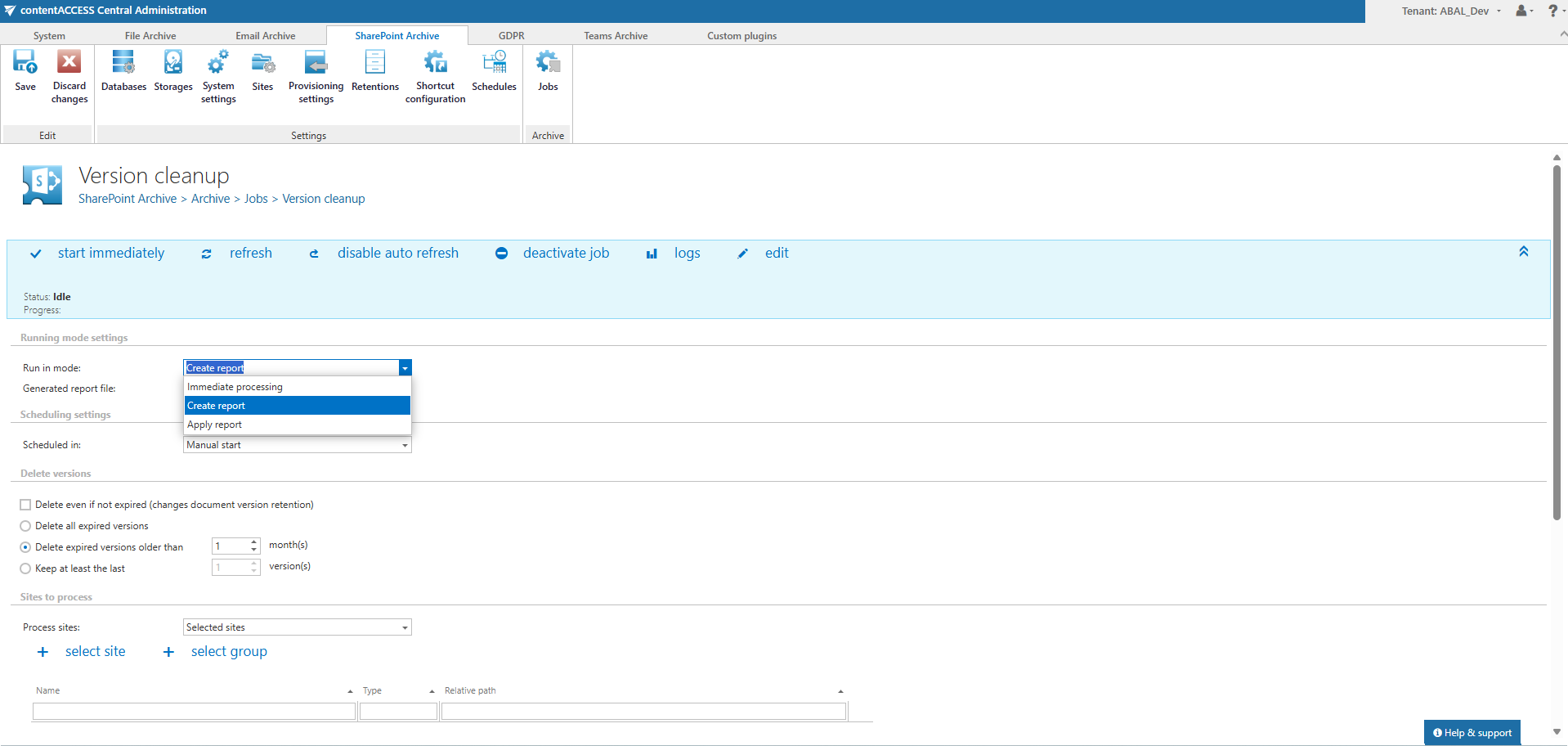
Reduce archive footprint without affecting source systems. The new version management job for SharePoint and OneDrive archives allows administrators to remove selected historical versions from the archive while leaving live content untouched.
Flexible filtering options make it easy to target exactly the versions you want to clean up, whether for large-scale storage optimization or focused archive maintenance. Organizations with a Retention Changer license can also update retention settings before deletion as part of the same workflow.
File archive
✓ Virtual drive updates
Accelerate everyday file access with an updated virtual drive engine. The upgraded file handling component improves virtual drive stability and performance, while enhanced path shortening supports file names that are approximately 60 characters longer than before.
This helps reduce failures caused by path length limitations in real-world environments, resulting in a smoother shortcutting experience and fewer interruptions during archive operations.
✓ Delete versions from archive
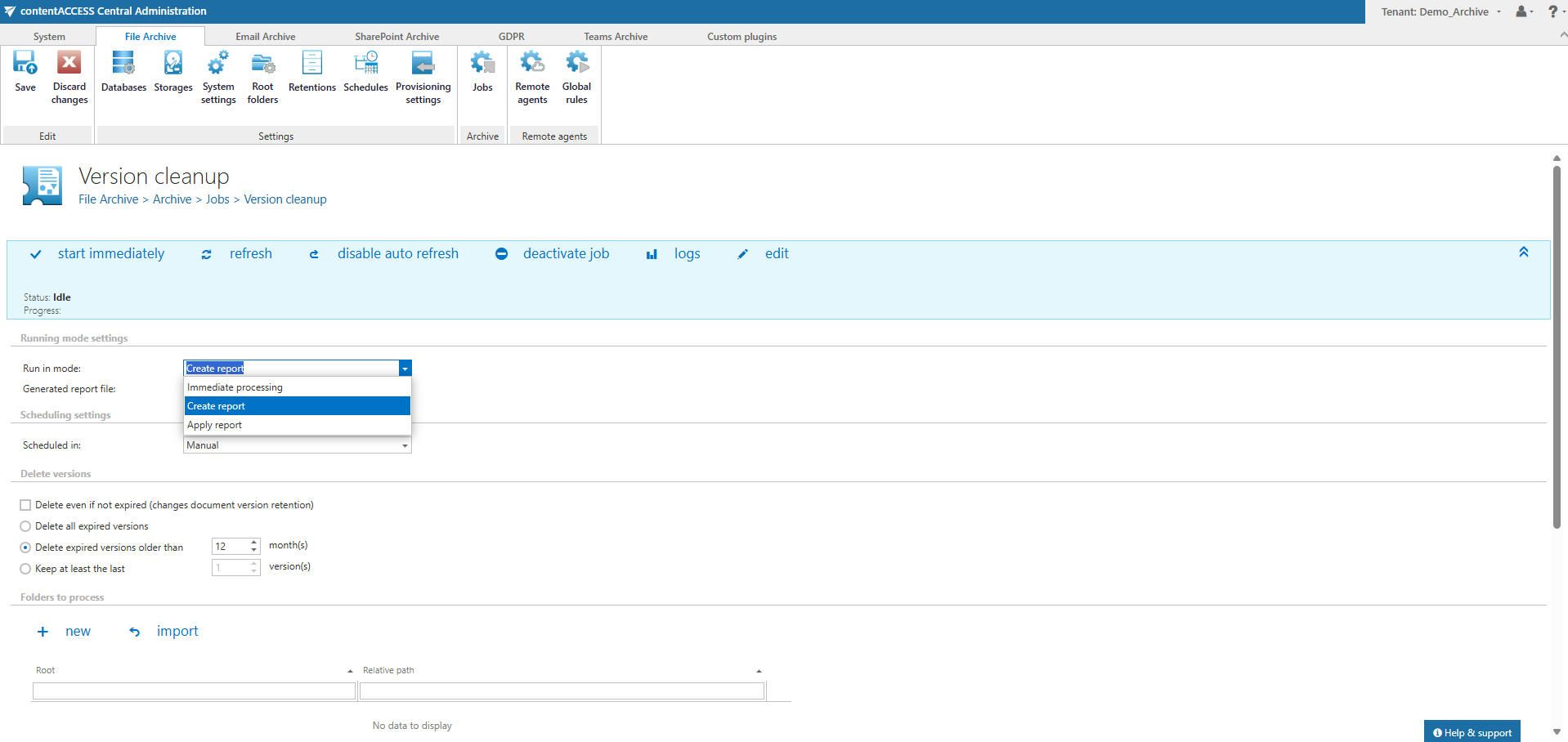
Clean up outdated file versions and reclaim storage with precision. The new version management job allows administrators to remove selected historical versions from the archive while leaving source data untouched.
Rich filtering options help target exactly the right data, whether for periodic archive maintenance or one-time storage optimization projects. Organizations with a Retention Changer license can also modify retention settings before deleting versions within the same workflow.
Teams archive
✓ Automatic Teams archive license optimization
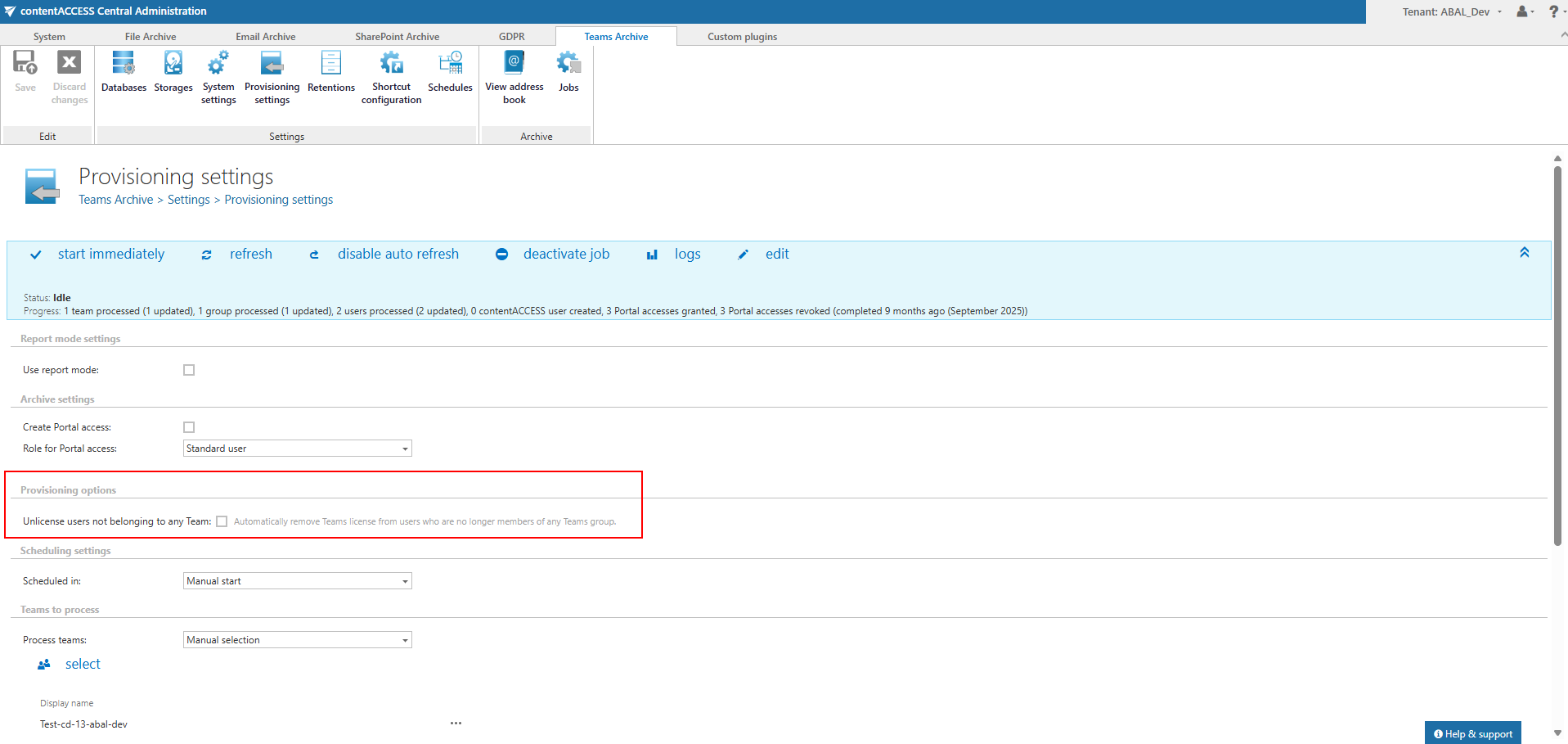
Optimize license usage automatically as Teams environments evolve. contentACCESS can now remove Teams archive licenses from users who are no longer members of any team, ensuring that licenses remain assigned only where they are needed.
This helps organizations free up archive licenses without manual cleanup, reduces administrative effort, and keeps license consumption aligned with actual team membership.
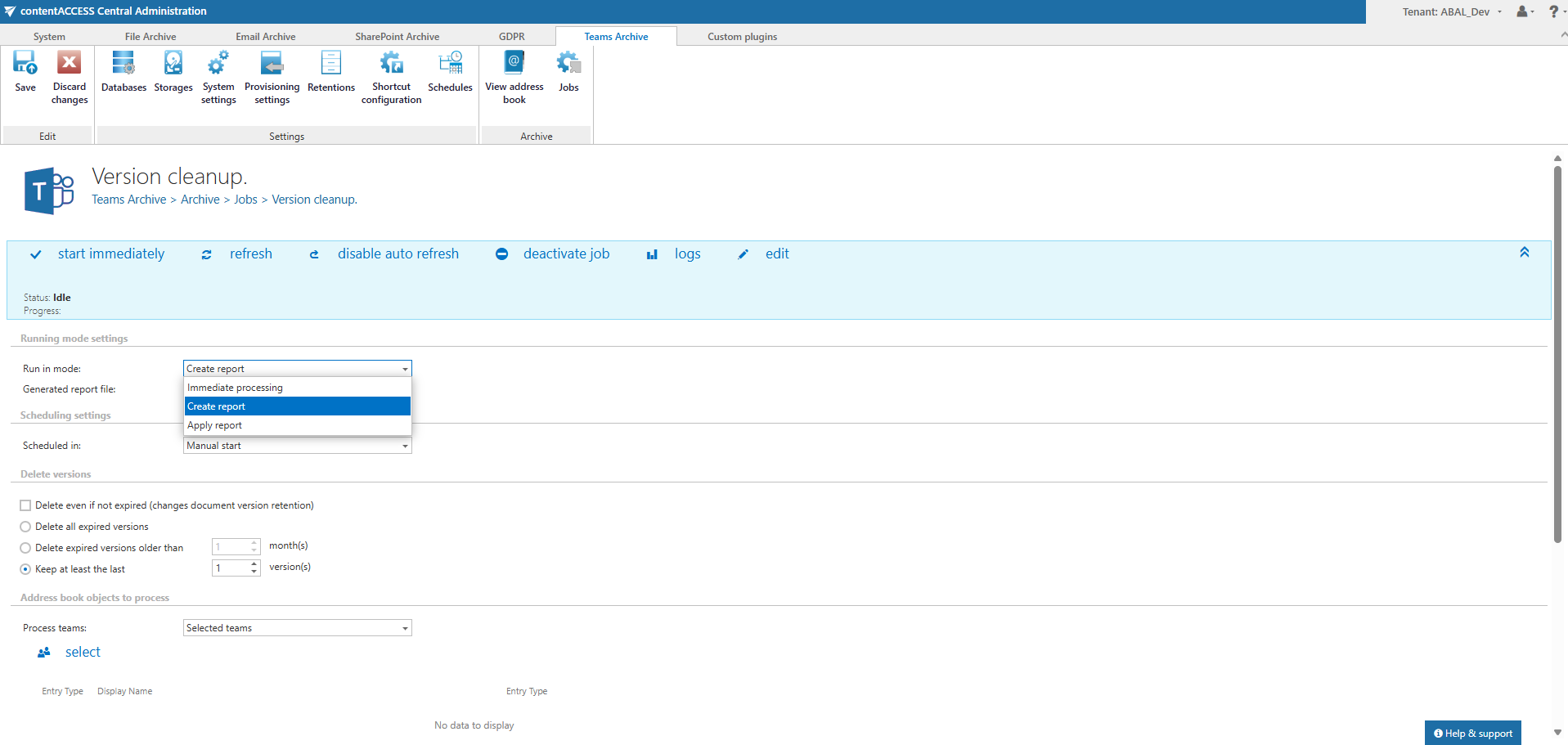
✓ Delete versions from archive
Keep Teams archives lean and manageable with targeted version cleanup. The new version management job enables administrators to remove selected historical versions from the archive while leaving production content untouched.
Flexible filtering helps focus cleanup efforts on the right records, whether for archive optimization or lifecycle management. Organizations with a Retention Changer license can also update retention settings before deletion as part of the same operation.