mailApp Version 5.4

✨ Highlights
- Refreshed look and feel focused on simplicity, productivity, and easier access to important data and functionality.
- New startup screen that introduces the app’s main features, especially helpful for first-time users.
- Enhanced active email view with richer archive actions, quick access to original content and attachments, and one-click sharing.
- App pinning to keep MailApp always available when previewing emails in Outlook.
- Powerful advanced search experience that unifies all contentACCESS search capabilities, including suggestions, highlighting, history, and filters.
Common
✓ New look and feel
Dynamics, simplicity, and productivity—these are the key factors driving us when creating the new design. The result speaks for itself. The new design allows users to focus on important data and functionality.
✓ Pin the app
The pin feature means MailApp will always stay open when an email is selected for preview in Outlook. This allows you to keep the app readily available at all times.
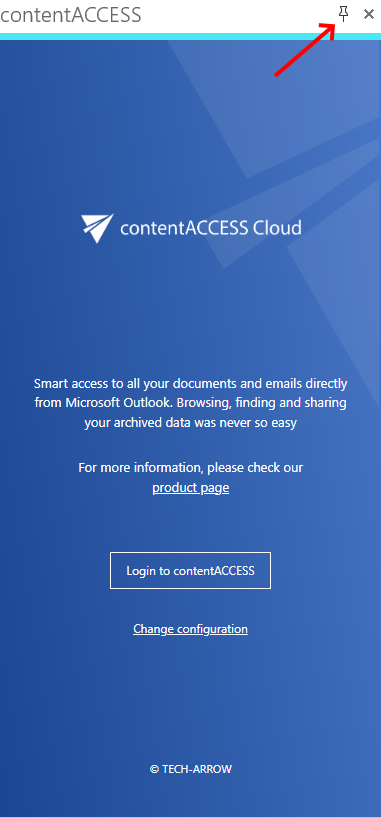
✓ Startup screen
The startup screen shows the main features of the app with a short description. If you are using the new MailApp for the first time, you will most probably appreciate it.
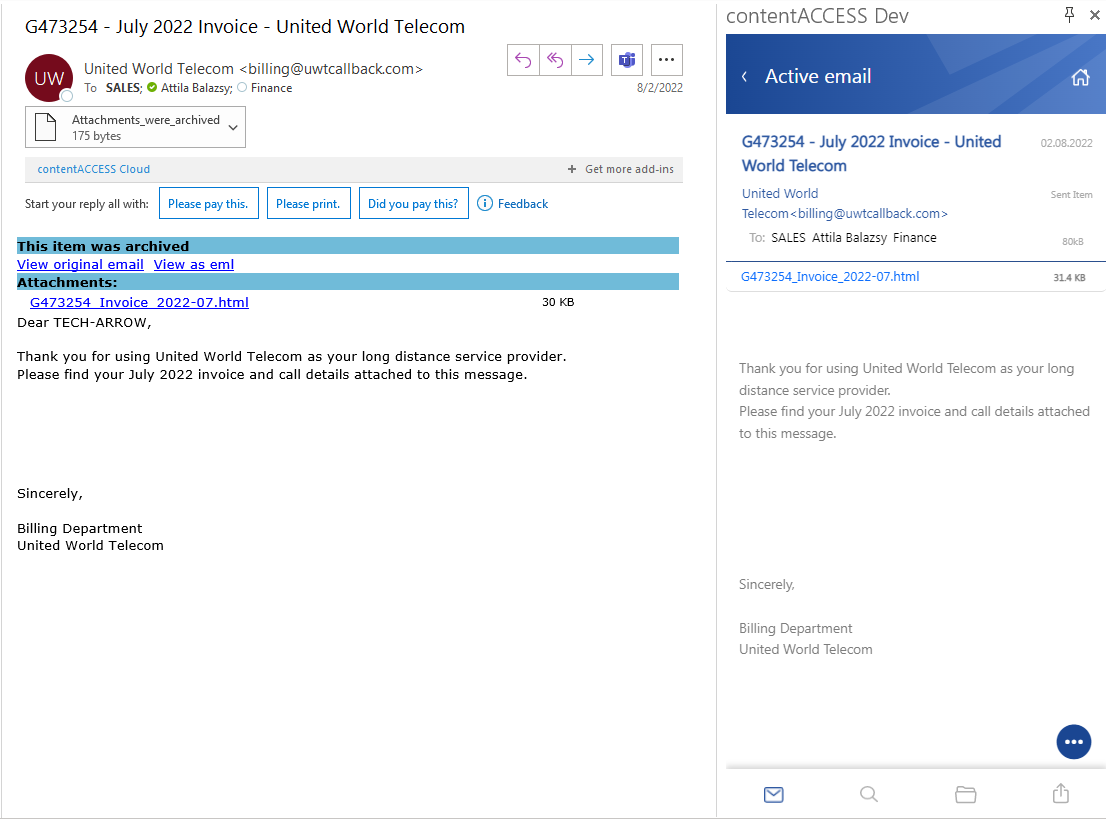
✓ Active email
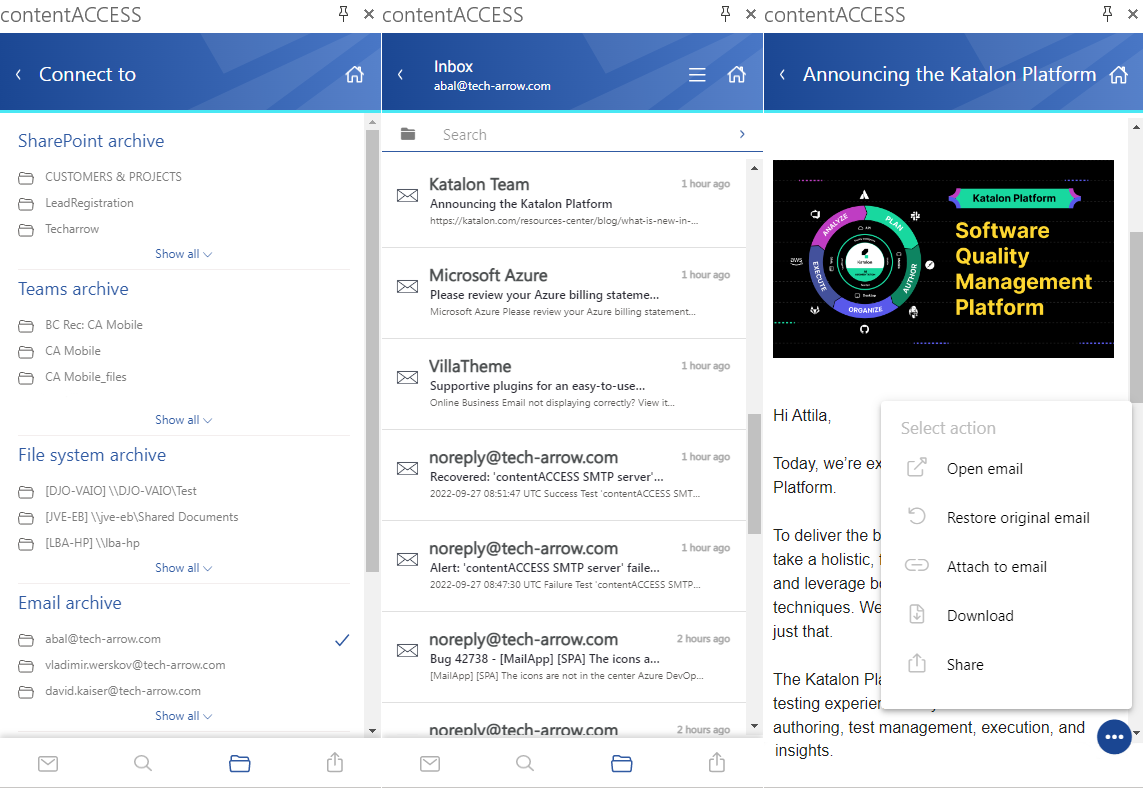
The active email page provides access to archive functions for the email currently opened in Outlook’s preview pane. This view is similar to the old MailApp startup page, but more feature-rich. You can manually archive an unarchived email or restore one that has already been archived. The active email view automatically loads the email preview from the archive. If you have shortcuts, the original text and attachments are directly accessible here. Additionally, you can share or attach the email or any of its content with a single click.
✓ Advanced search
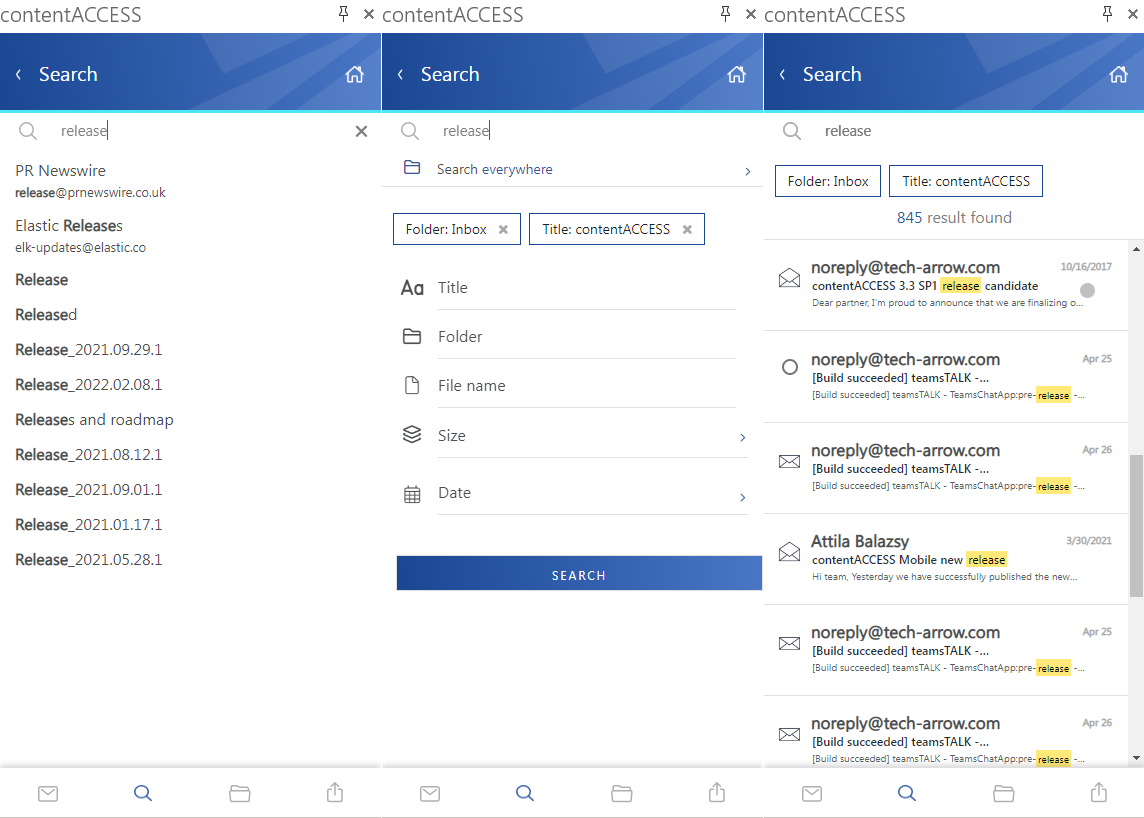
The new search experience integrates all the features of the contentACCESS search. You now have search suggestions, hit highlighting, history, and advanced filters available.
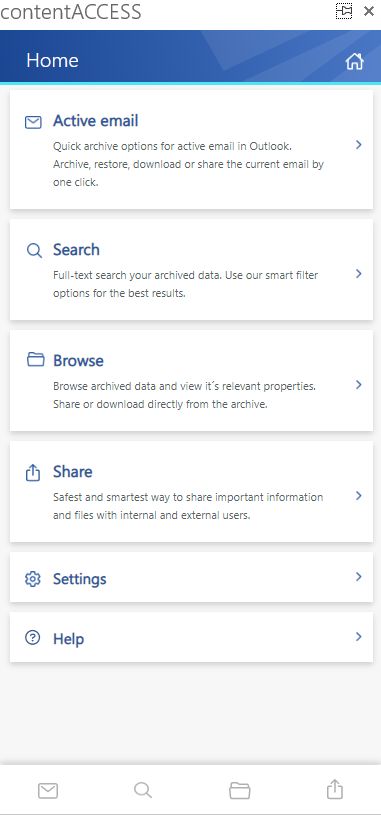
✓ Data browsing
The new MailApp gives you access to all available entities from all modules. You can view folders and their items, search content, and see all relevant information. You can also restore items or share one or more items or their attachments.
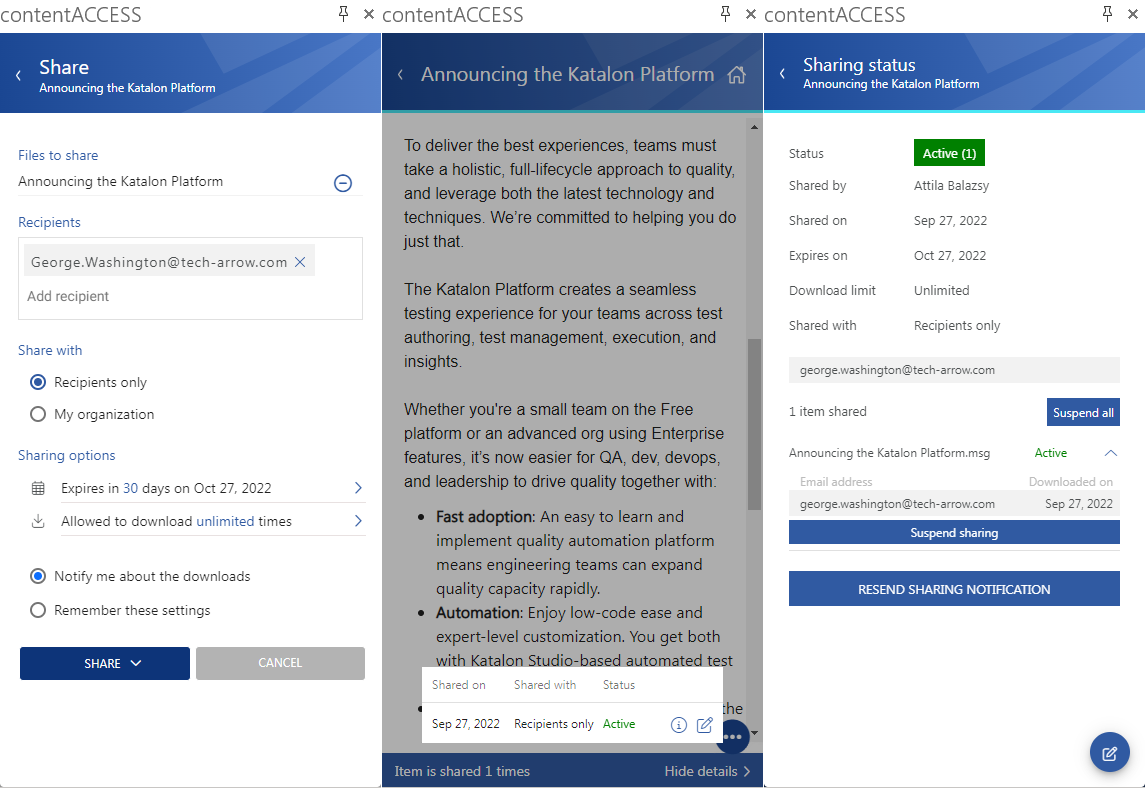
✓ Sharing
In contentACCESS 5.0, we introduced our platform-level sharing feature. This feature is now available in the MailApp as well. You can share data directly from the contentACCESS archive with just two clicks. You can also view the download audit for an already shared item and modify sharing settings.
Inviting recipients to contentACCESS, sending shared files, ensuring shared data retention, limiting downloads, and auditing access—everything is managed by the system.
Sounds good? Give it a try!