officeGATE Version 3.0

✨ Highlights
- Refreshed icon set aligned with third-party providers and operating system file type icons for a more consistent user experience.
- Enhanced contentACCESS file archive integration, including manual folder creation and drag-and-drop archiving directly from officeGATE.
- Improved email archive integration with new ribbon buttons, a dedicated email archive search, and better handling of additional mailboxes.
- Unified view settings between officeGATE and contentWEB to ensure a consistent look and feel across applications.
- Extended offline capabilities, allowing email archive shortcuts to be opened directly from the offline cache when available.
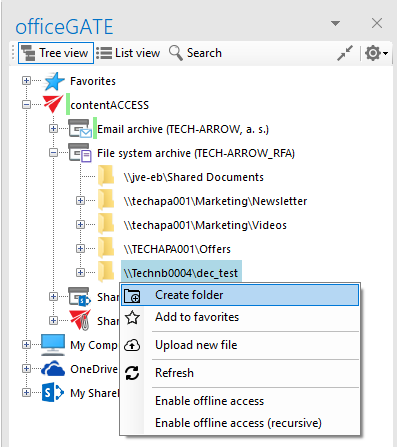
✓ New icon set: We have updated the icon set in officeGATE to correspond with the icons used by third-party providers. As part of this change, file item icons are now read from the operating system. This ensures that users see the same file type icons in officeGATE as they do in Windows Explorer.
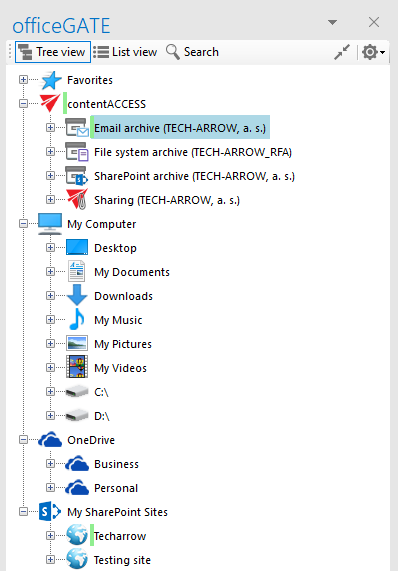
✓ Manual folder creation in contentACCESS file archive: officeGATE now allows users to create folders directly in the contentACCESS file archive. This enables end users to better organize their data.
✓ Drag & drop to contentACCESS file archive: In previous versions, the contentACCESS file archive was only a read-only view for users in officeGATE. In this version, we have added the ability to drag and drop files from officeGATE directly into the contentACCESS file archive. Together with the manual folder creation feature, this allows end users to archive and organize files directly from officeGATE and use it as an easy-to-manage and powerful file archive.
✓ Centralized contentACCESS item views: We have unified the view settings in officeGATE with the contentWEB view settings. Users will now see the same item view in officeGATE as the view configured in contentWEB. This helps ensure a very similar user experience in both applications.
✓ Opening email archive shortcuts offline: officeGATE already has a built-in offline feature that allows end users to synchronize online data and make it available offline. In this version, we have extended this functionality by allowing officeGATE to handle contentACCESS email archive shortcuts and open them directly from its offline cache, if the email is available there. This gives users full email archive transparency even in offline mode. This feature requires the latest contentACCESS 3.4 Outlook forms to be installed.
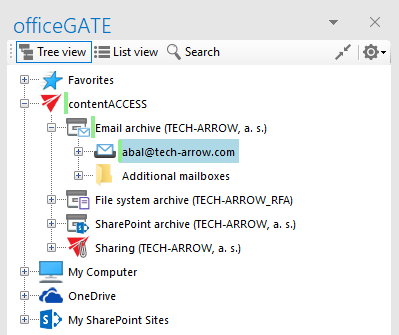
✓ Email archive additional mailboxes: Many users have access to multiple mailboxes that are also mirrored to archive mailboxes. In previous versions, it was sometimes difficult to find the primary mailbox in the list of available mailboxes. To address this, officeGATE now collects additional mailboxes in a separate subfolder under Email archive and keeps the primary mailbox one level higher in the tree. This helps end users focus more easily on their own mailbox.
✓ Email archive integration improvement: To provide better integration with the contentACCESS email archive, we have added three new ribbon buttons that allow end users to perform the most commonly used email archive tasks with a single click. These buttons allow users to archive or restore items directly, or to search the email archive.

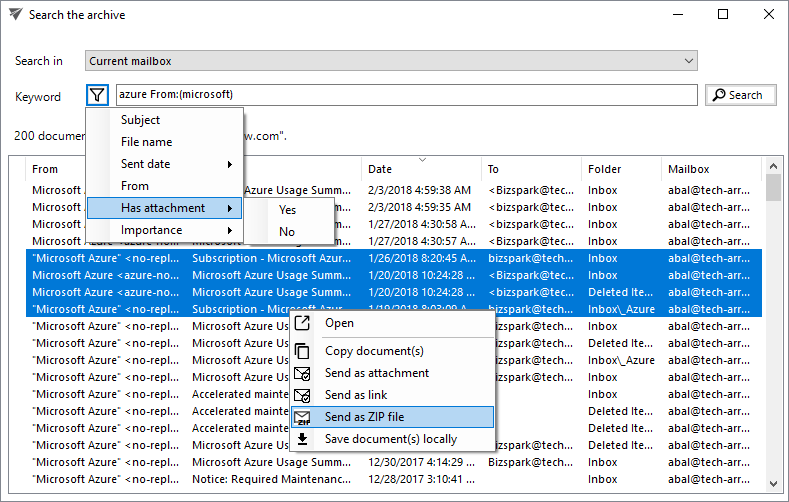
✓ Dedicated search for email archive: As part of the email archive integration, we have added a dedicated email archive search feature to officeGATE. This search function is directly accessible from the Outlook ribbon when the user has a configured contentACCESS email archive. The new search UI allows end users to search the primary mailbox as well as other accessible mailboxes. It provides quick search by entering a keyword, as well as property-based search by specifying one or more properties and values. Users are also assisted by helper functions to simplify property searches. The new search dialog supports all officeGATE functions, such as saving and forwarding items.