officeGATE Version 3.1

✨ Highlights
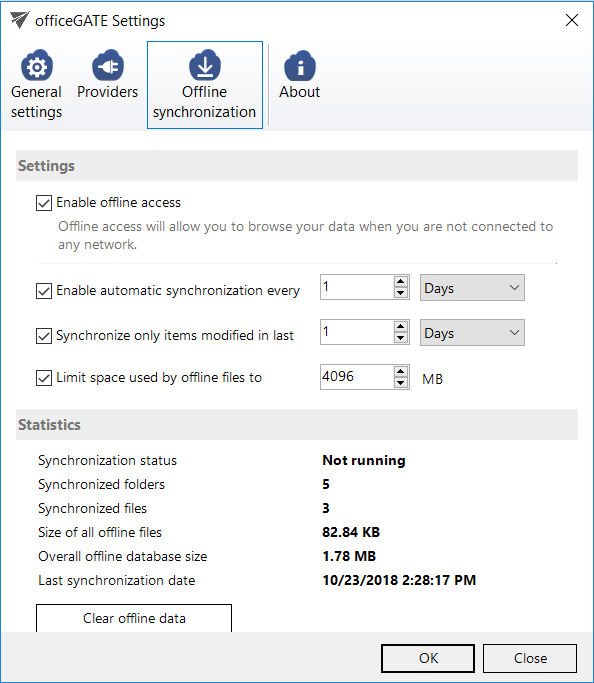
- Introduced offline cache limits by size and file age to prevent disk overuse and improve overall performance.
- Improved SharePoint browsing speed with on-demand connections and cached first-level connections.
- Added greater control for administrators and users over which interface buttons are displayed.
✓ Offline cache limitation for date and size: Do not overfill your disk with unnecessary files—limit the space used by offline files and set an age filter for offline files that can be synchronized. This makes the officeGATE experience faster and smoother.
✓ Control over the displayed buttons: It is now possible to disable the following buttons: Show/Hide Panel, Share with contentACCESS, and Email archive buttons (archive, restore, search). The Show/Hide Panel can be disabled only by the administrator in the configuration file; the other buttons can also be managed by users.
✓ SharePoint browsing performance: SharePoint servers are now connected only on demand. The first level (connection) is cached when the user connects for the first time, which significantly speeds up loading, as the connection needs to be reloaded only after a refresh.