officeGATE Version 4.0

✨ Highlights
- Manage SharePoint item check-in and check-out directly in officeGATE, including visibility of status and the user who has an item checked out.
- Create new SharePoint items directly from officeGATE, with support for library templates and content types, matching SharePoint’s new item options.
- Automatically create and synchronize Outlook (Exchange) calendar entries from SharePoint calendar items, including notifications and participant invitations.
- Preview contentACCESS items without downloading them, with direct access to item text and attachments, and a new preview window on double-click.
✓ Check-in management
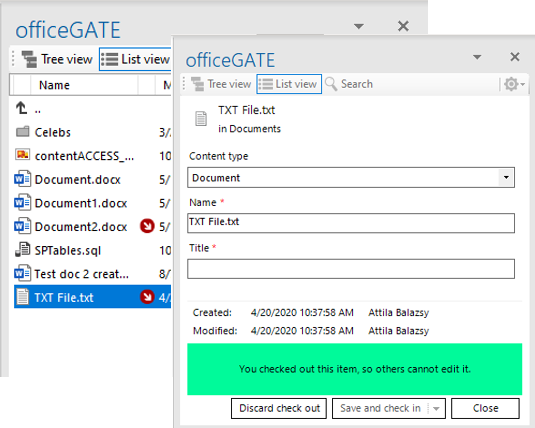
From now on, you will be able to see and manage a SharePoint item’s check-in/check-out status. officeGATE will inform you if an item is checked out and by whom. You will also be able to check out or check in a document directly in officeGATE.
✓ Creating new item
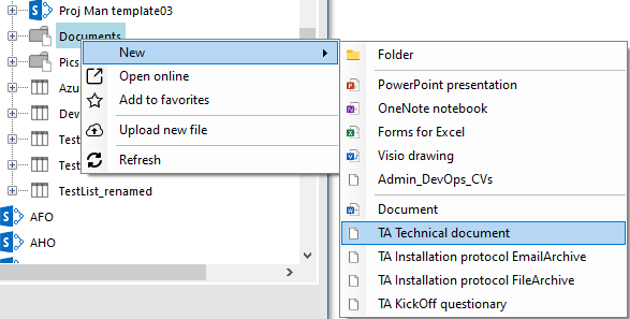
Previously, officeGATE allowed uploading existing items to SharePoint. In the new version, we have extended this functionality to also allow creating new items. New item creation supports library templates and content type templates. All options available in SharePoint’s new item creation menu are also available in officeGATE.
✓ Creating Outlook calendar entry
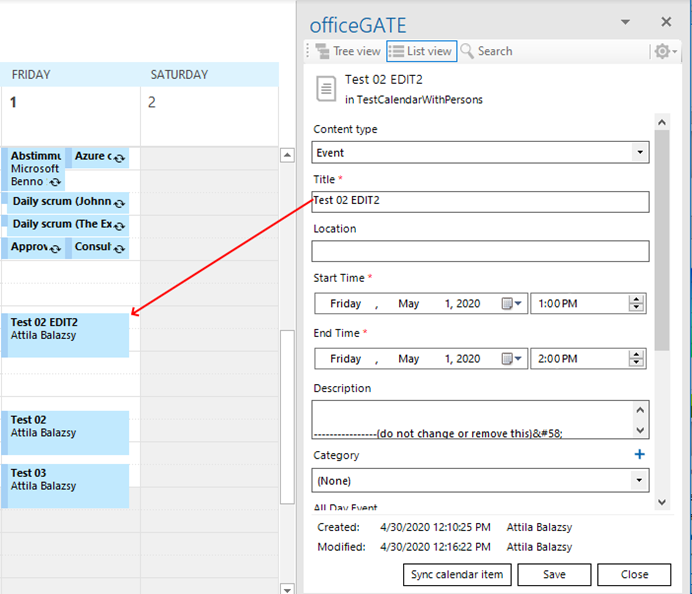
Calendars in SharePoint have fewer features compared to calendars in Exchange. officeGATE fills this gap by (optionally) creating calendar entries in Exchange based on the SharePoint item. These entries are kept in sync, and modifications are synchronized between both systems. The created Exchange calendar entry is sent to participants and includes all standard features, such as notifications.
✓ contentACCESS item preview
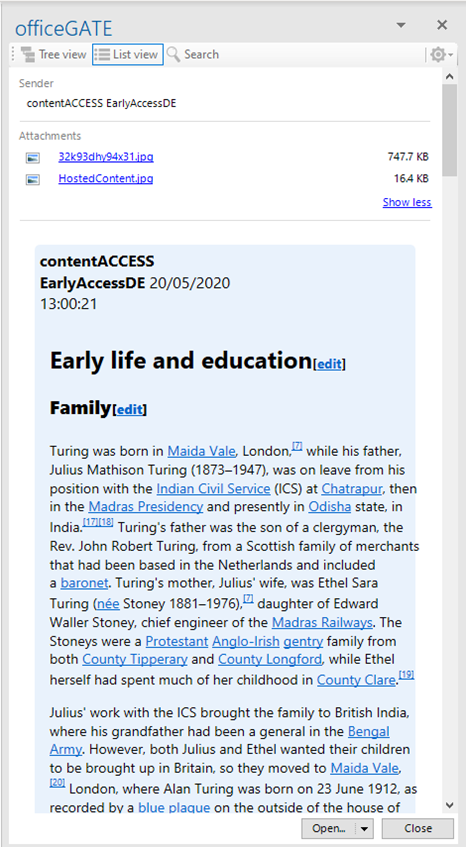
The new contentACCESS item preview eliminates the need to download large emails from the server just to access text from the email body or preview a conversion in a Teams archive. The preview provides direct access to the textual content of the item as well as its attachments. Attachments can be saved or attached to a new email. Double-clicking an item in the contentACCESS provider will now open the new preview window instead of downloading the item.