officeGATE Version 6.1

✨ Highlights
- officeGATE is now a full replacement for the legacy contentACCESS VSTO Add-in, including an email archive shortcut and access to previously missing features.
- Integrated contentACCESS web preview lets you open, read, and copy text from attachments without installing native applications.
- New dark mode support allows users to choose between light and dark themes for a more comfortable working experience.
- Automatic Outlook language detection simplifies deployments by using Outlook’s language setting, with fallback to English.
- Attachments can now be shared directly from the item preview, reducing clicks and improving efficiency.
Email archive
✓ Email archive shortcut opening
As the Outlook forms capabilities are very limited, some functions had to be implemented in managed code. For this purpose, we created a simple Outlook add-in called the contentACCESS VSTO Add-in several years ago. This add-in was not developed further for a time, as we focused our energy on officeGATE, which is a superior and more feature-rich contentACCESS client for Outlook.
However, some functions from the contentACCESS VSTO Add-in were not supported by officeGATE. Today, I am proud to announce that we have completed this journey and moved all missing features. officeGATE is now a full replacement for the old contentACCESS VSTO Add-in, with the potential to do much more. For example, you can now make use of offline access, data browsing, and search.
Don’t hesitate to switch over to officeGATE!
Common
✓ Preview service integration
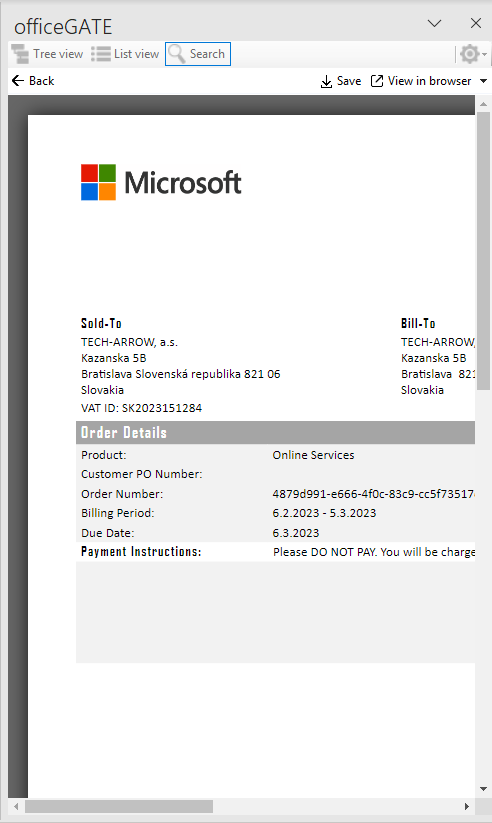
The contentACCESS web preview was introduced in version 6.0. This great feature was already implemented in contentACCESS Mobile and Portal and is now also available in officeGATE. This means that you can open, read, and copy text from any attachment without having the native application installed.
✓ Dark mode support
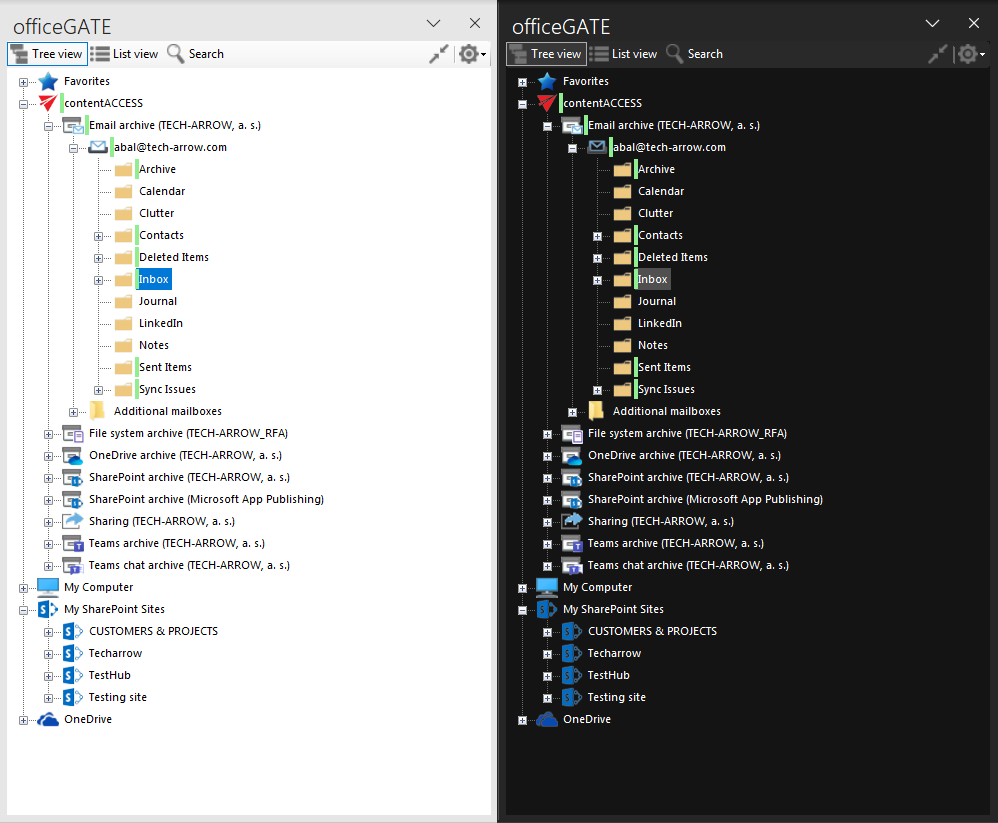
More and more users prefer using applications in dark mode, mainly during night working hours. Some experts say it is easier and healthier to read text against a dark background, while others say the opposite. At TECH-ARROW, we are not taking sides, but instead give each user the right to decide. From version 6.1, officeGATE users can choose between light and dark themes.
Try it and use your favorite theme!
✓ Auto-detect Outlook language
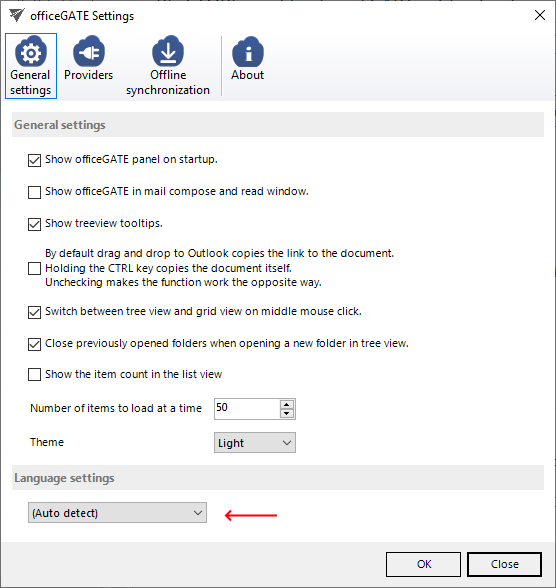
officeGATE supports multiple languages. In former versions, users had to select their desired language during installation or later in the officeGATE settings. The situation was further complicated in the case of group policy-based deployments, where administrators had to select the correct language for each user. We have now introduced an auto-detect language option, which automatically uses Outlook’s selected language for officeGATE. If the Outlook language is not supported by officeGATE, it will fall back to English, but users can still select their preferred language manually.
✓ Share attachments from item preview
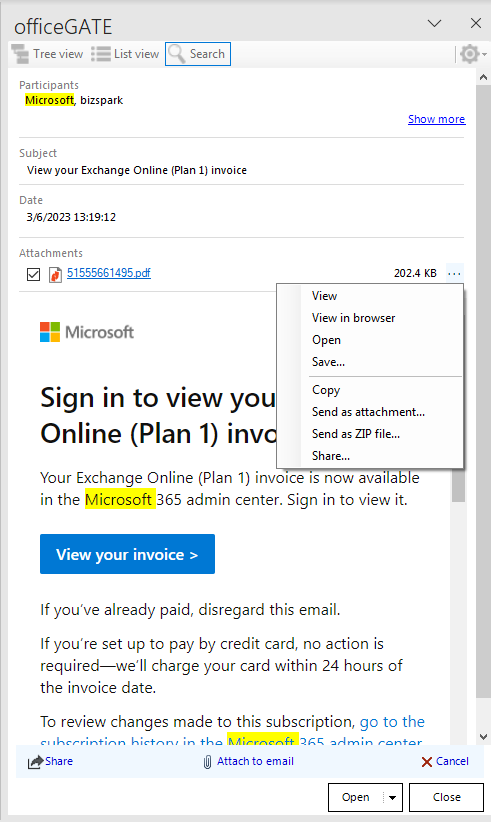
We have made changes to the item details view to make working with officeGATE easier and more efficient. One of the most important changes is the ability to share an attachment directly from this view. This eliminates several extra clicks compared to the previous functionality.
✓ Using WebView2
For some functionality, such as previews and message bodies, officeGATE uses an integrated web browser. Previously, this browser used the old Internet Explorer rendering engine, which resulted in unexpected display issues. officeGATE will now check for the existence of WebView2 on the system and use this modern web rendering engine to display HTML content whenever possible. As a result, users will see better and more performant HTML content.
✓ Performance and stability fixes
Improvements were made to make the system faster and more stable, so your officeGATE experience is now even better than before.
Update from older versions
✓ .NET Framework support: The minimum required .NET version was increased from 4.5.2 to 4.8 for all applications.
✓ Update path: Updating from older versions of officeGATE is supported.