Storage Optimizer Version 2.0

✨ Highlights
- Introduces Storage Optimizer PRO, a new premium offering with advanced reporting, powerful data cleanup, flexible export options, and centralized settings.
- Gain precise control over storage with configurable cleanup rules, version management, recycle bin cleanup, and pre-cleanup reports showing exact space savings.
- Access detailed insights into data usage across Teams, OneDrive, and SharePoint with advanced reports that highlight storage hotspots and inefficiencies.
- Export professional PDF reports to easily share analysis results with stakeholders.
- Benefit from significantly faster analysis and cleanup performance, optimized through close collaboration with customers.
Application
✓ Introducing PRO
Introducing Storage Optimizer PRO, our premium solution tailored for professionals who demand more from their data management tools. PRO elevates your storage optimization experience by offering advanced reporting capabilities, allowing you to gain deeper insights into your data. The robust data export feature makes sharing and presenting your analysis simple and efficient.
The highlight of Storage Optimizer PRO is its powerful cleanup feature, which enables you to identify and remove unwanted data, helping you significantly reduce storage costs. With PRO, you have complete control over your data environment, ensuring that your storage solution is always optimized and costs are minimized.
Whether you’re managing large-scale data or simply seeking more efficient storage solutions, Storage Optimizer PRO provides the tools you need to stay ahead. Empower your data management with the precision and efficiency that only PRO can offer.
✓ Data cleanup
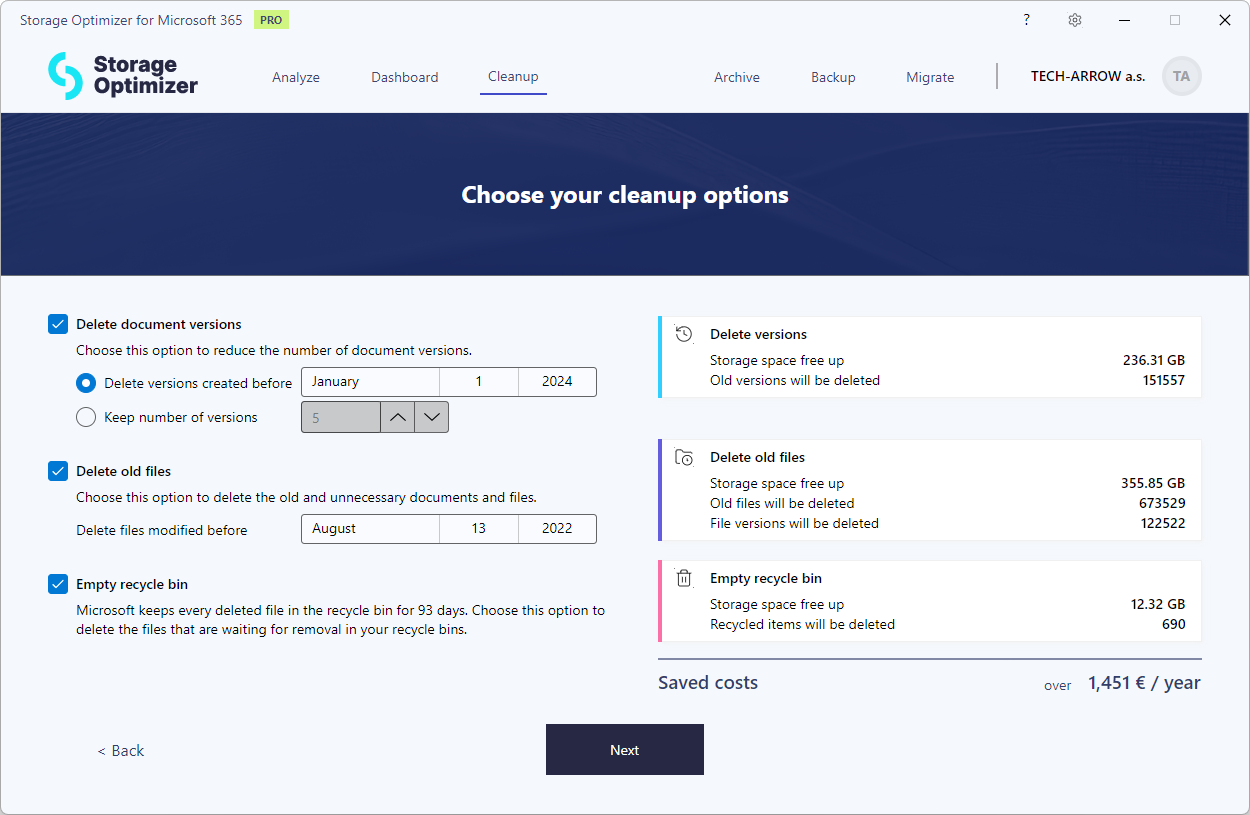
Our cleanup feature gives you complete control over how you manage and clean up your data. You can specify which individual file versions to remove and which to keep, whether that means retaining the last few versions or selecting versions based on specific dates. This flexibility ensures that only the most relevant data remains in your system.
You can also delete old files based on their last modification date, making it easy to clear out outdated or unnecessary data. Additionally, the cleanup process includes an option to clean up the recycle bin, helping you reclaim storage space with just a few clicks.
As you customize your cleanup settings, the system calculates the exact amount of space you’ll save, giving you a clear picture of the benefits before you act. For added peace of mind, you can generate a detailed report before starting the cleanup, allowing you to review your choices and ensure everything is in order. With these powerful tools at your disposal, you can optimize your storage and manage your data more efficiently than ever.
✓ Advanced reports
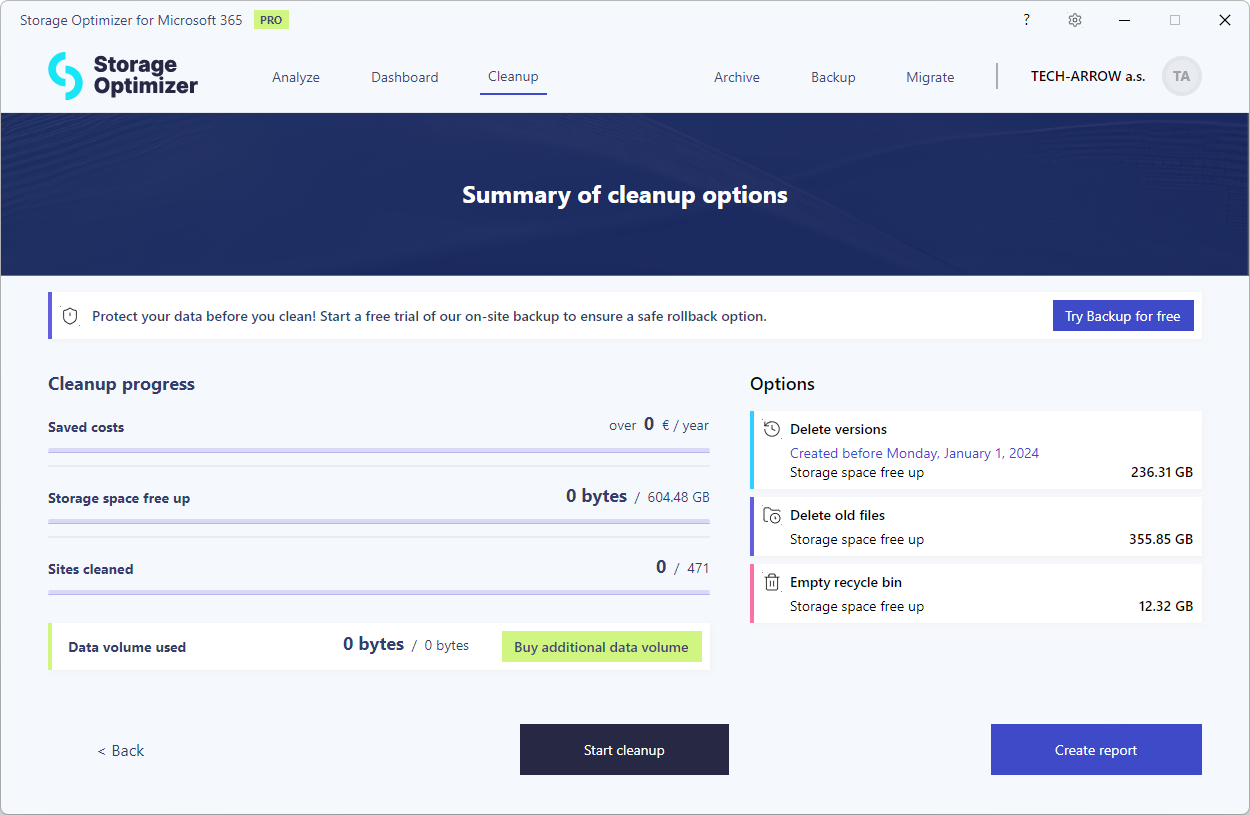
With our advanced reporting feature, you gain comprehensive insights into your data structures and distribution, allowing you to analyze your storage down to every detail. Instantly see where your users are storing their data—whether it’s in Teams, OneDrive, or SharePoint—giving you a clear overview of your organization’s data landscape.
Advanced reports also help you identify bottlenecks within your data structures. Quickly pinpoint which sites, libraries, or folders are accumulating the most files and versions, enabling you to address inefficiencies and optimize storage usage. By diving deep into these details, you can make informed decisions to streamline your data management and improve overall system performance.
✓ Export
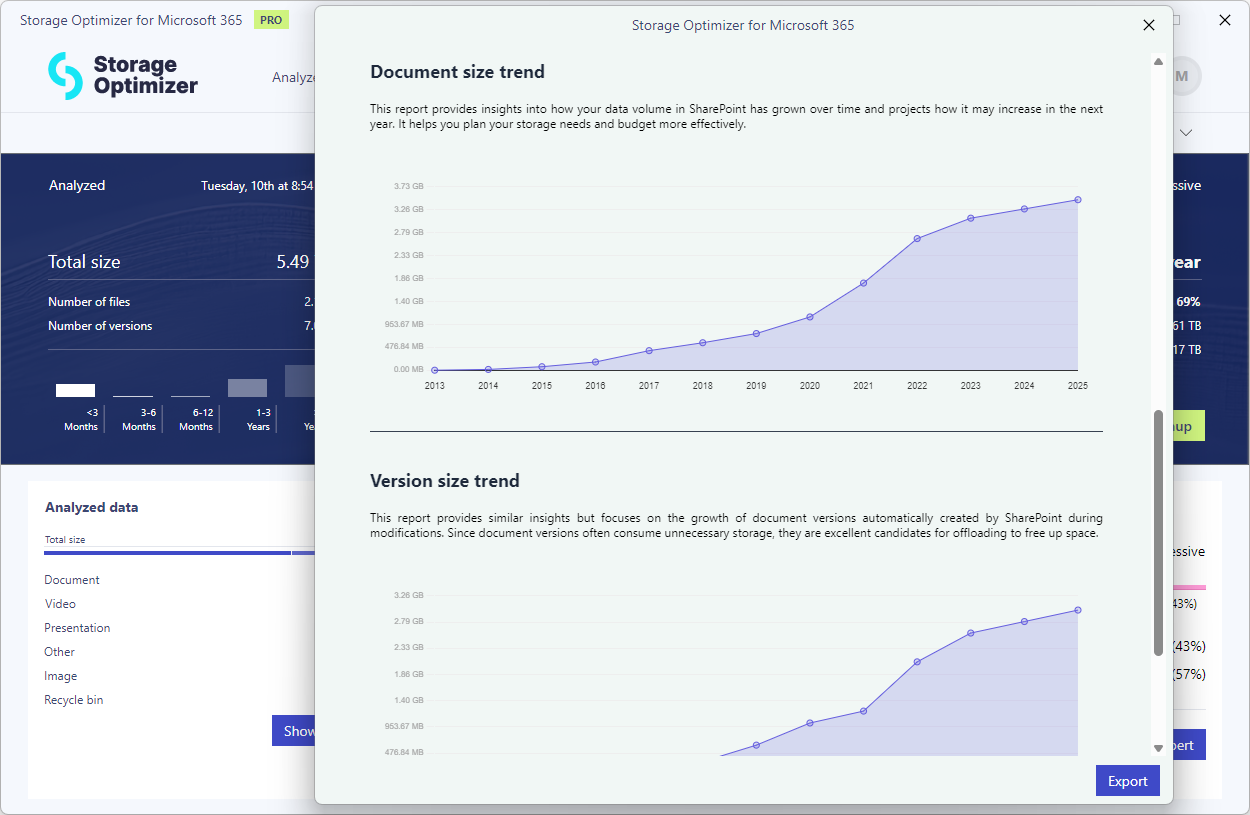
After completing your data analysis, our Export feature allows you to export your reports in PDF format. This makes it easy to share your findings with decision-makers and present your insights clearly and professionally. With polished, easily accessible reports, you can effectively convey your analysis and encourage stakeholders to take the next steps.
✓ Settings
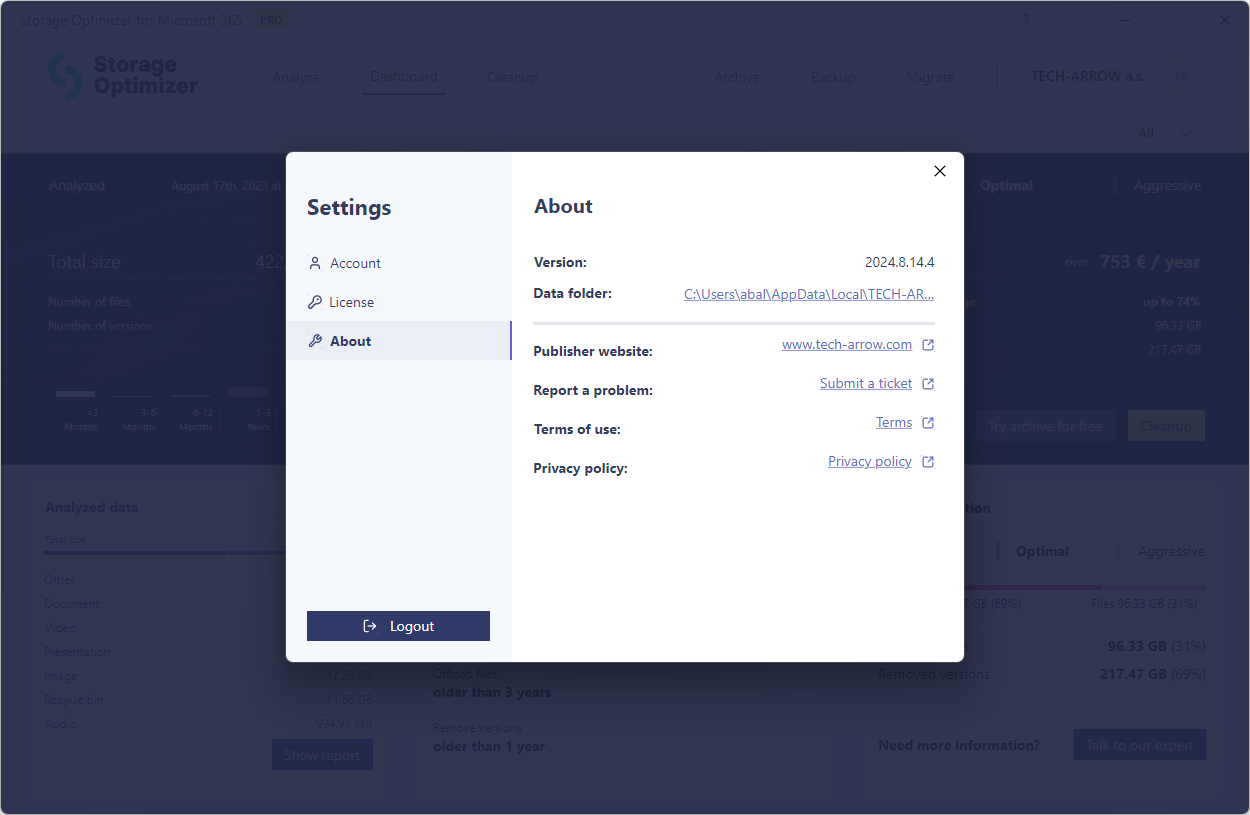
We’ve brought together the most important settings and general information into a single, easy-to-navigate location. You can now manage your license key, handle purchases, and access essential application details all in one place. This setup makes it easier than ever to keep your software up to date and customized to your preferences.
✓ Archive and Backup integration
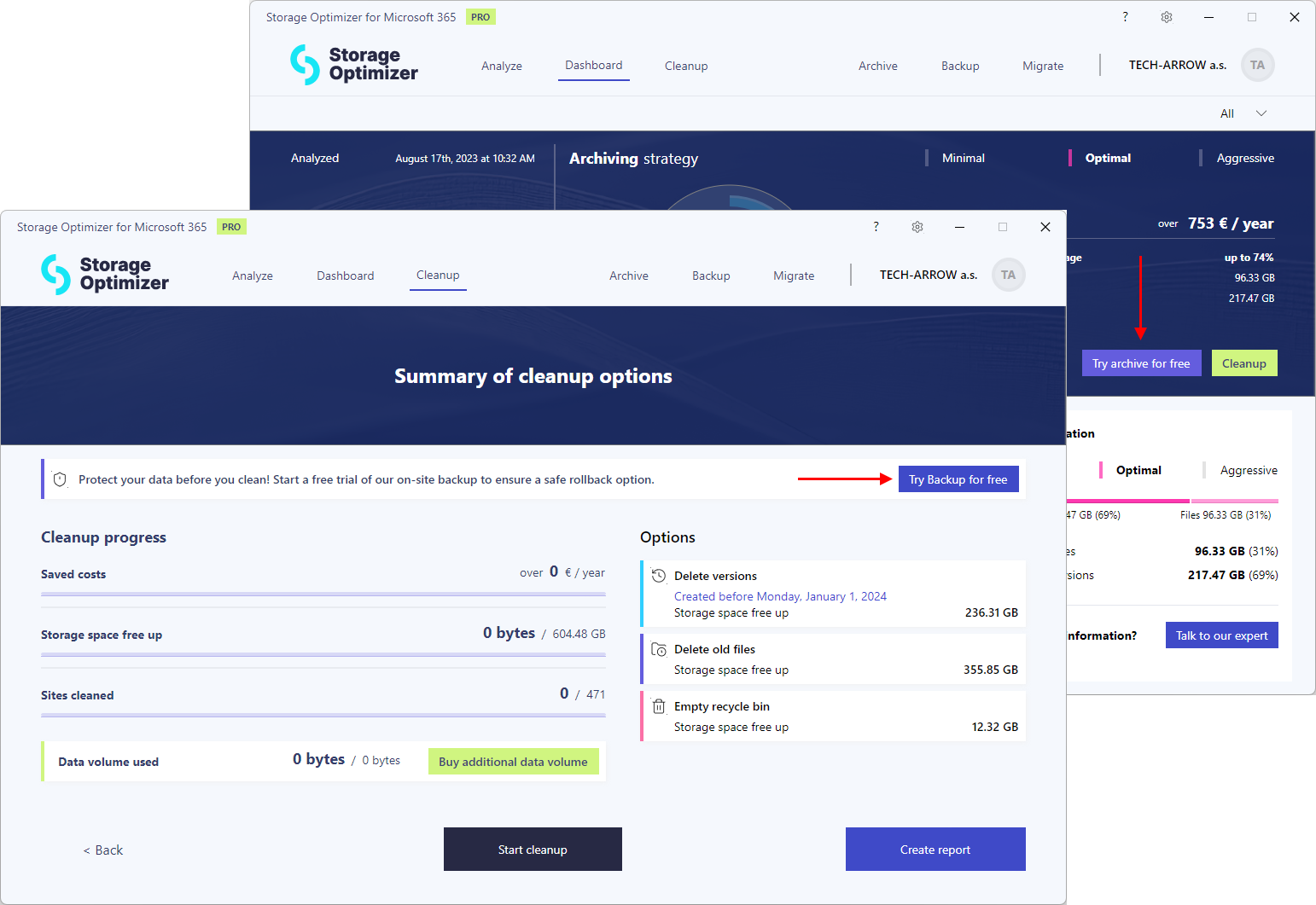
Storage Optimizer offers versatile solutions for reducing costs while meeting your company’s data management needs. For organizations with strict data retention regulations, our contentACCESS Archive provides a secure archiving option. It can offload files and versions from SharePoint, replacing them with a small, transparent shortcut, ensuring compliance while freeing up storage space.
For companies without stringent retention requirements, we offer a robust backup solution. This allows you to safeguard your data by creating backups before any cleanup, ensuring that nothing is accidentally deleted.
Both the archiving and backup solutions are now available for you to try for free, giving you the opportunity to see how they can benefit your organization.
✓ Faster processing
Over the past year, we’ve collaborated closely with our customers to optimize our analysis process. The result is significantly faster data analysis and cleanup speeds. With these improvements, you can now analyze and manage your data more efficiently, saving valuable time and resources.