User interface
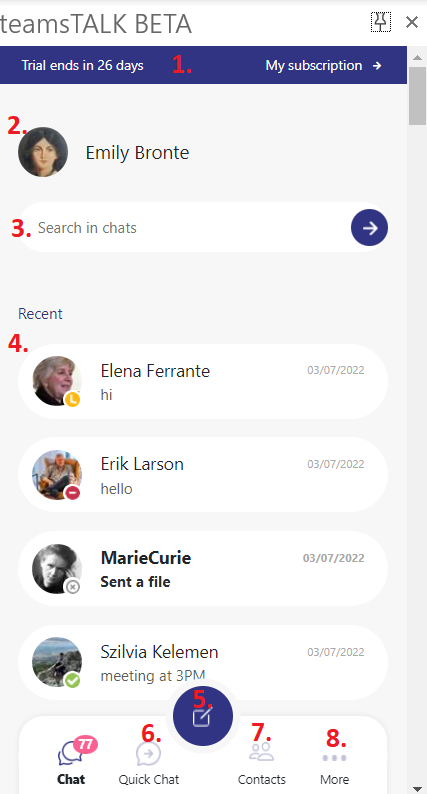
The user interface of teamsTALK is divided into the following sections:
1. Notification bar – the user can follow here when the trial ends and can check the user's subscription (account, orders, downloads, account details)
2. User – the logged in user is displayed here
3. Search in chats – the user can search for others within the existing chats
4. Chat list – the existing chats are displayed here (read more in the section Chat list)
5. Create new chat – create new conversation simply by selecting the users and sending new messages
6. Quick chat – the user can quickly reach out to the current email’s recipients (read more in the section Quick chat)
7. Contact list – lists the contacts from AAD (Azure Active Directory) (read more in the section Contact list)
8. More – context menu for some actions (these actions will be described later in the section More)