<?xml version="1.0" encoding="utf-8"?><?xml-stylesheet type="text/xsl" href="atom.xsl"?>
<feed xmlns="http://www.w3.org/2005/Atom">
    <id>https://docs.tech-arrow.com/release/storageoptimizer</id>
    <title>Tech-Arrow Documentation Blog</title>
    <updated>2025-09-15T00:00:00.000Z</updated>
    <generator>https://github.com/jpmonette/feed</generator>
    <link rel="alternate" href="https://docs.tech-arrow.com/release/storageoptimizer"/>
    <subtitle>Tech-Arrow Documentation Blog</subtitle>
    <icon>https://docs.tech-arrow.com/img/favicon.ico</icon>
    <entry>
        <title type="html"><![CDATA[Storage Optimizer Version 3.0]]></title>
        <id>https://docs.tech-arrow.com/release/storageoptimizer/storageoptimizer-3-0</id>
        <link href="https://docs.tech-arrow.com/release/storageoptimizer/storageoptimizer-3-0"/>
        <updated>2025-09-15T00:00:00.000Z</updated>
        <summary type="html"><![CDATA[✨ Highlights]]></summary>
        <content type="html"><![CDATA[<h2 class="anchor anchorTargetStickyNavbar_Vzrq" id="-highlights">✨ Highlights<a href="https://docs.tech-arrow.com/release/storageoptimizer/storageoptimizer-3-0#-highlights" class="hash-link" aria-label="Direct link to ✨ Highlights" title="Direct link to ✨ Highlights" translate="no">​</a></h2>
<ul>
<li class="">Introduces <strong>custom analysis settings</strong>, allowing you to define your own optimization rules and accurately model organization-specific retention policies and cleanup strategies.</li>
<li class="">Adds <strong>configurable storage pricing and currency selection</strong>, ensuring cost calculations and savings reports reflect your real Microsoft 365 pricing and local currency.</li>
<li class="">Launches a new <strong>Data Browser</strong> for deeper visibility into Microsoft 365 storage, enabling detailed exploration of sites, libraries, folders, and files.</li>
<li class="">Adds <strong>admin approval support</strong> for Azure app permissions, simplifying deployment in enterprise environments with restricted administrative rights.</li>
<li class="">Delivers <strong>faster analysis and processing</strong>, making storage insights and cleanup actions quicker and more efficient.</li>
</ul>
<h3 class="anchor anchorTargetStickyNavbar_Vzrq" id="application">Application<a href="https://docs.tech-arrow.com/release/storageoptimizer/storageoptimizer-3-0#application" class="hash-link" aria-label="Direct link to Application" title="Direct link to Application" translate="no">​</a></h3>
<p><strong>✓ Custom analysis settings</strong></p>
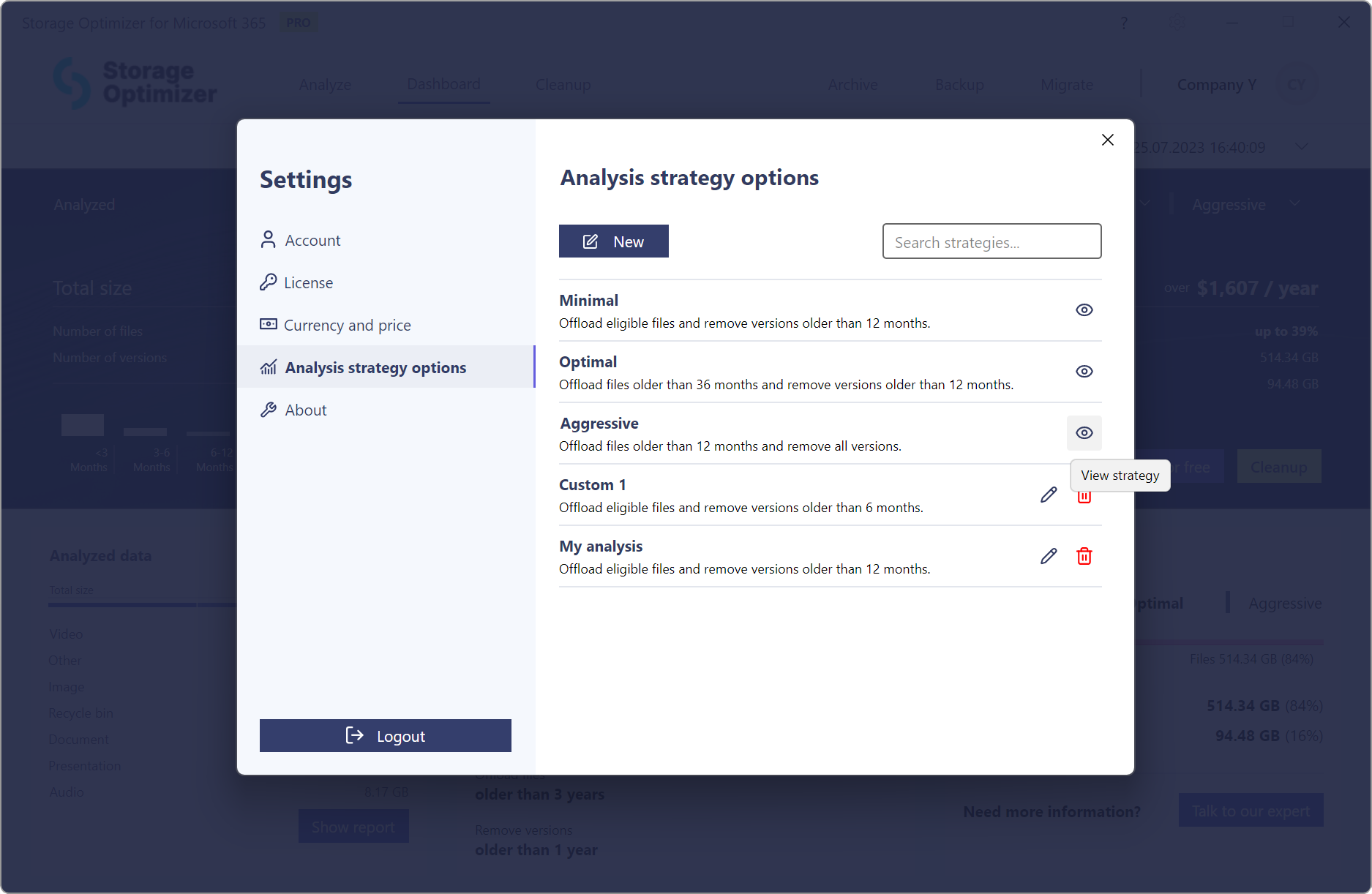
<p>This release brings one of the most powerful improvements to Storage Optimizer to date: Custom Analysis Settings. In previous versions, optimization analysis was limited to three predefined strategies—Minimal, Optimal, and Aggressive—which provided general guidance but didn’t always match the unique needs or data policies of each organization.<br>
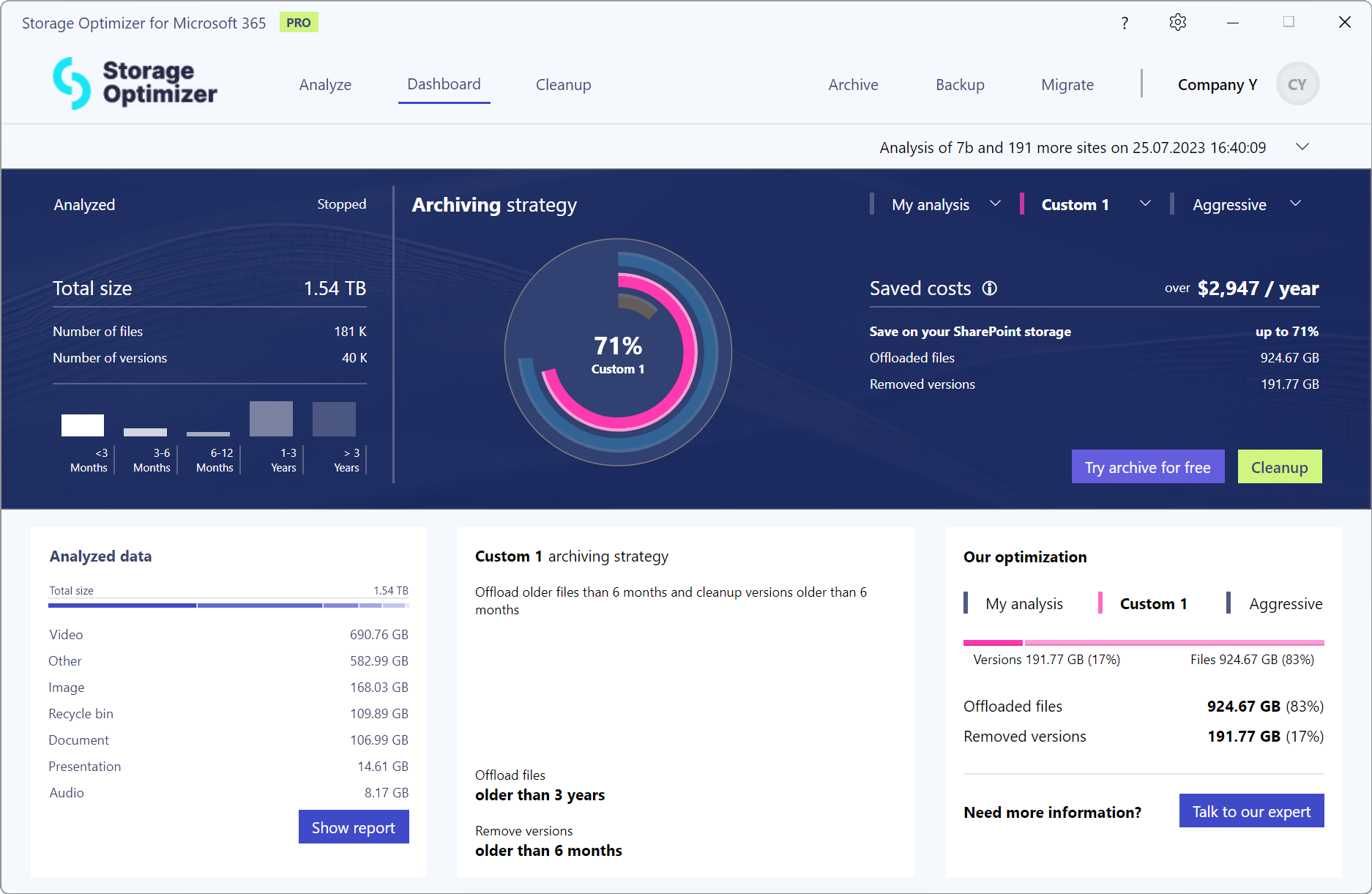
<!-- -->Now, you have full control. With custom analysis settings, you can create your own optimization rules and let Storage Optimizer calculate the potential cleanup impact and cost savings based on your specific criteria. You can define how old a file must be before it qualifies for offloading or deletion, and you can set separate thresholds for outdated file versions. This level of customization makes it possible to model your internal data retention policies or simulate different strategies before taking action.<br>
<!-- -->Once your custom rules are defined, Storage Optimizer will present you with a detailed overview of how much storage you could reclaim and how much money you could save if the rule were applied.</p>
<p><img decoding="async" loading="lazy" alt="Setup custom analysis settings" src="https://docs.tech-arrow.com/assets/images/so3-0-custom-analysis01-ca4cd7441467d4c7729a24fc0ed3305f.png" width="1875" height="1222" class="img_ev3q"></p>
<p><img decoding="async" loading="lazy" alt="See custom analysis results" src="https://docs.tech-arrow.com/assets/images/so3-0-custom-analysis02-499fab8f6a7ed4caf19765fd22a33101.png" width="1874" height="1221" class="img_ev3q"></p>
<p><strong>✓ Currency selection</strong></p>
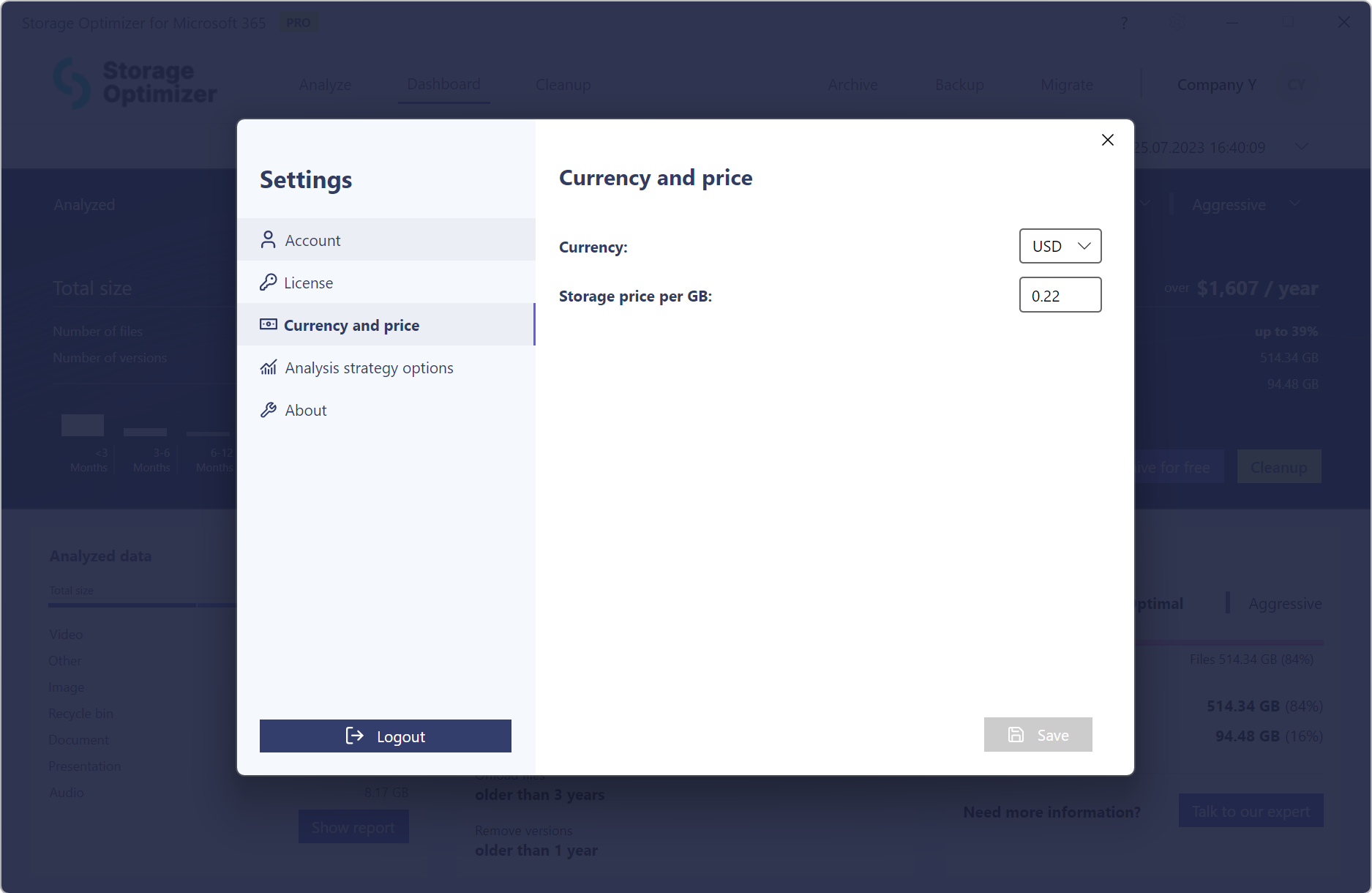
<p>Until now, Storage Optimizer displayed all pricing-related data—such as storage costs and potential savings—exclusively in euros. While this was suitable for some users, it didn’t align with the needs of organizations operating in countries with different local currencies.<br>
<!-- -->With this release, we’re introducing a flexible currency selection option. Users can now choose their preferred currency from a predefined list, and Storage Optimizer will display all cost-related values accordingly. This makes cost analysis more intuitive, improves alignment with internal reporting, and supports better budgeting and decision-making at the regional level.</p>
<p><img decoding="async" loading="lazy" alt="Select currency to show prices in it" src="https://docs.tech-arrow.com/assets/images/so3-0-price-and-currency-selection-b117f48b7379a1a94cc916ce4184ae31.png" width="1875" height="1220" class="img_ev3q"></p>
<p><strong>✓ Custom storage price</strong></p>
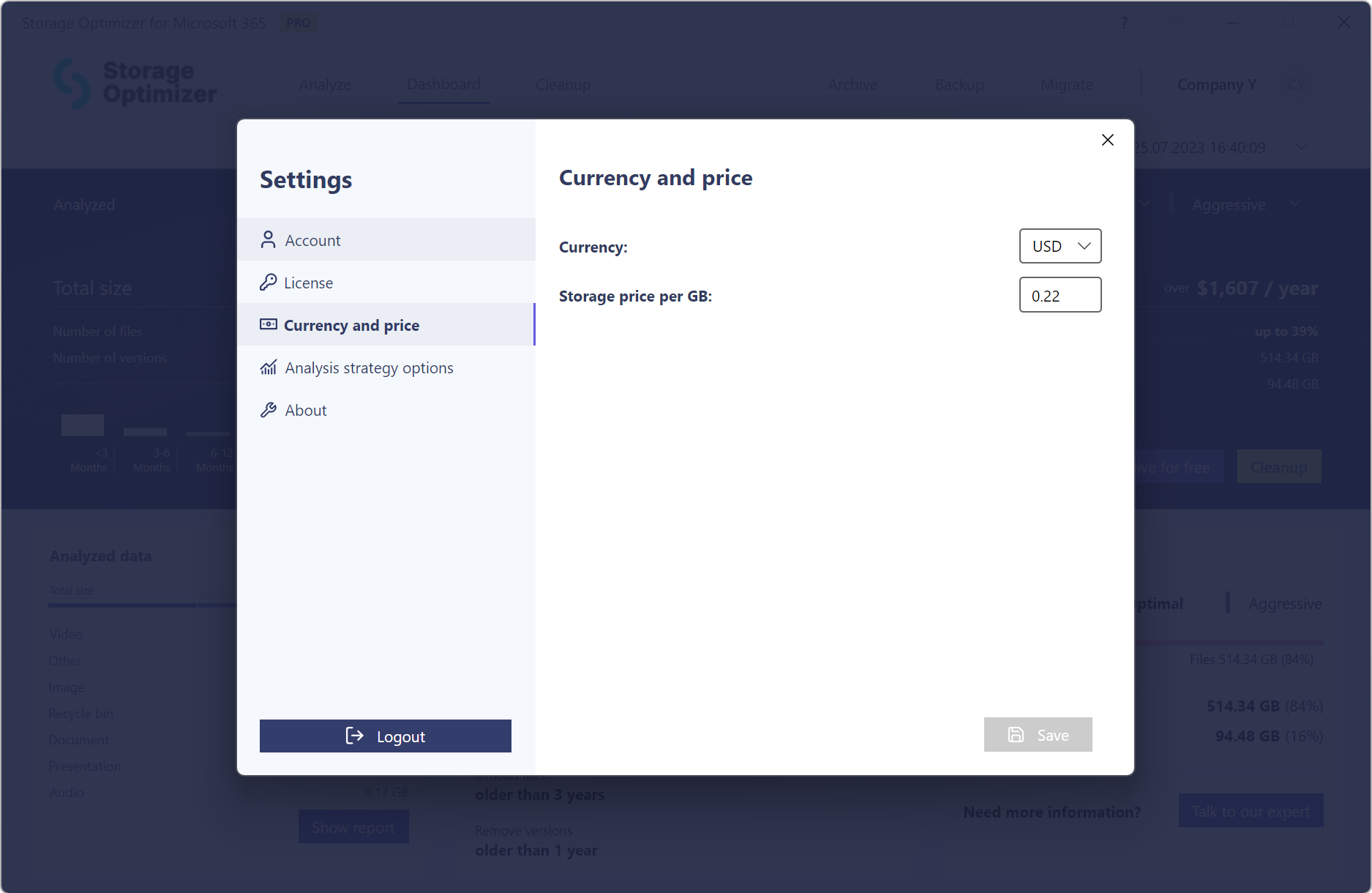
<p>In earlier versions, Storage Optimizer used a fixed Microsoft 365 storage price of 0.20 EUR/GB/month when calculating potential savings. While this default value provided a general estimate, it didn’t reflect the actual costs for many organizations, especially those with volume-based or discounted pricing models.<br>
<!-- -->With this release, Storage Optimizer introduces the ability to define your own custom storage price per gigabyte. This means the savings calculations now match your organization’s real pricing structure, ensuring accurate and meaningful reports. Whether you pay less due to an enterprise agreement or have specific rates in different regions, you can now adjust the value to reflect your actual costs.</p>
<p><img decoding="async" loading="lazy" alt="Set your storage price" src="https://docs.tech-arrow.com/assets/images/so3-0-price-and-currency-selection-2-b117f48b7379a1a94cc916ce4184ae31.png" width="1875" height="1220" class="img_ev3q"></p>
<p><strong>✓ Data browser</strong></p>
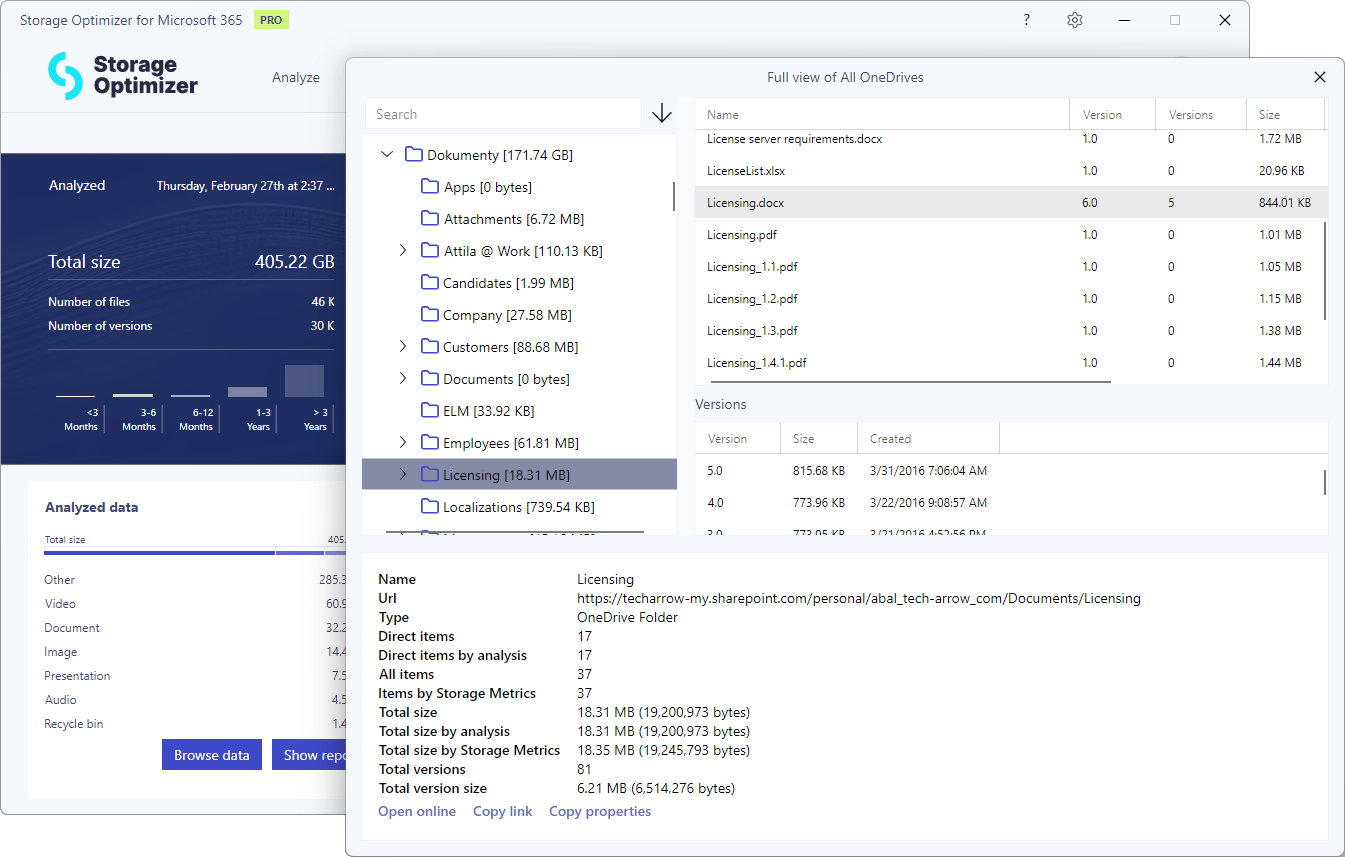
<p>The new Data Browser provides deeper insight into the structure and content of your Microsoft 365 storage. It allows users to explore analyzed SharePoint sites and drill down into document libraries, folders, and even individual files. At each level, the browser displays key storage metrics, including total size, number of files, and the space consumed by versions. This detailed visibility helps users identify where storage is being used and which content contributes most to overall usage.</p>
<p><img decoding="async" loading="lazy" alt="Storage Optimizer Data Browser" src="https://docs.tech-arrow.com/assets/images/so3-0-data-browser01-02a6844c3cc3317ca8eedcf0cc48380b.png" width="1345" height="857" class="img_ev3q"></p>
<p><strong>✓ Admin approval support</strong></p>
<p>Storage Optimizer integrates with SharePoint by registering an Azure application in the customer’s Microsoft 365 tenant. This application requires certain permissions to access and analyze SharePoint data. Previously, the user setting up Storage Optimizer needed to have global admin rights to consent to these permissions, which posed challenges in environments where IT responsibilities are separated and users lack the required privileges.<br>
<!-- -->With this release, Storage Optimizer introduces support for the admin approval request flow. If a user without sufficient rights attempts to register the application, the system now allows them to initiate the process and send a permission approval request to a global administrator. Once the admin reviews and grants the necessary consent, the user can begin the M365 storage analysis.<br>
<!-- -->This update makes Storage Optimizer more flexible in enterprise environments, where administrative privileges are often restricted and must follow formal approval processes.</p>
<p><strong>✓ Faster processing</strong></p>
<p>Over the past year, we’ve collaborated closely with our customers to optimize our analysis process. The result is significantly faster data analysis and cleanup. With these improvements, you can now analyze and manage your data more efficiently, saving valuable time and resources.</p>]]></content>
        <author>
            <name>Attila Balázsy</name>
        </author>
        <category label="Storage Optimizer" term="Storage Optimizer"/>
        <category label="Release" term="Release"/>
    </entry>
    <entry>
        <title type="html"><![CDATA[Storage Optimizer Version 2.2]]></title>
        <id>https://docs.tech-arrow.com/release/storageoptimizer/storageoptimizer-2-2</id>
        <link href="https://docs.tech-arrow.com/release/storageoptimizer/storageoptimizer-2-2"/>
        <updated>2024-11-19T00:00:00.000Z</updated>
        <summary type="html"><![CDATA[✨ Highlights]]></summary>
        <content type="html"><![CDATA[<h2 class="anchor anchorTargetStickyNavbar_Vzrq" id="-highlights">✨ Highlights<a href="https://docs.tech-arrow.com/release/storageoptimizer/storageoptimizer-2-2#-highlights" class="hash-link" aria-label="Direct link to ✨ Highlights" title="Direct link to ✨ Highlights" translate="no">​</a></h2>
<ul>
<li class="">Storage Optimizer can now be installed and used without elevated privileges, simplifying deployment and usage across environments.</li>
<li class="">Cleanup reliability has been improved with enhanced error handling, retry mechanisms, and a fix for an object reference issue that could previously terminate the cleanup process.</li>
<li class="">The cleanup options page now prevents users from proceeding until the clean size is calculated, reducing the risk of errors.</li>
</ul>
<h2 class="anchor anchorTargetStickyNavbar_Vzrq" id="application">Application<a href="https://docs.tech-arrow.com/release/storageoptimizer/storageoptimizer-2-2#application" class="hash-link" aria-label="Direct link to Application" title="Direct link to Application" translate="no">​</a></h2>
<ul>
<li class=""><span class="release-badge" style="background-color:#1a73e8;color:#fff;border-radius:6px;padding:2px 8px;font-size:0.7rem;font-weight:600;margin-right:0.5rem;vertical-align:middle">NEW</span> No elevated privileges required − Users can now install and use Storage Optimizer without needing elevated privileges, making deployment and usage simpler across environments</li>
<li class=""><span class="release-badge" style="background-color:#188038;color:#fff;border-radius:6px;padding:2px 8px;font-size:0.7rem;font-weight:600;margin-right:0.5rem;vertical-align:middle">IMPROVEMENT</span> Enhanced error handling in cleanup process − The cleanup process now includes more robust error handling and retry mechanism, improving stability and ensuring smoother operations during cleanup tasks</li>
<li class=""><span class="release-badge" style="background-color:#188038;color:#fff;border-radius:6px;padding:2px 8px;font-size:0.7rem;font-weight:600;margin-right:0.5rem;vertical-align:middle">IMPROVEMENT</span> Fixed object reference error during cleanup − Previously, in some cases, the entire cleanup process could terminate due to an unexpected error</li>
<li class=""><span class="release-badge" style="background-color:#188038;color:#fff;border-radius:6px;padding:2px 8px;font-size:0.7rem;font-weight:600;margin-right:0.5rem;vertical-align:middle">IMPROVEMENT</span> Enhanced the cleanup options page − Users will now be prevented from proceeding until the clean size is calculated, reducing the risk of unwanted errors</li>
</ul>]]></content>
        <author>
            <name>Attila Balázsy</name>
        </author>
        <category label="Storage Optimizer" term="Storage Optimizer"/>
        <category label="Release" term="Release"/>
    </entry>
    <entry>
        <title type="html"><![CDATA[Storage Optimizer Version 2.1]]></title>
        <id>https://docs.tech-arrow.com/release/storageoptimizer/storageoptimizer-2-1</id>
        <link href="https://docs.tech-arrow.com/release/storageoptimizer/storageoptimizer-2-1"/>
        <updated>2024-10-29T00:00:00.000Z</updated>
        <summary type="html"><![CDATA[✨ Highlights]]></summary>
        <content type="html"><![CDATA[<h2 class="anchor anchorTargetStickyNavbar_Vzrq" id="-highlights">✨ Highlights<a href="https://docs.tech-arrow.com/release/storageoptimizer/storageoptimizer-2-1#-highlights" class="hash-link" aria-label="Direct link to ✨ Highlights" title="Direct link to ✨ Highlights" translate="no">​</a></h2>
<ul>
<li class="">Improved folder compatibility by properly handling folders with <code>#</code> or <code>%</code> characters in their names.</li>
<li class="">Enhanced the filtering experience by retaining your selections as you switch filters on the Site list for a more seamless workflow.</li>
</ul>
<h2 class="anchor anchorTargetStickyNavbar_Vzrq" id="application">Application<a href="https://docs.tech-arrow.com/release/storageoptimizer/storageoptimizer-2-1#application" class="hash-link" aria-label="Direct link to Application" title="Direct link to Application" translate="no">​</a></h2>
<ul>
<li class=""><span class="release-badge" style="background-color:#188038;color:#fff;border-radius:6px;padding:2px 8px;font-size:0.7rem;font-weight:600;margin-right:0.5rem;vertical-align:middle">IMPROVEMENT</span> Enhanced folder compatibility − Handle folders with # or % characters in their names</li>
<li class=""><span class="release-badge" style="background-color:#188038;color:#fff;border-radius:6px;padding:2px 8px;font-size:0.7rem;font-weight:600;margin-right:0.5rem;vertical-align:middle">IMPROVEMENT</span> Improved filtering experience − Retain your selections as you switch filters on the Site list, ensuring an uninterrupted workflow</li>
</ul>]]></content>
        <author>
            <name>Attila Balázsy</name>
        </author>
        <category label="Storage Optimizer" term="Storage Optimizer"/>
        <category label="Release" term="Release"/>
    </entry>
    <entry>
        <title type="html"><![CDATA[Storage Optimizer Version 2.0]]></title>
        <id>https://docs.tech-arrow.com/release/storageoptimizer/storageoptimizer-2-0</id>
        <link href="https://docs.tech-arrow.com/release/storageoptimizer/storageoptimizer-2-0"/>
        <updated>2024-09-30T00:00:00.000Z</updated>
        <summary type="html"><![CDATA[✨ Highlights]]></summary>
        <content type="html"><![CDATA[<h2 class="anchor anchorTargetStickyNavbar_Vzrq" id="-highlights">✨ Highlights<a href="https://docs.tech-arrow.com/release/storageoptimizer/storageoptimizer-2-0#-highlights" class="hash-link" aria-label="Direct link to ✨ Highlights" title="Direct link to ✨ Highlights" translate="no">​</a></h2>
<ul>
<li class="">Introduces <strong>Storage Optimizer PRO</strong>, a new premium offering with advanced reporting, powerful data cleanup, flexible export options, and centralized settings.</li>
<li class="">Gain precise control over storage with configurable cleanup rules, version management, recycle bin cleanup, and pre-cleanup reports showing exact space savings.</li>
<li class="">Access detailed insights into data usage across Teams, OneDrive, and SharePoint with advanced reports that highlight storage hotspots and inefficiencies.</li>
<li class="">Export professional PDF reports to easily share analysis results with stakeholders.</li>
<li class="">Benefit from significantly faster analysis and cleanup performance, optimized through close collaboration with customers.</li>
</ul>
<h3 class="anchor anchorTargetStickyNavbar_Vzrq" id="application">Application<a href="https://docs.tech-arrow.com/release/storageoptimizer/storageoptimizer-2-0#application" class="hash-link" aria-label="Direct link to Application" title="Direct link to Application" translate="no">​</a></h3>
<p><strong>✓ Introducing PRO</strong></p>
<p>Introducing Storage Optimizer PRO, our premium solution tailored for professionals who demand more from their data management tools. PRO elevates your storage optimization experience by offering advanced reporting capabilities, allowing you to gain deeper insights into your data. The robust data export feature makes sharing and presenting your analysis simple and efficient.<br>
<!-- -->The highlight of Storage Optimizer PRO is its powerful cleanup feature, which enables you to identify and remove unwanted data, helping you significantly reduce storage costs. With PRO, you have complete control over your data environment, ensuring that your storage solution is always optimized and costs are minimized.<br>
<!-- -->Whether you’re managing large-scale data or simply seeking more efficient storage solutions, Storage Optimizer PRO provides the tools you need to stay ahead. Empower your data management with the precision and efficiency that only PRO can offer.</p>
<p><img decoding="async" loading="lazy" alt="Storage Optimizer PRO Cleanup" src="https://docs.tech-arrow.com/assets/images/so2-0-cleanup01-6cfdaed4a5adfaecf87e634d26f03bad.png" width="1250" height="815" class="img_ev3q"></p>
<p><strong>✓ Data cleanup</strong></p>
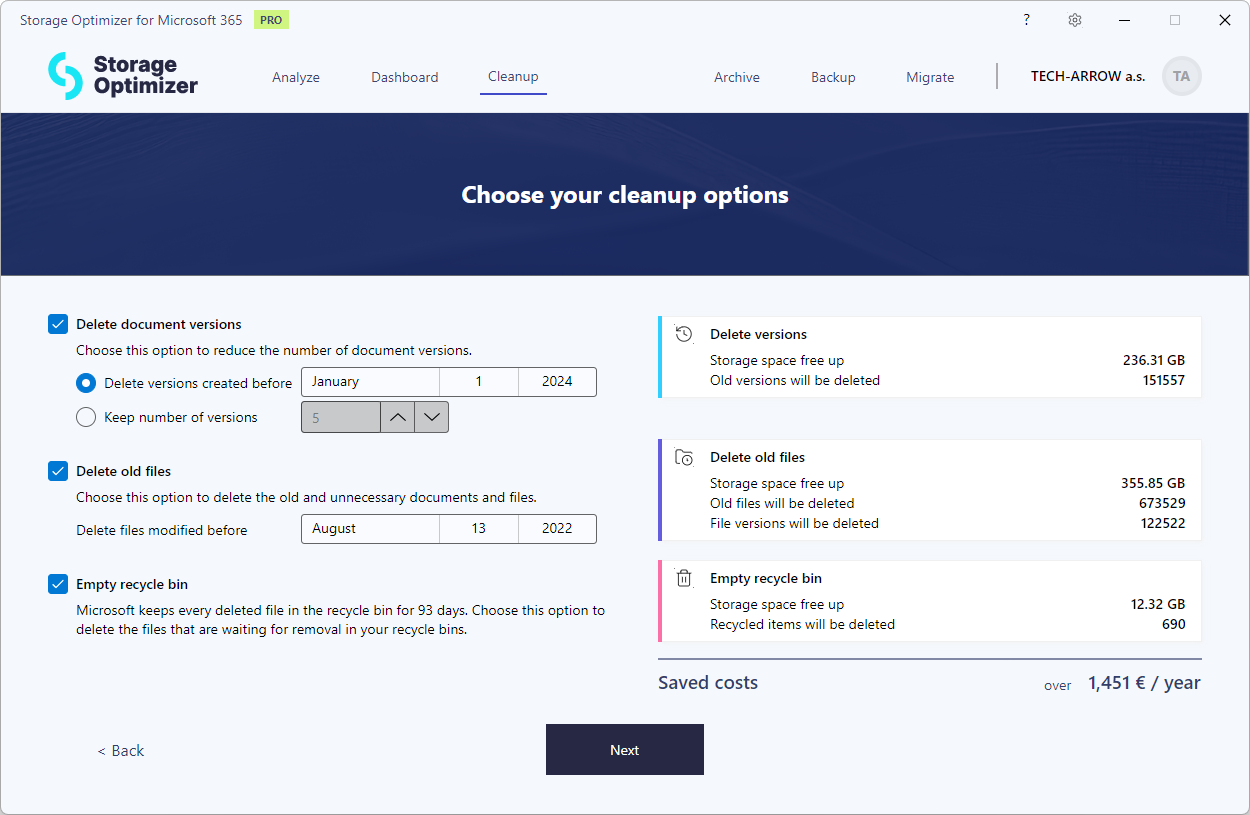
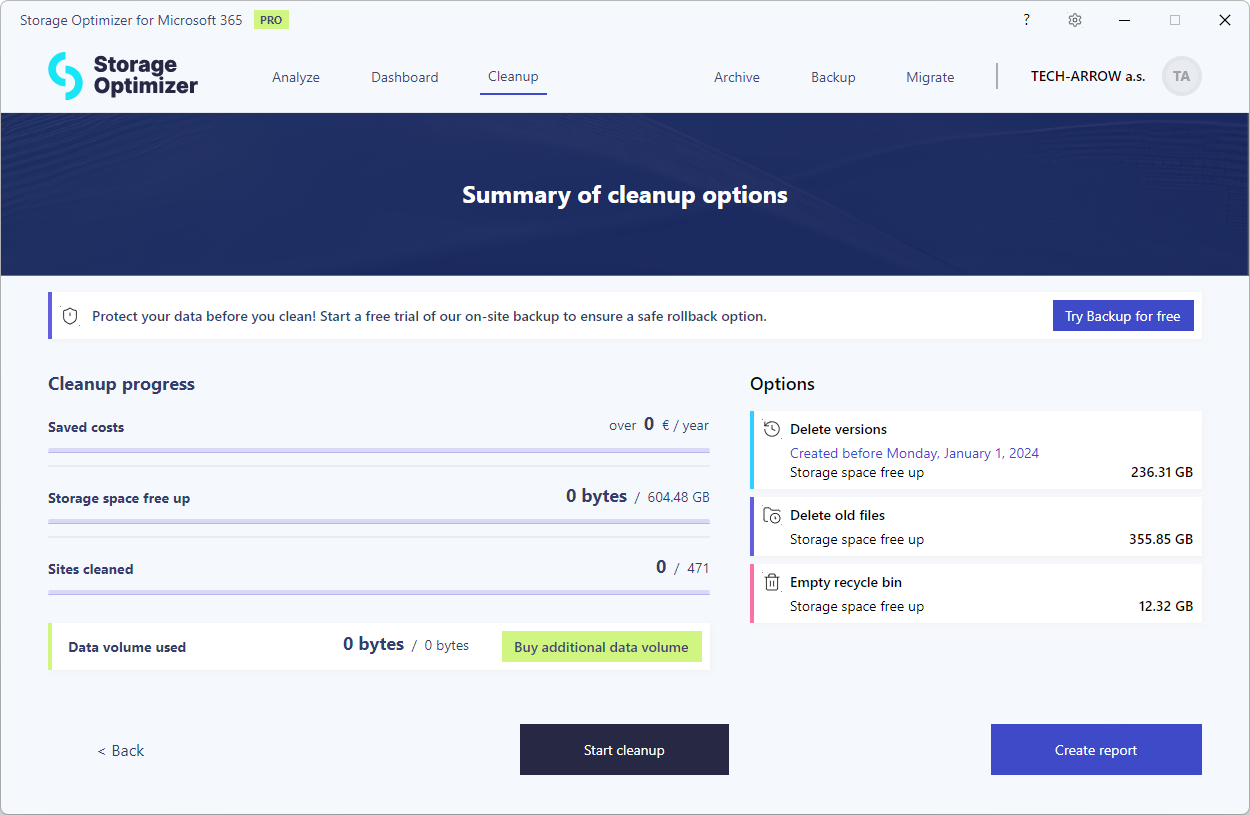
<p>Our cleanup feature gives you complete control over how you manage and clean up your data. You can specify which individual file versions to remove and which to keep, whether that means retaining the last few versions or selecting versions based on specific dates. This flexibility ensures that only the most relevant data remains in your system.<br>
<!-- -->You can also delete old files based on their last modification date, making it easy to clear out outdated or unnecessary data. Additionally, the cleanup process includes an option to clean up the recycle bin, helping you reclaim storage space with just a few clicks.<br>
<!-- -->As you customize your cleanup settings, the system calculates the exact amount of space you’ll save, giving you a clear picture of the benefits before you act. For added peace of mind, you can generate a detailed report before starting the cleanup, allowing you to review your choices and ensure everything is in order. With these powerful tools at your disposal, you can optimize your storage and manage your data more efficiently than ever.</p>
<p><img decoding="async" loading="lazy" alt="Storage Optimizer PRO Cleanup" src="https://docs.tech-arrow.com/assets/images/so2-0-cleanup02-ef2f76668cd209418f7ebea1ffc1046c.png" width="1250" height="815" class="img_ev3q"></p>
<p><strong>✓ Advanced reports</strong></p>
<p>With our advanced reporting feature, you gain comprehensive insights into your data structures and distribution, allowing you to analyze your storage down to every detail. Instantly see where your users are storing their data—whether it’s in Teams, OneDrive, or SharePoint—giving you a clear overview of your organization’s data landscape.<br>
<!-- -->Advanced reports also help you identify bottlenecks within your data structures. Quickly pinpoint which sites, libraries, or folders are accumulating the most files and versions, enabling you to address inefficiencies and optimize storage usage. By diving deep into these details, you can make informed decisions to streamline your data management and improve overall system performance.</p>
<p><img decoding="async" loading="lazy" alt="Advanced reporting" src="https://docs.tech-arrow.com/assets/images/so2-0-advancedreports02-8795fe677bb6fd0b1d95a409012fb4bb.png" width="1250" height="815" class="img_ev3q"></p>
<p><strong>✓ Export</strong></p>
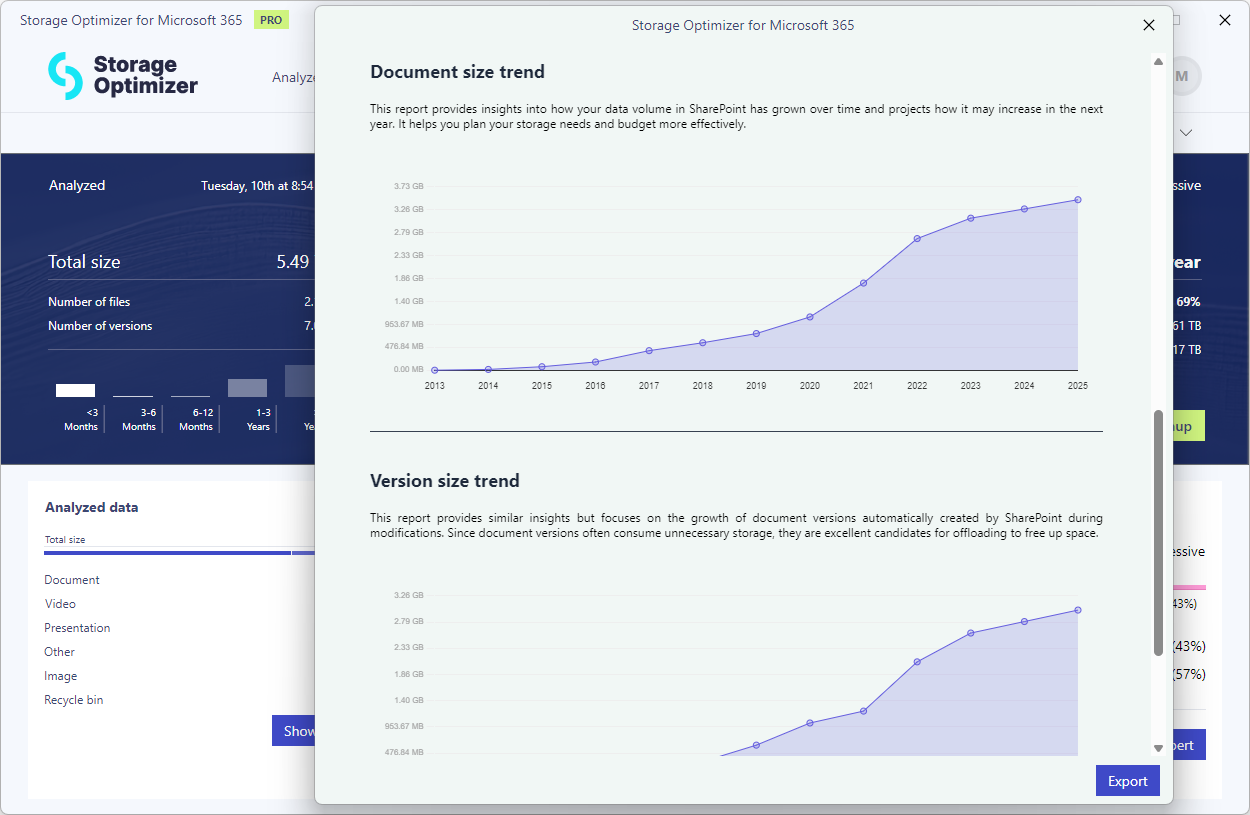
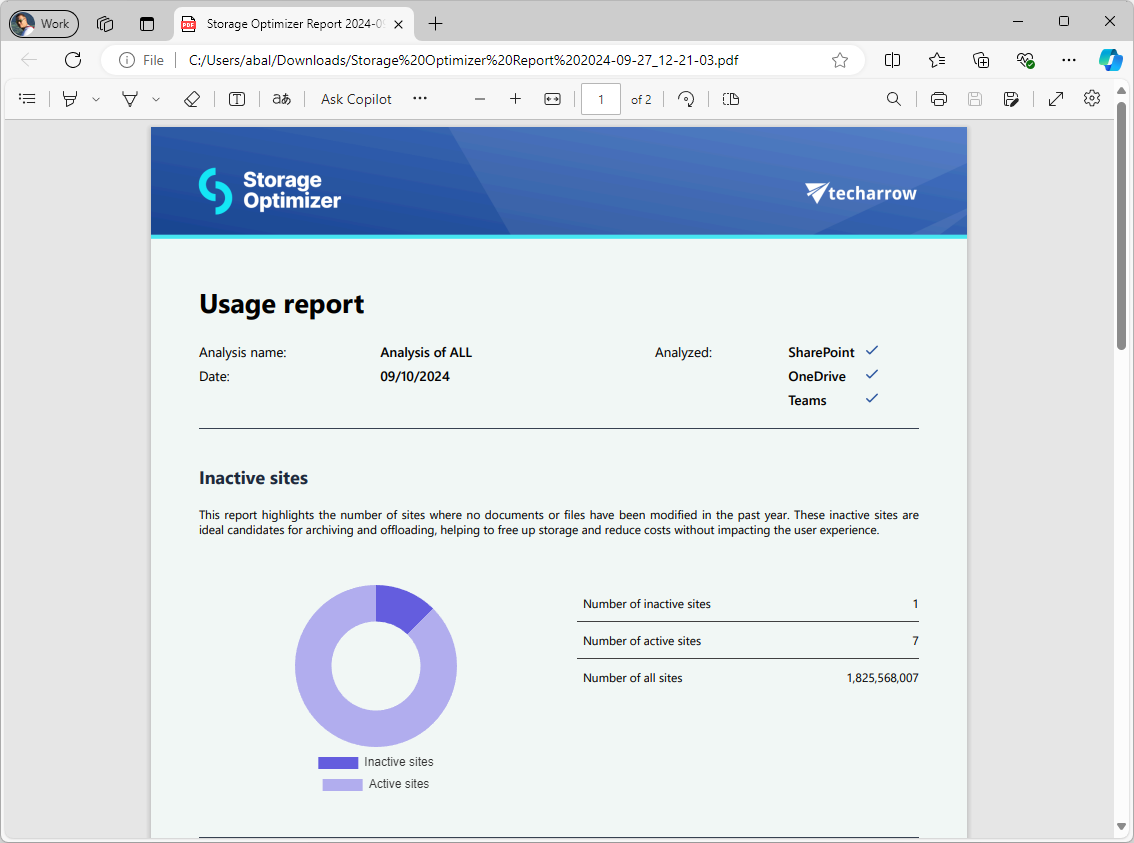
<p>After completing your data analysis, our Export feature allows you to export your reports in PDF format. This makes it easy to share your findings with decision-makers and present your insights clearly and professionally. With polished, easily accessible reports, you can effectively convey your analysis and encourage stakeholders to take the next steps.</p>
<p><img decoding="async" loading="lazy" alt="Export your analysis results" src="https://docs.tech-arrow.com/assets/images/so2-0-export02-d0b42004b46981a3e98bf057cdaddcd5.png" width="1134" height="843" class="img_ev3q"></p>
<p><strong>✓ Settings</strong></p>
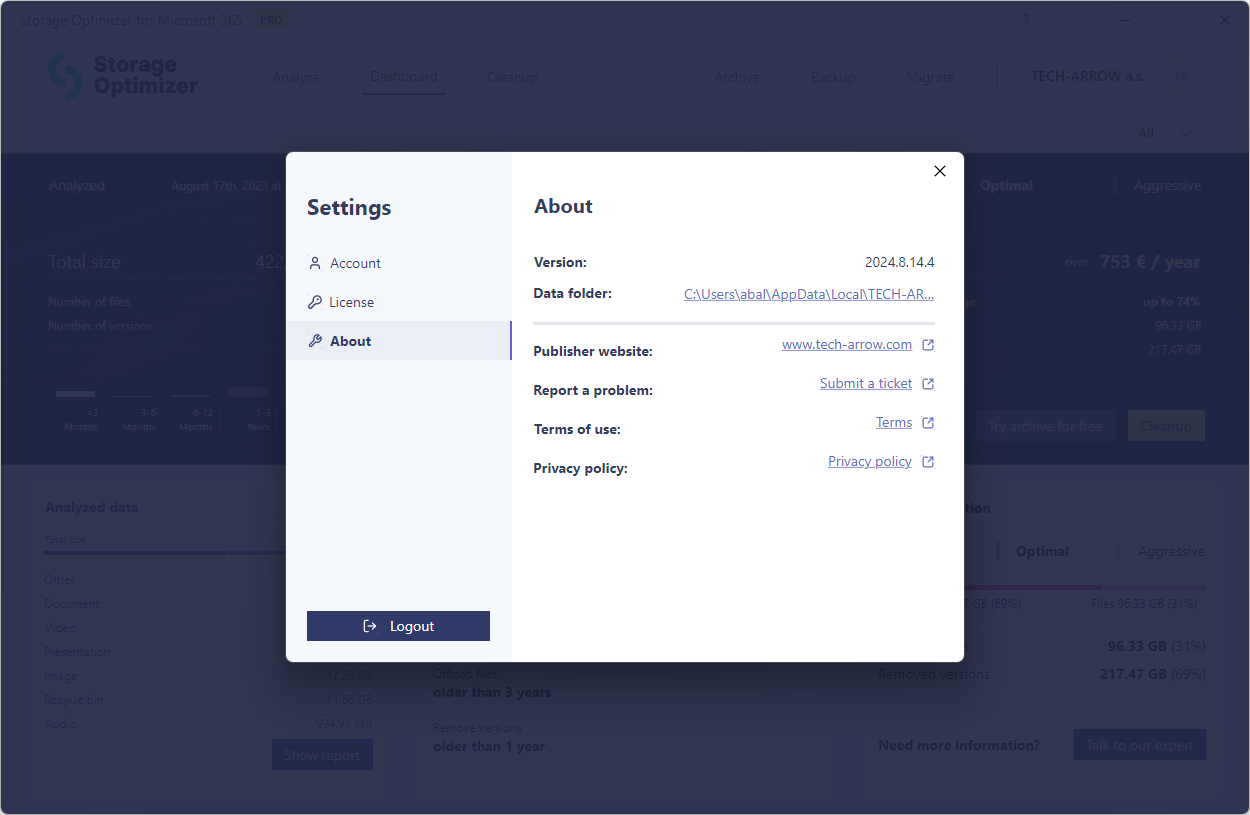
<p>We’ve brought together the most important settings and general information into a single, easy-to-navigate location. You can now manage your license key, handle purchases, and access essential application details all in one place. This setup makes it easier than ever to keep your software up to date and customized to your preferences.</p>
<p><img decoding="async" loading="lazy" alt="Settings" src="https://docs.tech-arrow.com/assets/images/so2-0-settings01-ea0dc336426996725b77fdd8a0489cd3.png" width="1250" height="815" class="img_ev3q"></p>
<p><strong>✓ Archive and Backup integration</strong></p>
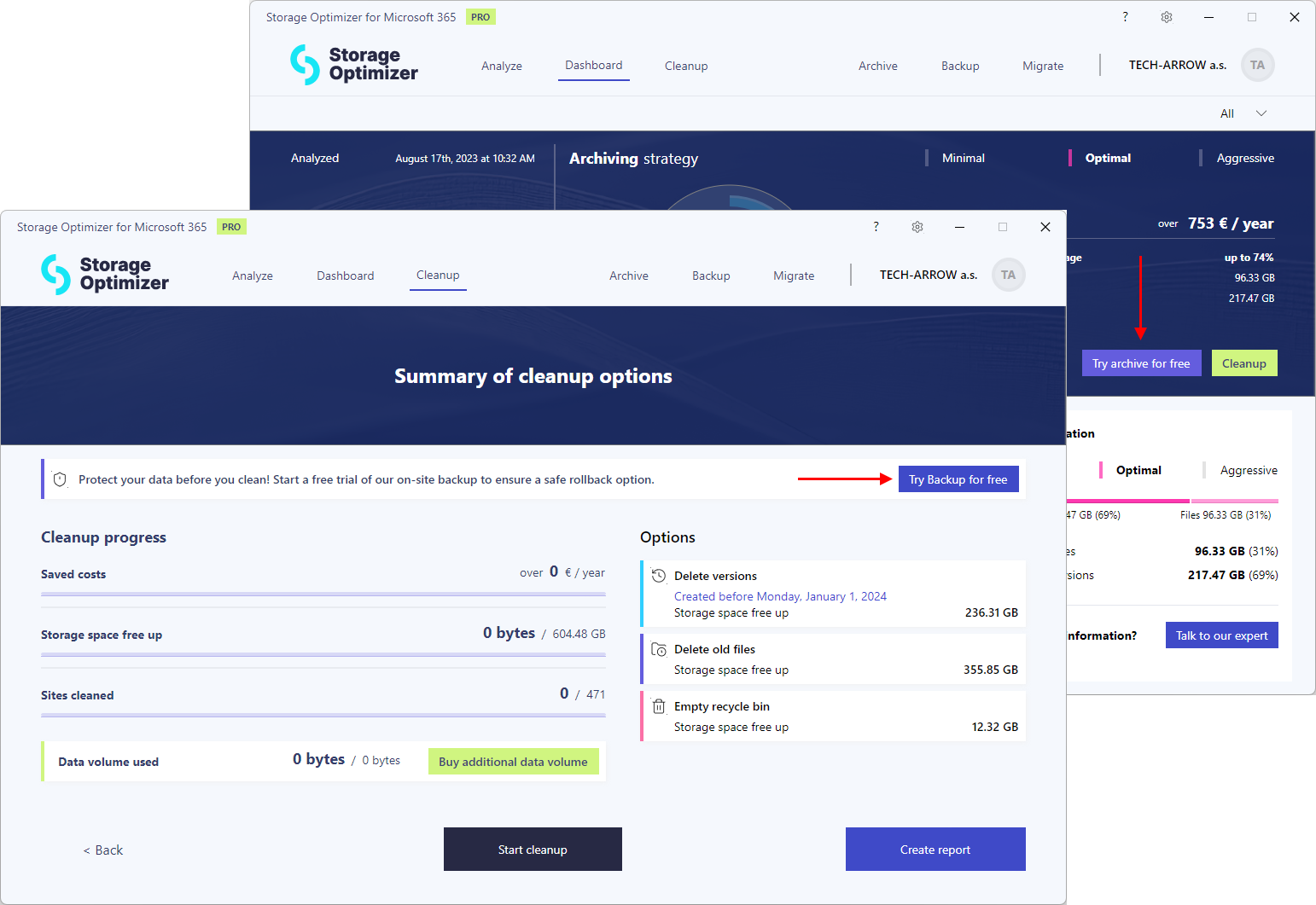
<p>Storage Optimizer offers versatile solutions for reducing costs while meeting your company’s data management needs. For organizations with strict data retention regulations, our contentACCESS Archive provides a secure archiving option. It can offload files and versions from SharePoint, replacing them with a small, transparent shortcut, ensuring compliance while freeing up storage space.<br>
<!-- -->For companies without stringent retention requirements, we offer a robust backup solution. This allows you to safeguard your data by creating backups before any cleanup, ensuring that nothing is accidentally deleted.<br>
<!-- -->Both the archiving and backup solutions are now available for you to try for free, giving you the opportunity to see how they can benefit your organization.</p>
<p><img decoding="async" loading="lazy" alt="Try Archive and Backup for free" src="https://docs.tech-arrow.com/assets/images/so2-0-archivenbackup-integration01-165a44603c9c6c97548a8ef8cc94967e.png" width="1542" height="1061" class="img_ev3q"></p>
<p><strong>✓ Faster processing</strong></p>
<p>Over the past year, we’ve collaborated closely with our customers to optimize our analysis process. The result is significantly faster data analysis and cleanup speeds. With these improvements, you can now analyze and manage your data more efficiently, saving valuable time and resources.</p>]]></content>
        <author>
            <name>Attila Balázsy</name>
        </author>
        <category label="Storage Optimizer" term="Storage Optimizer"/>
        <category label="Release" term="Release"/>
    </entry>
    <entry>
        <title type="html"><![CDATA[Storage Optimizer Version 1.2]]></title>
        <id>https://docs.tech-arrow.com/release/storageoptimizer/storageoptimizer-1-2</id>
        <link href="https://docs.tech-arrow.com/release/storageoptimizer/storageoptimizer-1-2"/>
        <updated>2023-12-13T00:00:00.000Z</updated>
        <summary type="html"><![CDATA[✨ Highlights]]></summary>
        <content type="html"><![CDATA[<h2 class="anchor anchorTargetStickyNavbar_Vzrq" id="-highlights">✨ Highlights<a href="https://docs.tech-arrow.com/release/storageoptimizer/storageoptimizer-1-2#-highlights" class="hash-link" aria-label="Direct link to ✨ Highlights" title="Direct link to ✨ Highlights" translate="no">​</a></h2>
<ul>
<li class="">Introduces PRO features with an option to sign up for early access.</li>
<li class="">Fixes an incorrect link in the installer.</li>
<li class="">Improves overall performance and stability.</li>
</ul>
<h2 class="anchor anchorTargetStickyNavbar_Vzrq" id="application">Application<a href="https://docs.tech-arrow.com/release/storageoptimizer/storageoptimizer-1-2#application" class="hash-link" aria-label="Direct link to Application" title="Direct link to Application" translate="no">​</a></h2>
<ul>
<li class=""><span class="release-badge" style="background-color:#1a73e8;color:#fff;border-radius:6px;padding:2px 8px;font-size:0.7rem;font-weight:600;margin-right:0.5rem;vertical-align:middle">NEW</span> Introducing PRO features and sign up for early access</li>
<li class=""><span class="release-badge" style="background-color:#188038;color:#fff;border-radius:6px;padding:2px 8px;font-size:0.7rem;font-weight:600;margin-right:0.5rem;vertical-align:middle">IMPROVEMENT</span> Fixed incorrect link in the installer</li>
<li class=""><span class="release-badge" style="background-color:#188038;color:#fff;border-radius:6px;padding:2px 8px;font-size:0.7rem;font-weight:600;margin-right:0.5rem;vertical-align:middle">IMPROVEMENT</span> Enhanced performance and stability.</li>
</ul>]]></content>
        <author>
            <name>Attila Balázsy</name>
        </author>
        <category label="Storage Optimizer" term="Storage Optimizer"/>
        <category label="Release" term="Release"/>
    </entry>
    <entry>
        <title type="html"><![CDATA[Storage Optimizer Version 1.1]]></title>
        <id>https://docs.tech-arrow.com/release/storageoptimizer/storageoptimizer-1-1</id>
        <link href="https://docs.tech-arrow.com/release/storageoptimizer/storageoptimizer-1-1"/>
        <updated>2023-09-28T00:00:00.000Z</updated>
        <summary type="html"><![CDATA[✨ Highlights]]></summary>
        <content type="html"><![CDATA[<h2 class="anchor anchorTargetStickyNavbar_Vzrq" id="-highlights">✨ Highlights<a href="https://docs.tech-arrow.com/release/storageoptimizer/storageoptimizer-1-1#-highlights" class="hash-link" aria-label="Direct link to ✨ Highlights" title="Direct link to ✨ Highlights" translate="no">​</a></h2>
<ul>
<li class="">Ensures sites are correctly marked as analyzed after an account change.</li>
<li class="">Fixes issues with fetching site collections during refresh.</li>
<li class="">Reduces long refresh times during data fetching.</li>
<li class="">Resolves missing permission issues for the registered Azure application.</li>
</ul>
<h2 class="anchor anchorTargetStickyNavbar_Vzrq" id="application">Application<a href="https://docs.tech-arrow.com/release/storageoptimizer/storageoptimizer-1-1#application" class="hash-link" aria-label="Direct link to Application" title="Direct link to Application" translate="no">​</a></h2>
<ul>
<li class=""><span class="release-badge" style="background-color:#188038;color:#fff;border-radius:6px;padding:2px 8px;font-size:0.7rem;font-weight:600;margin-right:0.5rem;vertical-align:middle">IMPROVEMENT</span> Sites are marked as analyzed after account change</li>
<li class=""><span class="release-badge" style="background-color:#188038;color:#fff;border-radius:6px;padding:2px 8px;font-size:0.7rem;font-weight:600;margin-right:0.5rem;vertical-align:middle">IMPROVEMENT</span> Failed to fetch site collections on refresh</li>
<li class=""><span class="release-badge" style="background-color:#188038;color:#fff;border-radius:6px;padding:2px 8px;font-size:0.7rem;font-weight:600;margin-right:0.5rem;vertical-align:middle">IMPROVEMENT</span> Refresh (data fetching) takes too long</li>
<li class=""><span class="release-badge" style="background-color:#188038;color:#fff;border-radius:6px;padding:2px 8px;font-size:0.7rem;font-weight:600;margin-right:0.5rem;vertical-align:middle">IMPROVEMENT</span> Missing permission for the registered Azure application</li>
</ul>]]></content>
        <author>
            <name>Attila Balázsy</name>
        </author>
        <category label="Storage Optimizer" term="Storage Optimizer"/>
        <category label="Release" term="Release"/>
    </entry>
    <entry>
        <title type="html"><![CDATA[Storage Optimizer Version 1.0]]></title>
        <id>https://docs.tech-arrow.com/release/storageoptimizer/storageoptimizer-1-0</id>
        <link href="https://docs.tech-arrow.com/release/storageoptimizer/storageoptimizer-1-0"/>
        <updated>2023-08-07T00:00:00.000Z</updated>
        <summary type="html"><![CDATA[✨ Highlights]]></summary>
        <content type="html"><![CDATA[<h2 class="anchor anchorTargetStickyNavbar_Vzrq" id="-highlights">✨ Highlights<a href="https://docs.tech-arrow.com/release/storageoptimizer/storageoptimizer-1-0#-highlights" class="hash-link" aria-label="Direct link to ✨ Highlights" title="Direct link to ✨ Highlights" translate="no">​</a></h2>
<ul>
<li class="">Introduces modern authentication with automatic Entra ID app registration for improved security and simplified setup.</li>
<li class="">Adds flexible SharePoint site categorization (SharePoint, Teams, and OneDrive) with granular site selection.</li>
<li class="">Provides a new dashboard with clear insights into storage usage, data distribution, and optimization potential.</li>
</ul>
<h3 class="anchor anchorTargetStickyNavbar_Vzrq" id="application">Application<a href="https://docs.tech-arrow.com/release/storageoptimizer/storageoptimizer-1-0#application" class="hash-link" aria-label="Direct link to Application" title="Direct link to Application" translate="no">​</a></h3>
<p><strong>✓ Modern authentication</strong></p>
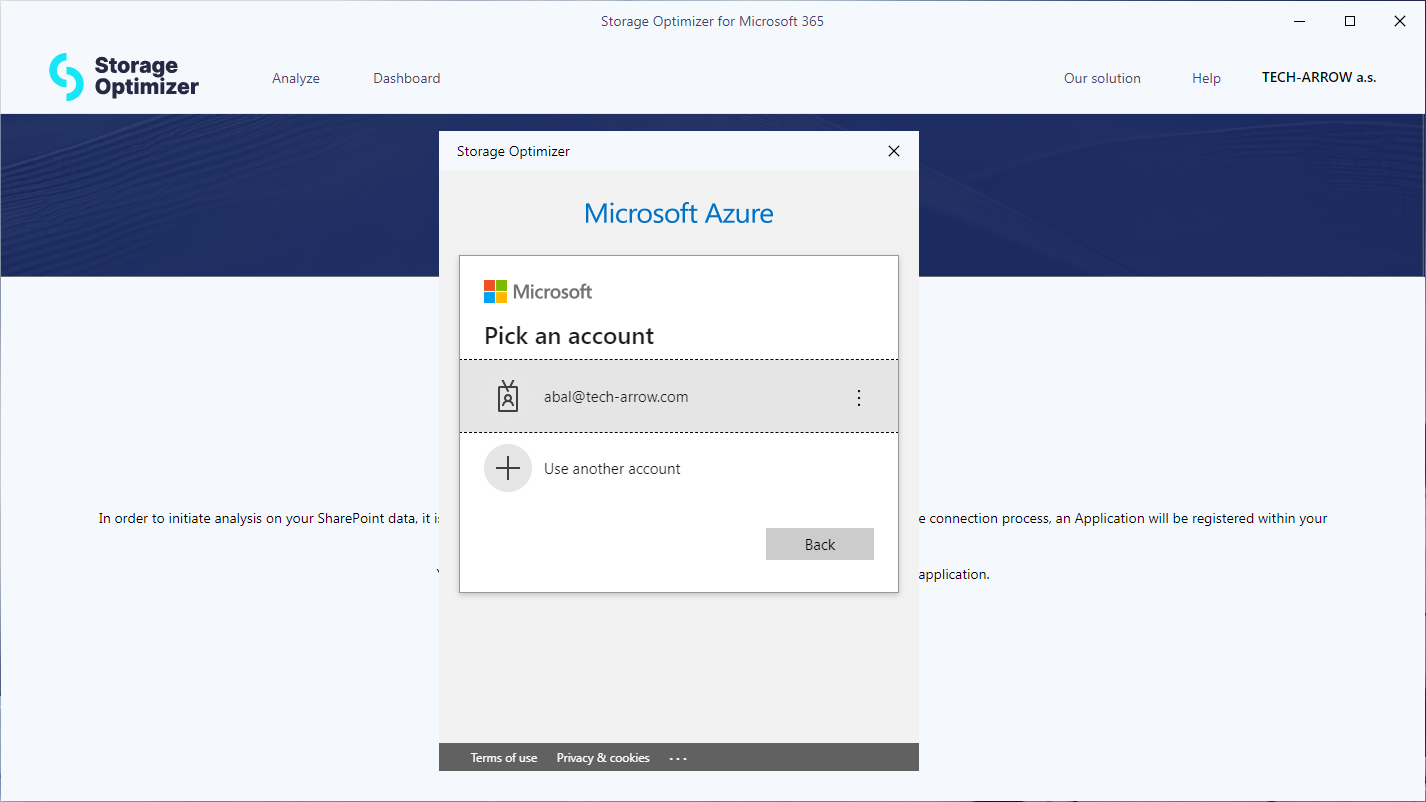
<p>Modern authentication ensures higher security, better transparency, and easier management. It helps administrators eliminate the need to assign the necessary permissions for a SharePoint superuser across all site collections.</p>
<p><img decoding="async" loading="lazy" alt="Modern authentication" src="https://docs.tech-arrow.com/assets/images/so1-0-modernauth01-46fa7bc0d5c5b49cc11fc7b8d10f70df.png" width="1426" height="802" class="img_ev3q"></p>
<p><strong>✓ Automatic Entra ID App Registration</strong></p>
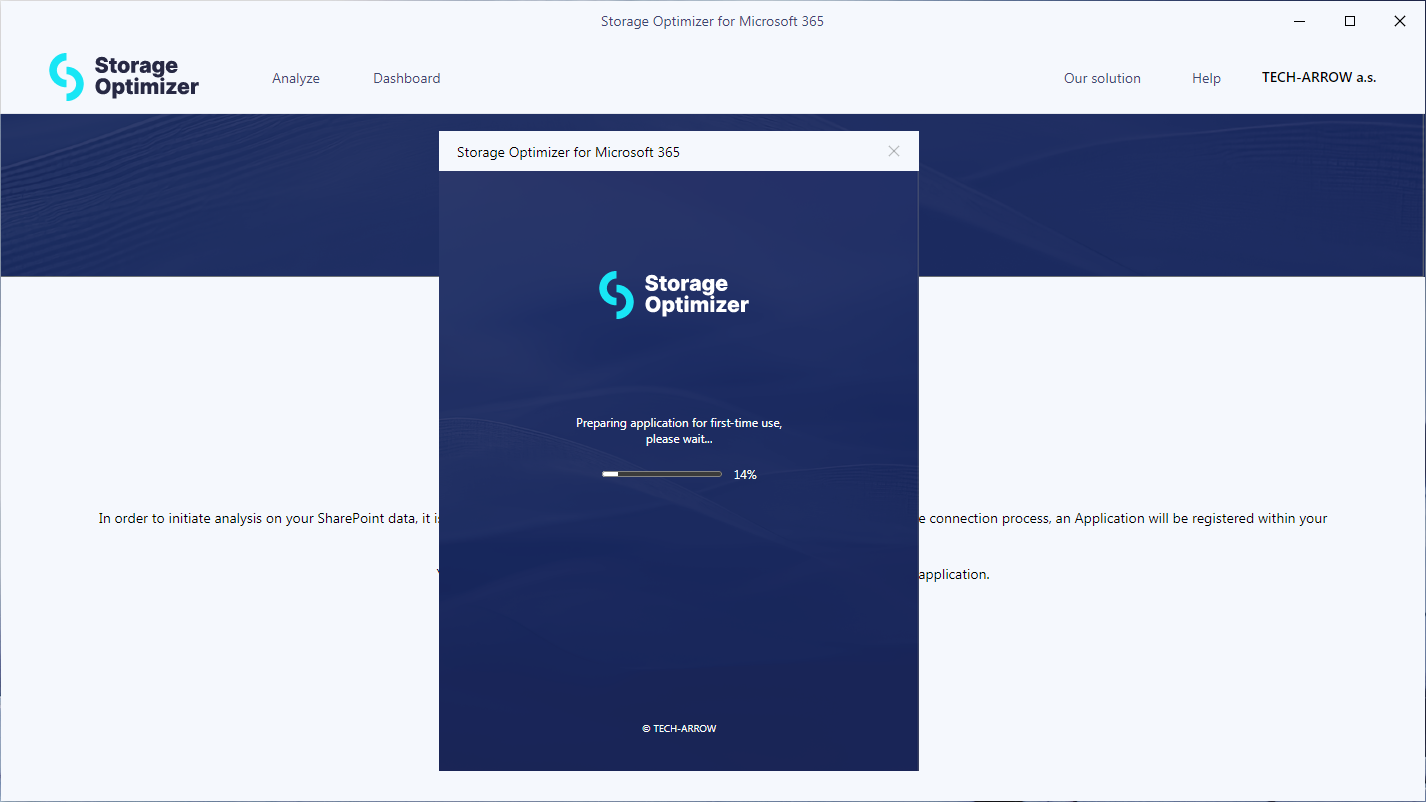
<p>To use modern authentication, an application must be registered within the tenant’s Entra ID (formerly Azure Active Directory). This registered application receives only the minimum permissions required to access your SharePoint sites. Storage Optimizer then uses this application to communicate with SharePoint.<br>
<!-- -->The Entra ID app registration process can be long and tedious and may lead to mistakes and errors. To simplify this process, Storage Optimizer automatically registers the Entra ID app during the connection process. The Entra ID application remains fully under your control, allowing you to review, change, or disable it at any time.</p>
<p><img decoding="async" loading="lazy" alt="Entra ID app registration" src="https://docs.tech-arrow.com/assets/images/so1-0-appregistration01-309ca730727fd6c3476f0842e45233f4.png" width="1426" height="802" class="img_ev3q"></p>
<p><strong>✓ SharePoint sites categorization</strong></p>
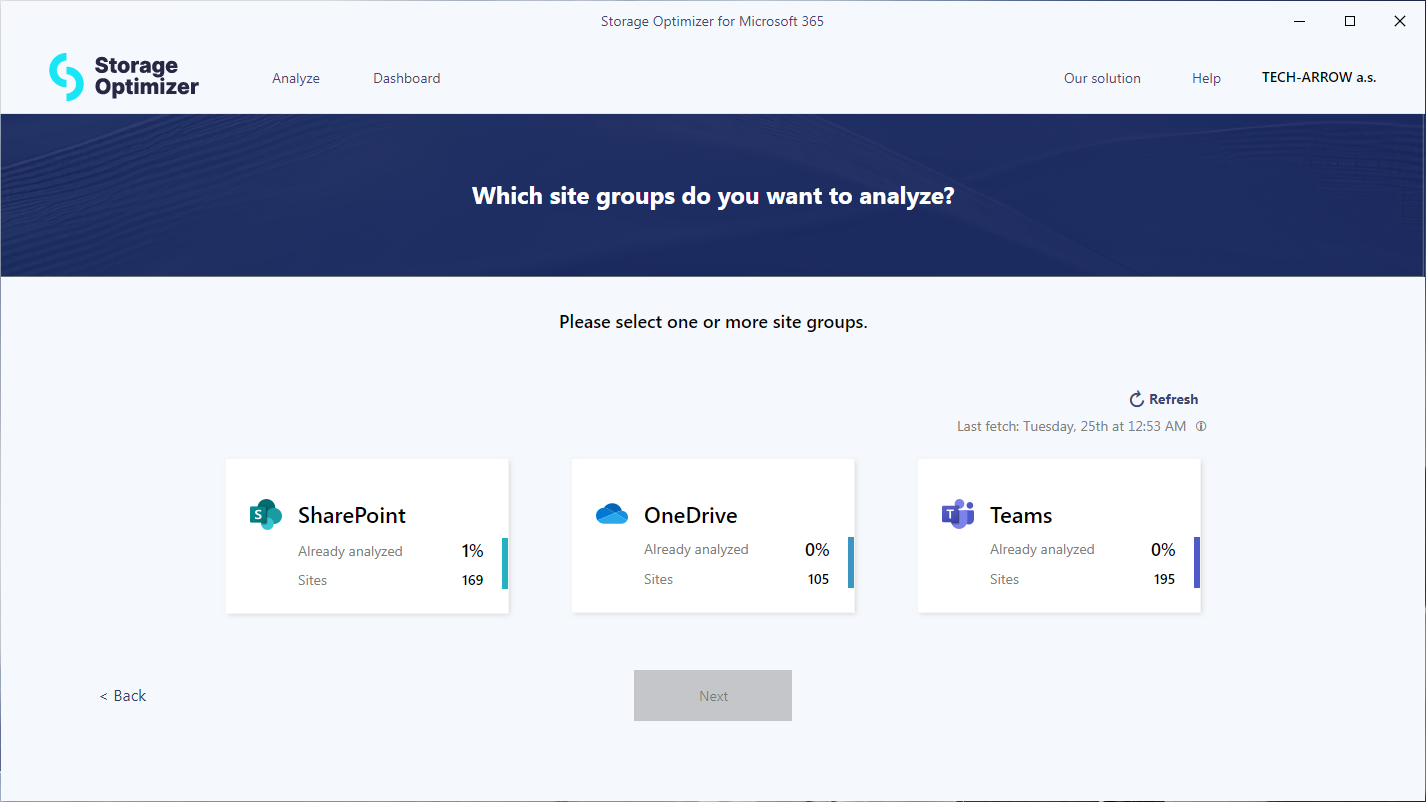
<p>As SharePoint is used by many different services in Microsoft 365, Storage Optimizer categorizes all your sites into three groups (SharePoint, Teams, and OneDrive) to help you focus on the most important data. You can select one or more site groups and later narrow down the specific sites in the site list.</p>
<p><img decoding="async" loading="lazy" alt="SharePoint site categories" src="https://docs.tech-arrow.com/assets/images/so1-0-sitegroups01-742eb6338cb531647ec8db74323795f2.png" width="1426" height="802" class="img_ev3q"></p>
<p><strong>✓ Granular site selection</strong></p>
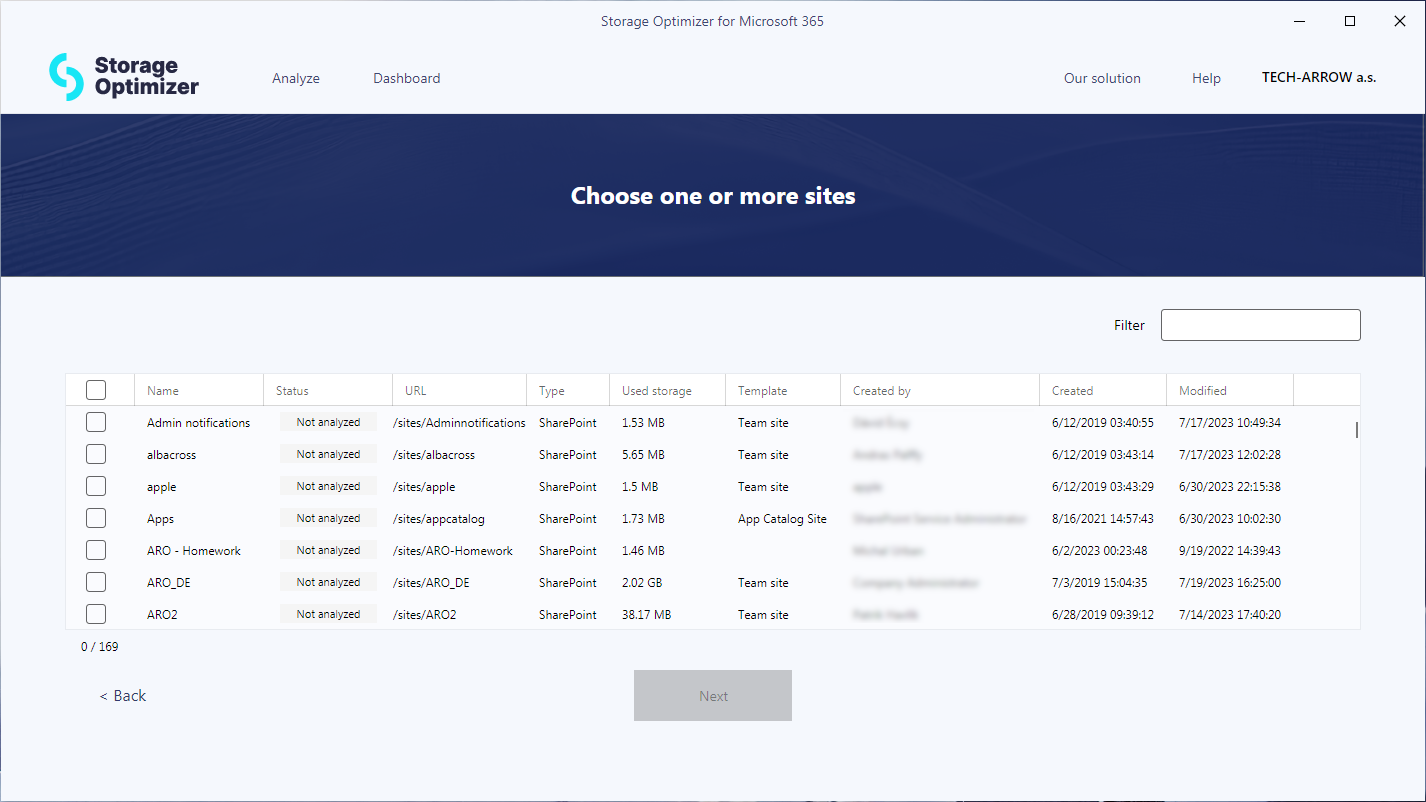
<p>Storage Optimizer displays all your SharePoint sites from the selected groups, along with useful details such as size, template, URL, creation time, and more. To find the sites you want to analyze, you can search, sort, or filter the site list based on any column.<br>
<!-- -->You can then analyze all sites or only a subset of them and run multiple analyses with different site combinations. This flexibility allows you to gather statistics for the most relevant sites.</p>
<p><img decoding="async" loading="lazy" alt="Granular site selection for analysis" src="https://docs.tech-arrow.com/assets/images/so1-0-siteselection01-0ab268575a660e5e79e195044a496597.png" width="1426" height="802" class="img_ev3q"></p>
<p><strong>✓ Dashboard</strong></p>
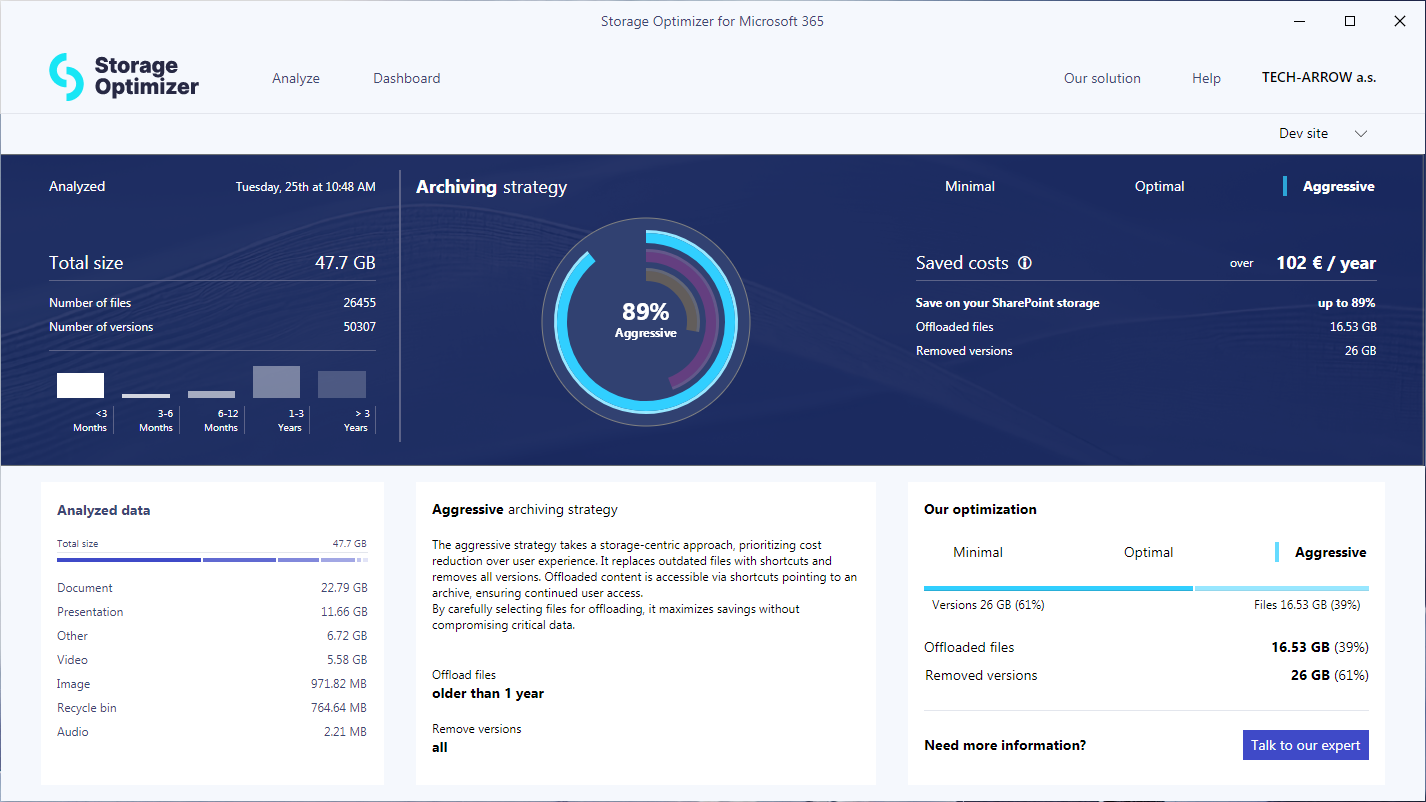
<p>The Storage Optimizer dashboard provides a high-level overview of the analyzed data. It shows the total data volume, as well as the number and size of versions. In addition, it displays data distribution over time, helping you understand how much data was modified in the past and how much space older document versions occupy. Data that has not been modified for a long time is a good candidate for offloading.<br>
<!-- -->The tool also suggests optimization options and estimates potential savings. You can choose between different approaches depending on whether your priority is cost savings or maintaining a seamless user experience.</p>
<p><img decoding="async" loading="lazy" alt="Dashboard" src="https://docs.tech-arrow.com/assets/images/so1-0-dashboard01-5b60eca902d1028e0f0e2a5c9eb7d3de.png" width="1426" height="802" class="img_ev3q"></p>
<p><strong>✓ Automatic updater</strong></p>
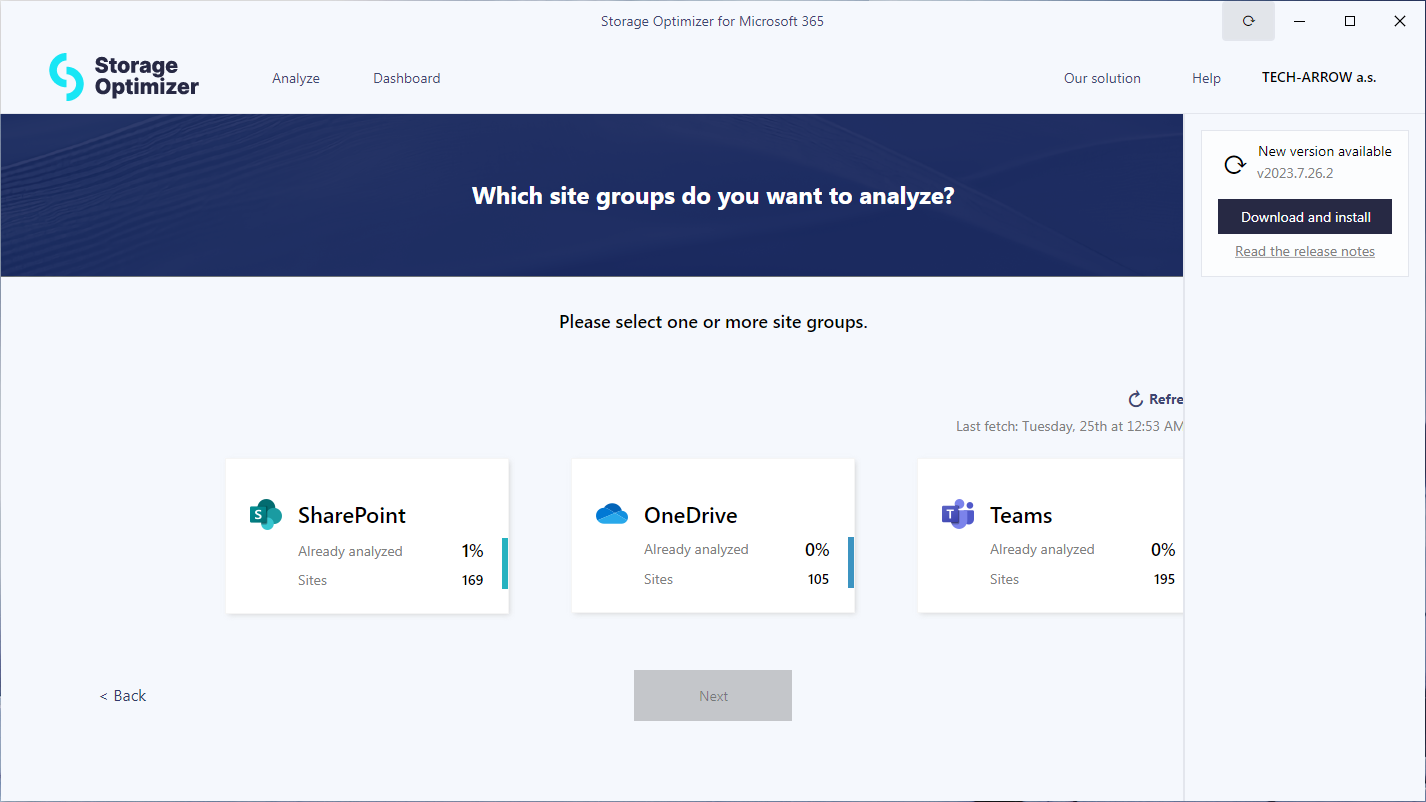
<p>To ensure you always have the latest version of the application installed, Storage Optimizer includes a built-in automatic updater. It periodically checks for new versions and notifies you when updates are available. You can review the release notes to learn about changes and update to the latest version with a single click.</p>
<p><img decoding="async" loading="lazy" alt="Automatic updater" src="https://docs.tech-arrow.com/assets/images/so1-0-autoupdate01-0ba7da5d625575d10e0f2a780abeac07.png" width="1426" height="802" class="img_ev3q"></p>
<h3 class="anchor anchorTargetStickyNavbar_Vzrq" id="installer">Installer<a href="https://docs.tech-arrow.com/release/storageoptimizer/storageoptimizer-1-0#installer" class="hash-link" aria-label="Direct link to Installer" title="Direct link to Installer" translate="no">​</a></h3>
<p><strong>✓ Installer</strong></p>
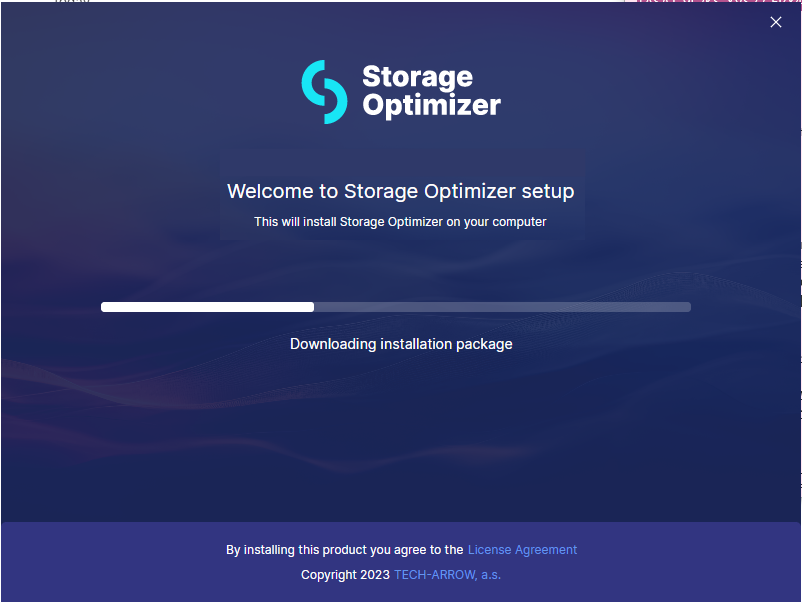
<p>Our user-friendly and intuitive installer enables quick and seamless deployment of the application, ensuring a hassle-free experience.</p>
<p><img decoding="async" loading="lazy" alt="Installer" src="https://docs.tech-arrow.com/assets/images/so1-0-installer02-b384cedb0f5545bf3b6424a53ea4c4f0.png" width="802" height="602" class="img_ev3q"></p>]]></content>
        <author>
            <name>Attila Balázsy</name>
        </author>
        <category label="Storage Optimizer" term="Storage Optimizer"/>
        <category label="Release" term="Release"/>
    </entry>
</feed>